Introducció
This manual provides detailed instructions for the setup, operation, and maintenance of your Tribit Soundbar Speaker S1 with a wired subwoofer. Please read this manual thoroughly before using the product to ensure proper functionality and to maximize your audio experience. Keep this manual for future reference.
Informació de seguretat
- Font d'alimentació: Feu servir només l'adaptador de corrent proporcionat. Assegureu-vos que el volumtage coincideix amb la vostra font d'alimentació local.
- Col·locació: Place the soundbar and subwoofer on a stable, flat surface. Avoid placing near heat sources, direct sunlight, or in humid environments. Ensure adequate ventilation.
- Exposició a l'aigua: Do not expose the unit to water or moisture. If liquid enters the unit, disconnect power immediately and contact customer support.
- Neteja: Netegeu la unitat amb un drap suau i sec. No utilitzeu netejadors líquids ni aerosols.
- Manteniment: No intenteu reparar la unitat vosaltres mateixos. Envieu totes les tasques de manteniment a personal qualificat.
- Nens: Mantenir fora de l'abast dels nens. Les peces petites poden suposar un perill d'asfíxia.
Contingut del paquet
Verifiqueu que tots els elements que s'enumeren a continuació s'inclouen al vostre paquet:
- Tribit Soundbar Speaker S1
- Subwoofer amb cable
- Comandament a distància (amb 2 piles AAA incloses)
- AC Power Cord (for Soundbar)
- Cable AUX
- Mounting Kit (x2)
- Manual d'usuari
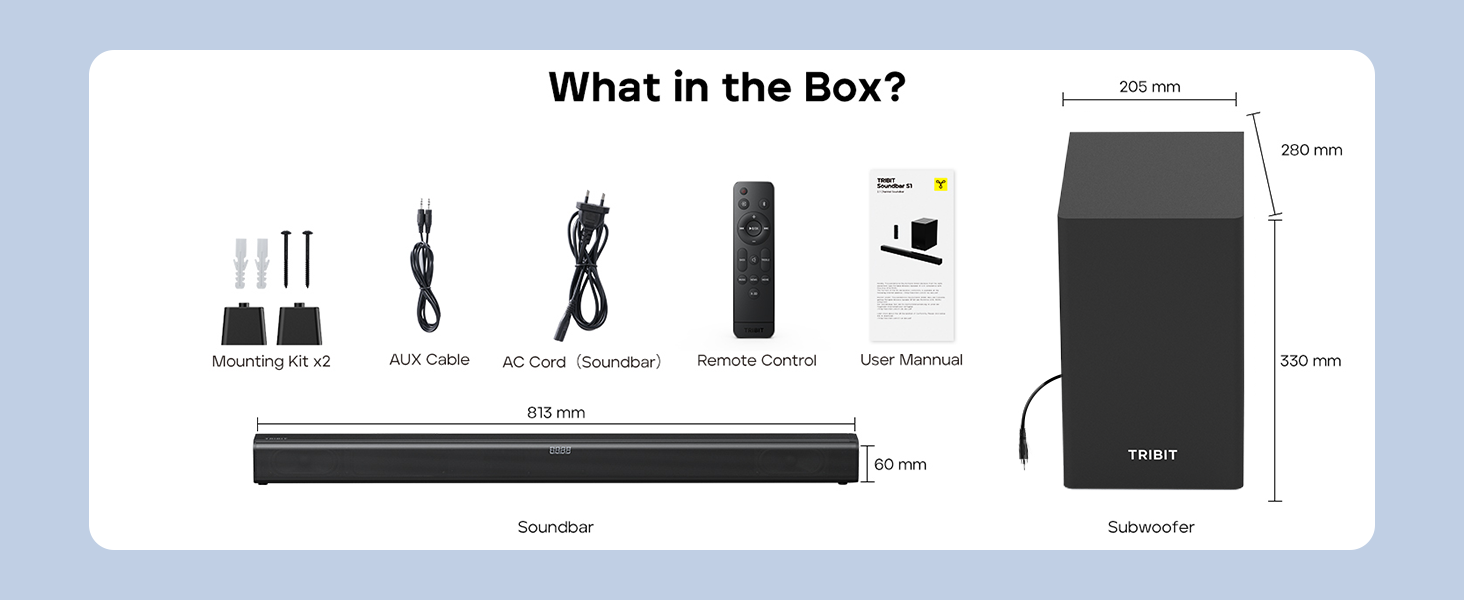
Image: Contents of the Tribit Soundbar S1 package, including the soundbar, subwoofer, remote control, power cord, AUX cable, mounting kit, and user manual. Dimensions for the soundbar and subwoofer are also shown.
Producte acabatview
Soundbar and Subwoofer Components

Image: The Tribit Soundbar S1, its accompanying wired subwoofer, and the remote control, displayed together.

Imatge: Una explosió view diagram illustrating the 100W soundbar and 100W subwoofer with its bass reflex port, highlighting the 200W peak power output.
Controls de la barra de so

Imatge: Una imatge detallada view of the soundbar's top-mounted controls, including the On/Off button, Source button, Volume + button, and Volume - button. The remote control receiver is also indicated.
- Botó d'encesa: Press to turn the soundbar On or Off.
- Botó Font: Press to cycle through input modes (Bluetooth, AUX, HDMI, USB).
- Volum + botó: Augmenta el volum.
- Volum - Botó: Disminuir el volum.
- Pantalla LED: Shows current status, volume level, and EQ mode.
Connexions del panell posterior

Image: A diagram illustrating the rear connection panel of the soundbar, featuring ports for HDMI (ARC), USB Disk Input, AUX Input, SUB Output (for the wired subwoofer), and AC Input. Bluetooth 5.3 connectivity is also noted.
- HDMI (ARC): Connect to your TV's HDMI ARC port for audio output.
- AUX IN: Connect external audio devices via a 3.5mm AUX cable.
- USB: Per reproduir àudio files d'una unitat USB.
- SORTIDA SUB: Connects to the wired subwoofer.
- AC IN: Connecteu el cable d'alimentació.
Control remot

Imatge: Una imatge detallada view of the remote control for the Tribit Soundbar S1, showing buttons for Power On/Off, Source Switching, Bluetooth Mode, Volume +/-, Previous/Next Song, Play/Pause, Mute, Bass/Treble +/- adjustments, and dedicated EQ Mode buttons (Music, News, Movie, X-3D).
The remote control allows full functionality from a distance. Ensure batteries are correctly inserted.
Configuració
Col·locació
Position the soundbar centrally below your television. The subwoofer can be placed on the floor near the soundbar, ideally in a corner for enhanced bass response, but ensure it is not obstructed.

Image: The Tribit Soundbar S1 positioned below a television on a media console, with the wired subwoofer placed to the side, demonstrating a typical home theater setup.
Connexió del subwoofer
Connect the wired subwoofer to the "SUB OUT" port on the rear of the soundbar using the provided cable.
Connexió d'alimentació
Connect the AC power cord to the "AC IN" port on the soundbar, then plug the other end into a wall outlet.
Connexions d'àudio
Trieu un dels mètodes següents per connectar la font d'àudio:
- HDMI (ARC): For optimal audio quality and control, connect an HDMI cable from the soundbar's HDMI (ARC) port to your TV's HDMI ARC port. Ensure your TV's HDMI ARC function is enabled in its settings.
- AUX: Connect the provided 3.5mm AUX cable from the soundbar's AUX IN port to the audio output (headphone jack or AUX out) of your device (TV, smartphone, tablet).
- USB: Inseriu una unitat USB que contingui àudio files into the USB port. The soundbar will automatically switch to USB mode.
- Bluetooth: Per a la connexió sense fil, consulteu la secció "Emparellament Bluetooth" a les instruccions d'ús.
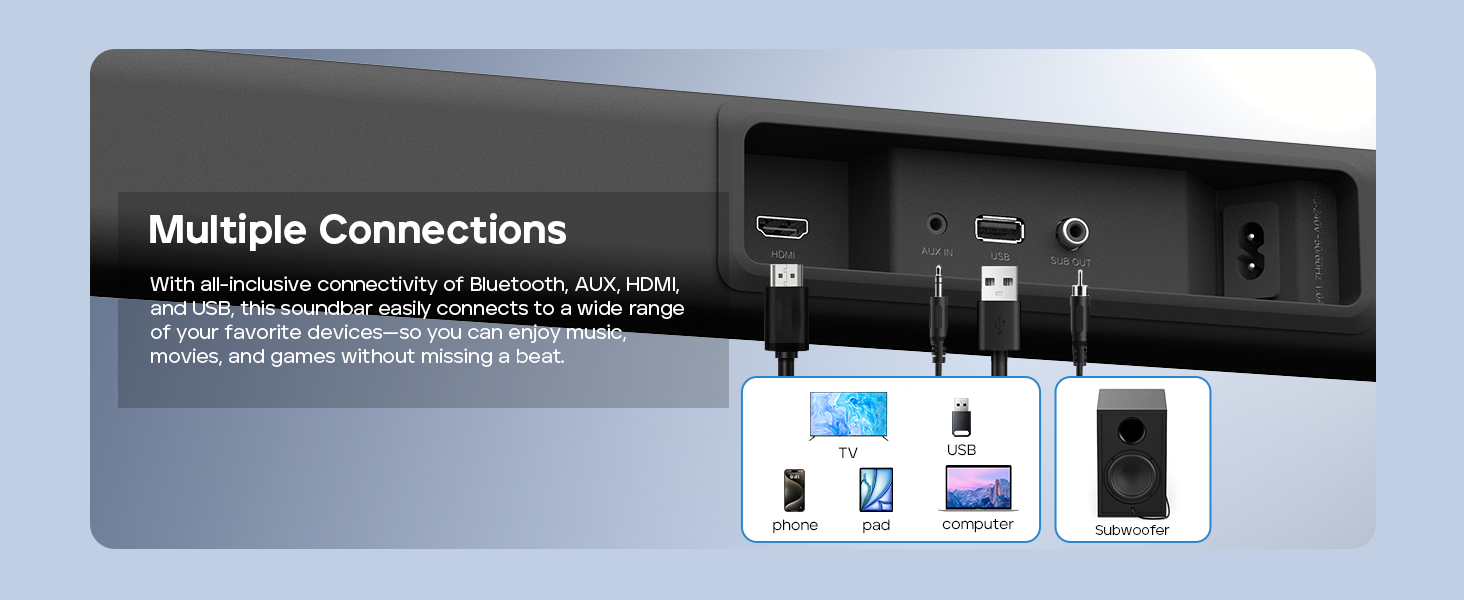
Image: A visual guide demonstrating the multiple connection options for the soundbar, including HDMI, AUX, USB, and Bluetooth, with examples of compatible devices like TVs, phones, tablets, and computers.
Muntatge a la paret (opcional)
If you choose to wall-mount your soundbar, follow these steps:
- Measure 668.70mm between two points on the wall and drill two parallel holes (4x45mm).
- Firmly insert a dowel into each hole. Dowels are only required for solid walls.
- Attach the soundbar to the screws on the wall. Press and slide the soundbar to secure it in the correct position.
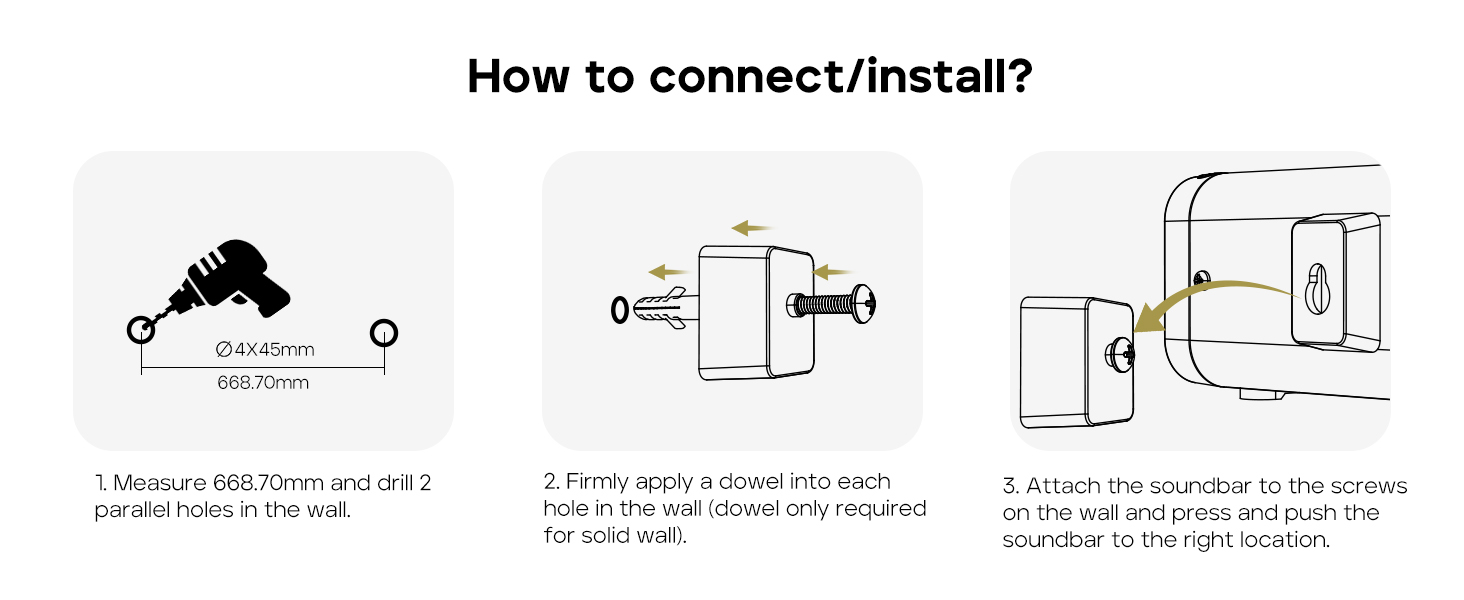
Image: A three-step instructional diagram for wall mounting the soundbar, showing measuring and drilling holes, inserting dowels, and finally attaching the soundbar to the wall.
Instruccions de funcionament
Encès/Apagat
Premeu el botó Poder botó de la barra de so o del comandament a distància per encendre o apagar la unitat.
Selecció de la font d'entrada
Premeu el botó Font button on the soundbar or remote control repeatedly to cycle through available input modes: Bluetooth, AUX, HDMI, USB. The LED display will indicate the current mode.
Control de volum
Utilitza el Volum + or Volum - botons de la barra de so o del comandament a distància per ajustar el nivell de volum.
Premeu el botó Silenciar button on the remote control to mute or unmute the audio.
Emparellament Bluetooth
- Turn on the soundbar and select Bluetooth mode using the Source button. The LED display will show "BT" and flash, indicating it's in pairing mode.
- Enable Bluetooth on your device (smartphone, tablet, etc.) and search for "Tribit S1".
- Select "Tribit S1" from the list of available devices to connect. Once connected, the LED display will stop flashing and show "BT" steadily.
Modes EQ
The soundbar features four equalizer (EQ) modes to optimize audio for different content types. Use the dedicated buttons on the remote control to switch between modes:
- Mode de música: Provides balanced sound for general music listening.
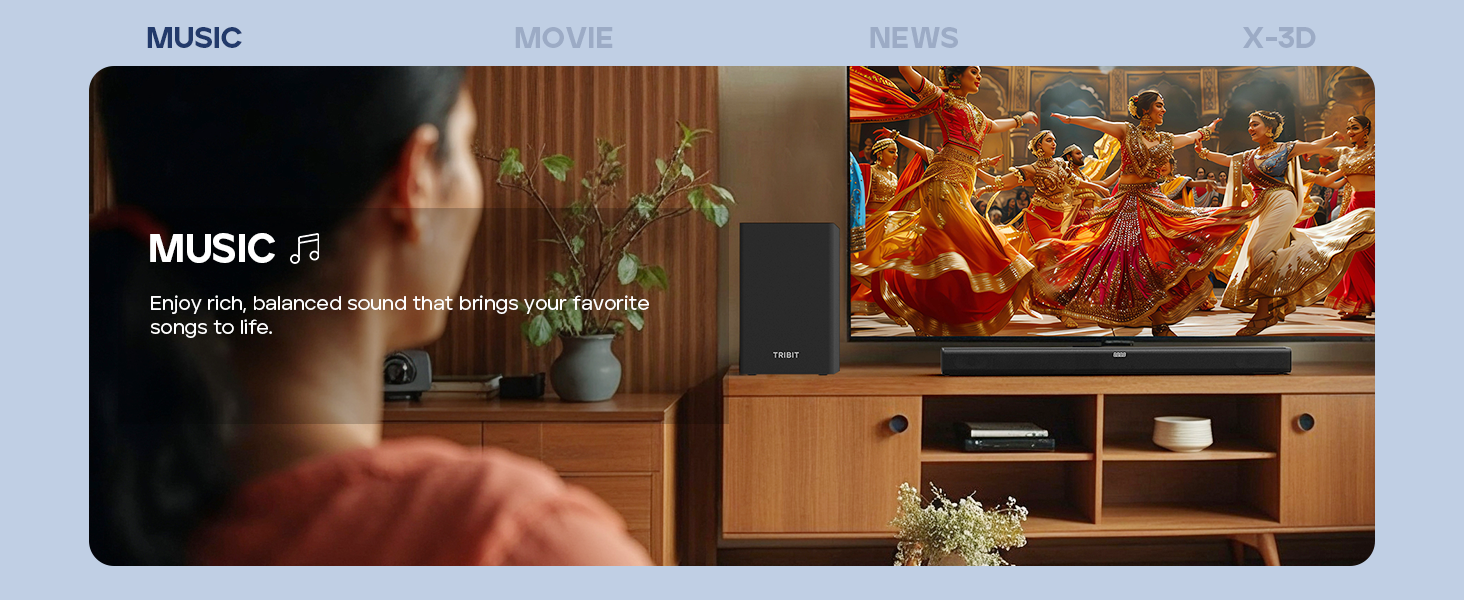
Image: A person enjoying music with the soundbar, illustrating the Music EQ mode for balanced audio.
- Mode pel·lícula: Enhances dialogue and sound effects for a cinematic experience.
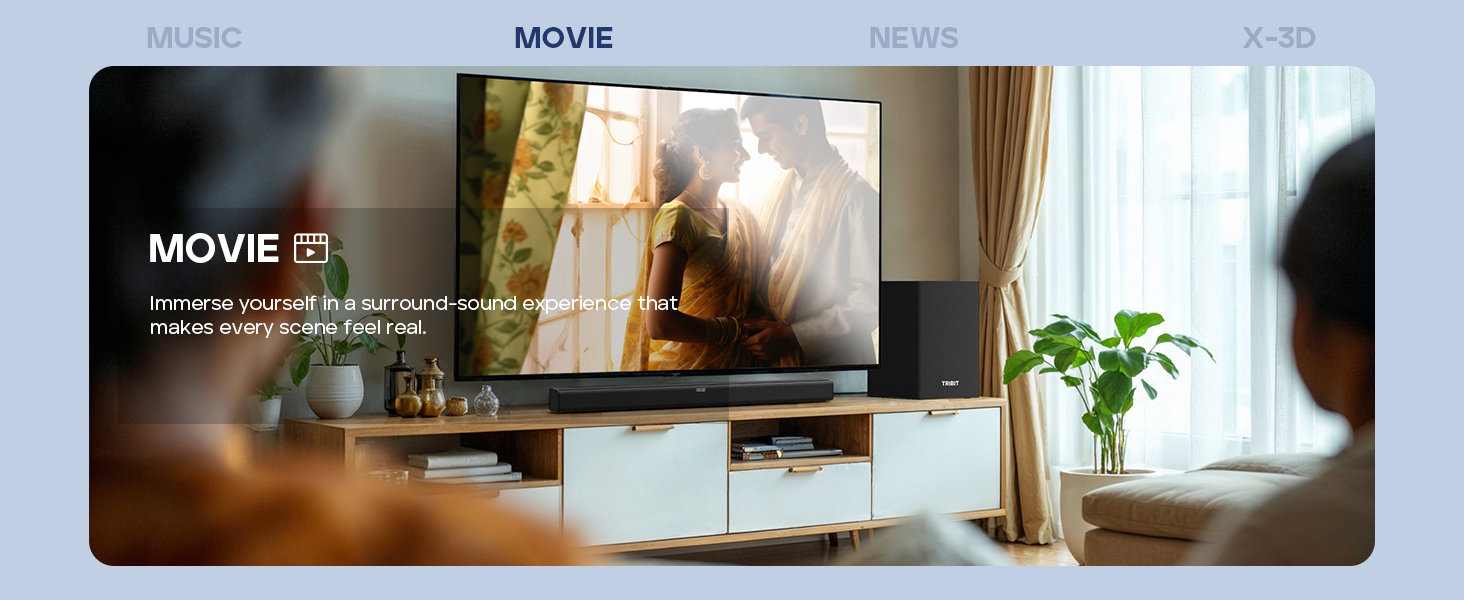
Image: A couple watching a movie with the soundbar, illustrating the Movie EQ mode for an immersive surround-sound experience.
- Mode de notícies: Optimizes for clear dialogue, making news broadcasts and speech easier to understand.
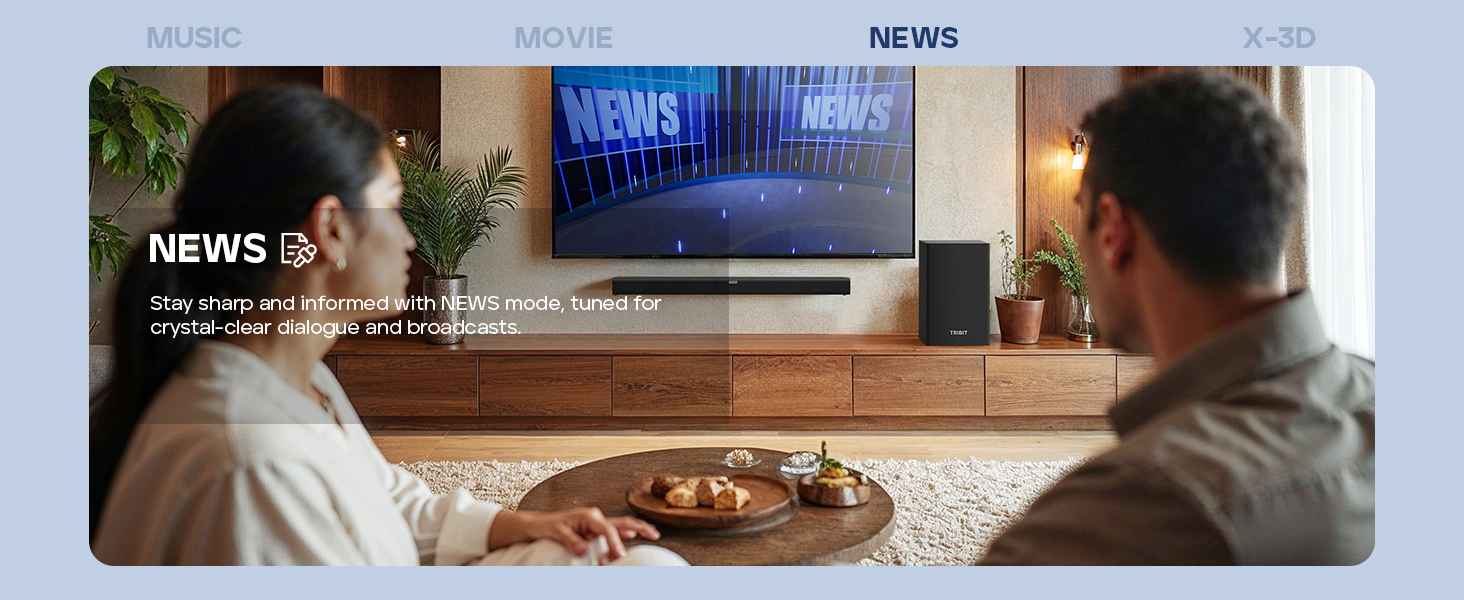
Image: A couple watching news with the soundbar, illustrating the News EQ mode for crystal-clear dialogue.
- X-3D Mode: Creates an expanded stereo effect for an immersive virtual surround sound experience.
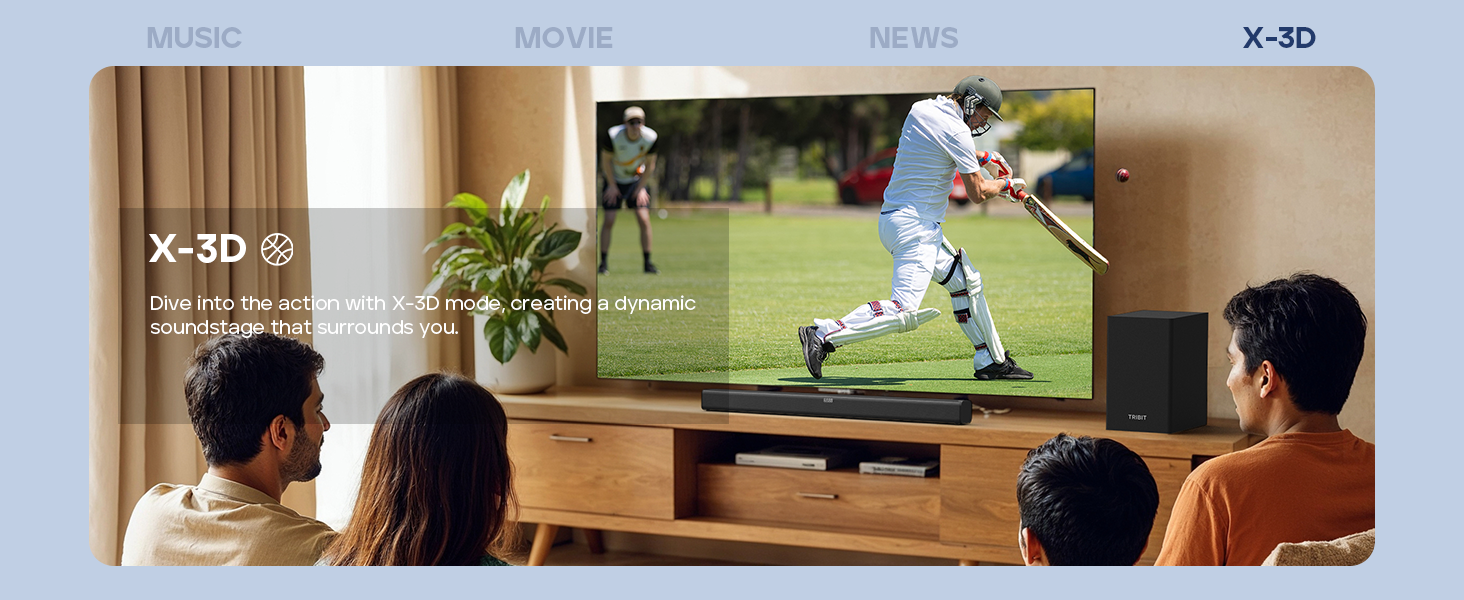
Image: People watching sports with the soundbar, illustrating the X-3D mode for a dynamic, surrounding soundstage.

Image: A visual representation of the four available EQ modes (Music, Movie, News, X-3D) and their corresponding icons, indicating how to adjust them with the remote for an immersive virtual surround sound experience.
Control de graves i aguts
Utilitza el BAIX +/- i AGUTS +/- buttons on the remote control to fine-tune the low and high frequencies to your preference.
Resolució de problemes
| Problema | Causa possible | Solució |
|---|---|---|
| Sense poder | Cable d'alimentació no connectat; Presa de corrent no activa. | Assegureu-vos que el cable d'alimentació estigui connectat correctament a la barra de so i a una presa de corrent que funcioni. |
| Sense so | Incorrect input source selected; Volume too low; Cables not connected properly; Mute function active. | Select the correct input source. Increase volume. Check all audio cables. Deactivate mute. |
| L'aparellament de Bluetooth falla | La barra de so no està en mode d'emparellament; Dispositiu massa lluny; Interferències. | Ensure soundbar is in Bluetooth pairing mode (flashing "BT"). Move device closer. Avoid strong interference sources. Try re-pairing. |
| El comandament a distància no funciona | Batteries depleted; Obstruction between remote and soundbar; Remote not pointed correctly. | Replace batteries (2 AAA). Remove any obstructions. Point the remote directly at the soundbar's receiver. |
| Mala qualitat del so | Incorrect EQ mode; Loose cable connection; Low-quality audio source. | Switch EQ modes to find the best setting. Check cable connections. Use a higher quality audio source if possible. |
Especificacions
- Model: BTS61
- Tipus d'altaveu: Barra de so, subwoofer
- Configuració del canal de so envoltant: 2.1
- Potència de sortida màxima dels altaveus: 200 Watts (100W Soundbar, 100W Subwoofer)
- Diàmetre del subwoofer: 6.5 polzades
- Tecnologia de connectivitat: Bluetooth 5.3, Auxiliary, HDMI (ARC), USB
- Mode de sortida d'àudio: Estèreo, Envoltant
- Mètode de control: Control remot, botons integrats a la unitat
- Característica especial: LED Display, 4 EQ Modes (Music, Movie, News, X-3D), Bass & Treble Control
- Font d'alimentació: Alimentat per corrent altern
- Color: Negre
- Pes de l'article: 8.76 kg (Soundbar + Subwoofer)
- Dimensions del paquet: 90.8 x 44.8 x 27.8 cm
- Bateries: 2 piles AAA (per al comandament a distància, incloses)
Manteniment
- Neteja: Wipe the surfaces of the soundbar and subwoofer with a soft, dry, lint-free cloth. Do not use abrasive cleaners, waxes, or solvents.
- Ventilació: Assegureu-vos que les obertures de ventilació de la barra de so i del subwoofer no estiguin bloquejades.
- Emmagatzematge: Si guardeu la unitat durant un període prolongat, desconnecteu-la de la presa de corrent i guardeu-la en un lloc fresc i sec.
Garantia i Suport
Tribit products are designed for reliability and performance. For warranty information and customer support, please refer to the warranty card included in your package or visit the official Tribit weblloc.
Informació de contacte:
- Fabricant: Tribit
- Assistència en línia: Visit the Tribit Store on Amazon
Please have your model number (BTS61) and purchase details ready when contacting support.


