SGNICS Smart Watch F57L User Manual
Model: F57L
1. Introducció i finalview
Thank you for choosing the SGNICS Smart Watch F57L. This device is designed to enhance your daily life with its comprehensive health tracking, communication features, and versatile sports modes. It features a 1.91-inch HD touch screen, Bluetooth call functionality, and compatibility with both Android and iOS phones. This manual provides essential information for setup, operation, maintenance, and troubleshooting to ensure optimal performance of your smart watch.
2. Components inclosos
Si us plau, verifiqueu que tots els components siguin presents al vostre paquet:
- 1 x SGNICS Smart Watch F57L
- 1 corretja de rellotge
- 1 x cable de càrrega
- 1 x Manual d'usuari (aquest document)
3. Guia de configuració
3.1 Càrrega inicial
Before first use, fully charge your smart watch. Connect the magnetic charging cable to the charging contacts on the back of the watch and plug the USB end into a standard USB power adapter (not included).
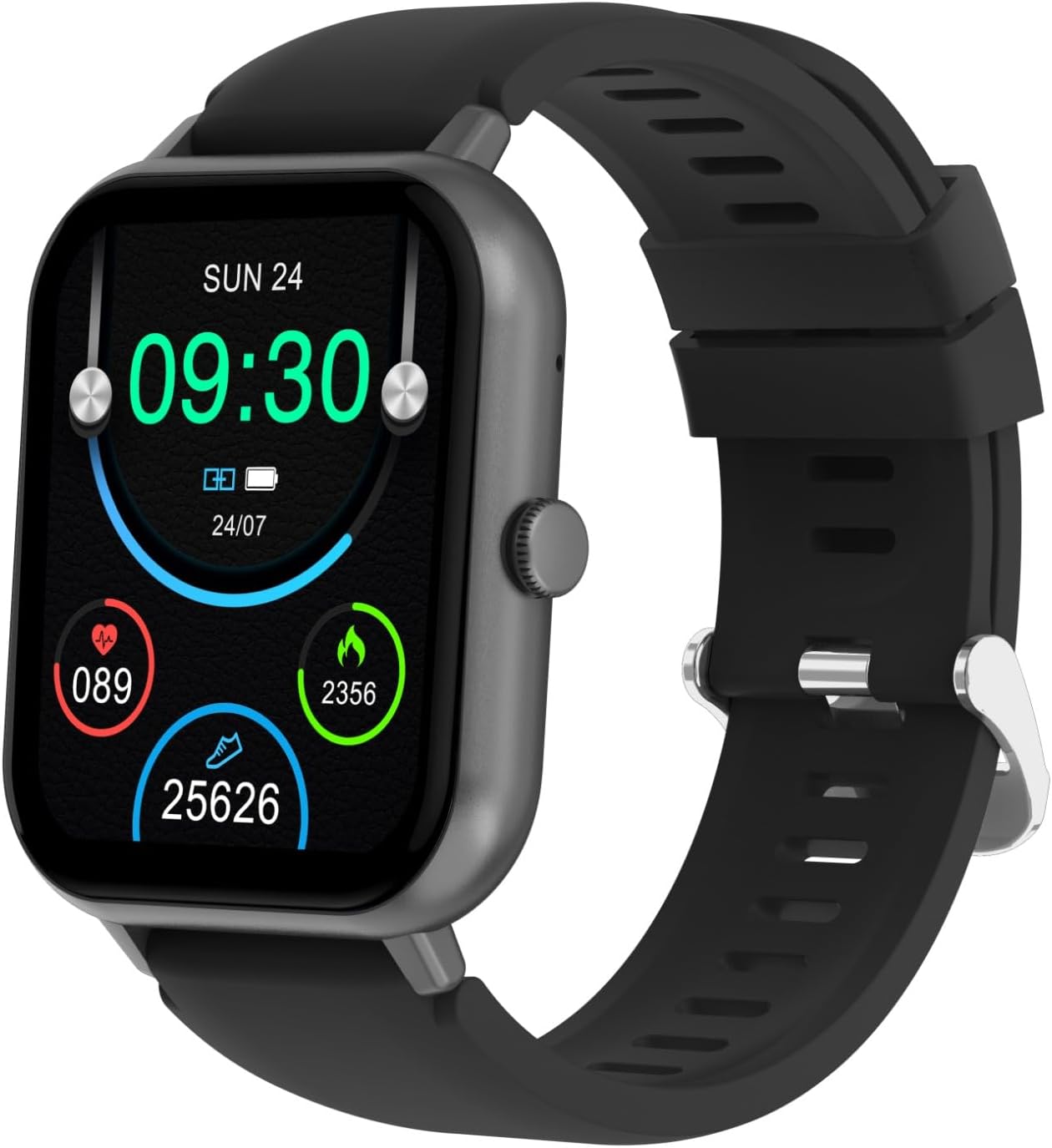
Image: The SGNICS Smart Watch F57L, displaying its main screen with various health metrics and the current time.
3.2 Descàrrega i emparellament de l'aplicació
- Scan the QR code in the manual or on the watch packaging to download the official companion app, or search for it in your phone's app store.
- Instal·la i obre l'aplicació al teu telèfon intel·ligent.
- Activa el Bluetooth al teu telèfon.
- In the app, navigate to 'Device' or 'Add Device' and select the F57L from the list of available devices.
- Confirma la sol·licitud d'emparellament tant al telèfon com al rellotge.
4. Instruccions de funcionament
4.1 Navegació bàsica
The watch features a 1.91-inch HD touch screen for intuitive navigation. Swipe up, down, left, or right to access different functions and menus. Press the side button to return to the home screen or wake the device.

Imatge: Una imatge detallada view of the watch's vibrant 1.91-inch HD display, highlighting its clarity and touch responsiveness.
4.2 Trucades i notificacions per Bluetooth
- Fer/Rebre trucades: Once connected via Bluetooth, you can make and receive calls directly from your wrist. Access the dial pad or call history on the watch.
- Notificacions: All incoming messages and app notifications from your paired phone will be displayed on the watch screen and accompanied by a vibration alert.
4.3 modes esportius
The watch supports over 50 sports modes, including running, dancing, yoga, cycling, and hiking. Select your desired activity from the sports menu to track your performance, including steps, calories burned, distance, and time.
4.4 Seguiment de la salut
The F57L automatically tracks your daily activity 24/7 using advanced sensors. This includes heart rate monitoring, sleep analysis, and other health metrics. Data can be viewed on the watch and in detail within the companion app.

Imatge: La part posterior view of the SGNICS Smart Watch F57L, highlighting the integrated heart rate sensor and fitness tracking components.
4.5 Life Assistant Features
The watch includes various convenient features:
- Assistent de veu AI: Interact with your virtual assistant directly from your wrist for quick queries, setting reminders, or controlling smart devices.
- Podòmetre: Tracks your daily steps.
- Reproducció de música: Control music on your phone.
- Cronòmetre i compte enrere: Per a activitats de cronometratge.
- Calculadora: Càlculs bàsics sobre la marxa.
- Visualització del temps: Rep actualitzacions meteorològiques en temps real.
- Fotografia a distància: Fes servir el rellotge com a disparador remot per a la càmera del telèfon.
- Troba el meu telèfon: Locate your misplaced phone by making it ring.
5. Manteniment
- Neteja: Netegeu el rellotge i la corretja regularment amb un drap suau i sec.amp tela. Eviteu utilitzar productes químics o materials abrasius.
- Càrrega: Always use the provided charging cable. Ensure the charging contacts are clean and dry before charging.
- Resistència a l'aigua: While designed for daily wear and fitness, avoid prolonged immersion in water or exposure to hot water/steam. Refer to product specifications for exact water resistance rating.
- Emmagatzematge: Guardeu el rellotge en un lloc fresc i sec quan no l'utilitzeu.
6. Solució De Problemes
6.1 El rellotge no s'encén
- Assegura't que el rellotge estigui completament carregat. Connecta'l al carregador durant almenys 30 minuts.
- Press and hold the side button for 10-15 seconds to force a restart.
6.2 No es pot emparellar amb el telèfon
- Assegureu-vos que el Bluetooth estigui activat al telèfon i al rellotge.
- Assegureu-vos que el rellotge estigui dins de l'abast del Bluetooth del telèfon (normalment 10 metres).
- Reinicia tant el telèfon com el rellotge.
- Clear any previous pairing records for the watch on your phone's Bluetooth settings.
- Assegureu-vos que l'aplicació complementària estigui actualitzada a la darrera versió.
6.3 Dades de salut inexactes
- Assegureu-vos de portar el rellotge ben ajustat al canell, però no massa ajustat.
- Netegeu el sensor de la part posterior del rellotge.
- Ensure your personal information (height, weight, age) is correctly entered in the companion app.
6.4 Notificacions que no apareixen
- Check notification permissions for the companion app in your phone's settings.
- Assegureu-vos que el rellotge estigui connectat al telèfon mitjançant Bluetooth.
- Verify that notification alerts are enabled within the watch's settings and the companion app.
7. Especificacions
| Característica | Especificació |
|---|---|
| Nom del model | F57L |
| Color | Negre |
| Material | Zinc |
| Mostra | Pantalla tàctil HD de 1.91 polzades |
| Connectivitat | Bluetooth |
| Tipus de bateria | Polímer de liti |
| Característiques especials | Activity Tracker, Bluetooth Call, AI Voice Assistant |
| Modes esportius | 50+ Multi-Sports Modes |
8. Garantia i Suport
8.1 Informació de la garantia
The SGNICS Smart Watch F57L comes with a 60-day warranty from the date of purchase, covering manufacturing defects. This warranty does not cover damage caused by misuse, accidents, unauthorized modifications, or normal wear and tear.
8.2 Atenció al client
For any questions, technical assistance, or warranty claims, please contact SGNICS customer support through the retailer's platform or the contact information provided with your purchase. Please have your model number (F57L) and purchase details ready when contacting support.