Introducció
The Xiaomi Redmi Pad SE 8.7 is a versatile tablet designed for everyday use, offering a balance of performance and portability. It features an 8.7-inch HD LCD display, an octa-core processor, and a long-lasting 6,650 mAh battery. Running on Android 14 with Xiaomi HyperOS, it provides a smooth and intuitive user experience. This manual provides essential information for setting up, operating, and maintaining your device.
Què hi ha a la caixa
Upon unboxing your Xiaomi Redmi Pad SE 8.7, please ensure all the following items are present:
- Tauleta Xiaomi Redmi Pad SE 8.7
- Fast Car Dual USB 16W Charger
- Adaptador de paret
- Cable USB (tipus C)
- Guia d'inici ràpid
- Informació de seguretat i garantia
- MicroSD Card Removal Tool

Figure 1: Xiaomi Redmi Pad SE 8.7 Tablet (Front and Rear View)
The image above displays the Xiaomi Redmi Pad SE 8.7 tablet in Sky Blue, showcasing its sleek design and camera module on the rear. The front features the display with minimal bezels.
Configuració
- Càrrec inicial: Before first use, fully charge your tablet using the provided USB cable and wall adapter.
- Encès: Premeu i manteniu premut el botó d'engegada situat al lateral de la tauleta fins que aparegui el logotip de Xiaomi.
- Idioma i regió: Segueix les instruccions que apareixen a la pantalla per seleccionar l'idioma i la regió que prefereixis.
- Connecta't a Wi-Fi: Select your Wi-Fi network from the list and enter the password to connect to the internet. This tablet is a WIFI-only version and does not support SIM cards for cellular data.
- Configuració del compte de Google: Sign in with your Google account or create a new one. This is necessary to access the Google Play Store and other Google services.
- Screen Lock and Face Unlock: Set up a screen lock (PIN, pattern, or password) for security. Face unlock is also available for convenient access.
- Configuració de navegació: The tablet defaults to gesture navigation. You can change this to traditional button navigation in the settings menu if preferred.
Funcionament del dispositiu
Interfície d'usuari i navegació
The Xiaomi Redmi Pad SE 8.7 runs on Android 14 with Xiaomi HyperOS, providing a user-friendly interface. All applications are typically displayed directly on the home screen by default. Swiping left from the home screen reveals the Google Discover news feed.
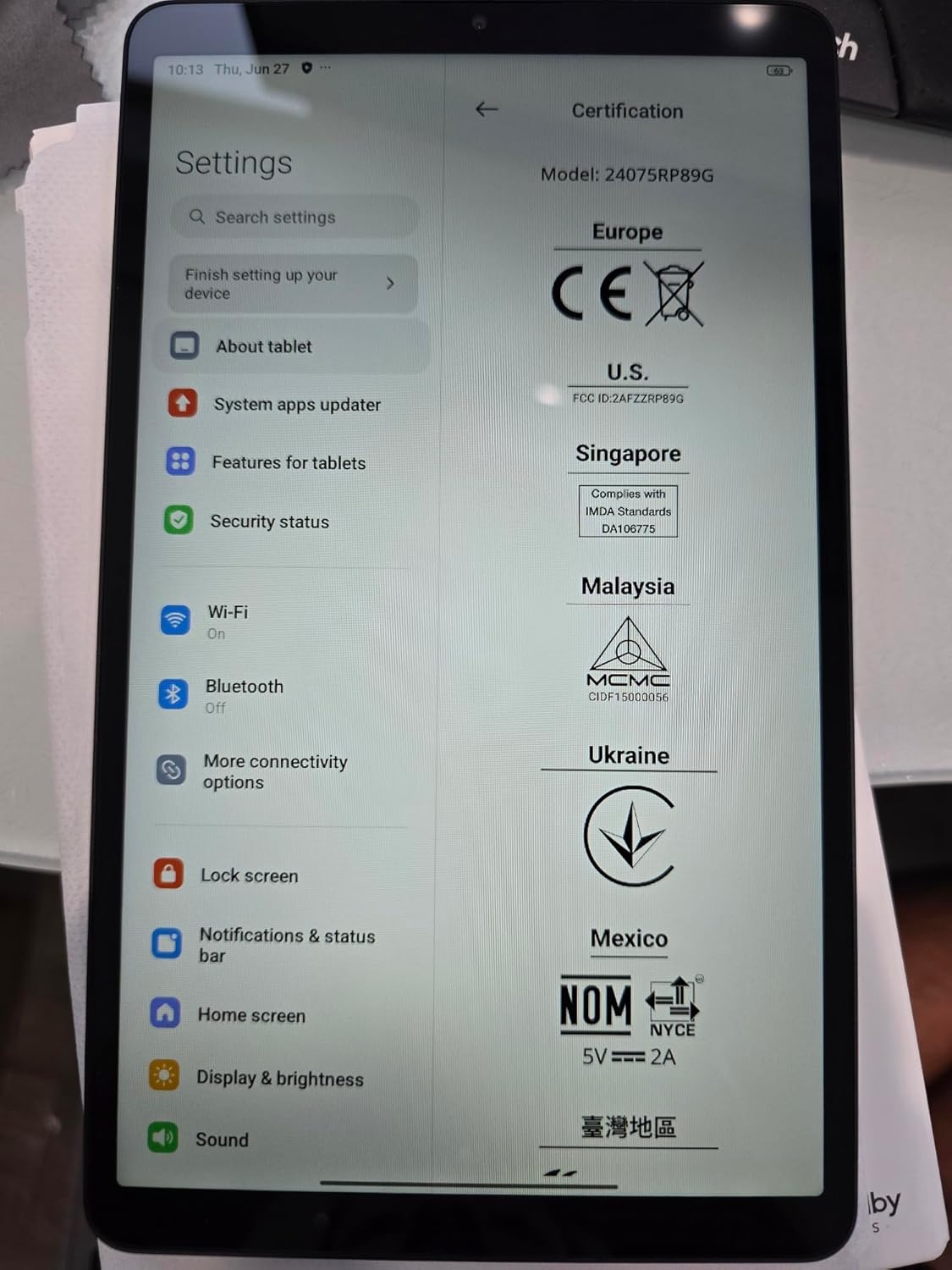
Figure 2: Xiaomi Redmi Pad SE 8.7 displaying the settings menu.
This image shows the tablet's settings interface, specifically the storage space overview, indicating the amount of occupied and available storage. The tablet utilizes approximately 26GB of its 128GB internal storage for the operating system and pre-installed applications.
Control Center and Notifications
Swipe down from the top-right corner of the screen to access the Control Center, where you can quickly adjust settings such as volume, brightness, and access various shortcuts like screen recorder, dark mode, flashlight, screenshot, airplane mode, and screencast. You can also customize these shortcuts to include Dolby Atmos and auto-brightness. Swiping down from the top-left corner will display your notifications.
Qualitat de visualització
The 8.7-inch LCD display offers HD resolution (800 x 1,340 pixels) with a refresh rate of up to 90Hz, providing a smooth visual experience. While the screen brightness is adequate for indoor use, it may be less vibrant in direct sunlight. The display quality is suitable for general media consumption and is comparable to other tablets in its class. It supports up to 1440p resolution for YouTube videos and Widevine L1 for streaming apps like Netflix, ensuring high-quality content playback.
Rendiment
Equipped with a MediaTek Helio G99 chipset, the Redmi Pad SE 8.7 delivers reliable performance for daily tasks. While not designed for intensive gaming, it can handle popular titles like PUBG Mobile and Asphalt 9 with reasonable frame rates and no significant overheating or glitches during extended use. The tablet offers 4GB of RAM and 128GB of internal storage, expandable via a microSD card slot.
Durada de la bateria
The tablet is powered by a 6,650 mAh battery, providing extended usage times. In typical usage scenarios, the battery can last for approximately 9.5 hours with 100% screen brightness during continuous video playback. With mixed usage and optimized brightness settings, you can expect several days of battery life.
Funcionalitat de la càmera
The Redmi Pad SE 8.7 features an 8MP rear camera and a 5MP front-facing camera. The camera app is straightforward, offering modes for night, photo, video, and document scanning. It supports video recording up to 1080p resolution. While the camera quality is sufficient for basic tasks like video calls and casual photos, it is not intended for professional photography. For optimal photo and video quality, it is recommended to use a dedicated smartphone camera.
Àudio
The tablet features speakers on each side, enhanced with Dolby Atmos for an immersive audio experience. The speakers are surprisingly loud for a tablet of this size, providing clear sound for media consumption.
Especificacions
| Característica | Detall |
|---|---|
| Marca | Xiaomi |
| Nom del model | Redmi Pad SE 8.7 |
| Sistema operatiu | Android 14, HyperOS |
| Mida de la pantalla | 8.7 Inches (HD LCD) |
| Resolució de pantalla màxima | 1340 x 800 píxels |
| Marca del processador | MediaTek |
| RAM | 4GB (available in 6GB variant in some regions) |
| Capacitat d'emmagatzematge de memòria | 128 GB (expandable via microSD card slot) |
| posterior WebResolució de la càmera | 8 MP |
| Resolució de la càmera frontal | 5 MP |
| Tipus de bateria | Lithium-Polymer (6,650 mAh) |
| Càrrega ràpida | Fins a 18 W |
| Connectivitat | WIFI Version (NO SIM CARD), Bluetooth 5.3, USB-C, 3.5mm Headphone Jack |
| Dimensions (LxWxH) | 8.32 x 0.34 x 4.94 polzades |
| Pes de l'article | 1.1 lliures |
| Color | Blau cel |
Resolució de problemes
- El dispositiu no s'encén: Assegureu-vos que la bateria estigui carregada. Connecteu la tauleta al carregador i espereu uns minuts abans d'intentar tornar-la a engegar.
- Problemes de connectivitat Wi-Fi: Check if your Wi-Fi router is working correctly. Restart the tablet and the router. Ensure you are within range of the Wi-Fi signal.
- Rendiment lent: Close unnecessary background applications. Clear cache from apps. Check available storage space and free up space if needed.
- Les aplicacions es bloquegen: Ensure apps are updated to their latest versions. Clear the app's cache or data. If the issue persists, uninstall and reinstall the app.
- La pantalla no respon: Perform a forced restart by holding down the power button for approximately 10-15 seconds until the device reboots.
- Restabliment de fàbrica: If you encounter persistent software issues, you may need to perform a factory reset. Go to Settings > System > Reset options > Erase all data (factory reset). Avís: Això esborrarà totes les dades de la tauleta. Fes una còpia de seguretat de les dades importants abans de continuar.
Manteniment
- Actualitzacions de programari: Regularly check for and install system updates to ensure optimal performance, security, and access to new features. Go to Settings > About tablet > System apps updater.
- Neteja: Feu servir un drap suau i sense borrissol per netejar la pantalla i el cos de la tauleta. Eviteu utilitzar productes químics agressius o materials abrasius.
- Gestió d'emmagatzematge: Periòdicament review les teves aplicacions instal·lades i files. Desinstal·leu les aplicacions que no feu servir i suprimiu les innecessàries files to maintain sufficient free storage space.
- Cura de la bateria: Avoid extreme temperatures. Do not leave the tablet fully charged or completely drained for extended periods.
Garantia i Suport
Your Xiaomi Redmi Pad SE 8.7 comes with a manufacturer's warranty. Please refer to the included Warranty Card for detailed terms and conditions, including coverage period and service procedures. For technical support, product inquiries, or warranty claims, please visit the official Xiaomi support weblloc web o poseu-vos en contacte amb el servei d'atenció al client. Conserveu el comprovant de compra per validar la garantia.
Please note that no official product videos from the seller were available for embedding in this manual.


