1. Introducció
The Satlink ST-5032 is a portable digital satellite signal detector designed for the installation and verification of digital television services in residential homes or apartment buildings. It is fully compatible with DVB-S2/S, ISDB-T, and J83B standards, offering a compact size, lightweight design, and an intuitive user interface.
This manual provides detailed instructions on how to set up, operate, and maintain your ST-5032 device to ensure optimal performance and longevity.
2. Informació de seguretat
Please read all safety instructions before using the device. Failure to follow these instructions may result in electric shock, fire, or damage to the device.
- No exposeu el dispositiu a la pluja o la humitat.
- No desmunteu el dispositiu. Encarregueu tot el manteniment a personal qualificat.
- Utilitzeu només l'adaptador d'alimentació subministrat.
- Mantingueu el dispositiu allunyat de temperatures extremes i de la llum solar directa.
- Assegureu-vos una ventilació adequada per evitar el sobreescalfament.
3. Contingut del paquet
Verifiqueu que tots els elements siguin presents al vostre paquet:
- Satlink ST-5032 Digital Satellite Signal Detector
- Adaptador de corrent (endoll UE)
- Cable USB
- Corretja d'espatlla
- Manual d'usuari (aquest document)
- Software CD (optional, for PC connection)
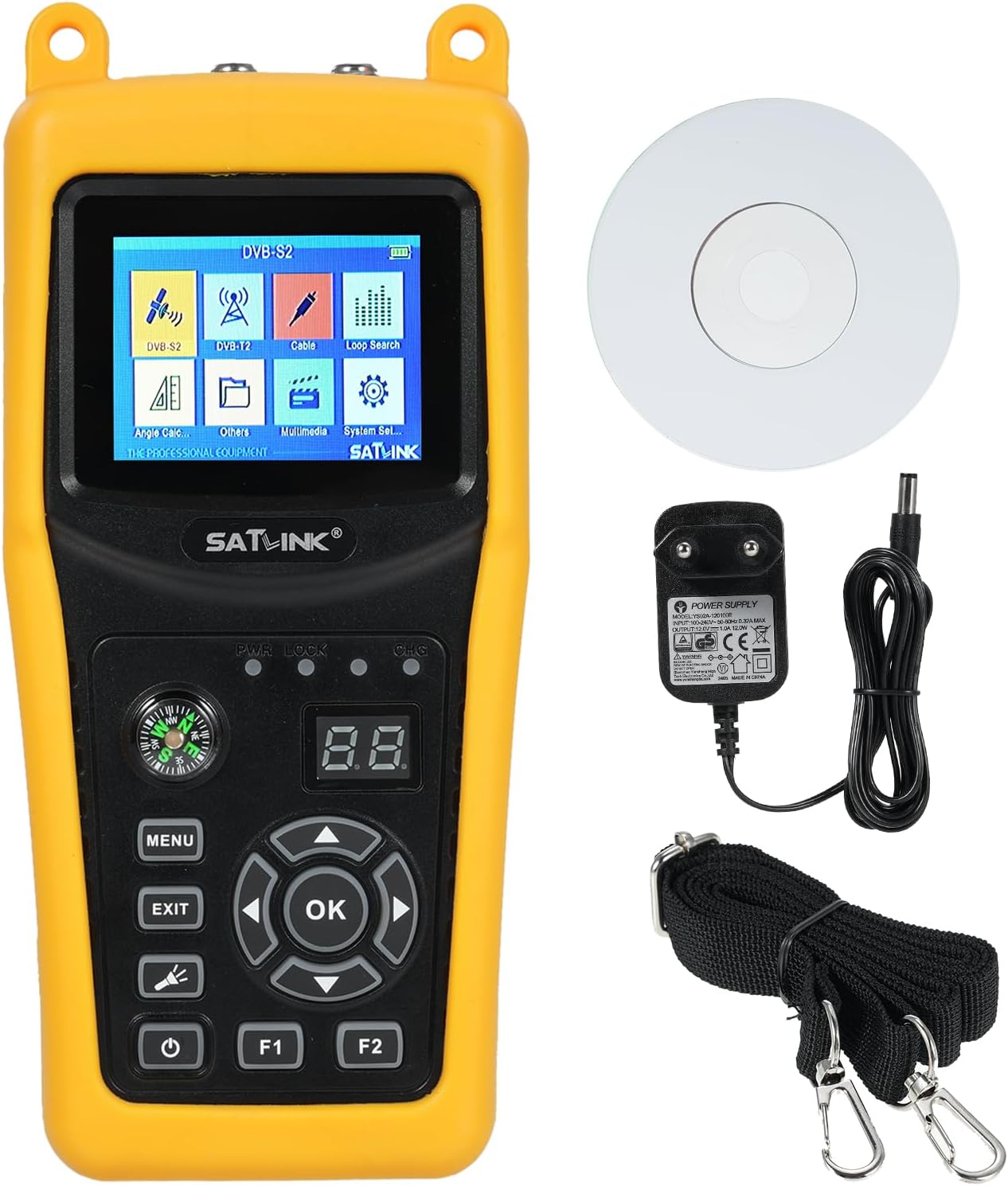
Image 3.1: Satlink ST-5032 device with power adapter, USB cable, shoulder strap, and software CD.
4. Dispositiu acabatview
Familiarize yourself with the various parts and controls of your ST-5032 device.
4.1 Tauler frontal

Imatge 4.1: Frontal view of the Satlink ST-5032, displaying the 2.4-inch TFT LCD screen and control buttons.
- 2.4" TFT LCD Screen: Displays menus, signal information, and video.
- Brúixola: Integrated for easier and faster position adjustment of the satellite dish.
- Botó MENÚ: Accedeix al menú principal.
- Botó EXIT: Torna a la pantalla anterior o surt d'un menú.
- Botó D'acord: Confirma les seleccions o accedeix a submenús.
- Botons direccionals (amunt/avall/esquerra/dreta): Navegueu pels menús i ajusteu la configuració.
- Botó d'encesa: Encén/apaga el dispositiu.
- Botons F1/F2: Function keys, their purpose may vary depending on the current menu.
- PWR/LOCK/CHG Indicators: LED indicators for power, signal lock, and charging status.
4.2 Panells superior i inferior

Imatge 4.2: Superior i inferior views of the Satlink ST-5032, highlighting the F-type connectors for satellite and antenna inputs.
- F-Type Connectors: For connecting to the LNB of a satellite dish or a terrestrial antenna.
4.3 taulers laterals

Imatge 4.3: Lateral views of the Satlink ST-5032, showing the USB port and power input jack.
- Port USB: For software updates and data transfer.
- Entrada d'alimentació de CC: For connecting the power adapter to charge the device or operate it directly.
5. Configuració
5.1 Càrrega inicial
Before first use, fully charge the device's internal Li-ion battery. Connect the provided power adapter to the DC power input on the side of the device and plug it into a wall outlet. The CHG indicator will illuminate during charging and turn off when fully charged.
5.2 Engegada/apagada
Press and hold the Power button for a few seconds to turn the device on or off.
5.3 Connecting to a Satellite Dish or Antenna
Connect the LNB cable from your satellite dish to the "Satellite" F-type connector on the top of the device. For terrestrial signals (ISDB-T/J83B), connect your antenna cable to the "Antenna" F-type connector.
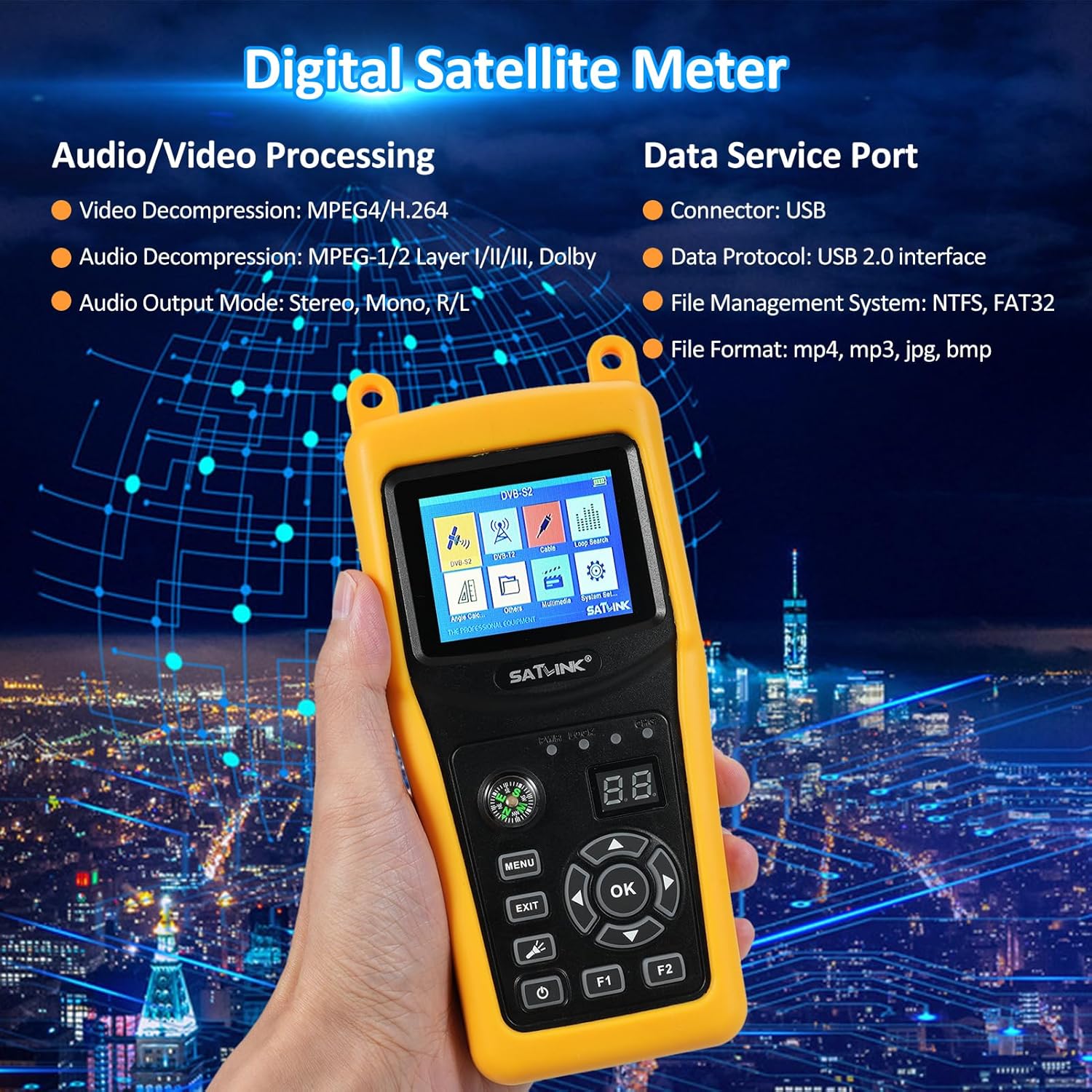
Image 5.1: Diagram illustrating the dimensions of the ST-5032 and how to connect satellite and antenna cables.
6. Instruccions de funcionament
6.1 Navegació al menú principal
After powering on, the device will display the main menu. Use the directional buttons to navigate between icons and press the OK button to select an option.
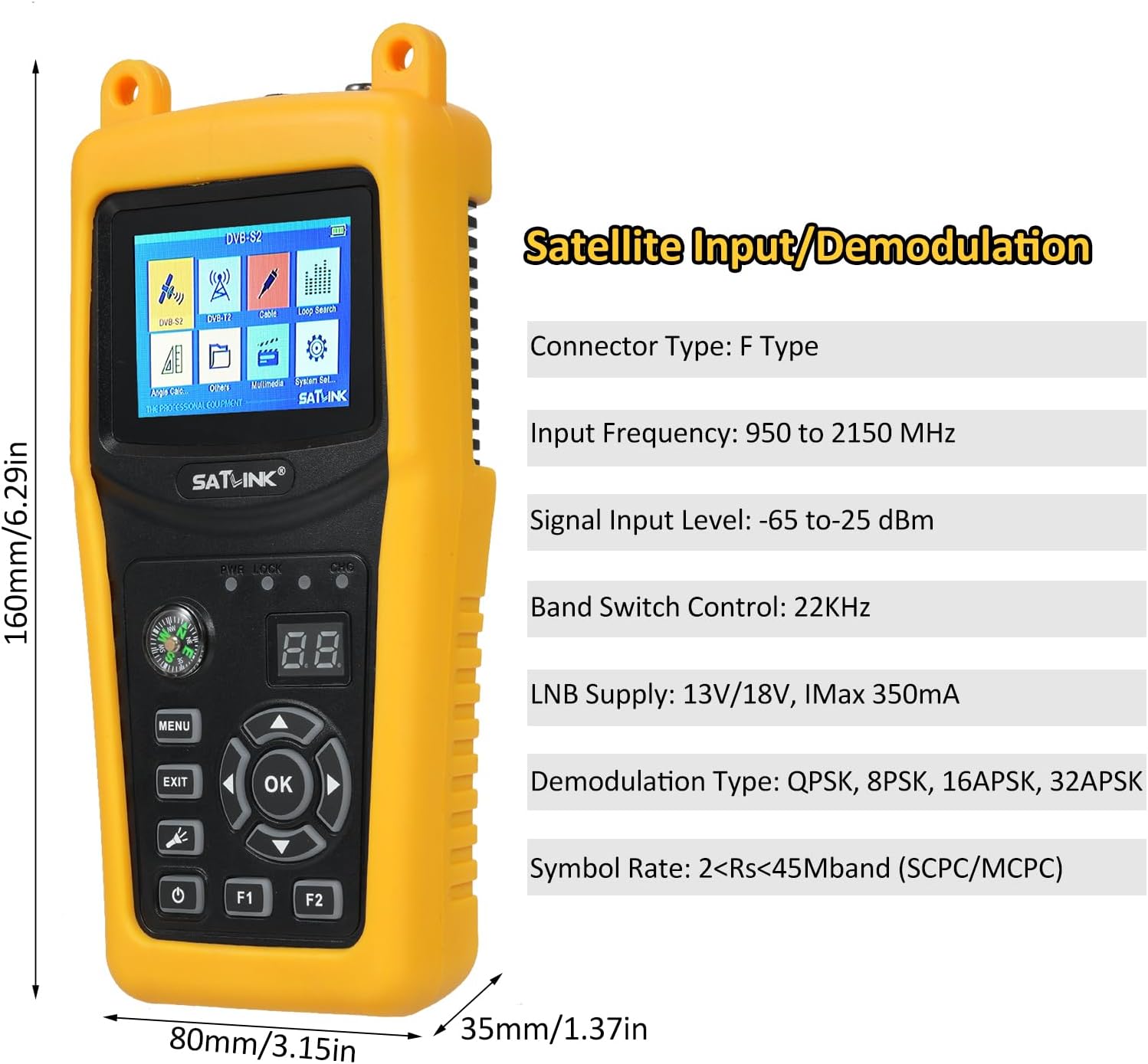
Image 6.1: The main menu of the Satlink ST-5032, showing options like DVB-S2, DVB-T, Cable, Loop Search, Angle Calc, Others, Multimedia, and System Set.
6.2 Satellite Signal Detection (DVB-S2/S)
- From the main menu, select "DVB-S2" or "DVB-S".
- Trieu el satèl·lit desitjat de la llista o afegiu-ne un de nou.
- Enter the Transponder (TP) frequency, symbol rate, and polarization.
- Adjust your satellite dish using the integrated compass and observe the signal strength and quality bars on the screen.
- Fine-tune the dish position until the signal strength and quality are maximized. The LOCK indicator will illuminate when a signal is acquired.
6.3 Terrestrial Signal Detection (ISDB-T/J83B)
- From the main menu, select "DVB-T" (for ISDB-T) or "Cable" (for J83B).
- Select the appropriate region/channel plan or manually enter the channel frequency.
- Adjust your terrestrial antenna and monitor the signal strength and quality indicators.
- Optimize antenna position for the best signal reception.
6.4 Configuració del sistema
Access the "System Set" menu to configure language, backlight, time, factory reset, and other system parameters.
7. Manteniment
7.1 Neteja
Netegeu el dispositiu amb un drap suau i sec. No utilitzeu netejadors líquids ni dissolvents.
7.2 Cura de la bateria
Per allargar la durada de la bateria, eviteu descarregar-la completament amb freqüència. Si guardeu el dispositiu durant un període prolongat, carregueu-lo aproximadament al 50% i torneu-lo a carregar cada pocs mesos.
7.3 Emmagatzematge
Guardeu el dispositiu en un lloc fresc i sec, allunyat de la llum solar directa i de temperatures extremes.
8. Solució De Problemes
| Problema | Causa possible | Solució |
|---|---|---|
| El dispositiu no s'encén. | La bateria està esgotada. | Connecteu l'adaptador de corrent i carregueu el dispositiu. |
| No s'ha detectat cap senyal. | Incorrect satellite/transponder settings; cable not connected properly; LNB/antenna issue. | Verify settings; check cable connections; inspect LNB/antenna. |
| Poor signal quality. | Dish/antenna misalignment; interference; faulty cable. | Fine-tune dish/antenna position; check for obstructions; replace cable if damaged. |
| La pantalla està en blanc o congelada. | Error de programari. | Press and hold the power button to force a restart. If issue persists, perform a factory reset (refer to System Settings). |
9. Especificacions

Image 9.1: Detailed technical specifications of the Satlink ST-5032, including transmission standards, input/demodulation, LCD features, audio/video processing, data service port, power supply, and physical characteristics.
| Model | ST-5032 |
| Fabricant | Irfora |
| Dimensions (L x A x A) | 21.5 x 17 x 5.2 cm (8.46 x 6.69 x 2.05 polzades) |
| Pes net | Aprox. 0.7 kg |
| Tipus de connector | Tipus F |
| Freqüència d'entrada | 950 a 2150 MHz |
| Nivell d'entrada del senyal | -65 a -25 dBm |
| Control de commutació de banda | 22 KHz |
| Subministrament de LNB | 13V/18V, Imax 350mA |
| Tipus de demodulació | QPSK, 8PSK, 16APSK, 32APSK |
| Taxa de símbols | 2<Rs<45Mband (SCPC/MCPC) |
| Tipus de connector | Tipus F |
| Freqüència d'entrada | 48 a 862 MHz |
| Nivell d'entrada del senyal | -80dBm (ISDB-T), -67dBm (J83B) |
| Tipus de demodulació | 64QAM, 256QAM |
| Tipus de LCD | Transmissiu TFT |
| Nombre de punts | 320 (RGB) x240 |
| Mida de pantalla LCD | 2.4" |
| Descompressió de vídeo | MPEG4/H.264 |
| Descompressió d'àudio | MPEG-1/2 Capa I/II/III, Dolby |
| Mode de sortida d'àudio | Estèreo, Mono, Dret/Eix |
| Connector | Interfície USB 2.0 |
| File Sistema de gestió | NTFS, FAT32 |
| File Format | mp4, mp3, jpg, bmp |
| Bateria Li-ion | 7.4 V/2600 mAh |
| Adaptador | Output: DC12V/1A, Input: 100-240VAC 50/60Hz |
| Consum d'energia | 10W màx |
10. Garantia i Suport
This product comes with a standard manufacturer's warranty. Please refer to the warranty card included in your package for specific terms and conditions. For technical support, troubleshooting assistance, or warranty claims, please contact your retailer or the manufacturer's customer service department.
Manufacturer: Irfora
Model Reference: LAKDEE25971EU


