1. Introducció
This manual provides detailed instructions for the E-YOOSO X-45 Ergonomic Vertical Mouse. Designed for comfort and versatility, this mouse offers multiple connectivity options and adjustable sensitivity to enhance your computing experience. Please read this manual thoroughly before using the product to ensure proper operation and longevity.
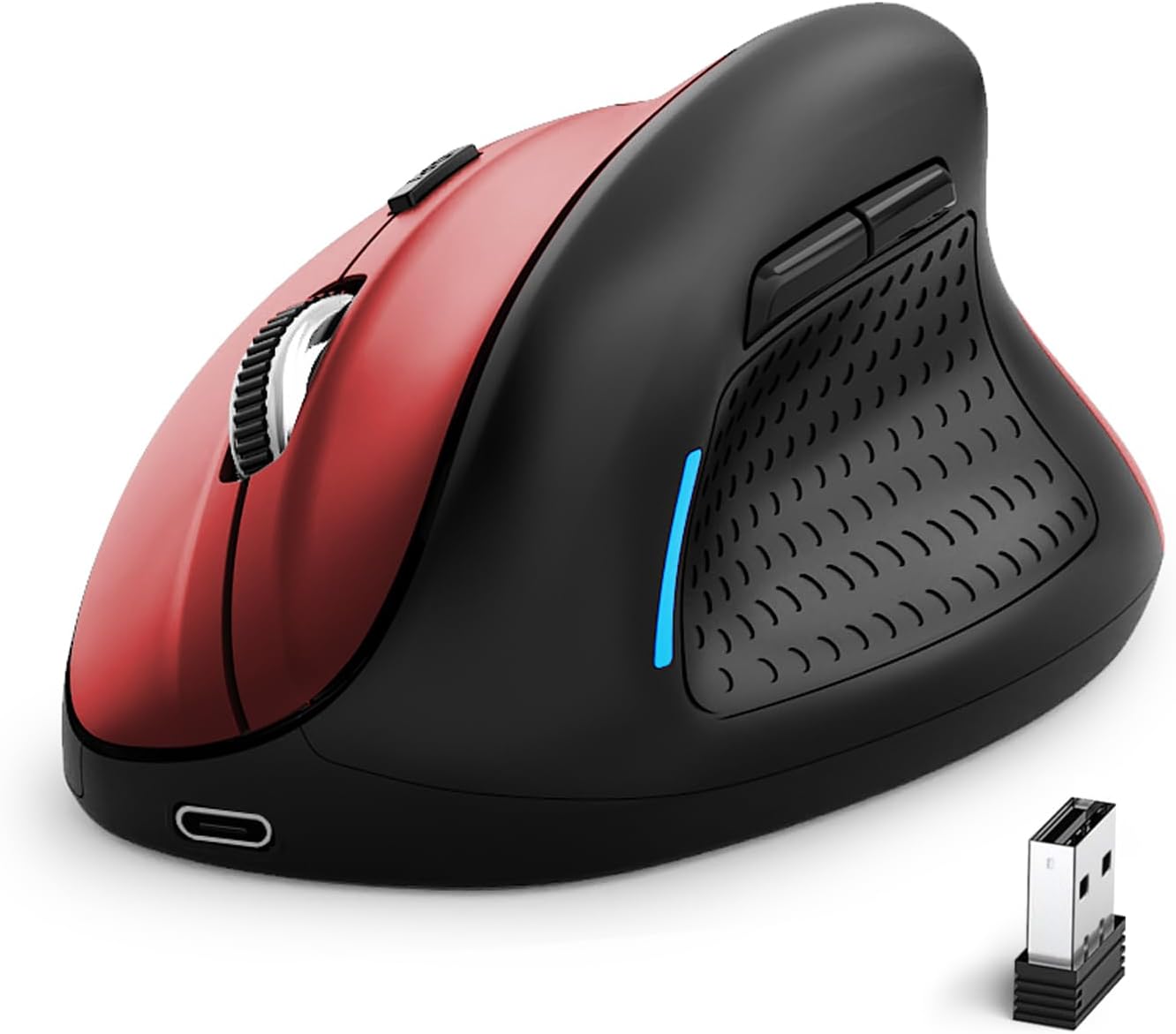
Image 1: E-YOOSO X-45 Ergonomic Vertical Mouse (Red Black)
2. Contingut del paquet
Verifiqueu que tots els elements siguin presents al vostre paquet:
- 1 x E-YOOSO X-45 Ergonomic Vertical Mouse
- 1 x USB Receiver (2.4G)
- 1 x cable de càrrega USB-C
- 1 x Manual d'usuari (aquest document)
3. Producte acabatview
Familiarize yourself with the various components of your E-YOOSO X-45 mouse:

Image 2: Labeled components of the E-YOOSO X-45 Vertical Mouse
- Botó esquerre: Funció estàndard del clic esquerre.
- Botó de commutació de DPI: Adjusts cursor sensitivity (DPI levels).
- Roda de desplaçament: Per al desplaçament vertical i el clic amb el botó central.
- Botó dret: Funció estàndard del clic dret.
- Receptor USB: Stores the 2.4G wireless dongle (located on the bottom of the mouse).
- Botó Endavant: Navega cap endavant web navegadors o file exploradors.
- Botó enrere: Navega cap enrere web navegadors o file exploradors.
- Power/Mode Switch Button: Turns the mouse on/off and switches between connection modes.
- Botó de sincronització: Inicia el mode d'emparellament Bluetooth.
4. Configuració
4.1 Càrrega del ratolí
The E-YOOSO X-45 mouse features a rechargeable battery. Use the provided USB-C cable to charge the mouse. A full charge typically takes 2-3 hours and can provide power for 2-3 months of usage, depending on usage patterns.
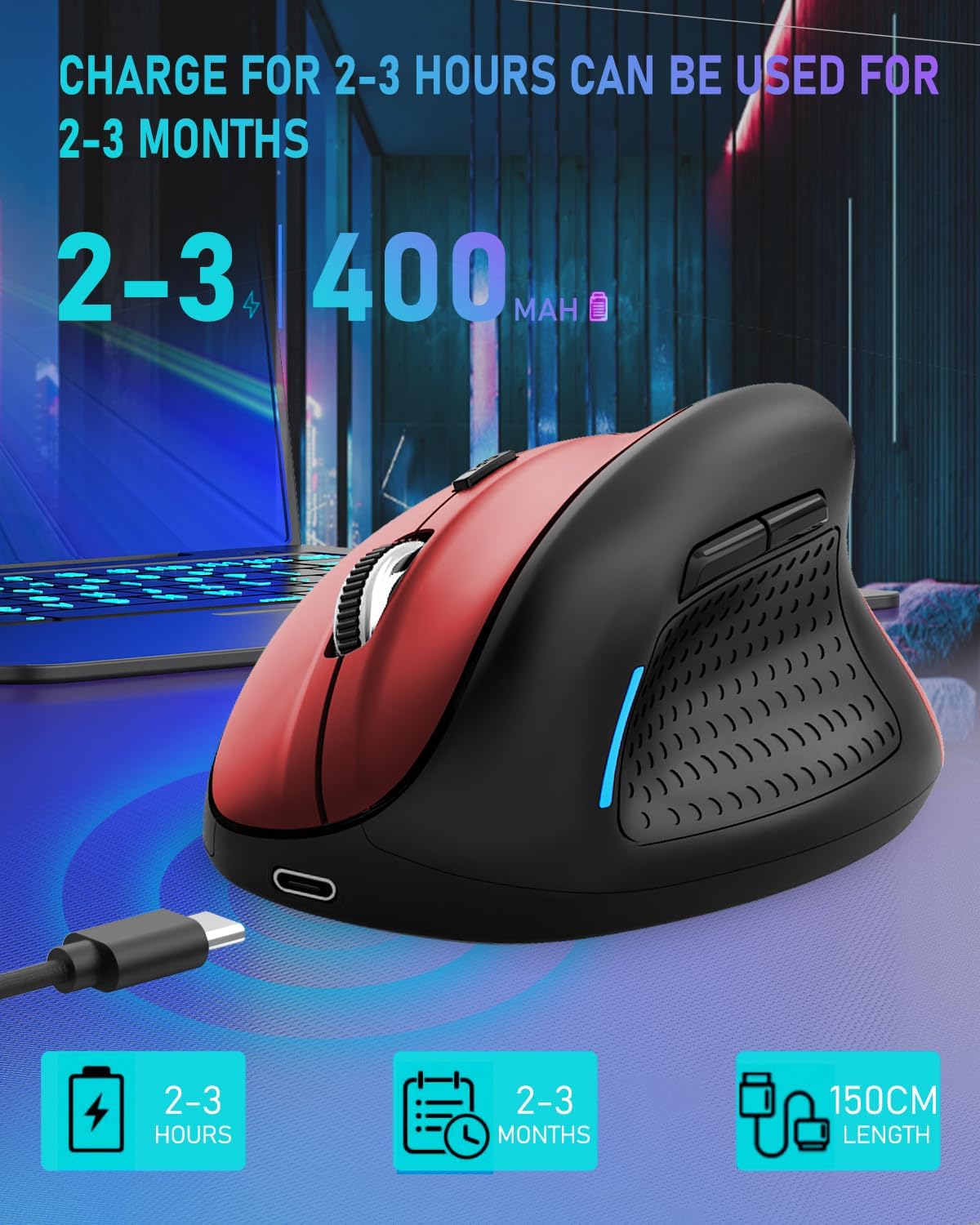
Image 3: Charging the E-YOOSO X-45 mouse
4.2 Modes de connectivitat
The mouse supports three connection modes: 2.4G Wireless, Bluetooth, and Wired.

Image 4: Tri-Mode Connection Options
4.2.1 Connexió sense fil 2.4G
- Localitzeu el receptor USB que es troba al compartiment de la part inferior del ratolí.
- Connecteu el receptor USB a un port USB disponible de l'ordinador.
- Turn on the mouse using the Power/Mode Switch button on the bottom. Select the 2.4G mode.
- El ratolí s'hauria de connectar automàticament.
4.2.2 Connexió Bluetooth
- Turn on the mouse using the Power/Mode Switch button on the bottom. Select one of the Bluetooth modes (BT1 or BT2).
- Press and hold the Pairing Button (9) on the bottom of the mouse until the indicator light flashes, indicating it is in pairing mode.
- Al dispositiu (ordinador, tauleta, telèfon intel·ligent), aneu a la configuració de Bluetooth i cerqueu dispositius nous.
- Select "E-YOOSO X-45" (or similar name) from the list of available devices to pair.
- Un cop emparellat, l'indicador lluminós deixarà de parpellejar.
4.2.3 Connexió per cable
- Connect the USB-C end of the charging cable to the mouse and the USB-A end to your computer.
- The mouse will automatically switch to wired mode and function without needing a battery or wireless connection.
5. Instruccions de funcionament
5.1 Ajust de DPI
The mouse features 5 adjustable DPI (Dots Per Inch) levels, allowing you to customize cursor sensitivity. Press the DPI Switch Button (2) to cycle through the following settings:
- 800 DPI
- 1200 DPI
- 1600 DPI
- 2000 DPI
- 4800 DPI
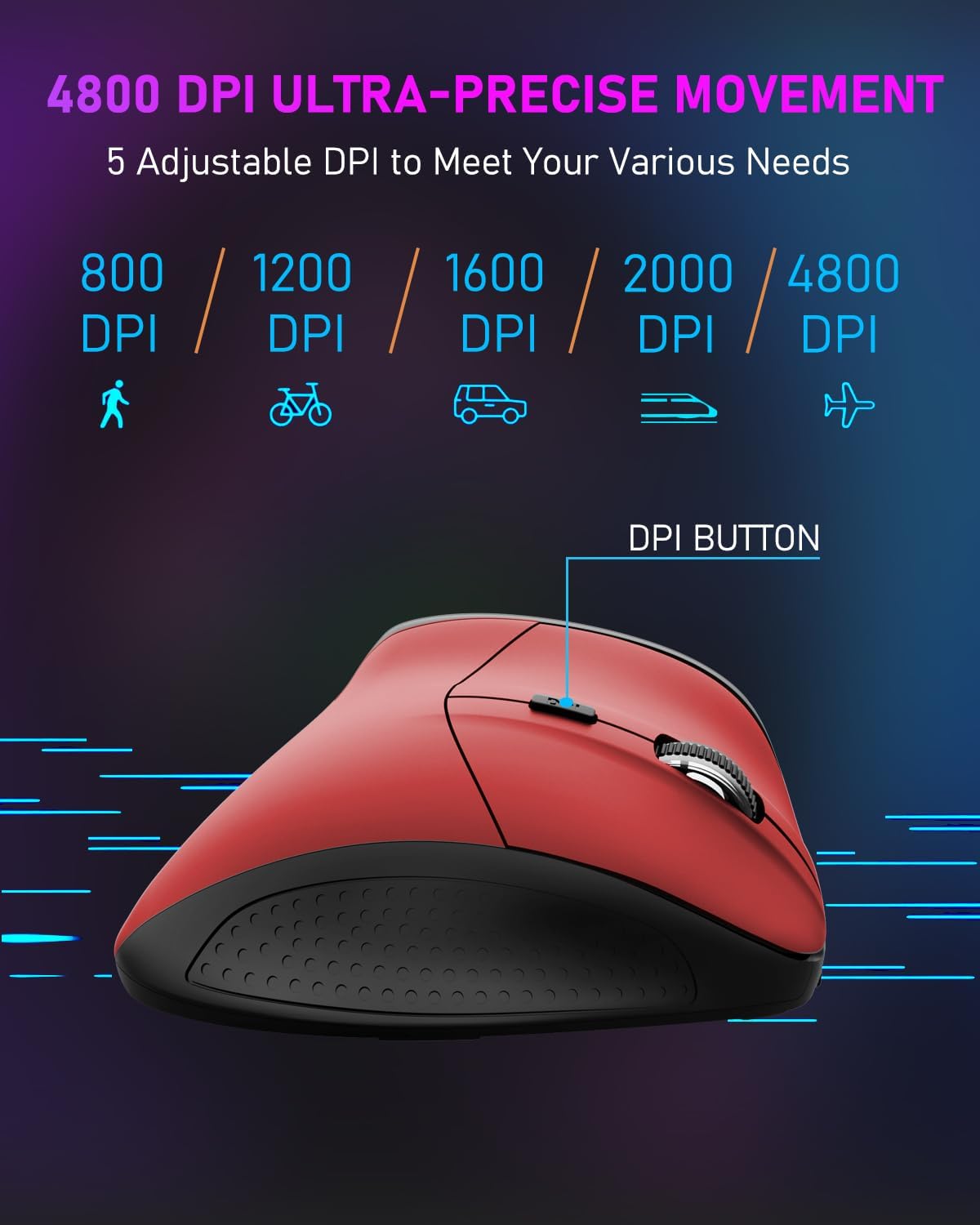
Image 5: DPI Adjustment Levels
5.2 Funcions dels botons
In addition to standard left and right clicks, the mouse includes:
- Roda de desplaçament (3): For smooth vertical scrolling. Pressing it acts as a middle-click button.
- Botó Endavant (6): S'utilitza per navegar cap endavant web navegadors o file exploradors.
- Botó Enrere (7): Used for navigating backward in web navegadors o file exploradors.
5.3 Ergonomic Design Benefits
The vertical design of the E-YOOSO X-45 mouse promotes a natural 'handshake' wrist and arm posture, which can help reduce wrist strain and discomfort during prolonged use compared to traditional horizontal mice.
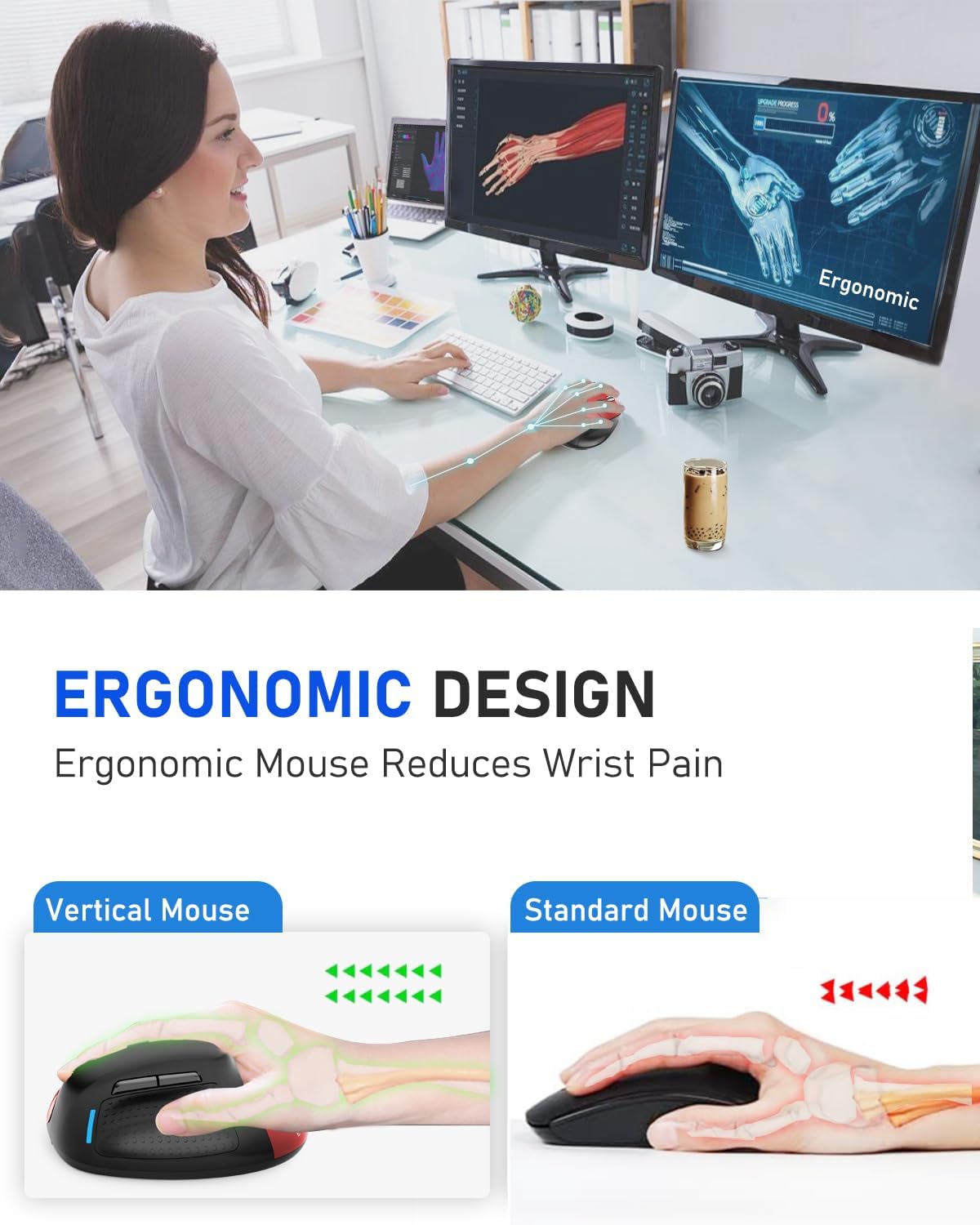
Image 6: Ergonomic Design Reduces Wrist Pain
6. Manteniment
To ensure optimal performance and longevity of your E-YOOSO X-45 mouse:
- Neteja: Feu servir un drap suau i sec per netejar el ratolí. Eviteu utilitzar productes químics agressius o materials abrasius.
- Emmagatzematge: Quan no l'utilitzeu durant períodes prolongats, apagueu el ratolí per estalviar bateria. Guardeu-lo en un lloc fresc i sec.
- Cura de la bateria: Avoid fully discharging the battery frequently. Charge the mouse when the battery indicator is low.
7. Solució De Problemes
If you encounter issues with your E-YOOSO X-45 mouse, refer to the following common solutions:
| Problema | Causa possible | Solució |
|---|---|---|
| Mouse not responding (2.4G) | Low battery; USB receiver not properly connected; Incorrect mode selected. | Charge the mouse; Re-insert the USB receiver; Ensure the mouse is in 2.4G mode. |
| El ratolí no respon (Bluetooth) | Low battery; Not paired; Incorrect mode selected; Device Bluetooth off. | Charge the mouse; Re-pair the mouse; Ensure the mouse is in BT mode; Enable Bluetooth on your device. |
| Cursor erràtic o no respon | Sensor òptic brut; Superfície inadequada; Bateria baixa. | Clean the optical sensor; Use on a mouse pad or smooth, opaque surface; Charge the mouse. |
| Els botons no funcionen | Software conflict; Low battery. | Restart your computer; Charge the mouse. |
8. Especificacions
Key technical specifications for the E-YOOSO X-45 Ergonomic Vertical Mouse:
- Model: X-45
- Connectivitat: 2.4G Wireless, Bluetooth (BT 5.1), Wired (USB)
- Nivells de DPI: 800 / 1200 / 1600 / 2000 / 4800 (Adjustable)
- Botons: 6 (Esquerra, Dreta, Roda de desplaçament, Interruptor DPI, Endavant, Enrere)
- Detecció de moviment: Òptic
- Característica especial: Clics silenciosos
- Dimensions del producte: 4.63 x 3.22 x 0.1 inches (Note: The provided dimension 0.1 inches for height seems incorrect for a vertical mouse, typically it would be larger. Please refer to actual product for accurate height.)
- Pes de l'article: 6.4 unces
- Fabricant: E-YOOSO
- Compatibilitat: Windows, Mac OS, Linux, Android, Chromebook, Laptops, Desktops
9. Garantia i Suport
E-YOOSO products are designed for reliability and performance. For warranty information, technical support, or customer service inquiries, please refer to the contact details provided on the product packaging or the official E-YOOSO weblloc web. Conserveu el rebut de compra com a comprovant de compra per a reclamacions de garantia.


