1. Introducció
This manual provides detailed instructions for the setup, operation, maintenance, and troubleshooting of your ProtoArc EKM01 Plus Ergonomic Wireless Keyboard and Mouse Combo. Please read this manual thoroughly before use to ensure optimal performance and longevity of your device.

Imatge 1.1: The ProtoArc EKM01 Plus Ergonomic Wireless Keyboard and Mouse Combo. This image displays the full keyboard with its split, curved design and integrated wrist rest, alongside the ergonomic mouse.
2. Contingut del paquet
Verifiqueu que tots els elements siguin presents al paquet:
- ProtoArc EKM01 Plus Ergonomic Wireless Keyboard
- ProtoArc Ergonomic Wireless Mouse
- USB Receiver (stored in the keyboard or mouse)
- Cable de càrrega USB-C
- Manual d'usuari (aquest document)
3. Instruccions de configuració
3.1 Càrrega dels dispositius
Both the keyboard and mouse are equipped with built-in 500mAh lithium batteries. Before initial use, it is recommended to fully charge both devices using the provided USB-C cable.
- Connect the USB-C end of the charging cable to the charging port on the keyboard and mouse.
- Connect the USB-A end of the charging cable to a powered USB port (e.g., computer, wall adapter).
- The charging indicator light will illuminate. Once fully charged, the light will change or turn off (refer to device-specific indicators).
The devices can be used while charging.
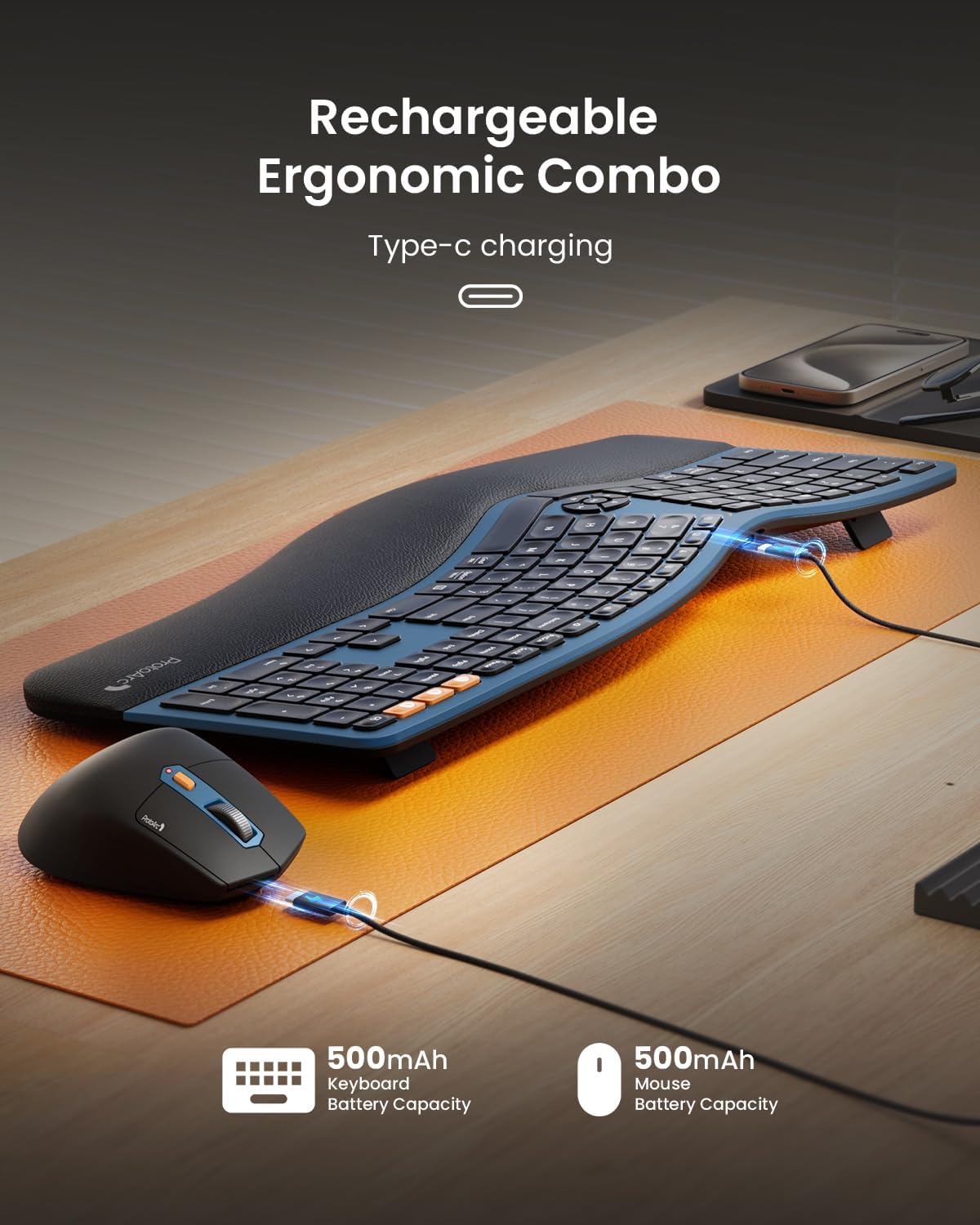
Imatge 3.1: The keyboard and mouse connected via USB-C cables for charging. This image illustrates the Type-C charging ports and the charging process for both devices.
3.2 Connexió al dispositiu
The combo supports connection via a 2.4GHz USB receiver or Bluetooth, allowing connection to up to three devices simultaneously.
Connexió del receptor USB de 3.2.1 i 2.4 GHz
- Locate the USB receiver. It is typically stored in a magnetic compartment underneath the keyboard or in a cavity under the mouse's logo sticker.
- Connecteu el receptor USB a un port USB disponible de l'ordinador.
- Engegueu el teclat i el ratolí utilitzant els seus respectius interruptors d'alimentació.
- The devices should automatically connect. If not, press the 2.4G mode switch button on the keyboard/mouse to activate the 2.4G connection.
3.2.2 Bluetooth Connection (Up to 2 Devices)
- Enceneu el teclat i el ratolí.
- On the keyboard, press and hold either the BT1 or BT2 button for 3-5 seconds until the indicator light flashes, indicating pairing mode.
- On the mouse, press the mode switch button until the white LED flashes for BT1 or BT2, then press and hold for 3-5 seconds to enter pairing mode.
- On your computer or mobile device, open Bluetooth settings and search for new devices.
- Select "ProtoArc EKM01 Plus Keyboard" and "ProtoArc EKM01 Plus Mouse" from the list to pair.
- Repeat for a second Bluetooth device using the other BT button.
3.3 Ajustaments ergonòmics
The keyboard features adjustable tilt legs and an integrated wrist rest for enhanced comfort.
- Potes inclinables ajustables: Flip out the legs located on the underside of the keyboard to adjust the typing angle. This helps maintain a natural wrist posture whether seated or standing.
- Cushioned Wrist Rest: The integrated curved wrist rest with a soft memory foam layer provides support and reduces wrist bending.

Imatge 3.2: The ProtoArc EKM01 Plus keyboard with its adjustable tilt legs extended, showing the elevated typing angle. This feature allows users to customize the keyboard's incline for ergonomic comfort.
4. Instruccions de funcionament
4.1 Ús del teclat
The EKM01 Plus keyboard features a full-size, curved, and split keyframe design to promote a natural, relaxed posture for your wrists and forearms. Scooped keys are designed to match fingertip contours for comfortable typing.
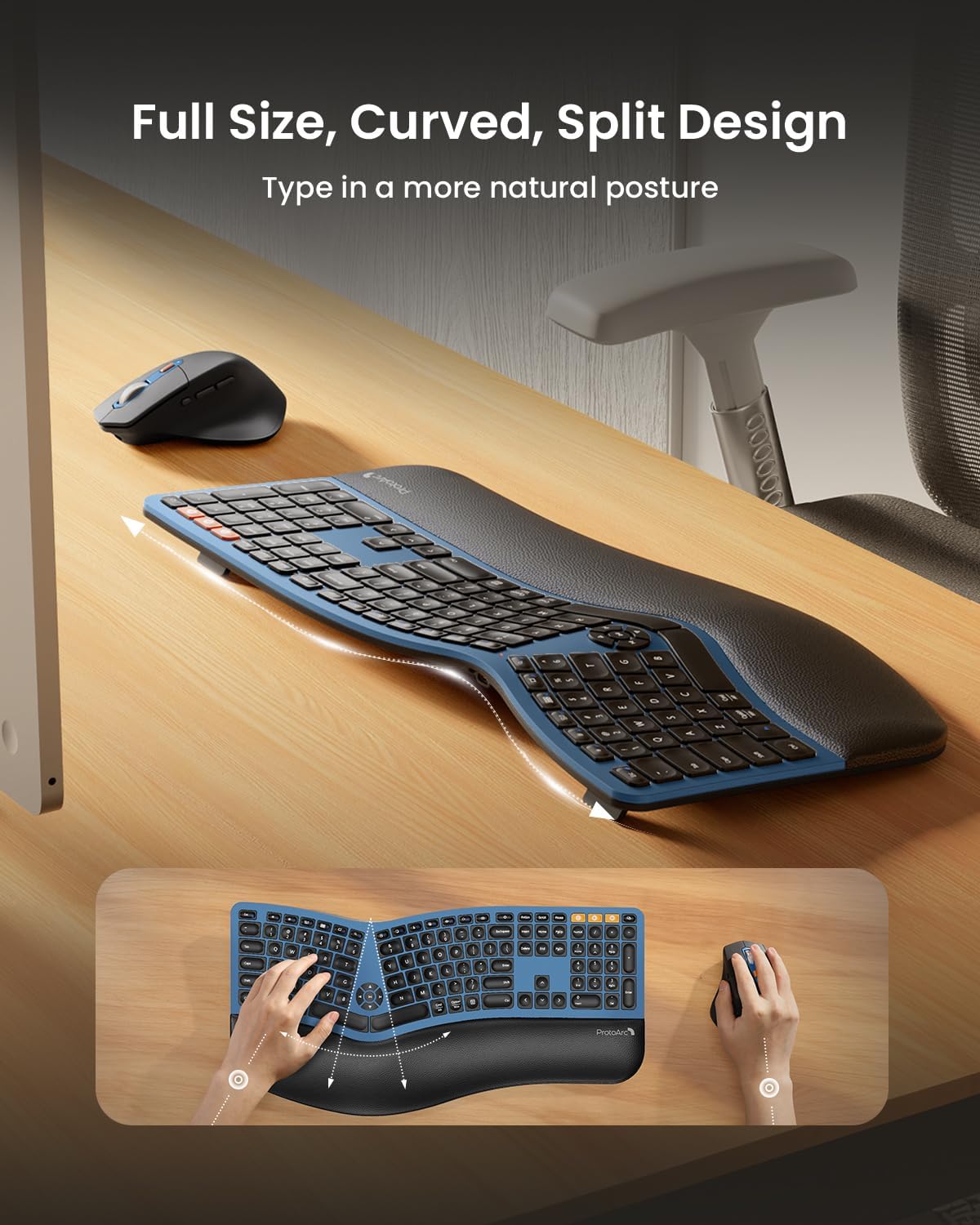
Imatge 4.1: Una sobrecàrrega view of the ProtoArc EKM01 Plus keyboard, highlighting its full-size, curved, and split design. This layout is engineered to encourage a more natural hand and wrist position during typing.
4.1.1 Media and Function Keys
The keyboard includes dedicated media control keys and function keys. Refer to the keycap legends for specific functions such as volume control, play/pause, and other shortcuts.
4.2 Ús del ratolí
The ergonomic mouse is designed with a contoured shape, including a palm and thumb rest, to provide better wrist support and maintain a natural hand position, reducing strain.
- Ajust de DPI: The mouse features adjustable DPI settings (800/1300/2000 DPI) for precise control. Press the DPI button to cycle through the settings. The indicator light will flash once for 800 DPI, twice for 1300 DPI, and three times for 2000 DPI.
- Botons de navegació: Forward and backward buttons are conveniently located for web page browsing and other navigation tasks.

Imatge 4.2: A close-up of the ProtoArc EKM01 Plus ergonomic mouse, showcasing its contoured shape designed for comfortable hand placement. The image highlights the thumb rest and the overall ergonomic form factor.
4.3 Commutació multidispositiu
Effortlessly switch between up to three connected devices (one 2.4GHz USB receiver, two Bluetooth) by pressing the corresponding mode switch buttons on the keyboard (2.4G, BT1, BT2) and mouse.

Imatge 4.3: The ProtoArc EKM01 Plus keyboard and mouse in a multi-device setup, connected to a laptop, monitor, and tablet. This image demonstrates the ability to switch between up to three devices for a seamless workflow.
5. Manteniment
5.1 Gestió de la bateria
The keyboard and mouse feature rechargeable batteries. To prolong battery life:
- Recharge when the low battery indicator appears.
- Eviteu descarregar completament la bateria amb freqüència.
- The devices enter an auto-sleep mode after 30 minutes of inactivity to conserve power. Press any key or move the mouse to wake them up.
5.2 Neteja
Per netejar el teclat i el ratolí:
- Disconnect the devices from power and your computer.
- Utilitzeu un drap suau i sense pelusa lleugerament dampamb aigua o una solució de neteja suau.
- Avoid harsh chemicals, abrasives, or excessive moisture.
- Per a les restes entre les claus, feu servir aire comprimit.
6. Solució De Problemes
If you encounter issues with your ProtoArc EKM01 Plus combo, refer to the following common solutions:
| Problema | Causa possible | Solució |
|---|---|---|
| El teclat/ratolí no respon | Low battery; Not powered on; Connection issue; USB receiver not detected. |
|
| Connexió amb retard o intermitent | Interferències; Distància del receptor/dispositiu; Bateria baixa. |
|
| Keys not typing correctly (e.g., 'W' key) | Software issue; Physical obstruction; Defective key. |
|
| Mouse cursor erratic | Dirty sensor; Uneven surface; Low battery. |
|
7. Especificacions
| Característica | Detall |
|---|---|
| Número de model | EKM01 Plus |
| Tecnologia de connectivitat | Bluetooth, 2.4GHz USB |
| Disposició del teclat | Full-size, Ergonomic Split Design |
| Característiques especials | Ergonomic Split Design, Full-size, Wrist Rest, Multi-Device Support, Rechargeable |
| Dispositius compatibles | Laptop, Personal Computer (Windows 7/8/10, Mac OS X 10.12+, Android 4.3+) |
| Keyboard Battery Capacity | Bateria de liti de 500 mAh |
| Capacitat de la bateria del ratolí | Bateria de liti de 500 mAh |
| DPI del ratolí | 800/1300/2000 DPI |
| Pes de l'article | 4.04 lliures (aprox. 1.83 kg) |
| Dimensions del paquet | 21.6 x 13 x 2.9 polzades (aprox. 54.9 x 33 x 7.4 cm) |
8. Garantia i Suport
For warranty information and customer support, please refer to the documentation included with your product or visit the official ProtoArc weblloc. Conserveu el rebut de compra per a reclamacions de garantia.


