Introducció
This manual provides comprehensive instructions for the safe and effective operation of your Benetech GT1355 Decibel Meter. Please read this manual thoroughly before use and retain it for future reference. This device is designed for measuring sound levels in various environments, offering precise and reliable data.
Característiques clau
- A/C Weighted Measurement: Measures sound levels from 30 to 130 dB(A) / 35 to 130 dB(C) with an accuracy of ±1.5 dB, covering frequencies from 31.5 Hz to 8,500 Hz.
- Pantalla fàcil de llegir: Features an LCD backlight screen that visually displays noise data changes, including Max value, and offers visual alarms.
- Time Weighting Options: Switch between Fast and Slow time weighting to capture different types of sound events.
- Real-Time Monitoring & Recording: Capable of storing up to 31,000 sets of data for comprehensive analysis.
- Connectivitat amb PC: Import saved data to a PC via USB for real-time data sampling, analysis, downloading, printing charts, and data deletion.
- Bateria recarregable: Built-in rechargeable battery provides up to 8 hours of standby time after a 1.5-hour charge.
- Disseny portàtil: Lightweight (249g) with a non-slip rubber grip and 1/4-inch mounting threads for tripod attachment.
Contingut del paquet
- 1x Benetech GT1355 Decibel Meter
- 1x cable USB
- 1 x manual d'usuari
Producte acabatview
Familiarize yourself with the components of your decibel meter to ensure proper operation.

Aquesta imatge mostra la part frontal view of the Benetech GT1355 Decibel Meter, highlighting its microphone, LCD display, and control buttons including Power, Max, Hold, and F/S (Fast/Slow).
Configuració
Càrrega del dispositiu
The GT1355 decibel meter is equipped with a rechargeable Lithium Polymer battery. Before first use, ensure the device is fully charged.
- Connect the provided USB cable to the USB-C port on the device.
- Connecteu l'altre extrem del cable USB a un adaptador de corrent USB compatible (no inclòs) o al port USB d'un ordinador.
- The charging indicator on the device will show charging status. A full charge takes approximately 1.5 hours.

This image illustrates the USB-C charging port on the side of the Benetech GT1355 Decibel Meter, emphasizing its rechargeable 1000mAh battery and showing charging and standby times.
Instruccions de funcionament
Encès/Apagat
Press and hold the red power button (ⓘ) located on the front panel to turn the device on or off.
Measurement Modes (A/C Weighting)
The meter supports both A-weighting and C-weighting for different measurement scenarios.
- Ponderació A: Suitable for environmental noise measurement, mimicking the human ear's response. Measuring range: 30 to 130 dB(A).
- Ponderació C: Suitable for industrial noise measurement, providing a flatter response across frequencies. Measuring range: 35 to 130 dB(C).
Press the "A/C" button to switch between A and C weighting modes.

This image displays the A-weighted and C-weighted measurement modes of the Benetech GT1355 Decibel Meter, showing their respective measuring ranges and typical applications (environmental vs. industrial noise).
Time Weighting (Fast/Slow)
The device offers Fast and Slow time weighting options to capture different types of sound events.
- Ràpid: (8 times/second) For capturing rapidly changing noise levels.
- Lent: (1 time/second) For measuring average noise levels over time.
Press the "F/S" button to toggle between Fast and Slow time weighting.

This image illustrates the Fast (8 times/second) and Slow (1 time/second) time weighting options available on the Benetech GT1355 Decibel Meter, demonstrating how they affect the responsiveness of the measurement display.
Data Hold and Max Value
To freeze the current reading on the display, press the "HOLD" button. Press it again to resume real-time measurement.
A view the maximum measured value since the device was powered on or reset, press the "MAX" button.
Configuració d'alarma
The GT1355 features visual alarms for high and low noise levels.
- You can set a high alarm value and a low alarm value.
- When the noise level exceeds the high alarm value, the screen and indicator light will turn red.
- When the noise level is between the high and low alarm values, the screen and indicator light will turn yellow.
- When the noise level is below both thresholds, the display is green.

This image demonstrates how to set high and low alarm values on the Benetech GT1355 Decibel Meter, showing the corresponding screen color changes (red for high, yellow for mid, green for low) to indicate noise levels relative to the set thresholds.
Data Management and PC Connection
The decibel meter can store up to 31,000 sets of data and connect to a PC for advanced analysis.
- Connecteu el dispositiu a l'ordinador mitjançant el cable USB proporcionat.
- Install the necessary software (refer to the included software CD or manufacturer's website for download).
- The software allows for real-time data sampling, analysis, data downloading, printing charts, and data deletion.
- You can also set the date and configure automatic shutdown time via the software.
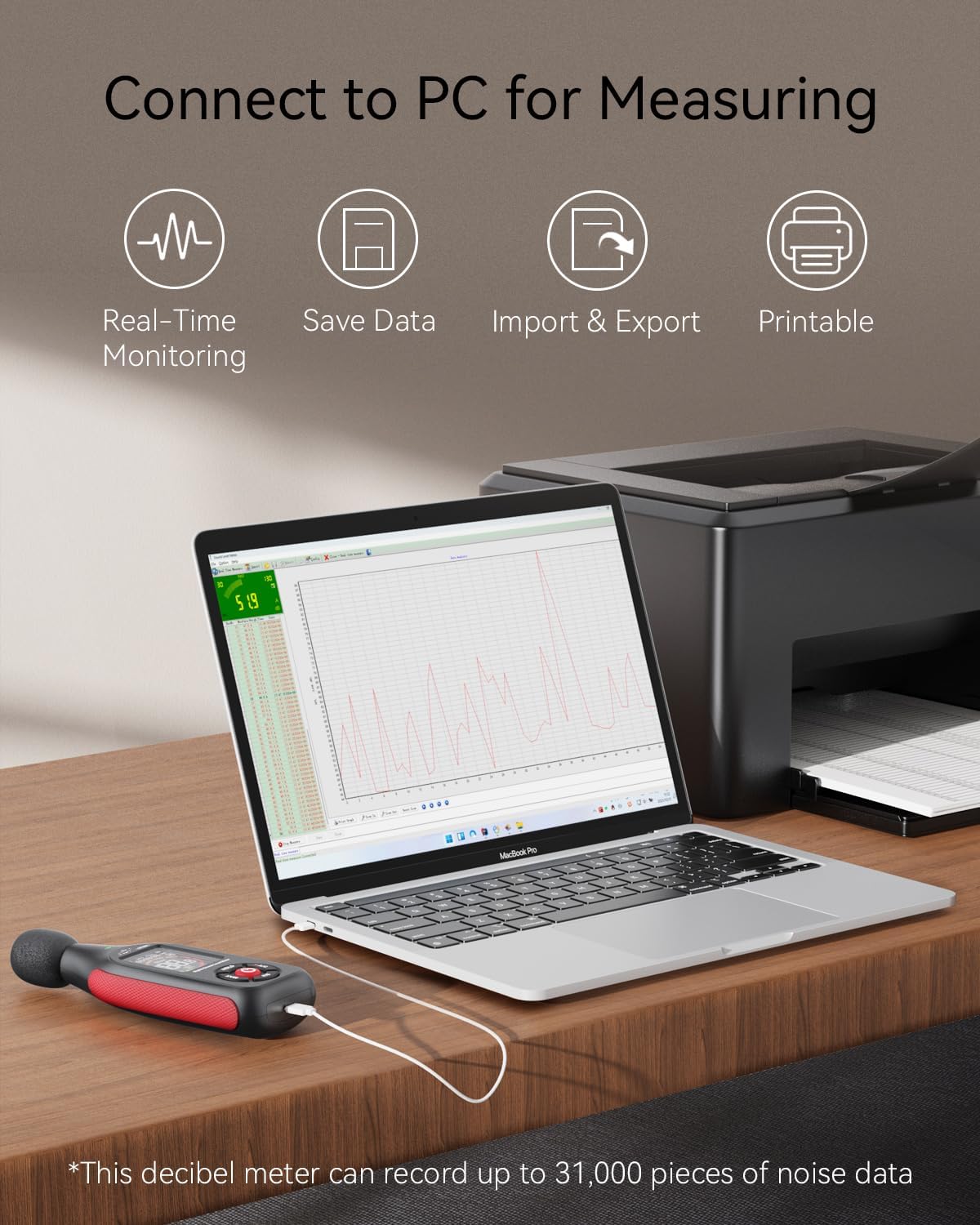
This image shows the Benetech GT1355 Decibel Meter connected to a laptop via USB, illustrating its capability for real-time monitoring, saving data, importing/exporting data, and printing reports, with a note that it can record up to 31,000 pieces of noise data.
Manteniment
- Neteja: Feu servir un drap suau i sec per netejar el dispositiu. No utilitzeu productes de neteja abrasius ni dissolvents.
- Emmagatzematge: Guardeu el dispositiu en un lloc fresc i sec, allunyat de la llum solar directa i de temperatures extremes.
- Bateria: Recarrega la bateria regularment, fins i tot si el dispositiu no s'utilitza amb freqüència, per mantenir-ne l'estat.
- Protecció del micròfon: The microphone is sensitive. Avoid dropping the device or exposing the microphone to dust, moisture, or physical impact.
Resolució de problemes
| Problema | Causa possible | Solució |
|---|---|---|
| El dispositiu no s'encén | Bateria baixa | Recarrega el dispositiu. |
| El dispositiu no s'encén | El botó d'encesa no es manté el temps suficient | Manteniu premut el botó d'encesa durant 3 segons. |
| Lectures inexactes | Microphone obstructed or damaged | Ensure microphone is clear. Contact support if damaged. |
| Lectures inexactes | Incorrect weighting (A/C) or time (Fast/Slow) setting | Verify A/C and Fast/Slow settings are appropriate for your measurement. |
| No es pot connectar a l'ordinador | USB cable issue or driver not installed | Try a different USB port/cable. Install the correct PC software/drivers. |
| No es pot connectar a l'ordinador | Problema de compatibilitat de programari | Ensure your operating system is supported by the software. Check for software updates. |
| La pantalla és tènue o en blanc | Low battery or backlight setting | Recharge the device. Check backlight settings if available in menu. |
Especificacions
| Característica | Detall |
|---|---|
| Model | GT1355 |
| Interval de mesura | 30-130 dB(A) / 35-130 dB(C) |
| Precisió | ±1.5 dB |
| Interval de freqüència | 31.5 Hz a 8,500 Hz |
| Resolució | 0.1 dB |
| Ponderació del temps | Fast (8 times/s), Slow (1 time/s) |
| Emmagatzematge de dades | Fins a 31,000 conjunts |
| Font d'alimentació | Bateria recarregable de polímer de liti |
| Temps de càrrega | Aprox. 1.5 hores |
| Temps d'espera | Fins a 8 hores |
| Dimensions | 15.49 x 5.49 x 3 cm |
| Pes | 249 g |
| Components inclosos | 1x decibel meter, 1x USB port, 1x user manual |
Garantia i Suport
The Benetech GT1355 Decibel Meter comes with a 12-month warranty. For technical support, troubleshooting, or warranty claims, please contact Benetech customer service.
Benetech offers friendly 24/7 customer service, with their support team ready to assist you.
Contact information may be found on the manufacturer's official weblloc o l'embalatge del producte.


