1. Introducció
This manual provides essential information for the proper setup, operation, and maintenance of your Motorola Solutions PMMN4084A Remote Speaker Microphone (RSM). The PMMN4084A is designed to enhance communication clarity and convenience for users of compatible Motorola two-way radios, particularly in environments where the radio is worn on the hip or in noisy conditions.
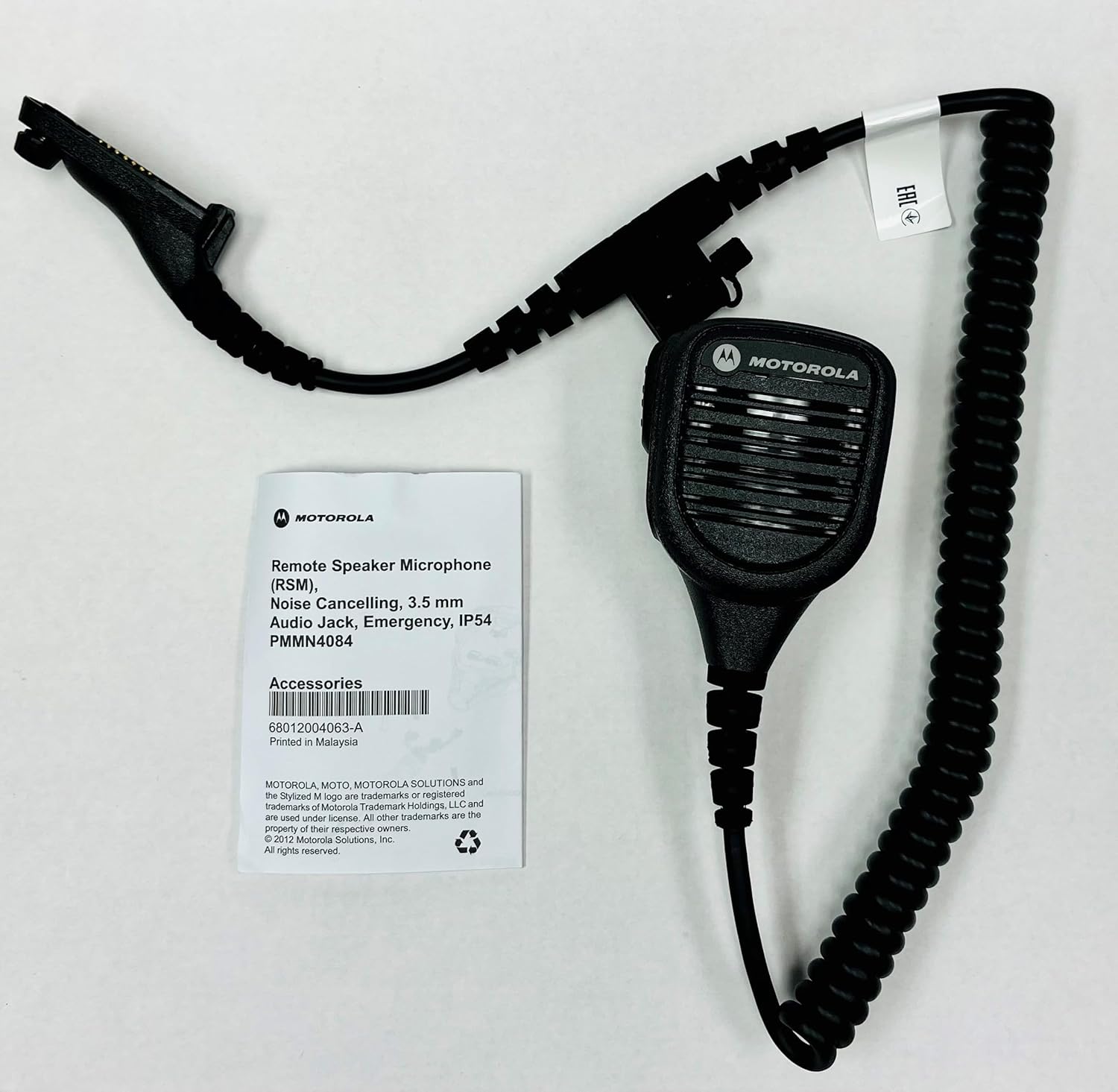
Image: The Motorola Solutions PMMN4084A Remote Speaker Microphone shown alongside its product packaging.
2. Característiques clau
- Micròfon amb cancel·lació de soroll: Designed to reduce background noise, ensuring clear voice transmission even in loud environments.
- Altaveu integrat: Provides clear audio reception directly from the microphone unit.
- Botó Premeu per parlar (PTT): Conveniently located for easy activation of transmission.
- 3.5mm Threaded Accessory Jack: Located on the microphone head for connecting receive-only accessories, such as earpieces.
- Clip giratori: A sturdy clip on the back allows for 360-degree rotation, enabling flexible attachment to clothing or gear.
- Coiled Cord: Provides flexibility and extended reach while maintaining a compact form.
- Classificació IP54: Offers protection against dust and splashing water from any direction.
- Orange Emergency Button: For critical situations, providing quick access to emergency functions on compatible radios.

Imatge: Frontal view of the PMMN4084A Remote Speaker Microphone, highlighting the speaker grille and PTT button.

Imatge: Enrere view of the PMMN4084A, showing the rotatable clip and the Motorola logo.
3. Dispositius compatibles
The Motorola Solutions PMMN4084A Remote Speaker Microphone is compatible with the following Motorola two-way radio series:
- APX 8000 Series
- APX 7000 Series
- APX 6000 Series
- APX 4000 Series
- APX 3000 Series
- SRX 2200 Series
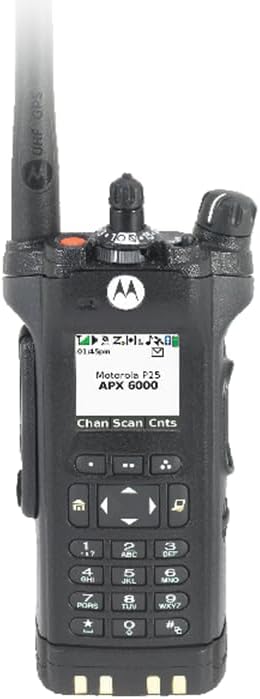
Image: A Motorola APX 6000 series radio, demonstrating a compatible device.

Image: Three Motorola APX 8000 series radios, illustrating the range of compatible devices.
4. Contingut del paquet
En obrir el paquet, comproveu que hi hagi tots els elements i que estiguin en bon estat:
- Motorola Solutions PMMN4084A Remote Speaker Microphone
- Integrated Clip
- Radio Connector Cable
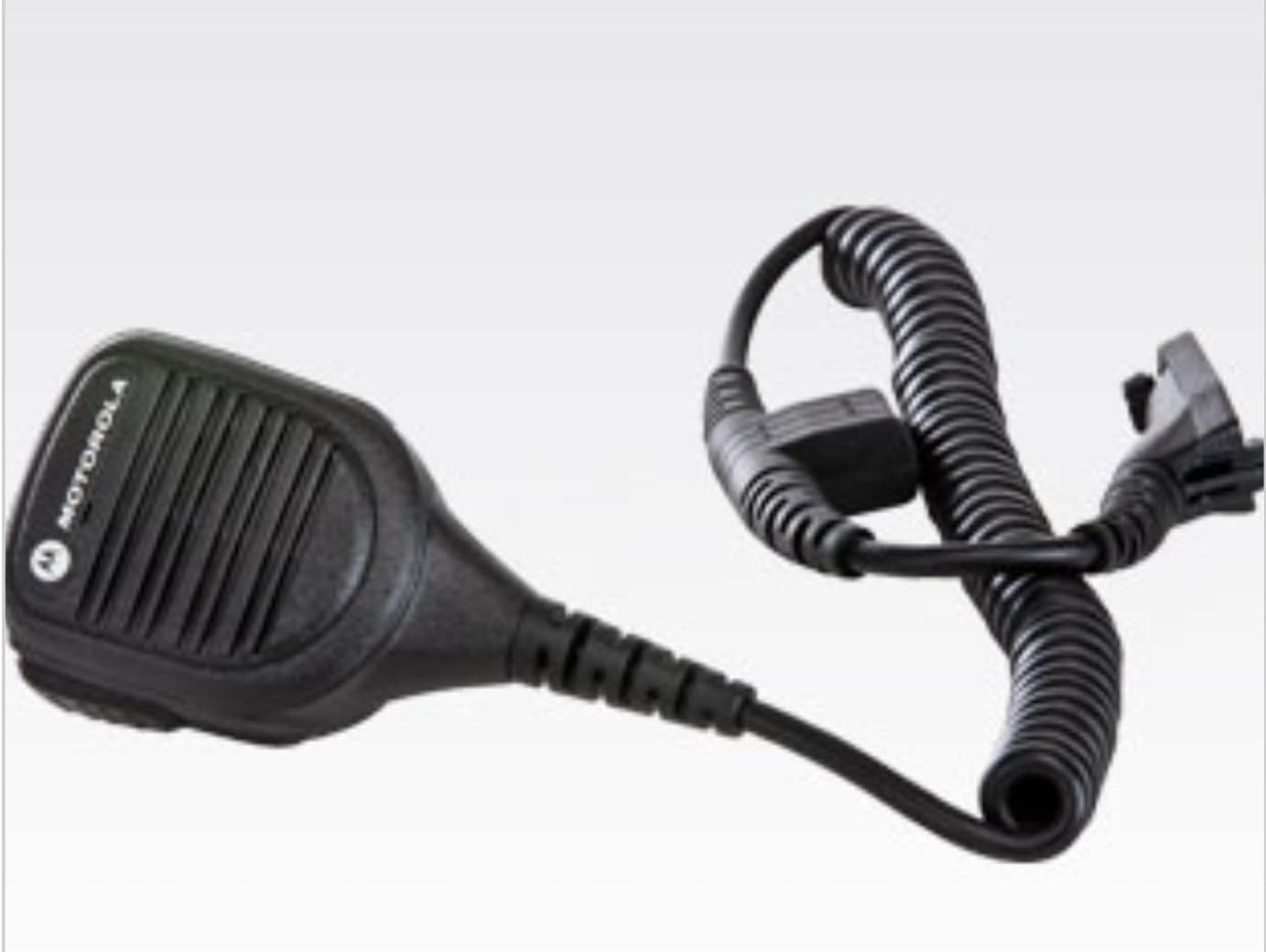
Image: The PMMN4084A Remote Speaker Microphone as it appears inside its packaging.
5. Instruccions de configuració
- Connecting to the Radio: Align the multi-pin connector of the RSM cable with the accessory port on the side of your compatible Motorola radio. Gently push the connector in and then screw the retaining screw clockwise until it is finger-tight. Do not overtighten.
- Attaching the RSM: Use the rotatable clip on the back of the RSM to securely attach it to your uniform, collar, or other gear. The clip can be rotated 360 degrees to position the microphone optimally for your use.
- Using Accessories (Optional): If you wish to use an earpiece, plug its 3.5mm jack into the threaded accessory port located on the side of the RSM. Ensure the connection is secure.
6. Funcionament del micròfon
- Encès: Ensure your Motorola radio is powered on and set to the desired channel.
- Recepció d'àudio: Audio from the radio will be routed through the RSM's integrated speaker. Adjust the radio's volume control to a comfortable listening level.
- Transmitting (Push-to-Talk): To transmit, press and hold the large Push-to-Talk (PTT) button located on the side of the RSM. Speak clearly into the microphone grille. Release the PTT button to return to receive mode.
- Botó d'emergència: In an emergency, press the orange emergency button (if present and configured on your radio) to activate the radio's emergency features. Refer to your radio's user manual for specific emergency function details.
7. Manteniment i cura
- Neteja: Clean the exterior of the RSM with a soft, damp cloth. Do not use harsh chemicals or abrasive cleaners. Ensure the 3.5mm accessory jack is free of debris.
- Resistència a l'aigua: The PMMN4084A has an IP54 rating, meaning it is protected against dust ingress and splashing water. It is not designed for submersion. Avoid exposing the microphone to direct high-pressure water jets.
- Cura del cable: Avoid excessive pulling, twisting, or sharp bending of the coiled cord to prevent internal wire damage.
- Emmagatzematge: Store the RSM in a clean, dry environment when not in use.
8. Solució De Problemes
If you experience issues with your PMMN4084A Remote Speaker Microphone, consider the following:
- No hi ha àudio de l'altaveu: Ensure the RSM connector is securely attached to the radio. Check the radio's volume level. If an earpiece is connected, ensure it is fully inserted into the 3.5mm jack.
- Transmission Issues: Verify the RSM connector is secure. Ensure the PTT button is fully depressed when speaking. Check the radio's battery level.
- Connexió intermitent: Re-seat the RSM connector firmly into the radio's accessory port. Inspect the cable for any visible damage.
For persistent issues, consult your radio's user manual or contact Motorola Solutions customer support.
9. Especificacions
| Atribut | Valor |
|---|---|
| Nom del model | Micròfon altaveu remot |
| Número de model de l'article | PMMN4084A |
| Fabricant | Solucions Motorola |
| Dimensions de l'article (L x A x A) | 1.1 x 2.36 x 3.07 polzades |
| Pes de l'article | 10.2 unces |
| Tecnologia de connectivitat | Radio adapter cable |
| Tipus de connector | Radio Interface Cable |
| Característica especial | IP54 (resistent a la pols i a les esquitxades) |
| Factor de forma del micròfon | Headset (Refers to accessory type, not physical form) |
| Patró polar | Unidireccional |
10. Garantia i Suport
The Motorola Solutions PMMN4084A Remote Speaker Microphone comes with a manufacturer's warranty. Specific warranty terms and duration are typically provided with the product at the time of purchase or can be obtained directly from Motorola Solutions. For detailed warranty information, technical support, or service inquiries, please refer to the documentation included with your product or visit the official Motorola Solutions weblloc.
També podeu visitar el Botiga de solucions Motorola a Amazon per obtenir informació addicional sobre el producte i recursos d'assistència.


