Introducció
This manual provides detailed instructions for the operation and maintenance of your Jazmm Digital AM FM Radio with Bluetooth 5.3, Model 088V. Please read this manual thoroughly before using the device to ensure proper function and longevity.

Imatge: Frontal view of the Jazmm Digital AM FM Radio, Model 088V, showing the speaker grille and control panel.
Què hi ha a la caixa
Verifiqueu que hi hagi tots els elements en desembalar-los:
- Jazmm Digital AM FM Bluetooth Radio (Model 088V)
- Manual del propietari
- Cable de càrrega tipus C.
- Corretja de canell
Producte acabatview
Familiarize yourself with the radio's controls and ports:
Panell frontal:
- Reixa de l'altaveu: Sortida d'àudio principal.
- Pantalla digital: Mostra la freqüència, el mode i la informació de la pista.
- Teclat numèric (0-9): Per a l'entrada directa de freqüència o la selecció de pista.
- Botó SCAN: Inicia l'escaneig automàtic d'emissores.
- Botó REC: Activates voice recording (requires TF card).
- Botó LED: Toggles the flashlight on/off.
- Botó Reproduir/Pausa: Controla la reproducció en mode MP3.
- Botons de pista anterior/següent: Navega per vies o estacions.
- Botó M (mode): Switches between AM, FM, Bluetooth, TF Card, and USB modes.
Tauler lateral:
- Interruptor ON / OFF: Encén o apaga el dispositiu.
- Marcador de volum: Ajusta el volum de l'àudio.
- Port de càrrega tipus C: Per carregar la bateria interna.
- Port USB: Per a la reproducció des d'una unitat flaix USB.
- Ranura per a targetes TF: For TF card playback and recording.
- Presa d'auriculars de 3.5 mm: Per a una escolta privada.
- Llanterna LED: Font de llum integrada.
- Wrist Strap Attachment Point: Per subjectar la corretja de canell inclosa.

Imatge: Lateral view of the radio highlighting the flashlight and wrist strap attachment.
Configuració
1. Carregant la bateria
The radio is equipped with a 2000mAh rechargeable battery. Before first use, fully charge the device.
- Connect the provided Type-C charging cable to the radio's charging port.
- Connecteu l'altre extrem del cable a un adaptador de corrent USB (no inclòs) o al port USB d'un ordinador.
- The charging indicator on the display will show charging status. A full charge takes approximately 2.5 hours.
- Once fully charged, the radio can operate for up to 12 hours.

Image: The radio connected to a Type-C charging cable, illustrating the charging process.
2. Inserting TF Card (Optional)
To use the MP3 playback or recording functions, insert a TF (Micro SD) card into the designated slot.
- Localitzeu la ranura per a targetes TF al lateral de la ràdio.
- Gently insert the TF card with the metal contacts facing down until it clicks into place.
- Per treure-la, empenyeu la targeta cap a dins fins que surti.
Instruccions de funcionament
1. Encendre/apagar
Slide the ON/OFF switch on the side of the radio to power it on or off.
2. Funcionament de la ràdio AM/FM
Upon powering on, the radio typically defaults to FM mode. Press the 'M' (Mode) button to switch between AM and FM bands.
- Escaneig automàtic: Press the 'SCAN' button to automatically search for and save available stations.
- Sintonització manual: Use the numeric keypad to directly input the desired frequency. For example, to tune to 98.5 FM, press '9', '8', '5'.
- Ajust de volum: Rotate the volume dial on the side of the radio.
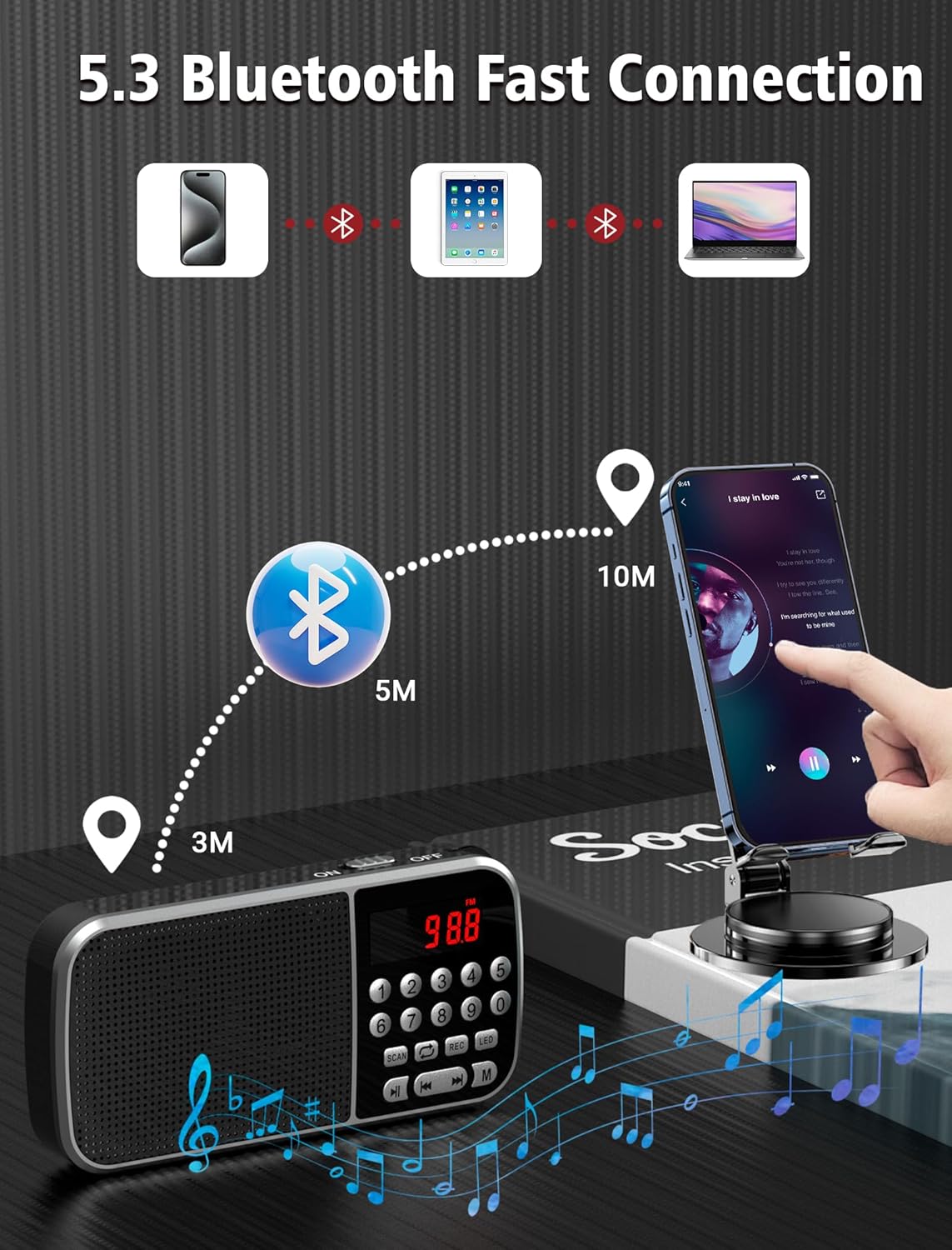
Image: The radio displaying various AM and FM frequencies, illustrating its reception capabilities.
3. Mode Bluetooth 5.3
Connect your smartphone or other Bluetooth-enabled devices to the radio for wireless audio playback.
- Press the 'M' (Mode) button until "Bluetooth" or a Bluetooth icon appears on the display. The radio will enter pairing mode.
- Al dispositiu, activa el Bluetooth i cerca els dispositius disponibles.
- Select "Jazmm 088V" (or similar) from the list to pair.
- Once connected, you can play audio from your device through the radio's speaker.
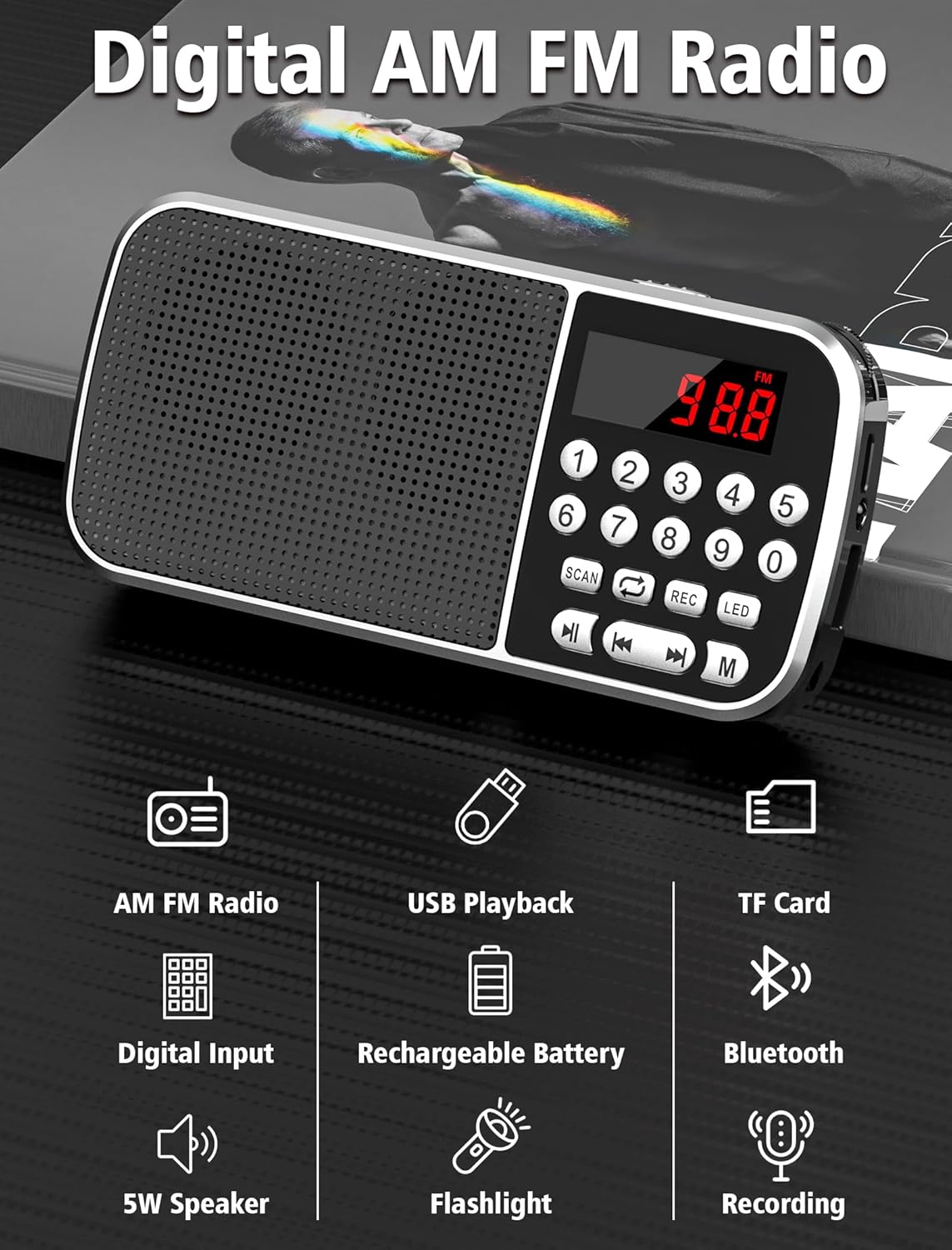
Image: Diagram showing the radio wirelessly connected to various devices via Bluetooth 5.3.
4. MP3 Playback (TF Card / USB)
The radio supports MP3 playback from both TF cards and USB flash drives.
- Reproducció de la targeta TF: Inseriu una targeta TF amb MP3 files. Press the 'M' button to select TF card mode.
- Reproducció USB: Inseriu una unitat flash USB amb MP3 files. Press the 'M' button to select USB mode.
- Feu servir els botons Reproduir/Pausa i Pista anterior/següent per controlar la reproducció.
- You can also use the numeric keypad to jump to specific track numbers.

Image: A person listening to music through headphones connected to the radio, demonstrating MP3 playback.
5. Gravadora de veu
Record audio directly to an inserted TF card.
- Assegureu-vos que hi hagi una targeta TF inserida.
- Press the 'REC' button to start recording. The display will indicate recording status.
- Press 'REC' again to stop and save the recording.
- Les gravacions es guarden com a MP3 files a la targeta TF.

Image: The radio with a microphone icon, illustrating its sound recording capability to a TF card.
6. Funció de llanterna
The radio includes a built-in LED flashlight for convenience.
- Press the 'LED' button to turn the flashlight on.
- Premeu el botó "LED" de nou per apagar la llanterna.
7. Ús d'auriculars
For private listening, plug 3.5mm headphones (not included) into the earphone jack on the side of the radio.
Manteniment
- Keep the radio dry. Avoid exposure to moisture or liquids.
- Netegeu el dispositiu amb un drap suau i sec. No utilitzeu productes de neteja abrasius ni dissolvents.
- Guardeu la ràdio en un lloc fresc i sec quan no la feu servir.
- Eviteu deixar caure la ràdio ni sotmetre-la a impactes forts.
Resolució de problemes
| Problema | Causa possible | Solució |
|---|---|---|
| Sense alimentació/No s'encén | La bateria està esgotada. | Charge the battery fully using the provided Type-C cable. |
| Mala recepció de ràdio | Senyal feble; interferències ambientals. | Adjust the radio's position. Try scanning again. |
| Bluetooth no connectat | Radio not in pairing mode; device too far. | Ensure radio is in Bluetooth mode. Keep devices within 10 meters. Re-pair if necessary. |
| MP3 fileno està jugant | Incorrecte file format; TF card/USB not inserted correctly. | Assegureu-vos files are in MP3 format. Reinsert TF card/USB drive. Check if the radio is in the correct mode. |
| La gravació no funciona | No hi ha cap targeta TF inserida; la targeta TF està plena. | Inseriu una targeta TF. Comproveu l'espai disponible a la targeta TF. |
Especificacions
- Model: 088 V
- Marca: Jazmm
- Dimensions del producte: 1.14 x 2.68 x 5.39 polzades
- Pes de l'article: 6.2 unces
- Bateria: Polímer de liti de 2000 mAh (inclòs)
- Temps de càrrega: Aproximadament 2.5 hores
- Temps d'ús: Fins a 12 hores
- Connectivitat: Bluetooth 5.3
- Bandes de ràdio: AM (520-1710 KHZ) / FM (87.5-108 MHZ)
- Sortida de l'altaveu: 5W
- Reproducció multimèdia: TF Card, USB (MP3 format)
- Característiques addicionals: Voice Recorder, Flashlight, 3.5mm Earphone Jack
Garantia i Suport
For warranty information and technical support, please refer to the contact details provided on the product packaging or visit the official Jazmm weblloc web. Conserveu el rebut de compra com a comprovant de compra per a reclamacions de garantia.


