Introducció
This manual provides detailed instructions for the safe and efficient use of your Tronsmart Mirtune H1 Outdoor Bluetooth Speaker. Please read this manual thoroughly before operating the device and retain it for future reference. The Tronsmart Mirtune H1 is a portable, waterproof, and dustproof speaker designed for outdoor use, featuring powerful sound, long playtime, and an integrated carabiner for easy portability.
Contingut del paquet
Verifiqueu que tots els elements que s'enumeren a continuació s'inclouen al vostre paquet:
- 1x Tronsmart Mirtune H1 Portable Outdoor Speaker
- 1 cable de càrrega tipus C
- 1 x manual d'usuari
- Targeta de garantia
Producte acabatview
Components dels altaveus
The Tronsmart Mirtune H1 features intuitive controls and a robust design for outdoor adventures.

Imatge: Frontal view of the Tronsmart Mirtune H1 speaker in blue, displaying the volume down (-), play/pause (triangle), and volume up (+) buttons, along with the Tronsmart logo and the integrated carabiner at the top.
- Integrated Carabiner: Located at the top of the speaker for easy attachment to backpacks, belts, or other gear.
- Botó per baixar el volum (-): Premeu per reduir el volum.
- Play/Pause Button (Triangle): Premeu per reproduir o posar en pausa l'àudio.
- Botó per pujar el volum (+): Premeu per augmentar el volum.
- Port de càrrega tipus C: Located on the side, used for charging the speaker.
- Micròfon: Built-in for hands-free calling.

Imatge: Una imatge detallada view of the Tronsmart Mirtune H1's integrated carabiner, showing its spring-loaded mechanism for secure attachment.
Configuració
Carregant l'altaveu
Before initial use, fully charge the speaker to ensure optimal performance.
- Connecteu el cable de càrrega tipus C proporcionat al port de càrrega de l'altaveu.
- Connecteu l'altre extrem del cable a un adaptador de corrent USB (no inclòs) o al port USB d'un ordinador.
- El llum indicador de càrrega s'il·luminarà durant la càrrega i s'apagarà un cop estigui completament carregat.
Una càrrega completa triga aproximadament 2.6 hores i proporciona fins a 20 hores de reproducció al 50% de volum.

Image: Two Tronsmart Mirtune H1 speakers, one blue and one black, with a large graphic displaying '20H' and a battery icon, emphasizing the speaker's extended playtime.
Emparellament Bluetooth
Follow these steps to connect your Tronsmart Mirtune H1 speaker to a Bluetooth-enabled device:
- Encès: Press and hold the Power button (often integrated with the Play/Pause button or a separate button, refer to product for exact location) until the indicator light flashes, indicating it's in pairing mode.
- Activa el Bluetooth: Activa el Bluetooth al teu telèfon intel·ligent, tauleta o altre dispositiu d'àudio.
- Selecciona l'altaveu: In your device's Bluetooth settings, search for available devices and select "Tronsmart Mirtune H1".
- Confirmeu la connexió: Once connected, the speaker will emit an audible confirmation, and the indicator light will remain solid.
The speaker utilizes advanced Bluetooth 5.3 technology for a stable and efficient connection.
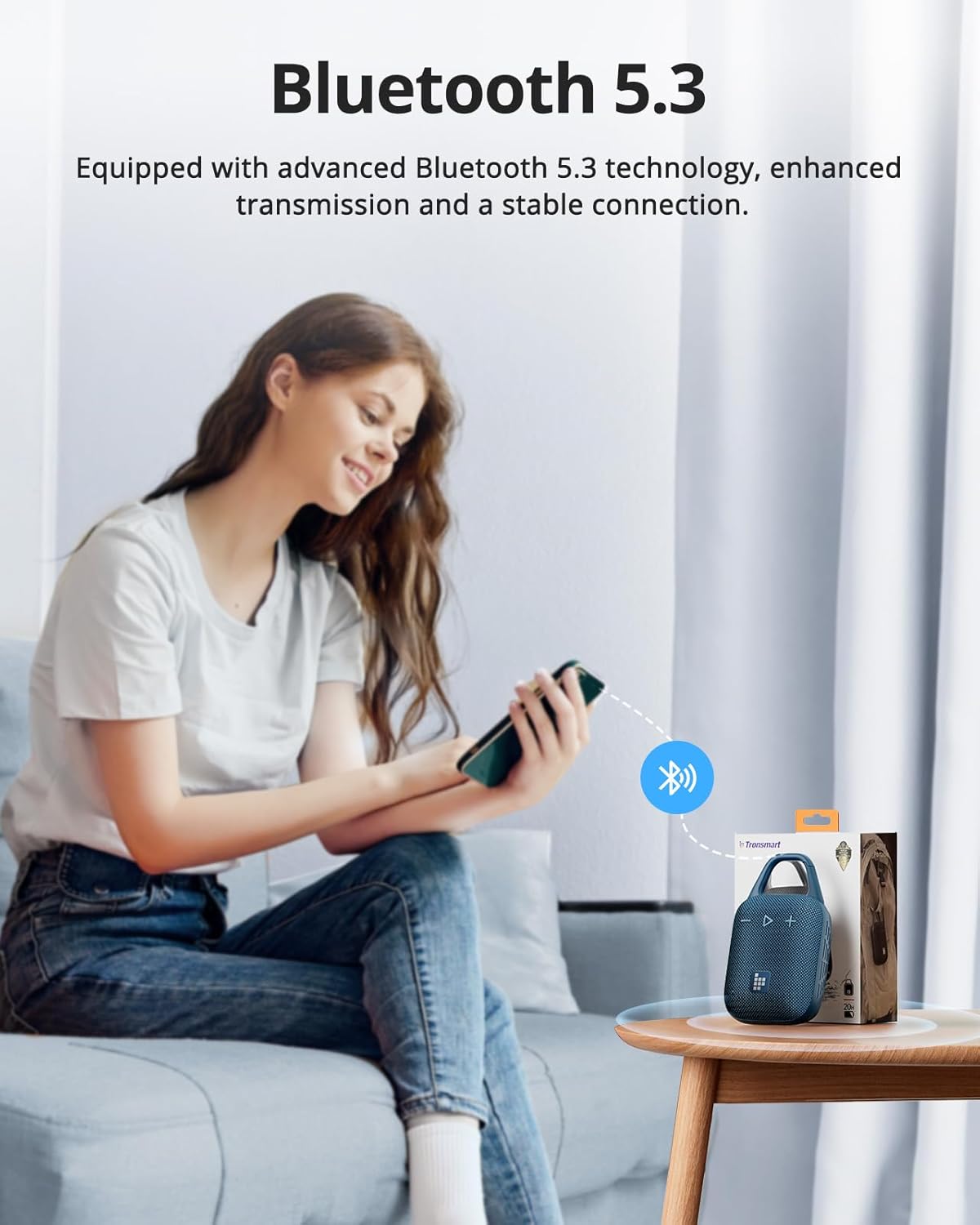
Image: A person sitting on a couch, holding a smartphone that displays a Bluetooth connection icon, with a Tronsmart Mirtune H1 speaker and its packaging on a nearby table, illustrating the Bluetooth 5.3 pairing process.
Funcionament de l'altaveu
Controls bàsics
- Encès/apagat: Press and hold the Power button (or Play/Pause button if combined) for 2-3 seconds.
- Reproduir/pausa: Short press the Play/Pause (triangle) button.
- Pujar el volum: Premeu breument el botó '+'.
- Baixar el volum: Premeu breument el botó '-'.
- Pista següent: Premeu llargament el botó '+'.
- Pista anterior: Premeu llargament el botó '-'.
Trucades mans lliures
The built-in microphone allows for convenient hands-free calls when connected to your smartphone.
- Respon a la trucada: Premeu breument el botó Reproduir/Pausa.
- Finalitzar la trucada: Premeu breument el botó Reproduir/Pausa durant una trucada.
- Rebutja la trucada: Premeu llargament el botó Reproduir/Pausa.
Customizable EQ via Tronsmart App
Enhance your audio experience by customizing the equalizer settings through the Tronsmart App.
- Download the Tronsmart App from your device's app store.
- Connect your Mirtune H1 speaker to your device via Bluetooth.
- Open the Tronsmart App and select your Mirtune H1 speaker.
- Access the EQ settings to adjust sound profiles a la vostra preferència.

Image: A Tronsmart Mirtune H1 speaker placed on a wooden outdoor table, next to a hand holding a smartphone that shows the Tronsmart App's equalizer screen, demonstrating the customizable EQ feature.
Vinculació estèreo sense fil
For a more immersive audio experience, you can pair two Tronsmart Mirtune H1 speakers together to create a stereo sound system.
- Ensure both Mirtune H1 speakers are powered on and not connected to any other Bluetooth device.
- On one speaker (this will be the primary speaker), press and hold the Bluetooth pairing button (if available, or refer to specific instructions in the app/manual for TWS pairing) until it enters TWS pairing mode.
- The two speakers will automatically connect to each other. Once connected, the primary speaker's indicator light will flash, and the secondary speaker's light will remain solid.
- Connect your device to the primary speaker via Bluetooth as described in the
Documents relacionats - Mirtune H1

Manual d'usuari i especificacions de l'altaveu portàtil per a exteriors Tronsmart MIRTUNE S100
Manual d'usuari detallat i especificacions per a l'altaveu portàtil d'exterior Tronsmart MIRTUNE S100, que cobreix les funcions dels botons, la connectivitat, l'ús de l'aplicació i els detalls tècnics.
Manual d'usuari del Tronsmart MIRTUNE C2
Manual d'usuari de l'altaveu portàtil d'exterior Tronsmart MIRTUNE C2, que inclou les declaracions de la FCC i la informació sobre l'exposició a radiofreqüències.
Tronsmart Mirtune S100 Portable Outdoor Speaker User Manual
This user manual provides instructions for the Tronsmart Mirtune S100 portable outdoor speaker, covering button configuration, stereo pairing, Bluetooth connection, and app usage.
Tronsmart Mirtune S100 Portable Outdoor Speaker User Manual
User manual for the Tronsmart Mirtune S100 portable outdoor speaker, covering button configuration, stereo pairing, dual audio modes, Tronsmart App connection, and specifications.
Manual d'usuari de l'altaveu sense fil Tronsmart Element Groove
Manual d'usuari de l'altaveu sense fil Tronsmart Element Groove, que detalla les característiques, la configuració dels botons, les funcions, les especificacions, l'emparellament Bluetooth, el mode TWS, l'entrada AUX, el mode de targeta Micro SD/TF, els indicadors LED, el mode de repòs, els consells, les precaucions i la informació de la garantia.
Manual d'usuari de l'altaveu sense fil Tronsmart Element T2 Plus
User manual for the Tronsmart Element T2 Plus Wireless Speaker, covering setup, Bluetooth connection, TWS pairing, NFC streaming, AUX-IN mode, TF card playback, charging, and specifications.