Introducció
This manual provides detailed instructions for the installation, operation, and maintenance of your Anona Aurora 4K Solar Security Camera. Please read this manual thoroughly before using the product to ensure proper function and safety. The Anona Aurora camera offers advanced surveillance features, including 4K resolution, color night vision, AI detection, and solar-powered operation, designed for outdoor use.

Image: Anona Aurora 4K Solar Security Camera with its solar panel and a smartphone displaying the camera's live view.
Contingut del paquet
Verifiqueu que tots els components siguin presents al paquet:
- Anona Aurora 4K Security Camera Body
- Panell solar
- Suport de muntatge i cargols
- Cable de càrrega USB
- Manual d'usuari (aquest document)
Configuració i instal·lació
1. Muntatge de la càmera i del panell solar
The Anona Aurora camera is designed for wall mounting. Choose a location that provides the desired viewing angle and ensures the solar panel receives at least 2 hours of direct sunlight daily for optimal charging.
- Seleccioneu una ubicació de muntatge: Identify a sturdy surface for mounting the camera and solar panel. Ensure the camera has a clear line of sight to the area you wish to monitor.
- Perforar forats pilot: Use the provided mounting template (if included) or mark the positions for the screws. Drill pilot holes into the wall.
- Col·loqueu el suport de muntatge: Fixeu el suport de muntatge de la càmera a la paret amb els cargols.
- Connecta la càmera: Slide the camera onto the mounting bracket. Adjust the camera angle as needed.
- Instal·lació del panell solar: Mount the solar panel in a location with maximum sun exposure. Connect the solar panel cable to the camera's charging port.

Image: A hand securing the Anona Aurora camera onto its wall-mounted bracket, demonstrating easy installation.
2. Connecting to Wi-Fi and App Pairing
The Anona Aurora camera supports 2.4 GHz Wi-Fi networks only. 5 GHz Wi-Fi is not supported.
- Download the Anona App: Cerca the 'Anona' app on your smartphone's app store (iOS or Android) and install it.
- Crea un compte: Obriu l'aplicació i seguiu les instruccions que apareixen a la pantalla per crear un compte d'usuari nou.
- Enceneu la càmera: Assegureu-vos que la càmera estigui engegada.
- Afegeix un dispositiu: In the Anona app, select 'Add Device' or the '+' icon. The app will use Bluetooth for initial pairing to discover nearby devices.
- Connecta't a Wi-Fi: Follow the app's prompts to connect the camera to your 2.4 GHz Wi-Fi network. Enter your Wi-Fi password when requested.
- Configuració completa: Once connected, you can name your camera and configure initial settings.
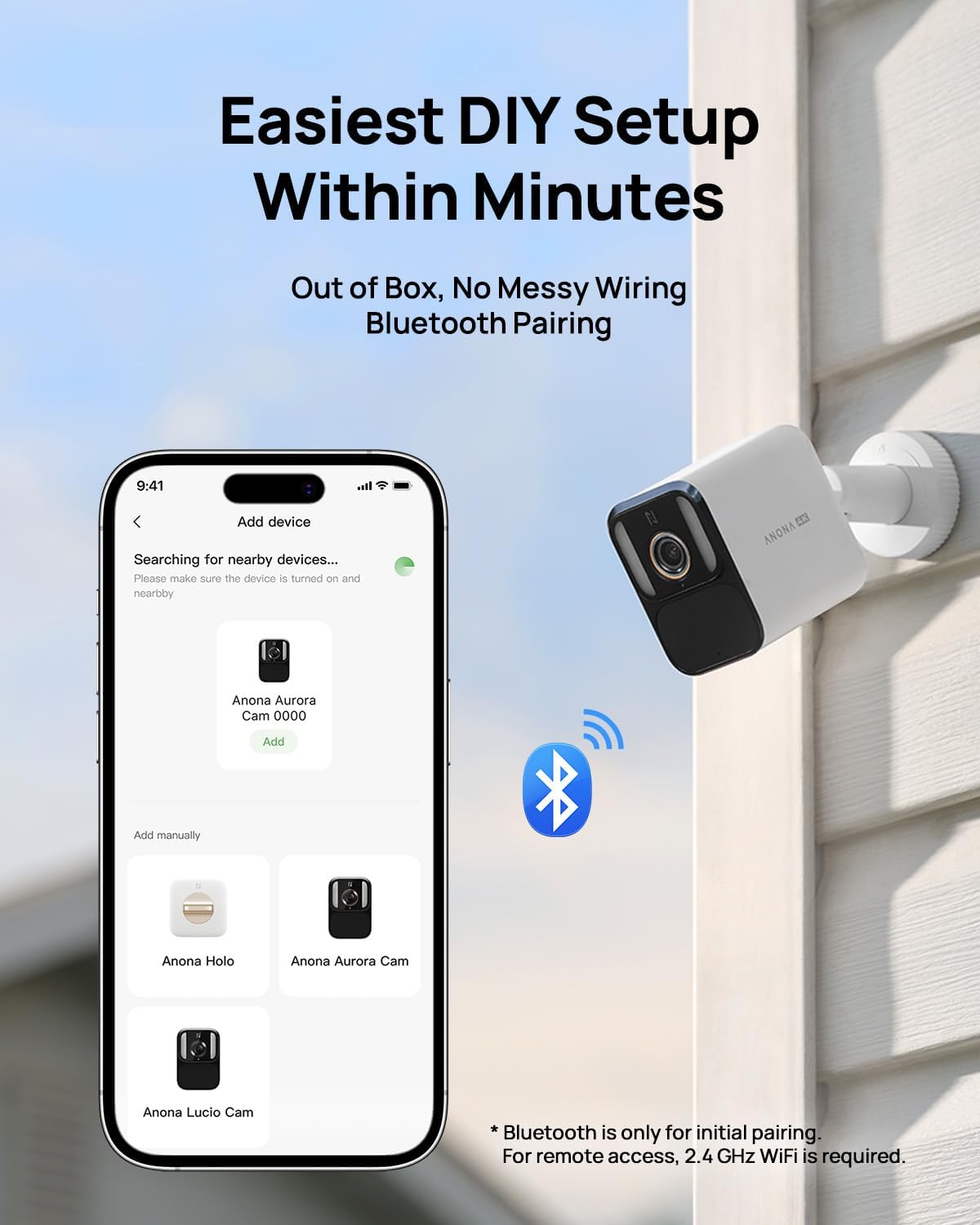
Image: A smartphone screen displaying the Anona app's device pairing interface, showing available Anona cameras for connection.
Instruccions de funcionament
1. Video Recording and Quality
The Anona Aurora camera captures video in stunning 4K UHD resolution (8 megapixels). It features a starlight sensor and an F1.2 large aperture for enhanced image clarity.
- Visió nocturna en color: The camera provides vibrant color night vision even in low-light conditions, offering more detail than traditional infrared black-and-white footage.
- Always-On Video (AOV) Recording: The camera supports 24/7 continuous time-lapse recording without requiring external AC power. This feature allows for a complete overview of daily events.
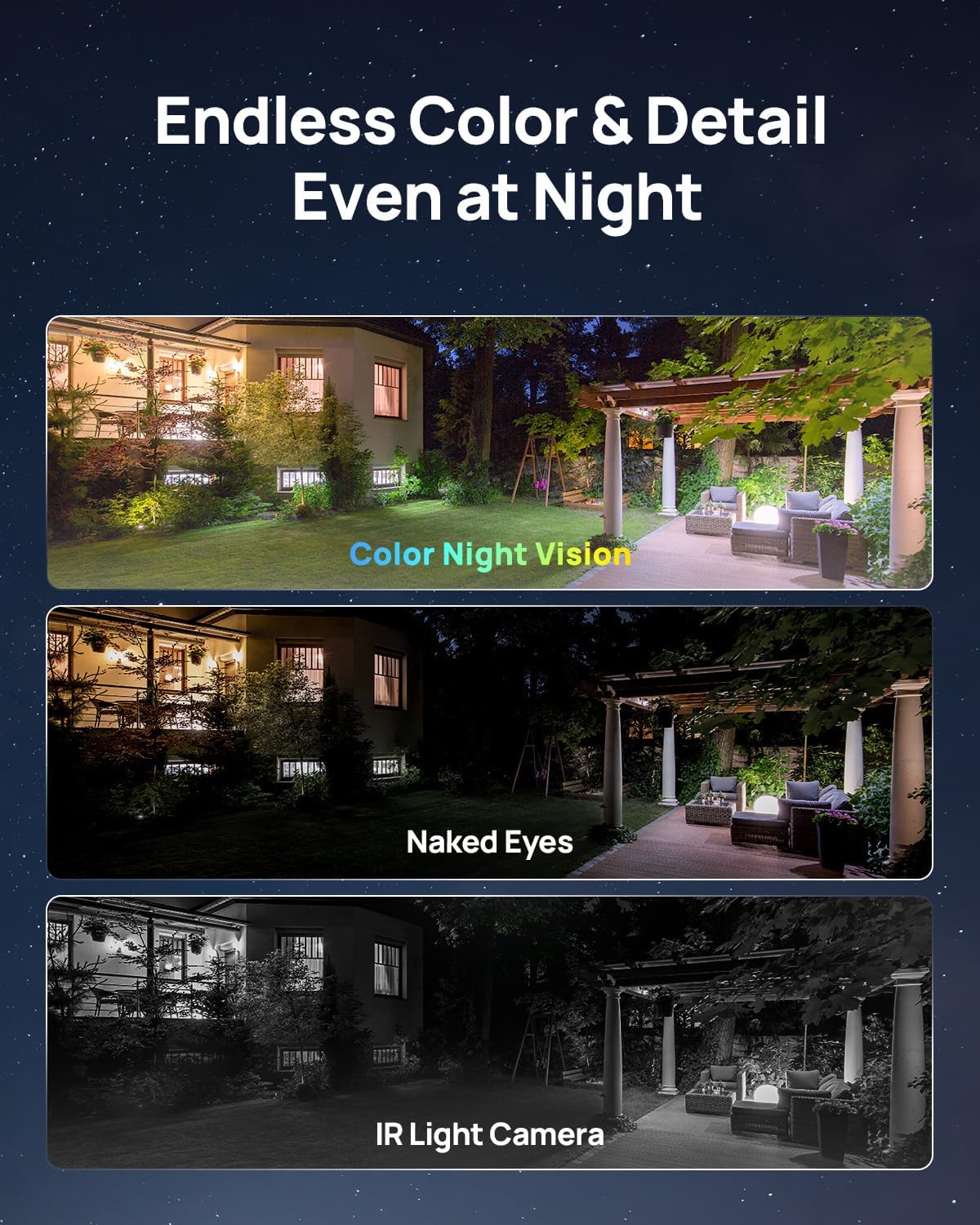
Image: A visual comparison demonstrating the clarity and detail of color night vision compared to what is visible to the naked eye and traditional IR night vision.
2. Gestió d'energia
The camera is equipped with a 10000mAh battery and a 4.8W solar panel for continuous power.
- Càrrega solar: Ensure the solar panel is positioned to receive at least 2 hours of direct sunlight daily to maintain battery charge.
- Durada de la bateria: The large capacity battery provides approximately 180 days of operation on a single charge without solar assistance. With adequate sunlight, the camera can operate continuously.
3. Smart Detection Features
The Anona Aurora utilizes AI-powered multi-object detection to provide accurate alerts.
- Reconeixement d'objectes: The camera can identify humans, vehicles, pets, and packages.
- Zones de moviment personalitzables: Set specific areas within the camera's field of view to receive alerts only for relevant activity.
- Notificacions: Receive timely notifications directly to your connected device without any subscription fees.

Image: The Anona Aurora camera's AI detection capabilities highlighting a person, a package, a vehicle, and a pet within its surveillance area.
4. Storage and Data Access
The camera includes built-in local storage.
- 32GB eMMC Storage: Proporciona ample space for recordings, capable of holding over 4 months of playback (based on 20s/video, 30 videos/day) or approximately 18 days of 24/7 AOV recording.
- Sense quotes mensuals: Access your recorded footage directly without the need for cloud subscriptions or additional SD cards.
5. Integració de la llar intel·ligent
The Anona Aurora camera is compatible with popular smart home platforms.
- Amazon Alexa: Integrate with Alexa-enabled devices to view live feeds using voice commands (e.g., "Alexa, show the backyard camera.").
- Google Home: Compatible with Google Home for similar voice control and viewcapacitats d'ingrés.
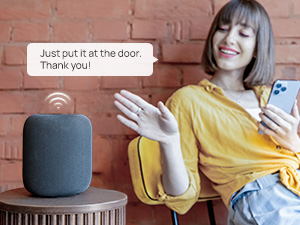
Image: A person using a smart speaker to control or view the camera feed, illustrating smart home compatibility.
6. Àudio bidireccional
The camera features two-way audio communication.
- Communicate Remotely: Use the Anona app to speak through the camera's speaker and listen through its microphone, allowing for interaction with visitors or deterrence of unwanted guests.
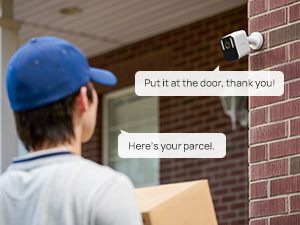
Image: A delivery person at a door, with speech bubbles indicating two-way audio communication through the Anona camera.
Manteniment
1. Resistència a la intempèrie
The Anona Aurora camera has an IP67 waterproof rating, ensuring durability in various weather conditions.
- All-Year-Round Protection: The camera is built to withstand rain, snow, dust, and extreme temperatures (operating range: -20°C to 55°C / -4°F to 131°F). Note: Battery charging is recommended between -5°C and 55°C.
- Neteja: Netegeu periòdicament la lent de la càmera i el panell solar amb un drap suau i sec.amp cloth to remove dirt and debris that may obstruct vision or charging efficiency.

Image: The Anona Aurora camera depicted enduring different weather conditions, including rain, sun, and snow, highlighting its IP67 weather resistance.
2. Solar Panel Efficiency
The solar panel is designed for high efficiency and durability.
- Col·locació òptima: Ensure the solar panel is positioned to receive maximum direct sunlight throughout the day. Avoid shaded areas.
- Layered Construction: The panel features an ETFE coating, 2-layer EVA, high-efficiency solar cells, and TPT anti-corrosion layers for long-term performance.
Resolució de problemes
- La càmera no es connecta a la Wi-Fi:
Ensure your Wi-Fi network is 2.4 GHz. The camera does not support 5 GHz Wi-Fi. Check your Wi-Fi password and router settings. Move the camera closer to the router during initial setup. - Desconnexions freqüents:
Verify the camera has a strong Wi-Fi signal. Obstacles like thick walls can interfere. Consider a Wi-Fi extender if the camera is far from the router. If the issue persists, a physical reset of the camera might be necessary. - Mala qualitat d'imatge:
Ensure the camera lens is clean and free from dirt or condensation. Check for obstructions in the camera's field of view. - Solar Panel Not Charging:
Confirm the solar panel is receiving direct sunlight for at least 2 hours daily. Clean the surface of the solar panel to remove any dust or debris. Ensure the connection cable between the solar panel and camera is secure. - False Motion Alerts or Missed Detections:
Adjust the AI detection sensitivity in the Anona app. Refine custom motion zones to focus on critical areas. Ensure the camera is mounted at an appropriate height and angle for optimal detection. - Mounting Instability:
Ensure the mounting surface is solid and the screws are tightened securely. If the camera mount feels loose, reinforce the mounting point or consider alternative mounting hardware.
Especificacions del producte
| Nom del model | Aurora |
| Número de model de l'article | HM1009-01 |
| Ús interior/exterior | A l'aire lliure |
| Resolució de captura de vídeo | 4K (resolució fixa efectiva de 8 MP) |
| Tecnologia de connectivitat | Wireless (2.4 GHz Wi-Fi) |
| Font d'alimentació | Solar Powered (10000 mAh Battery) |
| Característiques especials | 2-Way Audio, HD Resolution, Color Night Vision, Weather Proof (IP67), AI Detection |
| Viewangle ing | 136 graus |
| Gamma de visió nocturna | 33 peus |
| Emmagatzematge local | eMMC de 32 GB |
| Dispositius compatibles | Smartphone, Amazon Alexa, Google Home |
| Dimensions (L x A x A) | 7.2 x 6.8 x 3.5 polzades |
| Pes de l'article | 2.31 lliures |
Garantia i Suport
For warranty information and technical support, please refer to the official Anona website or contact Anona customer service directly. Keep your purchase receipt as proof of purchase for any warranty claims.
Anona Customer Service: Si us plau, visiteu the Anona Store on Amazon o consulteu la informació de contacte que trobareu a l'embalatge del producte.


