1. Introducció
Gràcies per la compraasing the Salange HY300Pro Mini Projector. This manual provides essential information for setting up, operating, and maintaining your projector. Please read it thoroughly before use to ensure optimal performance and longevity of your device.
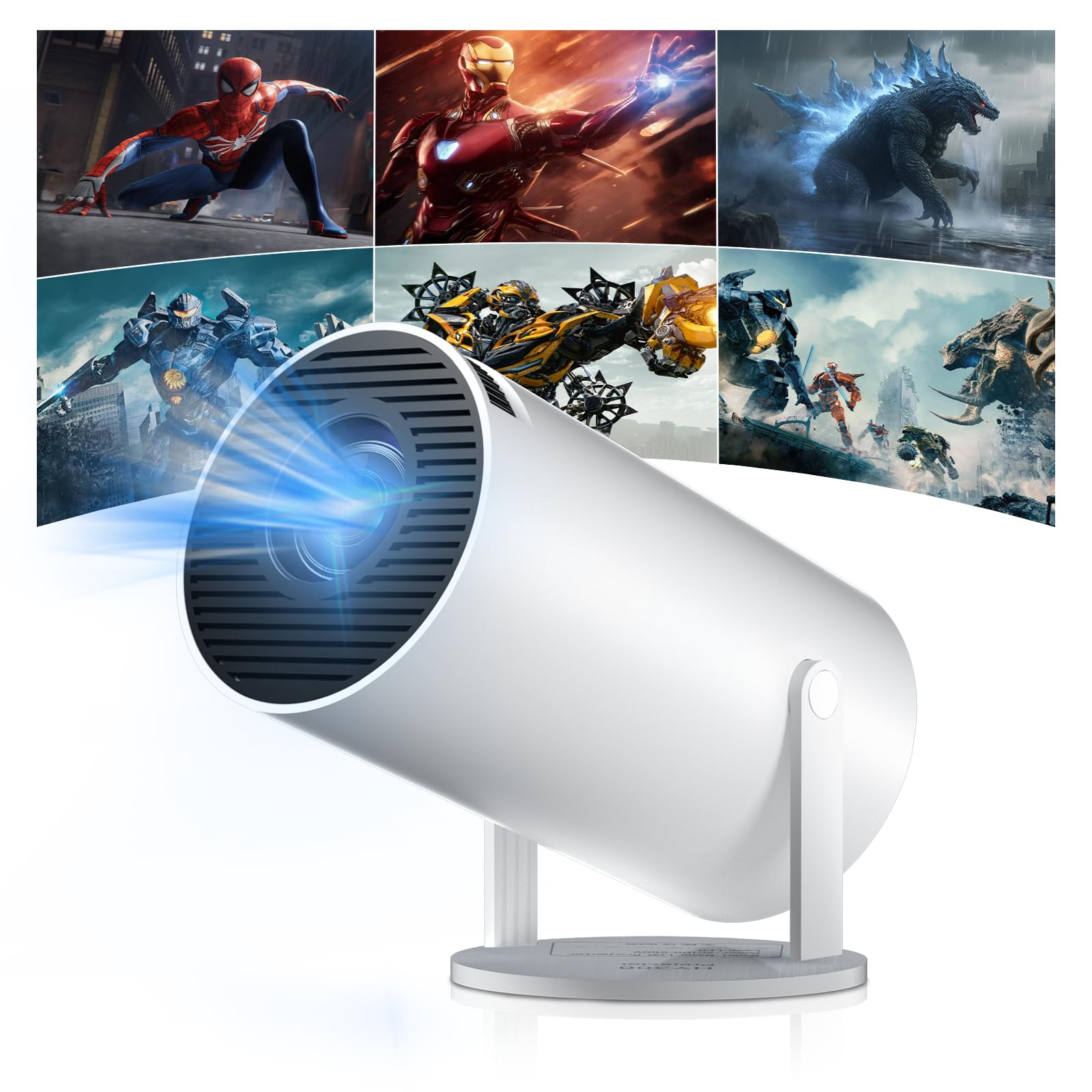
Figure 1: Salange HY300Pro Mini Projector
2. Producte acabatview
Característiques clau
- Dual-Band WiFi 6 & Bluetooth 5.4: Ensures fast and stable network connectivity and seamless audio pairing with external speakers or headphones.
- Sistema operatiu Android 11.0: Supports installation of various applications directly on the projector for versatile entertainment and productivity.
- 4K Support & Native 720P Resolution: Delivers clear and vibrant images, supporting 1080P and 4K video playback.
- Rotació de 180°: Flexible projection angles for various setups, including ceiling, wall, or angled surfaces.
- Automatic Keystone Correction & Manual Focus: Intelligently corrects image distortion and allows for fine-tuning clarity.
- Disseny compacte i portàtil: Weighs only 700g, making it easy to transport for outdoor activities or different rooms.

Figura 2: Mésview of Salange HY300Pro features including 8K support, WiFi 6, Bluetooth 5.4, 180° rotation, and auto keystone correction.
Què hi ha a la caixa
- 1 x Salange HY300Pro Projector
- 1 x Manual d'usuari
- 1 x cable d'alimentació
- 1 x comandament a distància

Figure 3: Contents of the Salange HY300Pro package.
3. Configuració
3.1 Desembalatge i col·locació
- Traieu amb cura tots els components de l'embalatge.
- Place the projector on a stable, flat surface. Ensure adequate ventilation around the device.
- The projector's 180° rotation feature allows flexible placement. Adjust the projector's angle to project onto a wall, ceiling, or screen as desired.

Figure 4: Projector demonstrating 180-degree rotation for various projection surfaces.
3.2 Connexió d'alimentació
Connect the provided power cable to the projector's power input and then to a power outlet.
3.3 Engegada inicial i ajust de l'enfocament
- Premeu el botó d'encesa del projector o del comandament a distància per encendre el dispositiu.
- The projector features automatic keystone correction. It will intelligently detect and correct image distortion to ensure a square image.
- For fine-tuning the image clarity, use the manual focus adjustment ring on the projector.

Figure 5: Illustration of automatic keystone correction and manual focus adjustment.
3.4 Connexió de xarxa (WiFi)
- Navigate to the 'Settings' menu on the projector's home screen.
- Select 'Network & Internet' and enable Wi-Fi.
- Choose your desired Wi-Fi network from the list and enter the password if prompted. The projector supports dual-band 2.4G + 5G WiFi 6 for fast and stable connections.

Figure 6: Visual representation of the projector's WiFi 6 capabilities for ultra-fast streaming.
3.5 Vinculació Bluetooth
- From the 'Settings' menu, select 'Connected Devices' or 'Bluetooth'.
- Activa el Bluetooth i cerca els dispositius disponibles.
- Seleccioneu l'altaveu o els auriculars Bluetooth de la llista per emparellar-los.

Figure 7: Projector connected to various Bluetooth audio devices.
3.6 Connexió de dispositius externs
The projector supports HDMI and USB connections.
- HDMI: Connect your laptop, game console, Blu-ray player, or TV stick using an HDMI cable. Select the corresponding HDMI input source from the projector's input menu.
- USB: Inseriu una unitat USB per reproduir contingut multimèdia files directly. Access the files through the media player application on the Android OS.
4. Instruccions de funcionament
4.1 Navigating the Android OS
The Salange HY300Pro runs on Android 11.0, providing a smart TV experience.
- Use the remote control to navigate through the home screen, applications, and settings.
- The interface is intuitive, similar to an Android smartphone or tablet.

Figure 8: Projector displaying the Android OS home screen with various streaming apps.
4.2 Gestió d'aplicacions
You can install and manage applications directly on the projector.
- Access the app store (e.g., Google Play Store) to download streaming services, games, and productivity tools.
- To uninstall an app, go to 'Settings' > 'Apps' and select the desired app.
4.3 Mirall de pantalla
Mirror your smartphone or tablet screen to the projector wirelessly.
- Assegureu-vos que tant el dispositiu com el projector estiguin connectats a la mateixa xarxa Wi-Fi.
- On the projector, select the screen mirroring function (e.g., 'Miracast', 'AirPlay', or 'Screen Share').
- On your smartphone/tablet, enable screen mirroring and select the projector from the list of available devices.
4.4 Configuració d'imatge i so
Adjust various settings to optimize your viewexperiència.
- Configuració de la imatge: Access 'Settings' > 'Display' to adjust brightness, contrast, color, and aspect ratio.
- Configuració de so: Access 'Settings' > 'Sound' to adjust volume, sound mode, and output device.

Figure 9: Projector displaying a large image, illustrating its ability to create a home cinema experience.
5. Manteniment
5.1 Neteja de la lent
Feu servir un drap suau i sense borrissol dissenyat específicament per a lents òptiques per netejar suaument la lent del projector. No utilitzeu productes de neteja abrasius ni força excessiva.
5.2 Ventilació
Ensure the projector's ventilation vents are clear of dust and obstructions. Blocked vents can lead to overheating and reduced performance. Periodically clean the vents with a soft brush or compressed air.
5.3 Emmagatzematge
Quan no l'utilitzeu durant períodes prolongats, guardeu el projector en un lloc fresc i sec, allunyat de la llum solar directa i de temperatures extremes. Feu servir l'embalatge original o una funda protectora per evitar l'acumulació de pols i els danys.
6. Solució De Problemes
| Problema | Causa possible | Solució |
|---|---|---|
| No es mostra cap imatge | Power cable disconnected; Incorrect input source; Projector in standby mode. | Check power connection; Select correct HDMI/USB input; Press power button to wake up. |
| La imatge és borrosa | Enfocament no ajustat; Projector massa lluny/massa a prop de la pantalla. | Adjust manual focus ring; Ensure projector is within optimal projection distance. |
| Sense so | Volume too low; Muted; Incorrect audio output selected; Bluetooth device not paired. | Increase volume; Unmute; Check audio settings; Re-pair Bluetooth device. |
| Problemes de connexió Wi-Fi/Bluetooth | Incorrect password; Out of range; Interference. | Verify password; Move closer to router/device; Reduce interference from other electronics. |
| El comandament a distància no funciona | Dead batteries; Obstruction; Not paired. | Canvieu les piles; Traieu les obstruccions; Torneu a emparellar el comandament a distància si cal. |
7. Especificacions
| Característica | Detall |
|---|---|
| Marca | Salange |
| Número de model | X-HY300PRO |
| Sèrie | Salange Mini Beamer |
| Color | Blanc |
| Tipus de visualització | LCD |
| Resolució nativa | 1280 x 720P |
| Resolució màxima de pantalla | 3840 x 2160 (4K Supported) |
| Tecnologia de connectivitat | Bluetooth, Wi-Fi (WiFi 6) |
| Interfície del maquinari | Bluetooth, HDMI, USB |
| Dispositius compatibles | Smartphones, Laptops, Game Consoles, Blu-ray Players, Media Players |
| Dimensions de l'article (L x A x A) | 9.5 x 9.5 x 15.7 centímetres |
| Característiques especials | Wi-Fi Compatible, Digital Keystone Correction, Lightweight, Portable, 180° Rotation |
| Usos recomanats | Business, Home Cinema, Gaming, Education |
| Factor de forma | Portàtil |
| Tipus de muntatge | Muntatge de taula |
8. Garantia i Suport
For warranty information and technical support, please refer to the documentation included with your purchase or visit the official Salange weblloc web. Conserveu el comprovant de compra per a reclamacions de garantia.


