Introducció
This manual provides detailed instructions for the QCOQ T60 Smart Watch. It covers setup, operation, maintenance, and troubleshooting to ensure optimal use of your device. The QCOQ T60 Smart Watch features a 1.91-inch display, Bluetooth call functionality, heart rate monitoring, and IP68 water resistance.
Contingut del paquet
Si us plau, comproveu el paquet per veure si hi ha els elements següents:
- QCOQ T60 Smart Watch (1 unit)
- Cable de càrrega
- Manual d'usuari
Configuració
1. Càrrega del dispositiu
Before first use, fully charge the smart watch. Connect the magnetic charging cable to the charging contacts on the back of the watch and plug the USB end into a standard USB power adapter (not included).

Image: The QCOQ T60 Smart Watch connected to its magnetic charging cable, illustrating the charging process. The watch display shows an 80% battery level, indicating partial charge.
- Temps de càrrega: Aproximadament 2 hores per a una càrrega completa.
- Battery Life: Up to 7 days of typical usage on a full charge.
2. Instal·lació i emparellament de l'aplicació
To utilize all features of your QCOQ T60 Smart Watch, download and install the companion application on your smartphone.
- Scan the QR code provided in the quick start guide or search for the app name (usually indicated in the watch's initial setup screen or manual) in your smartphone's app store (App Store for iOS, Google Play Store for Android).
- Assegureu-vos que el Bluetooth estigui habilitat al vostre telèfon intel·ligent.
- Open the installed app and follow the on-screen instructions to create an account or log in.
- Within the app, navigate to the device pairing section and select your QCOQ T60 Smart Watch from the list of available devices.
- Confirma la sol·licitud d'emparellament tant al teu telèfon intel·ligent com al rellotge intel·ligent.
Instruccions de funcionament
1. Navegació bàsica
The QCOQ T60 Smart Watch features a touchscreen display and a side button for navigation.
- Llisca cap amunt/avall: Desplaça't pels menús i les notificacions.
- Llisca cap a l'esquerra/dreta: Accediu a funcions ràpides o a diferents widgets.
- Toca: Selecciona un element o confirma una acció.
- Botó lateral: Premeu per tornar a la pantalla d'inici o activar el dispositiu. Premeu llargament per veure les opcions d'engegada.
2. Bluetooth Call Functionality
Once paired with your smartphone, the QCOQ T60 Smart Watch allows you to make and answer calls directly from your wrist.
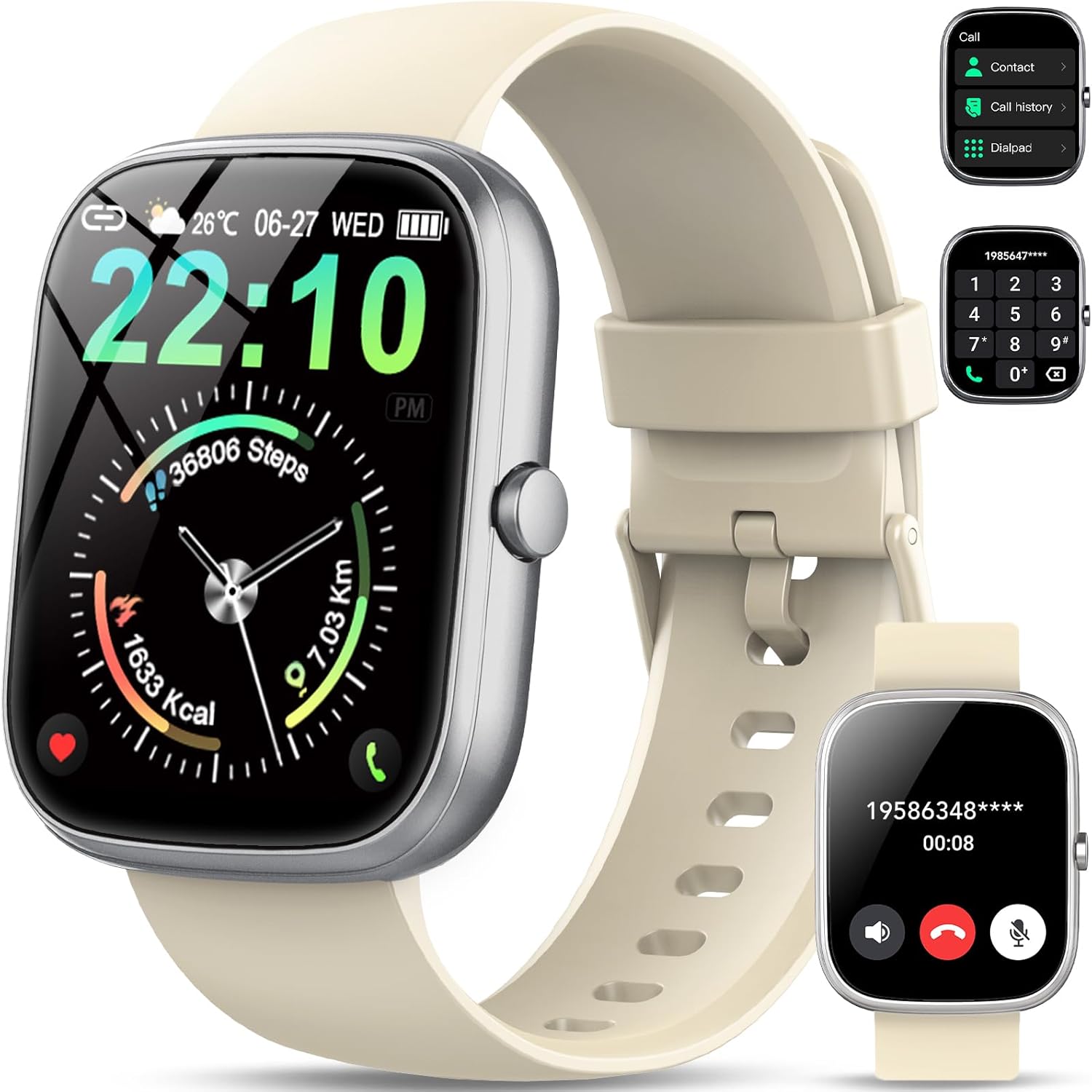
Image: The QCOQ T60 Smart Watch screen showing the call interface, including options to access contacts, view call history, and use a dialpad. A separate inset shows an incoming call notification.
- Contestar trucades: Quan rebeu una trucada entrant, toqueu la icona verda de resposta a la pantalla del rellotge.
- Fer trucades: Access the 'Call' menu on the watch, then select from contacts, call history, or use the dialpad to enter a number.
3. Notificacions
Rep notificacions del teu telèfon intel·ligent directament al rellotge.

Image: The QCOQ T60 Smart Watch screen showing notifications from various social media and messaging applications. Adjacent to it, a smartphone displays an incoming call, demonstrating the watch's Bluetooth call feature.
- Assegureu-vos que els permisos de notificació estiguin activats per a l'aplicació complementària del vostre telèfon intel·ligent.
- Llisca cap avall des de la part superior de l'esfera del rellotge fins a view notificacions recents.
4. Seguiment de l'activitat física
The QCOQ T60 Smart Watch monitors various fitness metrics.

Image: A visual representation of the QCOQ T60 Smart Watch's fitness capabilities, highlighting over 110 sport modes, step counting, calorie expenditure tracking, IP68 water resistance, and comprehensive daily activity data.
- Monitorització de la freqüència cardíaca: The watch provides real-time heart rate data. Access the heart rate function on the watch or through the app.
- Step Count & Calories: Fa un seguiment dels passos diaris, la distància i l'estimació de les calories cremades.
- Modes esportius: Select from over 110 sport modes to track specific activities.
5. Monitorització del son
The watch automatically monitors your sleep patterns.

Image: The QCOQ T60 Smart Watch screen showing detailed sleep monitoring data, including deep, light, and awake sleep stages. Another section displays a 7-day weather forecast.
- Wear the watch while sleeping for accurate data.
- View detailed sleep analysis in the companion app, including deep sleep, light sleep, and awake times.
6. Altres característiques
- Pronòstic del temps: View current weather and a 7-day forecast.
- Control de música: Controla la reproducció de música al teu telèfon intel·ligent (reproduir, pausar, saltar pistes).
- Comandament a distància de la càmera: Feu servir el rellotge com a obturador remot per a la càmera del vostre telèfon intel·ligent.
- Assistent de veu: Accedeix a l'assistent de veu del teu telèfon intel·ligent.
- Recordatori sedentari: Rebre alertes per moure's després de períodes d'inactivitat.
- Alarma: Configura alarmes directament des del rellotge.
- Monitorització d'oxigen en sang: Mesura els teus nivells d'oxigen a la sang.
- Salut de la dona: Track menstrual cycles and related data.
- Calculadora: Basic calculator function.
7. Personalització de les esferes del rellotge
Personalitza el teu rellotge amb diverses esferes.

Image: A collage of various watch faces available for the QCOQ T60 Smart Watch, demonstrating the range of styles and information displays, including options for personalized backgrounds.
- Long press on the current watch face to enter the watch face selection menu.
- Swipe left or right to browse available watch faces. Tap to select.
- More watch faces and customization options (including custom backgrounds) are available through the companion app.
Manteniment
1. Neteja
- Netegeu la pantalla i la carcassa del rellotge amb un drap suau i sense borrissol.
- For the strap, use a mild soap and water solution if necessary, then rinse thoroughly and dry completely before wearing.
- Eviteu utilitzar productes químics o materials abrasius.
2. Resistència a l'aigua (IP68)
The QCOQ T60 Smart Watch is IP68 rated, meaning it is resistant to dust and can withstand immersion in water up to 1.5 meters for up to 30 minutes. It is suitable for daily use, such as hand washing or light rain.
- Do not use the watch for diving, hot showers, saunas, or in environments with high-pressure water.
- La resistència a l'aigua no és una condició permanent i pot disminuir amb el temps amb el desgast normal.
3. Cura de la bateria
- Eviteu temperatures extremes, que poden degradar el rendiment de la bateria.
- Carregueu el rellotge regularment; eviteu deixar que la bateria s'esgoti completament durant períodes prolongats.
Resolució de problemes
- El rellotge no s'encén: Assegura't que el rellotge estigui completament carregat. Connecta'l al carregador durant almenys 10 minuts.
- No es pot emparellar amb el telèfon intel·ligent:
- Assegura't que el Bluetooth estigui activat al telèfon i al rellotge.
- Assegureu-vos que el rellotge estigui dins de l'abast del telèfon.
- Reinicia tant el rellotge com el telèfon.
- Check if the companion app has necessary permissions.
- Notificacions no rebudes:
- Verify that notifications are enabled in the watch's settings and the companion app.
- Assegureu-vos que el rellotge estigui connectat correctament mitjançant Bluetooth.
- Check your phone's notification settings for the app.
- Dades d'activitat/freqüència cardíaca inexactes: Ensure the watch is worn snugly on your wrist, not too tight or too loose. Clean the sensor regularly.
Especificacions
| Característica | Especificació |
|---|---|
| Marca | QCOQ |
| Model | T60 |
| Mida de la pantalla | 1.91 polzades |
| Tecnologia de visualització | LCD |
| Resolució | 240 x 240 |
| Connectivitat | Bluetooth |
| Dispositius compatibles | Smartphone |
| Resistència a l'aigua | IP68 |
| Característiques especials | Heart Rate Monitor, Notifications, Camera Remote, Voice Assistant |
| Entrada de la interfície humana | Pantalla tàctil |
| GPS | Sense GPS |
| Tipus de bateria | Ió de liti (cal 1) |
| Dimensions (Paquet) | 17.4 x 9.4 x 1.8 cm |
| Pes (paquet) | 38.19 g |
| Color | Blanc cremós |
Informació de seguretat
- Consult your doctor before starting any new exercise regimen or if you have pre-existing health conditions.
- No intenteu desmuntar ni modificar el rellotge.
- Keep the device away from extreme heat or cold.
- Desfeu-vos del dispositiu i de la bateria d'acord amb la normativa local.
Garantia i Suport
For warranty information and customer support, please refer to the documentation included with your purchase or visit the official QCOQ website. Ensure you have your purchase receipt and product model number (T60) available when contacting support.


