1. Introducció
This manual provides comprehensive instructions for the BenQ GW2790Q 27-inch 2K QHD 100Hz IPS Eye-Care Monitor. It covers setup, operation, key features, maintenance, and troubleshooting to ensure optimal performance and user experience. Please read this manual thoroughly before using your monitor.

Figure 1.1: BenQ GW2790Q Monitor Overview. This image showcases the monitor's sleek design and highlights its key features such as 100Hz refresh rate, 99% sRGB color gamut, VESA MediaSync compatibility, and 2K Quad HD resolution, displayed with dynamic content.
2. Contingut del paquet
Verify that all items listed below are present in your package. If any item is missing or damaged, please contact your retailer or BenQ customer support.
- BenQ GW2790Q Monitor
- Suport de monitor (base i coll)
- Cable d'alimentació
- Cable HDMI
- Guia d'inici ràpid
- Targeta de garantia
3. Configuració
3.1 Muntatge del suport del monitor
- Traieu amb cura el monitor del seu embalatge, mantenint-lo protegit sobre una superfície tova.
- Fixeu el coll del suport al panell del monitor alineant les pestanyes i prement-lo fins que encaixi al seu lloc.
- Secure the stand base to the neck using the captive screw at the bottom of the base.
3.2 Cables de connexió
Connecteu els cables necessaris als ports corresponents del monitor i de l'ordinador.
- Cable de corrent: Connecteu un extrem a l'entrada d'alimentació del monitor i l'altre a una presa de corrent.
- Cable de vídeo: Connect either an HDMI cable or a DisplayPort cable from your computer's video output to the corresponding input on the monitor.

Figure 3.1: Monitor Rear Ports. This image illustrates the various connectivity options available on the back of the BenQ GW2790Q monitor, including the power input, two HDMI ports, one DisplayPort, and an audio output jack, along with the VESA mounting area.
4. Instruccions de funcionament
4.1 Engegada/apagada
Press the power button located on the bottom right of the monitor bezel to turn the monitor on or off. The power indicator light will illuminate when the monitor is active.
4.2 Menú de visualització en pantalla (OSD)
The OSD menu allows you to adjust various monitor settings such as brightness, contrast, color modes, and input sources. Use the navigation buttons located near the power button to access and navigate the OSD menu.
4.3 Input Hotkey
The GW2790Q features a dedicated Input Hotkey for quick switching between connected devices. Press this button to cycle through HDMI 1, HDMI 2, and DisplayPort inputs without navigating the full OSD menu.
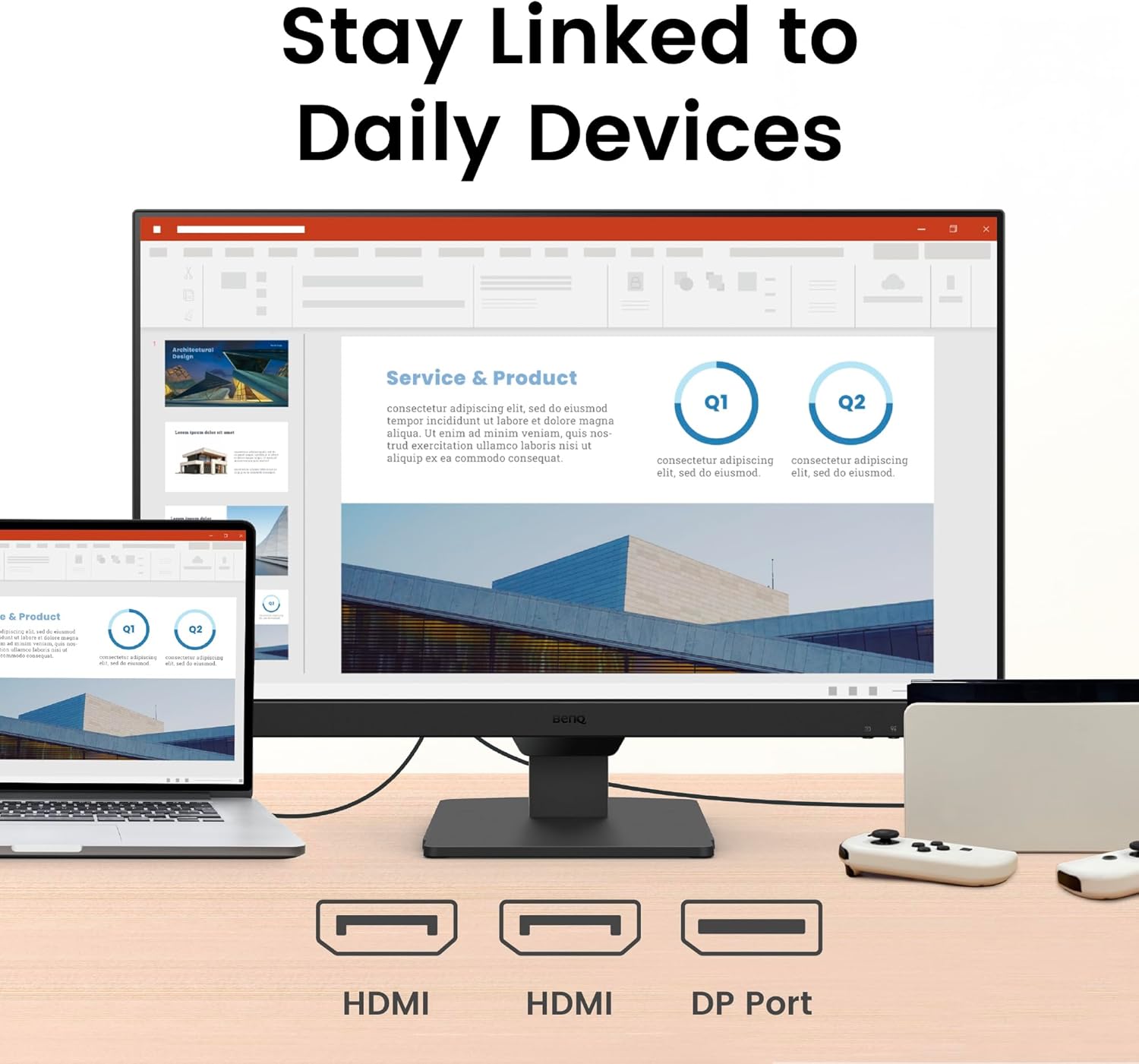
Figure 4.1: Monitor in Use. This image shows the BenQ GW2790Q monitor displaying a professional presentation, demonstrating its suitability for work and productivity tasks.

Figure 4.2: Seamless Work and Play. This image demonstrates the BenQ GW2790Q monitor's ability to smoothly transition between different uses, showing a split screen with productivity content on one side and entertainment on the other, highlighting its flexible lifestyle integration.
5. Característiques clau
5.1 Tecnologia de visualització
- 27-inch 2K QHD IPS Panel: Experience sharp details and vibrant colors with a 2560x1440 resolution and wide viewangles d'ajust.
- Freqüència de refresc de 100 Hz: Enjoy smoother visuals and more responsive interaction, reducing motion blur for a comfortable viewexperiència.

Figure 5.1: Smooth Viewing at 100Hz. This image visually represents the benefit of a 100Hz refresh rate, showing a runner with a smooth motion trail, indicating reduced motion blur and a fluid visual experience on the BenQ GW2790Q monitor.
5.2 Tecnologies per a la cura dels ulls
The BenQ GW2790Q incorporates advanced Eye-Care features designed to reduce eye strain during extended use.
- Brightness Intelligence Tech (B.I. Gen2): Automatically adjusts screen brightness based on ambient light conditions and on-screen content, ensuring optimal viewcomoditat.
- Llum blava baixa més: Filters out harmful blue-violet light while maintaining accurate color reproduction, protecting your eyes without compromising image quality.
- Coding Mode & ePaper Mode: Specialized color modes that enhance readability for text-heavy tasks, reducing eye fatigue during long reading or coding sessions.
- Eye-CareU Software: Compatible software for personalized eye-care settings and reminders.
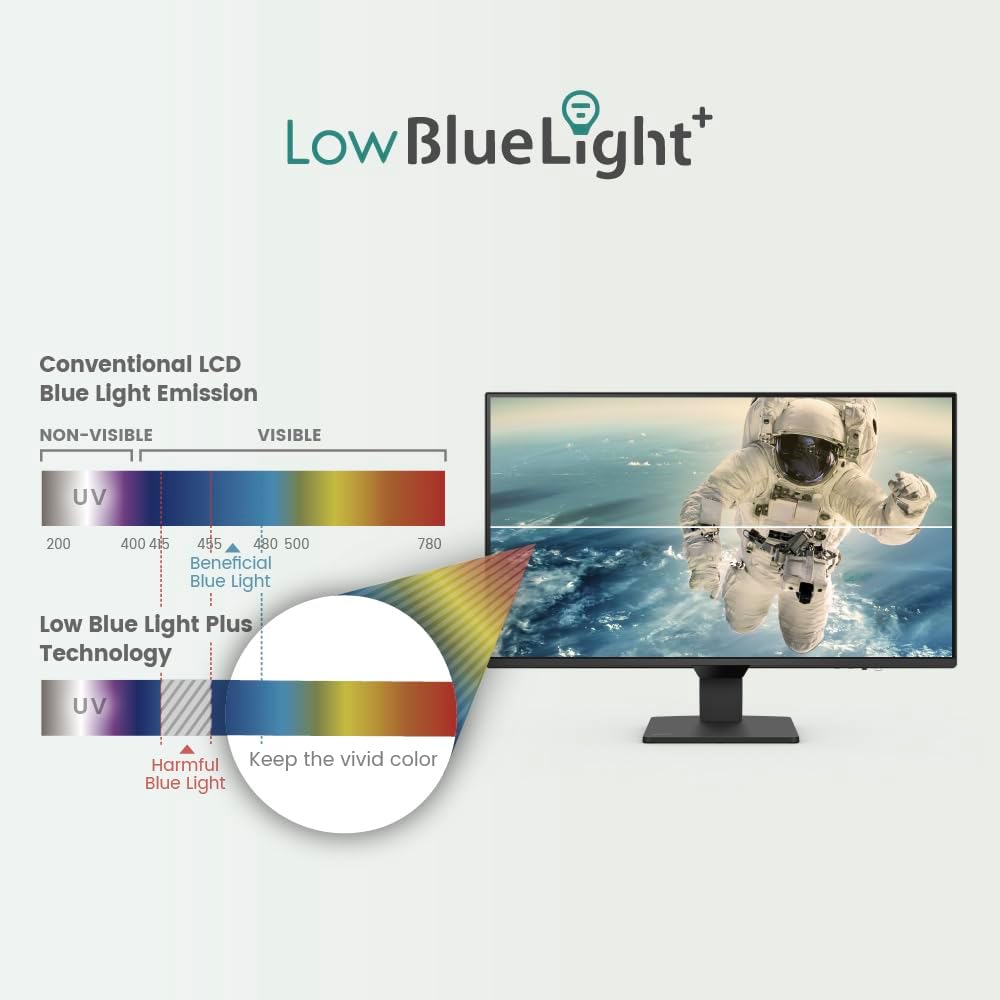
Figure 5.2: Smart Brightness Optimization. This image illustrates the monitor's Brightness Intelligence feature, showing a split screen where one side is optimized for a darker environment and the other for a brighter one, demonstrating automatic adjustment for visual comfort.
Figure 5.3: Low Blue Light Plus Technology. This diagram visually explains how BenQ's Low Blue Light Plus technology works, differentiating between harmful blue-violet radiation and beneficial blue light, and demonstrating its ability to filter the former while maintaining vivid color quality.

Figure 5.4: Enhanced Eye-Care Experience. This image highlights the monitor's focus on eye comfort, featuring an eye graphic superimposed over the screen, suggesting advanced features for visual health and detailed data display.
5.3 Connectivitat
The monitor offers versatile connectivity options to integrate with various devices.
- Ports HDMI: Two HDMI inputs for connecting multiple devices such as computers, gaming consoles, or media players.
- DisplayPort: One DisplayPort input for high-resolution and high-refresh-rate connections.
- Sortida d'àudio: Un connector d'àudio de 3.5 mm per connectar altaveus externs o auriculars.

Figure 5.5: Multi-Device Connectivity. This image demonstrates the BenQ GW2790Q monitor's ability to connect to various devices, showing it linked to a laptop and a game controller via its HDMI and DisplayPort inputs, facilitating seamless switching between work and entertainment.
6. Manteniment
6.1 Neteja del monitor
To maintain optimal display quality, clean your monitor regularly.
- Apagueu sempre el monitor i desconnecteu el cable d'alimentació abans de netejar-lo.
- Utilitzeu un drap suau i sense pelusa dampnetejat amb aigua o amb un netejador de pantalles especialitzat.
- Eviteu utilitzar netejadors abrasius, alcohol o solucions amb base d'amoníac, ja que poden danyar la superfície de la pantalla.
- Gently wipe the screen and bezel. Do not apply excessive pressure.
7. Solució De Problemes
Si teniu problemes amb el monitor, consulteu els problemes i solucions més comuns següents.
| Problema | Causa possible | Solució |
|---|---|---|
| No hi ha imatge a la pantalla | Cable d'alimentació desconnectat; cable de vídeo desconnectat; font d'entrada incorrecta seleccionada. | Ensure power and video cables are securely connected. Use the Input Hotkey or OSD to select the correct input source. |
| La imatge és borrosa o distorsionada | Configuració de resolució incorrecta; Problema amb el cable de vídeo. | Estableix la resolució de la pantalla a 2560 x 1440. Comprova o substitueix el cable de vídeo. |
| El monitor no s'encén | Cable d'alimentació no connectat; Problema amb la presa de corrent. | Verify the power cable is firmly connected to both the monitor and a working power outlet. |
| No sound from speakers/audio out | Audio cable not connected; Volume too low; Incorrect audio output selected on computer. | Ensure external speakers/headphones are connected. Adjust monitor and computer volume. Select the monitor as the audio output device on your computer. |
8. Especificacions
Below are the technical specifications for the BenQ GW2790Q monitor.
| Característica | Detall |
|---|---|
| Nom del model | GW2790Q |
| Mida de la pantalla | 27 polzades |
| Tipus de panell | IPS |
| Resolució | 2560 x 1440 (QHD) |
| Freqüència d'actualització | 100 Hz |
| Relació d'aspecte | 16:9 |
| Brillantor | (Typical value not provided, refer to product page) |
| Relació de contrast | (Typical value not provided, refer to product page) |
| Gamma de colors | 99% sRGB |
| Viewangle ing | (Typical IPS values apply, not explicitly stated) |
| Connectivitat | 2x HDMI, 1x DisplayPort, 1x Audio Out (3.5mm) |
| Muntatge VESA | Sí |
| Dimensions (AxAxP) | 24.1 x 12 x 2.4 polzades (sense suport) |
| Pes | 10.34 lliures (sense suport) |
| Consum d'energia | (Not explicitly stated, refer to product page) |
9. Garantia i Suport
BenQ provides a limited warranty for this product. For detailed warranty terms and conditions, please refer to the warranty card included in your package or visit the official BenQ weblloc.
For technical support, driver downloads, or service inquiries, please visit the BenQ support weblloc web o poseu-vos en contacte amb el seu departament d'atenció al client. Mantingueu a mà el rebut de compra i el número de sèrie del producte quan busqueu assistència.
Assistència de BenQ Weblloc: www.benq.com/en-us/support.html


