Introducció
This manual provides instructions for the Sudio K2 Pro Wireless Headphones. Please read this manual carefully before using the product to ensure proper operation and to maximize your listening experience.
The Sudio K2 Pro headphones feature Active Noise Cancelling (ANC) technology, Bluetooth 5.4 connectivity, and a lightweight over-ear design for comfort. They offer up to 65 hours of playtime and support USB-C charging and 3.5mm audio input.
Què hi ha a la caixa
- Sudio K2 Pro Wireless Headphones
- Cable de càrrega USB-C
- Cable d'àudio de 3.5 mm
- Funda protectora
- Manual d'usuari (aquest document)
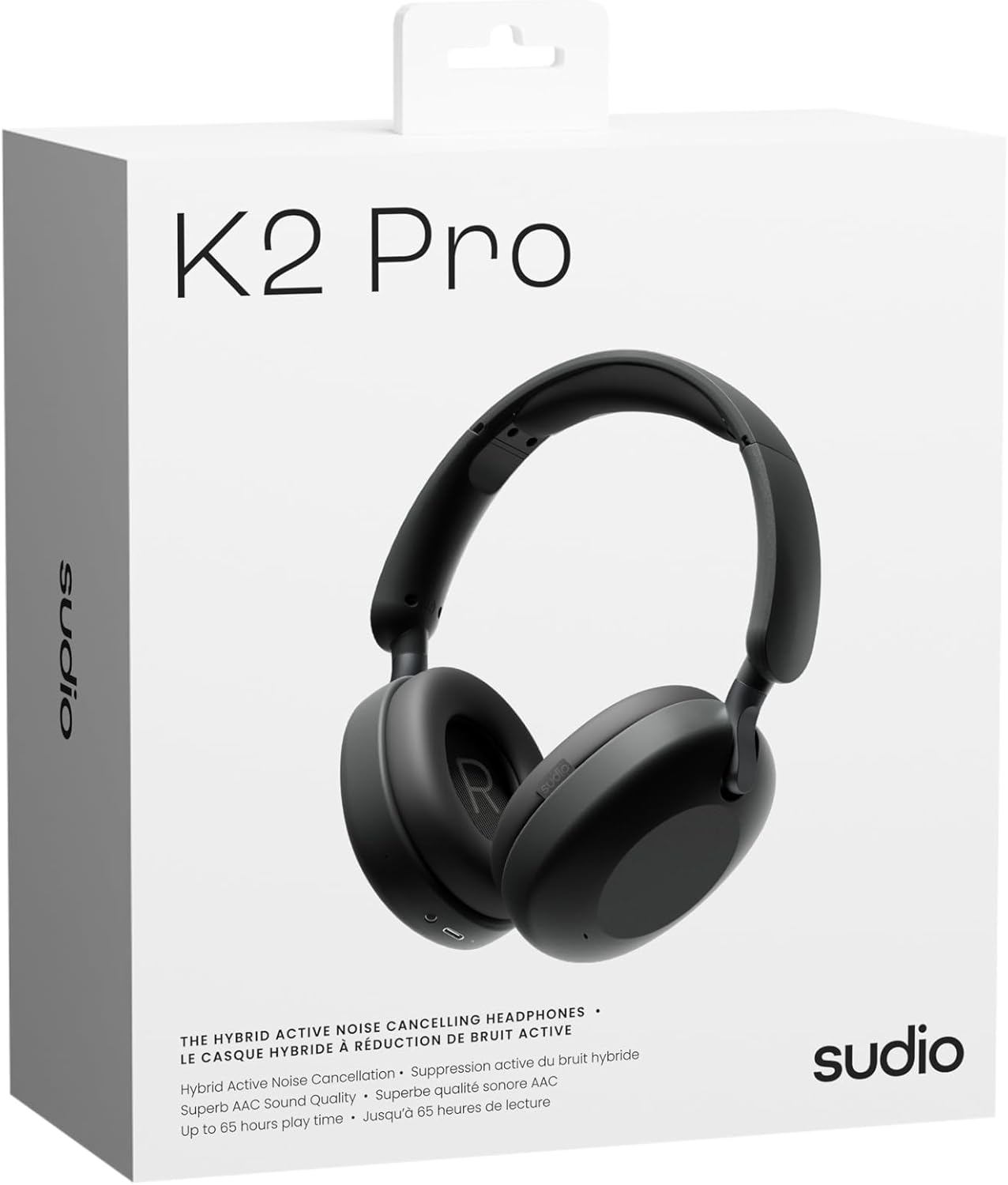
Image: Sudio K2 Pro packaging and included items.
Configuració
1. Càrrega inicial
Before first use, fully charge your Sudio K2 Pro headphones. Connect the provided USB-C charging cable to the headphone's charging port and to a compatible USB power source. The LED indicator will show charging status.

Image: USB-C charging port on the Sudio K2 Pro headphones.
2. Encès / apagat
- Encès: Premeu i manteniu premut el botó d'engegada durant aproximadament 3 segons fins que l'indicador LED s'encengui.
- Apagar: Premeu i manteniu premut el botó d'engegada durant aproximadament 3 segons fins que l'indicador LED s'apagui.
3. Emparellament Bluetooth
- Assegureu-vos que els auriculars estiguin apagats.
- Premeu i manteniu premut el botó d'engegada durant 5-7 segons fins que l'indicador LED parpellegi en blau i vermell, cosa que indica el mode d'emparellament.
- Al dispositiu (telèfon intel·ligent, tauleta, ordinador), activeu el Bluetooth i cerqueu els dispositius disponibles.
- Select "Sudio K2 Pro" from the list of devices.
- Un cop emparellat, l'indicador LED s'il·luminarà de blau fix o parpellejarà lentament en blau.
4. Connexió per cable
For a wired connection, plug one end of the 3.5mm audio cable into the headphone's audio input jack and the other end into your audio source. The headphones will automatically switch to wired mode.
Instruccions de funcionament
Controls acabatsview

Imatge: Detallada view dels controls dels auriculars.
- Botó d'encesa: Encendre/apagar, reproduir/pausar, respondre/finalitzar trucades.
- Augment de volum / pista següent: Premeu curt per pujar el volum, premeu llargament per passar a la següent pista.
- Baixada de volum / pista anterior: Premeu curt per baixar el volum, premeu llargament per anar a la pista anterior.
- Botó ANC: Toggle Active Noise Cancelling (ANC) on/off.
Cancel·lació activa de soroll (ANC)
Press the ANC button to activate or deactivate the Active Noise Cancelling feature. When ANC is active, the headphones will reduce ambient background noise, providing a more immersive audio experience.
Fer i rebre trucades
- Respondre/Finalitzar la trucada: Premeu el botó d'engegada una vegada.
- Rebutja la trucada: Manteniu premut el botó d'engegada durant 2 segons.
Manteniment
- Neteja: Feu servir un drap suau i sec per netejar els auriculars. No utilitzeu productes de neteja abrasius ni dissolvents.
- Emmagatzematge: When not in use, store the headphones in the provided protective case to prevent damage.
- Cura de la bateria: To prolong battery life, avoid fully discharging the headphones frequently. Charge them regularly.
- Temperatura: Eviteu exposar els auriculars a temperatures extremes (calor o fred) o a una humitat elevada.

Image: Sudio K2 Pro headphones stored in their protective case.
Resolució de problemes
- Sense energia: Assegureu-vos que els auriculars estiguin completament carregats. Connecteu-los a una font d'alimentació i comproveu l'indicador de càrrega.
- No es pot emparellar per Bluetooth:
- Assegureu-vos que els auriculars estiguin en mode d'emparellament (el LED parpelleja en blau/vermell).
- Desactiva i activa el Bluetooth al dispositiu.
- Acosta els auriculars al dispositiu.
- Esborra les connexions Bluetooth anteriors del dispositiu i torna a intentar l'emparellament.
- Sense so:
- Comproveu el nivell de volum tant dels auriculars com del dispositiu connectat.
- Ensure the headphones are properly paired or the 3.5mm cable is securely connected.
- If using a wired connection, ensure the Bluetooth is off on the headphones.
- ANC no funciona: Press the ANC button to ensure it is activated.
Especificacions
| Característica | Detall |
|---|---|
| Nom del model | Sudio K2 Pro |
| Número de model | SD-2601 |
| Control de soroll | Cancel·lació activa de soroll (ANC) |
| Tecnologia de connectivitat | Bluetooth 5.4, Wired (3.5mm) |
| Hora de joc | Fins a 65 hores |
| Temps de càrrega | 90 minuts |
| Port de càrrega | USB-C |
| Pes de l'article | 245 grams (8.6 unces) |
| Impedància | 32 ohms |
| Característiques especials | Microphone Included, Noise Cancellation, Touch Control, Volume Control |
Garantia i Suport
For warranty information and customer support, please refer to the official Sudio weblloc web o contacteu directament amb el servei d'atenció al client. Conserveu el comprovant de compra per a reclamacions de garantia.
Fabricant: Sudio
Weblloc: www.sudio.com
Vídeos de productes
When you have Sudio K2 Pro in your everyday life
Video: This video showcases the Sudio K2 Pro headphones in various daily scenarios, highlighting their comfort and style.
Unboxing Sudio K2 Pro
Video: This video demonstrates the unboxing experience of the Sudio K2 Pro headphones, showing the contents of the package.
Introducing Sudio K2 Pro
Video: A brief introduction to the Sudio K2 Pro headphones, highlighting key features and design.


