1. Introducció
This user manual provides detailed instructions for the operation, maintenance, and safety of your Walfront LED Work Light. This versatile and portable work light is designed for various applications, offering bright illumination and convenient features such as USB charging capabilities and adjustable light modes. Please read this manual thoroughly before using the product to ensure proper and safe operation.
2. Instruccions de seguretat
Per garantir un funcionament segur i evitar danys, observeu les següents precaucions de seguretat:
- Separació de la bateria: It is recommended to separate the battery from the LED light when not in use to extend battery life and prevent accidental activation.
- Manejar amb cura: The LED light is a delicate electronic device. Handle it with care to avoid dropping or impacting it, which may cause damage.
- Resistència a l'aigua: The light features an IP67 rating, indicating resistance to water splashes and rain. However, avoid submerging the device in water.
- Protecció de sobrecàrrega: The device is equipped with overload, overcurrent, overheating, and low voltage protection. Do not attempt to bypass these safety features.
- Compatibilitat de la bateria: Only use compatible PARKSIDE X20V TEAM 20V PAP20A1, PAP20A3, PAP20B1, PAP20B3 batteries. Using incompatible batteries may cause damage or safety hazards.
- Seguretat de càrrega: When using the USB charging ports, ensure that the connected devices are compatible and do not exceed the specified output (5V 2A).
- Emmagatzematge: Guardeu el llum de treball en un lloc fresc i sec, allunyat de la llum solar directa i de temperatures extremes.
3. Producte acabatview
Familiarize yourself with the components and features of your LED Work Light.
3.1 Components
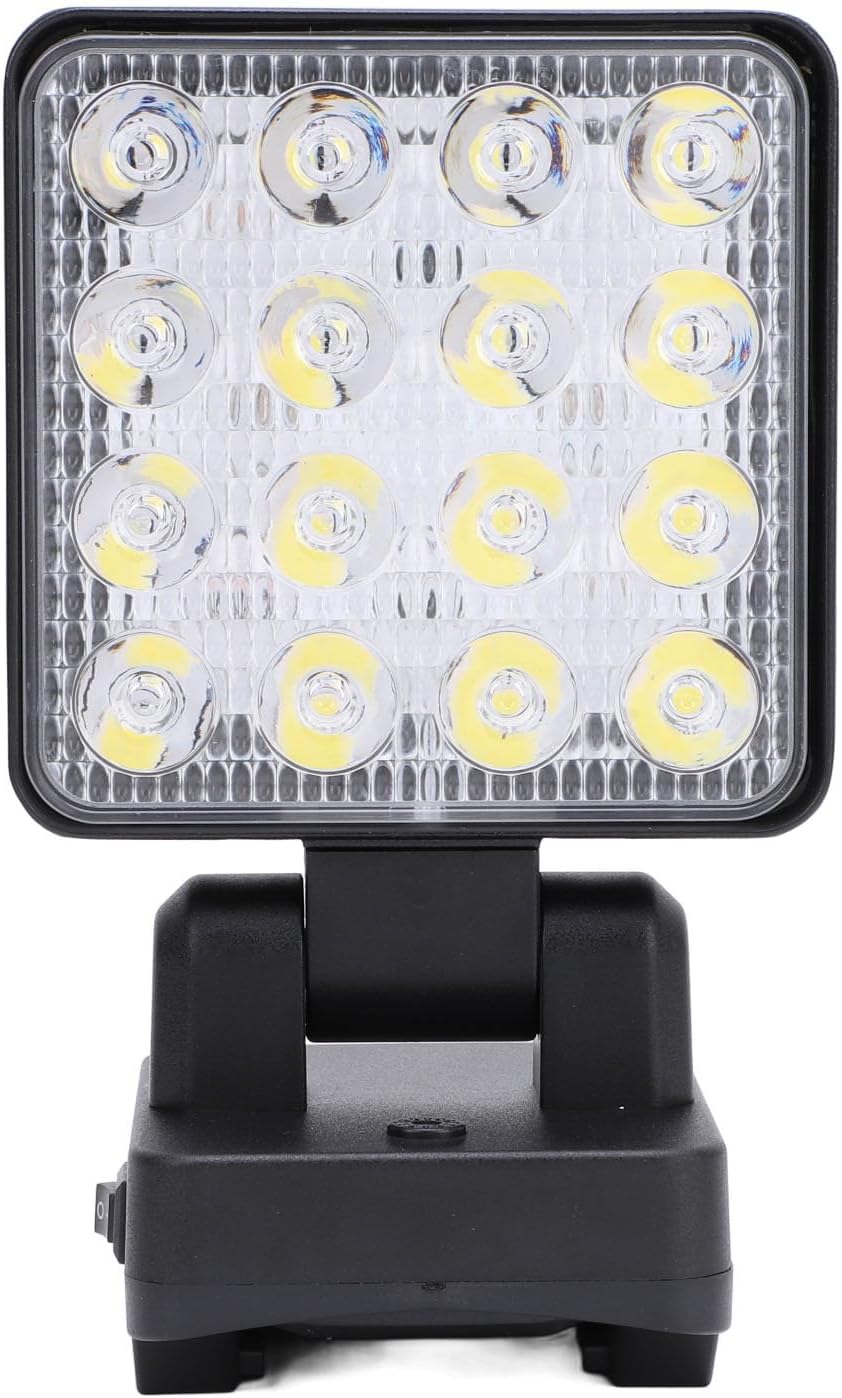
Figura 3.1: Frontal view of the Walfront LED Work Light, highlighting the bright LED array and the sturdy base.

Figura 3.2: Primer pla views of the work light's features, including the power switch, USB-A and USB-C charging ports, and the integrated carrying handle.
- Matriu de LED: High-lumen LED panel for bright illumination.
- Capçal giratori: Allows 90° vertical and 330° horizontal rotation for precise light positioning.
- Interruptor d'alimentació: On/Off button and mode selector.
- Port de sortida USB-A: Per carregar dispositius externs.
- USB Type-C Output Port: Per carregar dispositius externs.
- Compartiment de la bateria: Located at the base, compatible with PARKSIDE X20V TEAM 20V batteries.
- Nansa de transport: Integrated at the top for easy portability and hanging.
3.2 Característiques clau
- Flexible and Rotatable: The light head can rotate 90° up and down, and 330° horizontally, providing versatile lighting angles.
- Disseny sense fil: Compatible with PARKSIDE X20V TEAM 20V batteries (not included), offering portability without power cord restrictions.
- Resistència a l'aigua IP67: Designed to withstand rain and splashes, suitable for various environments.
- Multi-Functional Charging: Equipped with USB-A and Type-C charging interfaces to power mobile devices.
- Portàtil i versàtil: Features a handle for easy carrying and hanging, ideal for construction sites, outdoor activities, camping, hiking, and vehicle maintenance.
- Modes de llum ajustables: Three distinct lighting gears: Dim Light, Bright Light, and Flashing Light.
4. Especificacions
| Atribut | Detall |
|---|---|
| Tipus d'element | Llum de treball LED |
| Marca | Walfront |
| Número de model | WALFRONT2369idgef0 |
| Material | Acrilonitril butadiè estirè (ABS) |
| Poder | 11-15W |
| Flux lluminós | 1200-1500LM |
| Sortida (USB) | USB Type-C 5V 2A, USB-A 5V 2A |
| Engranatges ajustables | 1st Gear (Dim Light), 2nd Gear (Bright Light), 3rd Gear (Flashing Light) |
| Bateria aplicable | For PARKSIDE X20V TEAM 20V (PAP20A1, PAP20A3, PAP20B1, PAP20B3) - Battery Not Included |
| Pes de l'article | 14.5 unces (aprox. 411 g) |
| Dimensions del paquet | 7.09 x 4.33 x 3.54 polzades (aprox. 18 x 11 x 9 cm) |
| Color | #311 (Negre) |
| Classificació de resistència a l'aigua | IP67 |

Figura 4.1: Dimensions del producte com a referència.
5. Configuració
This section guides you through the initial setup of your LED Work Light.
5.1 Instal·lació de la bateria
- Ensure the work light is turned off before installing or removing the battery.
- Locate the battery compartment at the base of the work light.
- Align your compatible PARKSIDE X20V TEAM 20V battery (PAP20A1, PAP20A3, PAP20B1, or PAP20B3) with the battery slot.
- Feu lliscar la bateria al compartiment fins que encaixi fermament al seu lloc.
- To remove the battery, press the release button (if present on your battery) and slide the battery out.
Nota: The battery is not included with the LED Work Light and must be purchased separately.
6. Instruccions de funcionament
Learn how to operate your LED Work Light and utilize its various functions.
6.1 Powering On/Off and Adjusting Light Modes

Figure 6.1: Illustration of the three adjustable light modes.
- Encès: Locate the master switch on the base of the light. Flip the switch to the "On" position.
- 1st Gear (Dim Light): After turning on the master switch, press the mode button once to activate the dim light setting.
- 2nd Gear (Bright Light): Press the mode button a second time to switch to the bright light setting.
- 3rd Gear (Flashing Light): Press the mode button a third time to activate the flashing light setting.
- Apagar: To turn off the light from any mode, long press the mode button. Alternatively, flip the master switch to the "Off" position.
6.2 Ajust de l'angle de la llum

Figure 6.2: The light head can be rotated for optimal illumination.
- The light head can be manually rotated 90° vertically (up and down) and 330° horizontally (side to side) on its base.
- Gently adjust the light head to direct the beam precisely where needed. Avoid forcing the rotation beyond its designed limits.
6.3 Ús dels ports de càrrega USB
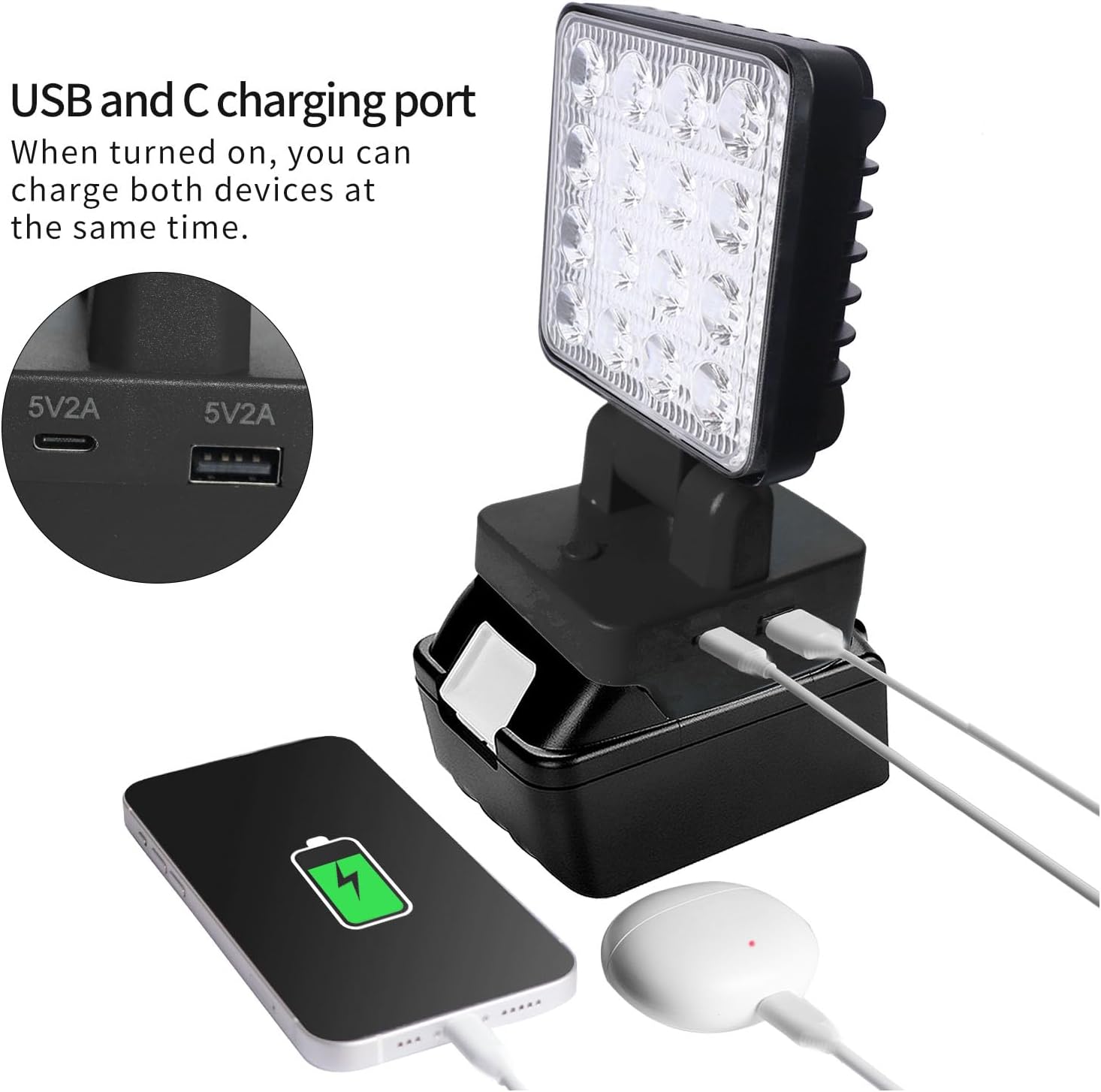
Figure 6.3: The work light can charge two devices simultaneously via its USB-A and USB-C ports.
- The LED Work Light can function as a power bank to charge your mobile devices.
- Locate the USB-A and USB Type-C output ports on the side of the light's base.
- Connect your device's charging cable to the appropriate USB port on the work light.
- Ensure the work light is powered on for the charging function to be active.
- The output for both ports is 5V 2A. Do not connect devices that require higher power input.
7. Manteniment
Proper maintenance ensures the longevity and optimal performance of your LED Work Light.
- Neteja: Netegeu la superfície de la llum amb un suau, damp cloth. Do not use abrasive cleaners or solvents, as they may damage the ABS material.
- Emmagatzematge: When not in use for extended periods, remove the battery and store the work light in a cool, dry place, away from direct sunlight and extreme temperatures.
- Cura de la bateria: Follow the battery manufacturer's instructions for charging and storage to maximize battery life.
- Inspecció: Periodically inspect the light for any signs of damage, such as cracks in the housing or frayed wires. Do not use the light if it appears damaged.
8. Solució De Problemes
If you encounter issues with your LED Work Light, refer to the following common problems and solutions:
| Problema | Causa possible | Solució |
|---|---|---|
| La llum no s’encén. | La bateria no està instal·lada correctament. La bateria està esgotada. Master switch is off. | Assegureu-vos que la bateria estigui ben encaixada al seu lloc. Carregueu o substituïu la bateria. Flip the master switch to the "On" position. |
| La llum és tènue o parpelleja. | Baixa càrrega de la bateria. Mode incorrecte seleccionat. | Carregueu la bateria. Cycle through the light modes to select the desired brightness. |
| La càrrega USB no funciona. | Work light is off. El cable del dispositiu està defectuós. Device requires more than 5V 2A. | Ensure the work light is powered on. Prova amb un cable USB diferent. Confirm your device's charging requirements. |
| Light head does not rotate smoothly. | Obstrucció o danys. | Check for any debris or obstructions. Do not force rotation. If damaged, discontinue use. |
9. Contingut del paquet
Els articles següents s’inclouen al paquet:
- 1 x Walfront LED Work Light
Nota: Compatible PARKSIDE X20V TEAM 20V batteries (PAP20A1, PAP20A3, PAP20B1, PAP20B3) are sold separately and are not included in this package.
10. Garantia i Suport
For information regarding warranty coverage, technical support, or service inquiries, please refer to the warranty card included with your product or contact Walfront customer service through the retailer where the product was purchased. Please have your model number (WALFRONT2369idgef0) and purchase date ready when contacting support.
For additional resources and product information, you may visit the official Walfront store page on Amazon: Botiga Walfront
