1. Introducció
This manual provides detailed instructions for the setup, operation, and maintenance of your BPXX Bluetooth Thermal Shipping Label Printer, Model D463B. This printer is designed for efficient and clear printing of various thermal labels, including 4x6 inch shipping labels, with a resolution of 203 DPI. It supports both Bluetooth connectivity via the 'Ezlabel' mobile application and USB connection to computers.
2. Llista d'embalatge
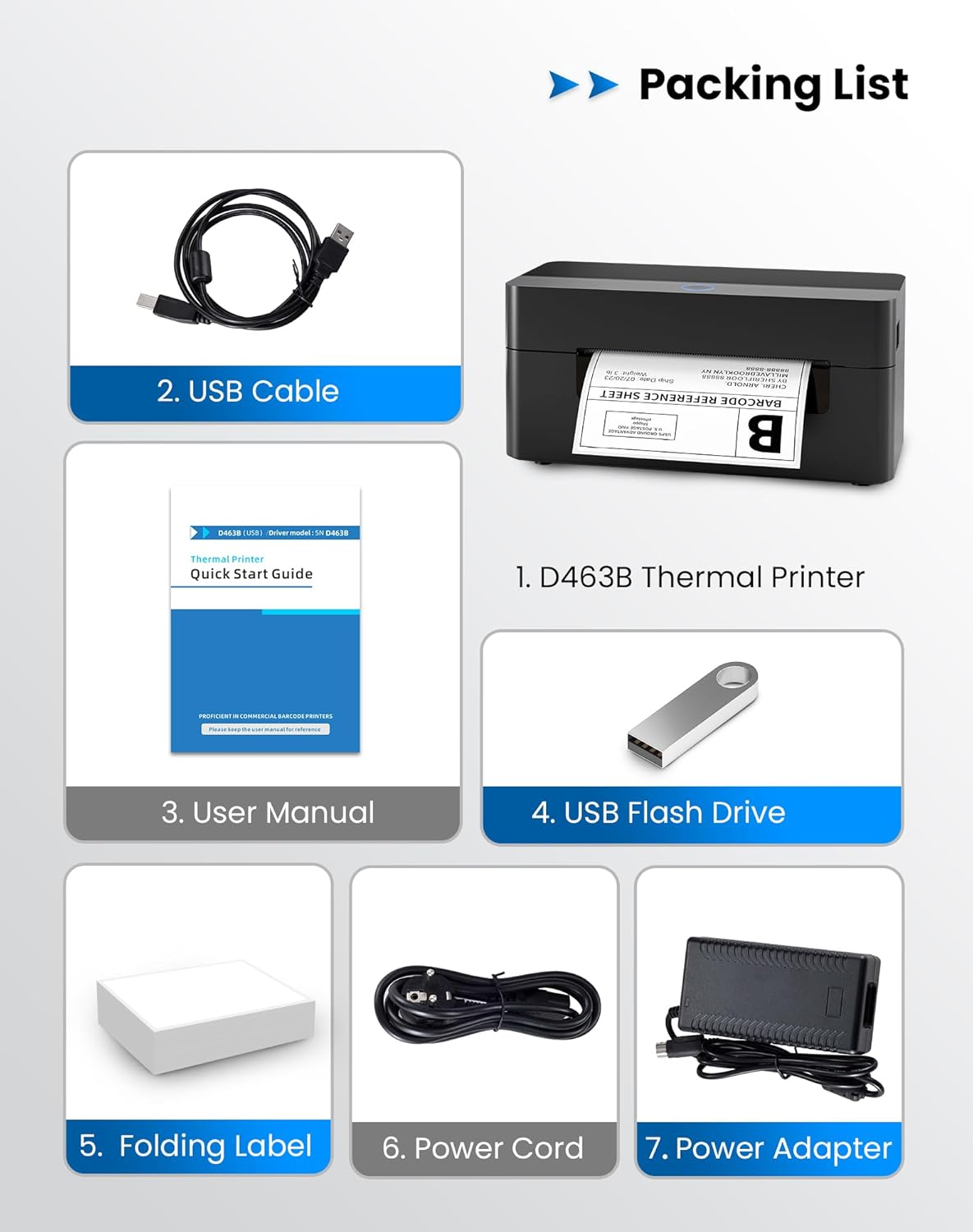
Si us plau, verifiqueu que tots els elements que s'enumeren a continuació estiguin inclosos al vostre paquet:
- 1 x BPXX D463B Thermal Printer
- 1 x cable USB
- 1 x Manual d'usuari
- 1 x USB Flash Drive (containing drivers)
- 1 x Folding Label (sampel roll)
- 1 x cable d'alimentació
- 1 x adaptador de corrent
3. Guia de configuració
3.1 Connexió de maquinari
- Connect the power adapter to the printer's power port and plug the power cord into an electrical outlet.
- Open the printer cover and load the thermal labels. Ensure the labels are facing the correct direction for printing and are properly aligned within the guide rails.
- Tanqueu la coberta de la impressora de manera segura.

3.2 Instal·lació de programari i controladors
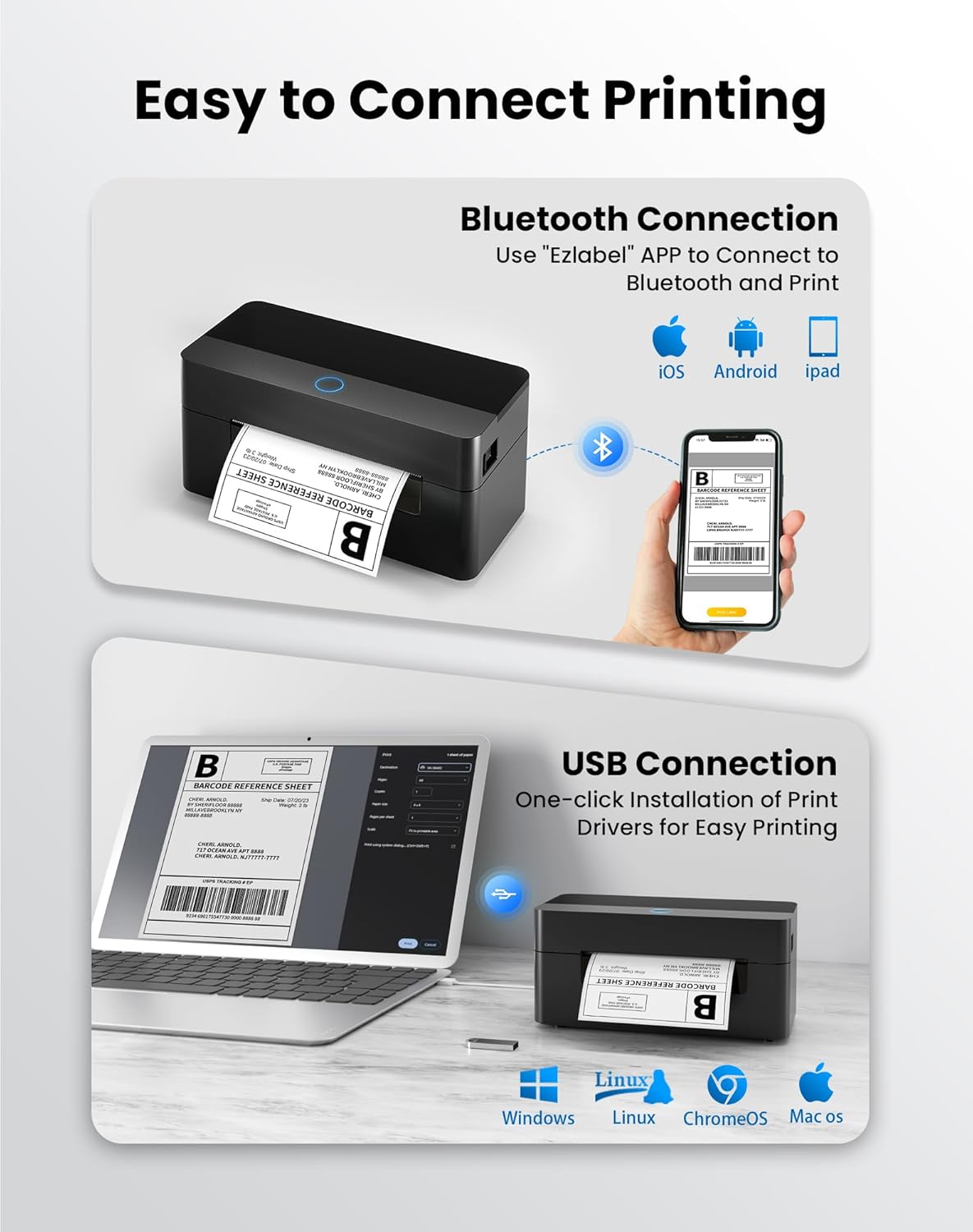
3.2.1 Mobile App (Bluetooth Connection)
For mobile printing, download the 'Ezlabel' application from your device's app store (available for iOS and Android).
- Cerca 'Ezlabel' in the App Store (iOS) or Google Play Store (Android).
- Baixeu i instal·leu l'aplicació.
- Activa el Bluetooth al teu dispositiu mòbil.
- Open the 'Ezlabel' app and follow the in-app instructions to connect to your BPXX D463B printer via Bluetooth.
3.2.2 Computer Driver (USB Connection)
For computer printing, install the appropriate drivers for your operating system (Windows, Mac OS, Linux, ChromeOS). Drivers are provided on the included USB flash drive or can be downloaded from the official weblloc.
- Insert the provided USB flash drive into your computer.
- Locate and run the installer for your operating system.
- Seguiu les indicacions a la pantalla per completar la instal·lació del controlador.
- Alternatively, download drivers from: BPXX Driver Download
4. Instruccions de funcionament
4.1 Càrrega d'etiquetes
Ensure the thermal labels are loaded correctly for optimal printing. The printer supports thermal labels with widths ranging from 1 to 4.5 inches, including standard 4x6 inch shipping labels.
- Obriu la coberta superior de la impressora.
- Place the roll of thermal labels into the label compartment, ensuring the printable side faces upwards.
- Feed the first label through the printer's output slot until it is slightly extended.
- Adjust the label guides to fit the width of your labels snugly, without being too tight.
- Close the top cover. The printer will automatically detect the label size and calibrate.

4.2 Printing via Bluetooth (Mobile App)
- Ensure the printer is powered on and connected to the 'Ezlabel' app via Bluetooth.
- Open the 'Ezlabel' app on your mobile device.
- Select or create your desired label design. The app includes preset templates for various label sizes.
- Confirm print settings such as label size and quantity.
- Inicieu l'ordre d'impressió des de l'aplicació.
4.3 Printing via USB (Computer)
- Connecteu la impressora a l'ordinador mitjançant el cable USB proporcionat.
- Ensure the printer drivers are correctly installed.
- Open the document or application from which you wish to print (e.g., a PDF viewer, shipping software).
- Select the BPXX D463B printer from your printer options.
- Adjust print settings as needed (e.g., paper size to 4x6 inches for shipping labels).
- Send the print command.
4.4 Supported Platforms and Print Quality
The BPXX D463B printer is compatible with major shipping carriers and e-commerce platforms, facilitating the printing of shipping labels, return labels, and postage labels.
- Shipping Carriers: FedEx, UPS, USPS, DHL, EasyPost, etc.
- E-commerce Platforms: Amazon, Shopify, Etsy, eBay, Walmart, etc.
The printer utilizes a high-quality thermal print head and advanced algorithms to deliver clear and sharp barcodes and text at 203 DPI resolution. It achieves a high-speed output of 152mm/s, capable of printing approximately 72 4x6 inch shipping labels per minute.


5. Manteniment
Un manteniment regular garanteix un rendiment òptim i allarga la vida útil de la impressora.
- Neteja del capçal d'impressió: Use an alcohol swab or a specialized thermal printer cleaning pen to gently wipe the print head. Ensure the printer is off and cooled down before cleaning.
- Neteja de l'exterior: Netegeu l'exterior de la impressora amb un drap suau i secamp tela. Eviteu utilitzar productes químics o materials abrasius.
- Eliminació de pols: Periodically use compressed air to clear any dust or paper debris from inside the label compartment.
6. Solució De Problemes
If you encounter issues with your BPXX D463B printer, refer to the following common problems and solutions:
- La impressora no respon:
- Ensure the power cord is securely connected and the printer is turned on.
- For Bluetooth connection, verify that Bluetooth is enabled on your device and the printer is paired within the 'Ezlabel' app.
- For USB connection, check the USB cable connection and ensure drivers are correctly installed. Try a different USB port or cable.
- Poor Print Quality (Faint/Streaky Prints):
- Netegeu el capçal d'impressió tal com es descriu a la secció Manteniment.
- Assegureu-vos d'utilitzar etiquetes tèrmiques d'alta qualitat.
- Check print density settings in the 'Ezlabel' app or printer preferences on your computer.
- Etiquetes que no alimenten correctament:
- Verify that labels are loaded correctly and aligned with the guide rails.
- Ensure there are no obstructions in the label path.
- Perform a label calibration from the printer settings or app if available.
- Printer Offline Error:
- Reinicieu la impressora i l'ordinador/dispositiu mòbil.
- Re-establish the Bluetooth or USB connection.
- Check printer status in your operating system's printer settings.
7. Especificacions del producte
| Nom del model | D463B |
| Marca | BPXX |
| Tecnologia d'impressió | Tèrmica |
| Tecnologia de connectivitat | Bluetooth, USB |
| Resolució d'impressió màxima | 203 x 203 Dots Per Inch (DPI) |
| Velocitat màxima d'impressió | 152 mm/s (72 labels per minute) |
| Mida màxima del suport | 4 x 6 polzada |
| Amplada de l'etiqueta compatible | 1 - 4.5 polzades |
| Dispositius compatibles | PC (Windows, Mac OS, Linux, ChromeOS), Smartphones (iOS, Android) |
| Mètode de control | App ('Ezlabel'), USB |
| Dimensions del producte | 7.3 "P x 3.3" W x 3.3" H |
| Pes de l'article | 1.6 lliures |
| Components inclosos | Printer, USB Cable, User Manual, USB Flash Drive, Sample Labels, Power Cord, Power Adapter |
8. Garantia i Suport
The BPXX D463B Thermal Shipping Label Printer comes with a limited warranty. For specific warranty terms and conditions, please refer to the documentation included with your product or contact BPXX customer support.
For technical assistance, troubleshooting, or any inquiries regarding your product, please contact BPXX customer support through the official weblloc web o la informació de contacte que es proporciona a l'embalatge del producte.


