Introducció
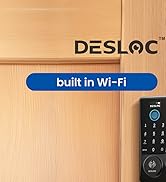
The DESLOC B200 Fingerprint Smart Lock with Lever Handles offers a secure and convenient keyless entry solution for your home. This manual provides detailed instructions for installation, operation, maintenance, and troubleshooting to ensure optimal performance and security.
Key features include multiple unlocking methods, long battery life, advanced security protocols, and easy installation.
Components del producte
The DESLOC B200 Smart Lock package includes the following items:
- Pany exterior
- Pany interior
- Placa de muntatge
- Placa de vaga
- Clauer de control remot
- forrellat
- 2 claus físiques
- Cargols de la placa d'impacte
- Cargols de la placa de muntatge
- Cargols de bloqueig interiors
- Cargols de recanvi
- Manual d'usuari
Configuració i instal·lació
Installing your DESLOC B200 Smart Lock is designed to be straightforward, often requiring only a screwdriver. Follow the steps below for a successful setup:
- Prepara la porta: Ensure your door meets the compatibility requirements. The lock fits most US standard doors (1-3/8" to 2" thickness) and supports single-cylinder installations. Make sure the hole depth in the backset is greater than 1 inch.
- Elimina el maquinari existent: Carefully remove your old deadbolt and lever handle.
- Install New Deadbolt: Insert the new deadbolt into the door edge and secure it with screws.
- Mount Exterior Lock: Position the exterior lock assembly, ensuring the spindle and cable pass through the door holes correctly.
- Instal·leu la placa de muntatge: Secure the mounting plate to the interior side of the door, passing the cable through the plate.
- Connect Interior Lock: Connect the cable from the exterior unit to the interior lock assembly.
- Attach Interior Lock: Secure the interior lock to the mounting plate.
- Instal·leu les bateries: Insert 4 AA batteries (not included) into the interior lock's battery compartment.
- Prova de funcionament: Verify that the lock operates smoothly using the physical key and the keypad.


Door Opening Direction Setting
It is crucial to set the correct door opening direction for proper lock function. This can be done via the TTLock App settings. Stand outside your door (facing the keypad) and locate the door hinge to determine if it's a left or right-hand opening door.
Video: How to Set Left and Right Doors for DESLOC B200. This video demonstrates how to correctly configure the door opening direction using the TTLock app, ensuring proper functionality of your smart lock.
Instruccions de funcionament
The DESLOC B200 offers multiple convenient ways to unlock and manage access to your home:
Mètodes de desbloqueig:
- Reconeixement d'empremtes digitals: Unlock in less than 0.3 seconds with advanced AI learning technology. Up to 50 fingerprints can be stored.
- PIN Codes: Use the electronic keypad to enter your personalized PIN. The anti-peeping feature allows you to enter random digits before or after your code to protect your privacy.
- TTLock App Control: Pair with Bluetooth for control within 2 meters. For remote control, a G2 Gateway (sold separately) is required. The app allows you to generate temporary access codes, manage users, and view registres d'accés.
- Claus físiques: Two physical keys are included for traditional unlocking or as a backup.
- eKey & Fobs: Manage and send eKeys to other users or use the provided key fobs for quick access.
- Control de veu: With a G2 Gateway (sold separately), you can connect to Alexa or Google Voice Assistant for hands-free unlocking.


Característiques addicionals:
- Bloqueig automàtic: The lock can be set to automatically lock after a customizable time period (5s-900s). Ensure passage mode is turned off for this feature to function.
- Mode de privadesa: Activate privacy mode to lock out all users except authorized administrators or key holders, providing an extra layer of security.
- Anti-Peeping User Code Protection: Introduïu dígits aleatoris abans o després del vostre PIN real per evitar que altres persones endevinin el vostre codi.
Video: DESLOC B200 Keyless Entry Door Lock. Aquest vídeo ofereix un breu resumview of the keyless entry features and functionality of the DESLOC B200 Smart Lock.
Manteniment
Durada de la bateria:
The DESLOC B200 Smart Lock operates on 4 AA batteries (not included) and provides approximately 12 months of battery life, depending on usage frequency. A built-in low-battery indicator will notify you when it's time for replacement.
Alimentació d'emergència:
In case the batteries run out, the lock features a USB Type-C emergency power port. Simply connect a portable power bank to the Type-C port to temporarily power the lock and gain entry.

Resolució de problemes
La porta no es tanca/desbloqueja correctament:
- Assegureu-vos que la porta estigui completament tancada.
- If the deadbolt cannot engage properly, adjust the backset accordingly.
- Make sure the hole depth in the backset is greater than 1 inch.
- Verify that auto-lock is enabled and passage mode is turned off if you desire automatic locking.
Restabliment a la configuració de fàbrica:
If you encounter persistent issues or wish to clear all settings, you can reset the lock to its factory defaults. Refer to the video below for detailed instructions on how to perform a factory reset.
Video: How to Reset B200 with Lever Set. This video guides you through the process of resetting your DESLOC B200 Smart Lock to its factory settings.
Video: Troubleshooting - Wrong Door Opening Direction. This video provides solutions if your lock is not functioning correctly due to an incorrect door opening direction setting.
Especificacions
| Marca | DESLOC |
| Nom del model | B200 |
| Tipus de bloqueig | Biomètric, pany de seguretat, teclat numèric, botó de bloqueig |
| Material | Alumini |
| Color | Negre |
| Estil | Deadbolt + Lever Set |
| Dimensions de l'article L x W x H | 14.37 x 7.7 x 3.23 polzades |
| Pes de l'article | 4.27 lliures (1.94 quilograms) |
| Característiques especials | 12 Months Battery Life, Easy to Install, Emergency Power Port, Lock with handle, App Control |
| Mètode de control | Toca |
| Compatibilitat amb la llar intel·ligent | Smart Home Compatible (G2 Gateway required for Alexa/Google Assistant) |
| Necessites piles? | Sí (4 piles AA) |
| Temperatura de funcionament | -22 ℉ a 158 ℉ (-30 ℃ a 70 ℃) |
| Classificació impermeable | IP54 |
Garantia i Suport
DESLOC offers a 12-month product warranty for the B200 Smart Lock. For any inquiries or assistance, please contact our customer service team:
- Línia directa: Available Monday-Friday, 9am-5pm EST
- Suport per correu electrònic: Disponible les 24 hores del dia
Your satisfaction and security are our top priority. We are committed to providing reliable support for your DESLOC product.


