Introducció
This manual provides comprehensive instructions for the Marvo K604 RGB Gaming Keyboard. It covers essential information for setup, operation, maintenance, and troubleshooting to ensure optimal performance and longevity of your device. Please read this manual thoroughly before using the keyboard.

Image: The Marvo K604 RGB Gaming Keyboard integrated into a typical gaming desk setup, showcasing el seu disseny complet i la il·luminació RGB.
Instruccions de configuració
- Descomprimir el teclat: Carefully remove the Marvo K604 keyboard from its packaging. Ensure all components, including the USB cable, are present.
- Connexió a l'ordinador: Locate an available USB-A port on your computer. Insert the USB connector of the keyboard cable into the USB port.
- Instal·lació del controlador: The Marvo K604 is a plug-and-play device. Your operating system (Windows, macOS, Linux) should automatically detect and install the necessary drivers. No additional software installation is typically required.
- Col·locació: Place the keyboard on a stable, flat surface. Adjust the keyboard feet on the underside if you prefer an angled typing position.
Imatge: Un costat en primer pla view of the Marvo K604 keyboard keys, highlighting the ergonomic design and the visible RGB backlighting beneath the keycaps.
Instruccions de funcionament
Funcions bàsiques del teclat
The Marvo K604 is a standard 104-key layout keyboard. All keys function as labeled. For specific operating system shortcuts, refer to your computer's documentation.
Control de retroil·luminació RGB
The keyboard features customizable RGB backlighting. Use the following key combinations to adjust the lighting effects:
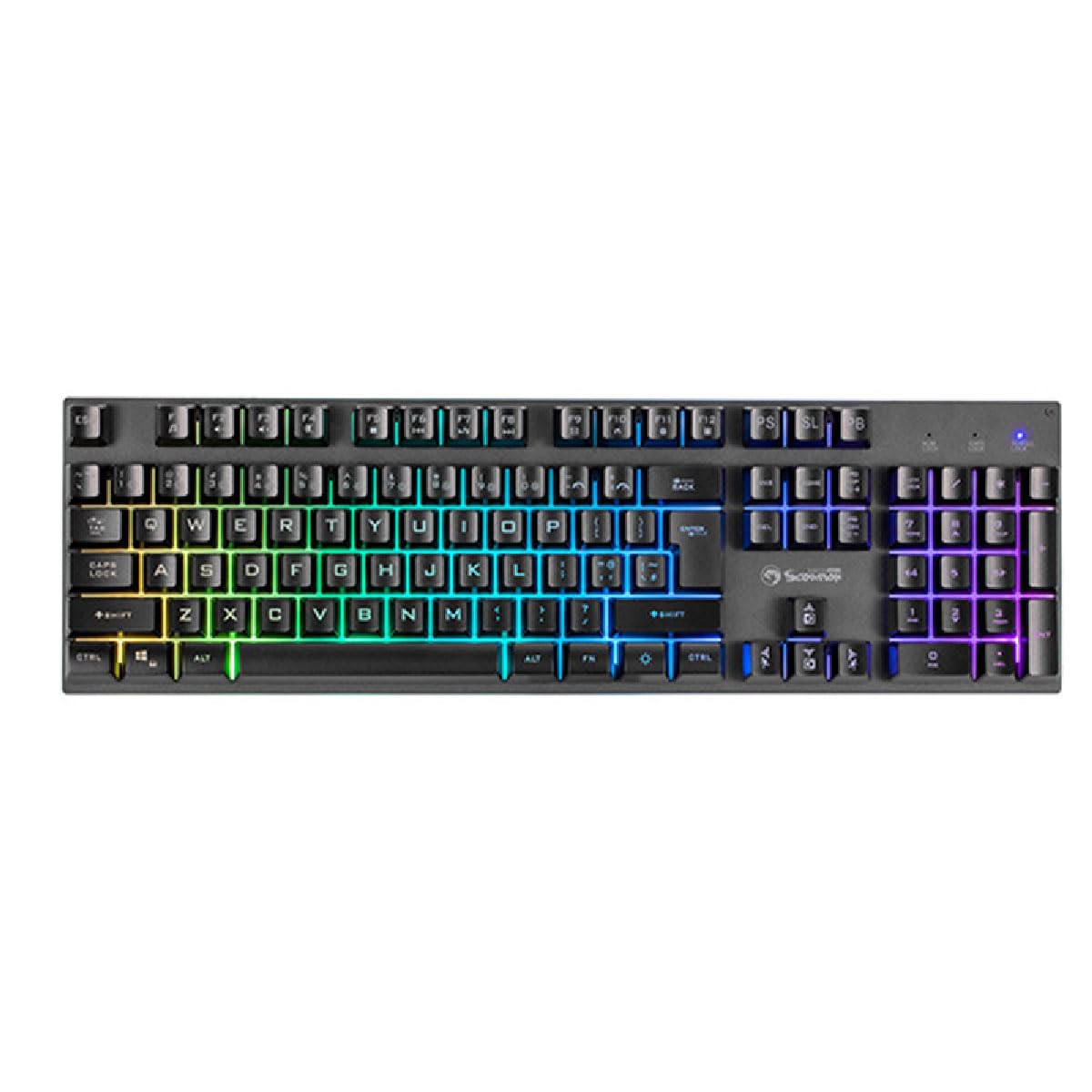
- Fn + Scroll Lock (SL): Canvia ciclísticament entre diversos modes d'il·luminació RGB.
- Fn + Print Screen (PS): Ajusta la brillantor de la retroiluminació.
- Fn + Pause Break (PB): Changes the speed of dynamic lighting effects.
- Fn + Arrow Keys (Up/Down): Adjusts brightness (alternative).
- Fn + Arrow Keys (Left/Right): Adjusts effect direction or color cycle speed.

Imatge: Una imatge clara de dalt a baix view of the Marvo K604 keyboard, displaying its full 104-key layout and the vibrant, multi-color RGB backlighting across all keys.
Manteniment
Proper maintenance ensures the longevity and performance of your Marvo K604 keyboard.
- Neteja:
- Desconnecteu el teclat de l'ordinador abans de netejar-lo.
- Feu servir un drap suau i sec per netejar la superfície del teclat.
- Per a la pols i les restes entre les tecles, feu servir aire comprimit.
- Per a les taques tossudes, lleugerament dampen a cloth with water or a mild, non-abrasive cleaner. Avoid excessive moisture.
- Emmagatzematge: Store the keyboard in a clean, dry environment away from extreme temperatures and direct sunlight.
- Eviteu els vessaments: Do not expose the keyboard to liquids. In case of a spill, immediately disconnect the keyboard and allow it to dry completely before reconnecting.
Resolució de problemes
If you encounter issues with your Marvo K604 keyboard, try the following solutions:
- El teclat no respon:
- Assegureu-vos que el cable USB estigui connectat correctament tant al teclat com a l'ordinador.
- Prova de connectar el teclat a un port USB diferent de l'ordinador.
- Reinicieu l'ordinador.
- Prova el teclat en un altre ordinador per determinar si el problema és amb el teclat o amb la configuració de l'ordinador.
- La il·luminació RGB no funciona:
- Ensure the keyboard is properly connected and powered on.
- Try cycling through the RGB modes using Fn + Scroll Lock (SL).
- Ajusta la brillantor amb Fn + Print Screen (PS) or Fn + Arrow Keys (Up/Down).
- Claus que no es registren:
- Comproveu si hi ha obstruccions físiques sota la tapa de les tecles.
- Netegeu el teclat tal com es descriu a la secció Manteniment.
- If only specific keys are affected, and cleaning does not resolve the issue, contact customer support.
Especificacions
| Marca | MARVO |
| Model | K604 |
| Tipus | 104-key Gaming Keyboard |
| Connectivitat | USB-A |
| Longitud del cable | 150 cm |
| Color | Negre |
| Il·luminació del teclat | RGB |
| Dispositius compatibles | PC |
| Pes de l'article | 1.61 lliures |
| Dimensions del paquet | 17.99 x 6.18 x 1.81 polzades |
| Característiques especials | Ergonomic, Lightweight, Portable |
| Components inclosos | Cable USB |
Informació de la garantia
Marvo products are manufactured to the highest quality standards. This product is covered by a limited warranty against manufacturing defects from the date of purchase. Please retain your proof of purchase for warranty claims. The warranty does not cover damage caused by misuse, accident, modification, or unauthorized repair.
For detailed warranty terms and conditions, please refer to the official Marvo weblloc o contacteu amb el servei d'atenció al client.
Atenció al client
If you require further assistance or have questions not covered in this manual, please contact Marvo customer support:
- Weblloc: www.marvo-tech.com (Nota: Això és un marcador de posició URL, please refer to your product packaging or official Marvo sources for the correct support weblloc.)
- Correu electrònic: support@marvo-tech.com (Note: This is a placeholder email, please refer to your product packaging or official Marvo sources for the correct support email.)
When contacting support, please have your product model (K604) and proof of purchase readily available.


