Introducció
Thank you for choosing the Portronics Mopcop Pro (POR-2670). This 2-in-1 device combines the functionality of a powerful handheld vacuum cleaner and an air blower, designed for versatile cleaning in various environments such as cars, homes, and appliances. Its cordless design and rechargeable battery offer convenience and portability. Please read this manual thoroughly before use to ensure proper operation and maintenance.
Què hi ha a la caixa
Desembaleu amb cura tots els articles i assegureu-vos que heu rebut el següent:
- 1N Vacuum Cleaner
- 1N Tuyere (Blower Nozzle)
- 5N Nozzles (various types for different cleaning tasks)
- 1N Charging Cable (Type-C)
- 1N User Documentation
Producte acabatview
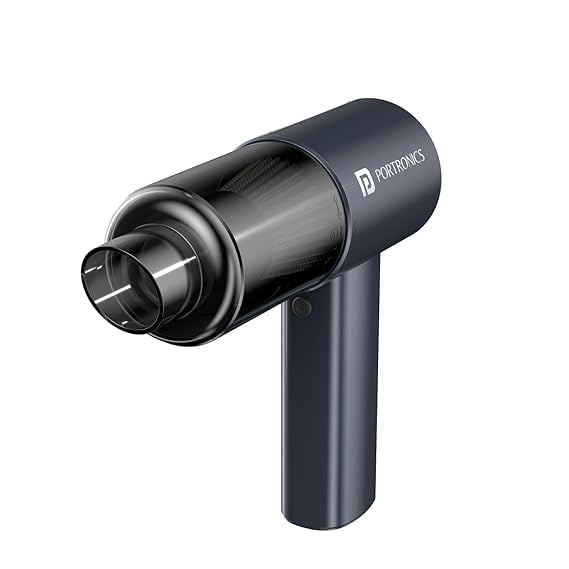
The Portronics Mopcop Pro is designed for ease of use and efficient cleaning. Familiarize yourself with its main components:

Components clau:
- Unitat principal: Conté el motor, la bateria i els botons de control.
- Dust Collection Bin: Transparent bin for collecting debris during vacuuming.
- Filtre HEPA: Located inside the dustbin, filters fine particles.
- Botó d'encesa: For turning the device on/off and adjusting suction/blower modes.
- Port de càrrega tipus C: Per recarregar la bateria interna.
- Nozzle Attachment Points: Front for vacuuming, rear for blowing.
Configuració
1. Càrrega del dispositiu
Before first use, fully charge the Mopcop Pro. Connect the provided Type-C charging cable to the charging port on the device and to a suitable USB power adapter (not included). The charging indicator light will show the charging status. A full charge typically takes approximately 4 hours, providing up to 15 minutes of working time.

2. Fixació de broquets
The Mopcop Pro comes with various nozzles for different tasks. To attach a nozzle:
- Per Aspirar: Select the desired nozzle and firmly insert it into the front opening of the device.
- Per Bufat: Select the tuyere (blower nozzle) or other appropriate nozzle and firmly insert it into the rear opening of the device.
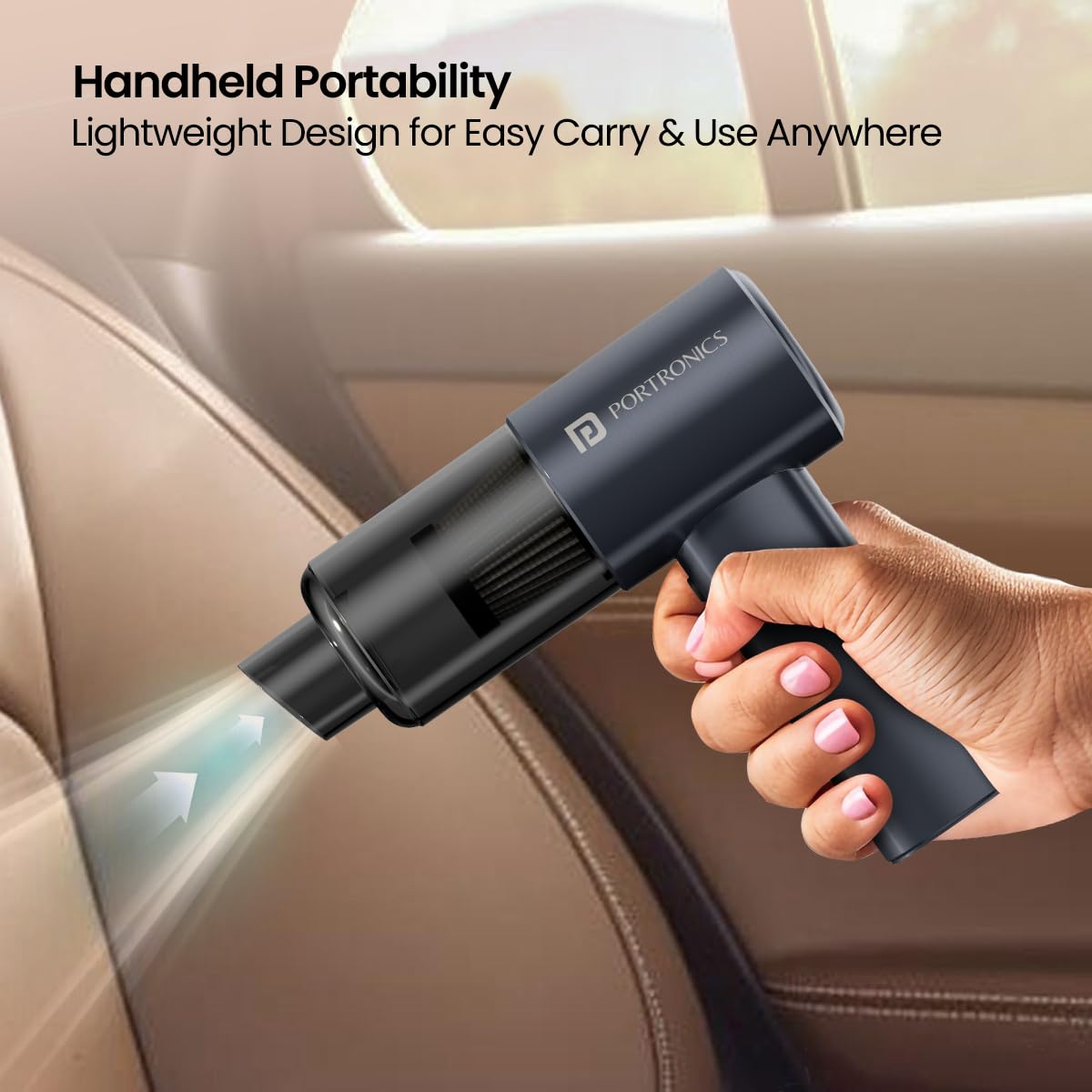
Watch this video for a visual guide on attaching nozzles and using the device:
Official product video demonstrating nozzle attachment, vacuuming, and blowing functions of the Portronics Mopcop Pro.
Instruccions de funcionament
1. Engegada/Apagada i Selecció de Mode
Press the power button to turn the device on. Subsequent presses may cycle through different suction/blower power modes (if available) or turn the device off. Refer to the device's specific button functionality for detailed operation.
2. Using the Vacuum Function
Attach the appropriate vacuum nozzle to the front of the device. Turn on the Mopcop Pro and move the nozzle over the area to be cleaned. The powerful 10,000 Pa suction is effective for dust particles, cigarette ash, and pet hairs.

3. Using the Air Blower Function
Attach the tuyere or other suitable nozzle to the rear of the device. Turn on the Mopcop Pro. Direct the airflow towards the area where you want to blow away dust or debris. This is useful for keyboards, car vents, or other hard-to-reach spots.
Manteniment
Regular maintenance ensures optimal performance and extends the lifespan of your Mopcop Pro.
1. Buidar el contenidor de recollida de pols
After each use, or when the dustbin appears full, detach it from the main unit and empty its contents into a waste bin. Ensure the dustbin is securely reattached before next use.
2. Neteja del filtre HEPA
The HEPA filter is washable and reusable. Periodically remove the filter from the dustbin and rinse it under running water. Allow the filter to air dry completely before reinserting it into the dustbin. Do not use the device with a wet filter.

Resolució de problemes
If you encounter issues with your Mopcop Pro, refer to the following common problems and solutions:
- El dispositiu no s'encén:
- Ensure the battery is charged. Connect the device to the charger and allow sufficient time for charging.
- Comproveu si el botó d'engegada està premut correctament.
- Baixa potència de succió:
- Empty the dust collection bin if it is full.
- Clean the HEPA filter. A clogged filter can significantly reduce suction.
- Ensure nozzles are securely attached and not blocked.
- Autonomia curta de la bateria:
- Assegureu-vos que el dispositiu estigui completament carregat abans d'utilitzar-lo.
- El rendiment de la bateria pot disminuir amb el temps amb un ús prolongat.
- Device is overheating:
- Turn off the device and allow it to cool down for at least 30 minutes.
- Check for blockages in the nozzles or air vents that might be straining the motor.
If the problem persists after attempting these solutions, please contact Portronics customer support.
Especificacions
| Marca | Portronics |
| Nom del model | MopCop Pro (POR-2670) |
| Característica especial | Comfortable Hand-held Grip, Light-Weight & Portable, Multi-Purpose Nozzles Included, Rechargeable Built-In Battery |
| Tipus de filtre | Filtre HEPA |
| Is It Cordless? | Sí |
| Wattage | 60 watts |
| Usos recomanats | All floors, multi-purpose cleaning |
| Factor de forma | Portàtil |
| Color | Negre |
| Dimensions del producte | 17.3L x 27.5W x 6H centímetres |
| Mètode de control | Touch (Push Button Controller) |
| Bateries | 1 bateria de polímer de liti (inclosa) |
| Material | Plàstic ABS |
| Pes de l'article | 545 g |
| País d'origen | Xina |
Garantia i suport
Portronics products are designed for reliability and performance. For warranty information, please refer to the warranty card included in your product packaging or visit the official Portronics website. For any technical assistance, product inquiries, or support, please contact Portronics customer service:
- Correu electrònic: help@portronics.com
- Telèfon: +91 9555-245-245
- Adreça del fabricant: Portronics Digital Pvt ltd, First Floor Property No D 8 Upper Basement Sector 8 Noida Uttar Pradesh 201301


