1. Introducció
Welcome to the Soundcore AeroFit 2 user manual. These open-ear earbuds are designed to provide a comfortable listening experience while keeping you aware of your surroundings. Featuring adjustable ear hooks, rich bass, Hi-Res audio support, and AI-powered real-time translation, the AeroFit 2 offers a versatile audio solution for various activities.
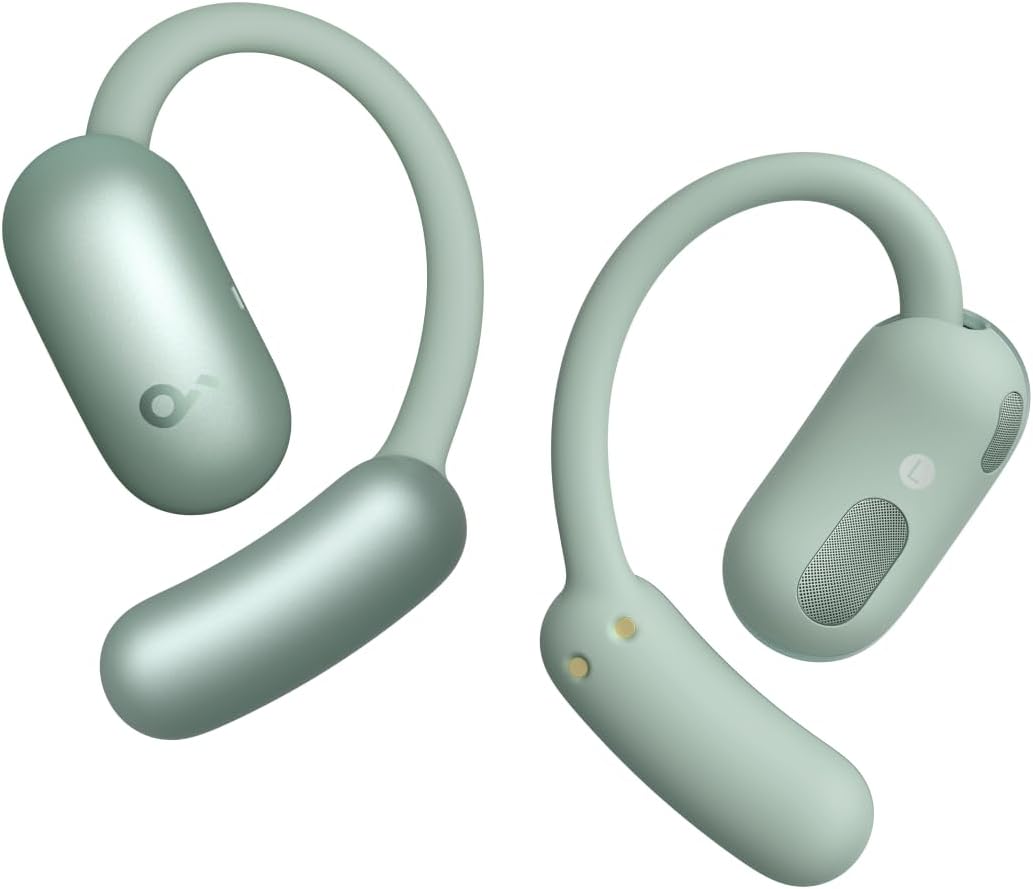
Image: Soundcore AeroFit 2 earbuds, showcasing their open-ear design and green color.
2. Què hi ha a la caixa
Ensure all components are present before first use:
- Soundcore AeroFit 2 Earbuds
- Estoig de càrrega
- Cable de càrrega USB-C
- Manual d'usuari (aquest document)

Image: All items included in the Soundcore AeroFit 2 package: the earbuds, their charging case, and a USB-C cable.
3. Producte acabatview
The Soundcore AeroFit 2 earbuds are designed for comfort and high-quality audio. Key features include:
- Disseny d'orella oberta: Allows you to hear your surroundings while enjoying audio.
- Ganxos per a les orelles ajustables: 4-level adjustment for a secure and comfortable fit for various ear shapes.
- BassTurbo Acoustics: Ofereix greus profunds i potents.
- Àudio d'alta resolució: Supports LDAC codec for high-resolution sound transmission.
- Traducció d'IA: Real-time translation for 100 languages via the Soundcore app.
- Resistència a l'aigua IP55: Resistant to sweat, dust, and splashes, suitable for workouts.

Image: A person wearing Soundcore AeroFit 2 earbuds during a run, illustrating the comfortable and open-ear design.
4. Configuració i emparellament
4.1 Càrrega inicial
Before first use, fully charge the earbuds and the charging case. Place the earbuds into the charging case and connect the USB-C cable to a power source. The charging case also supports wireless charging.
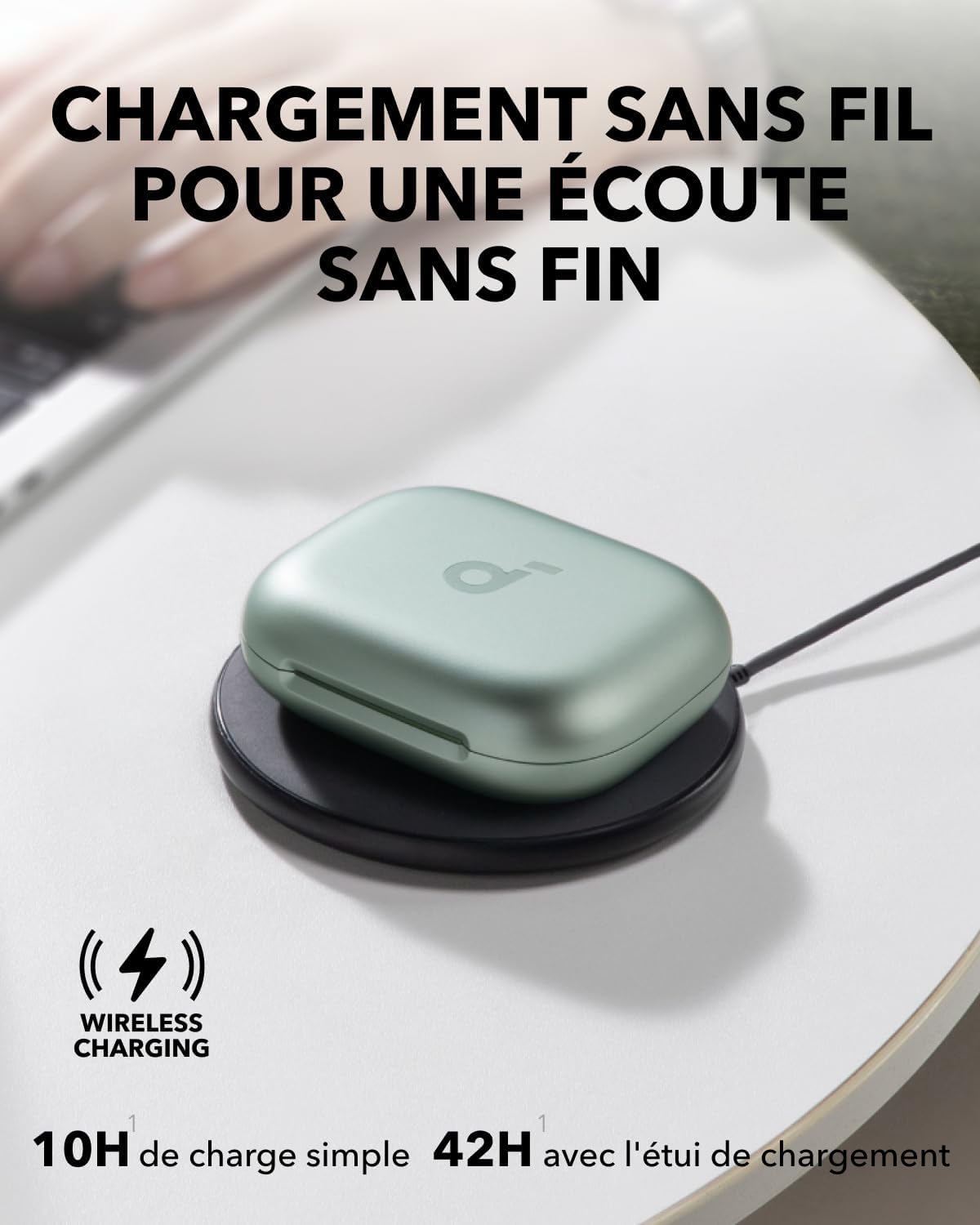
Image: The Soundcore AeroFit 2 charging case being charged wirelessly on a charging pad.
4.2 Vinculació Bluetooth
- Obre l'estoig de càrrega. Els auriculars entraran automàticament en mode d'emparellament.
- Al dispositiu (telèfon intel·ligent, tauleta, ordinador), activeu el Bluetooth.
- Cerca "Soundcore AeroFit 2" in the list of available Bluetooth devices.
- Select it to connect. Once connected, you will hear an audio prompt.
For multipoint connection, activate it via the Soundcore app and long-press the touch control area on the earbuds.

Image: Illustration of the multipoint connection feature, allowing simultaneous connection to a laptop and a smartphone.
5. Posar-se els auriculars
The AeroFit 2 features adjustable ear hooks to ensure a perfect and secure fit. Adjust the ear hooks to one of the four levels to find the most comfortable and stable position for your ears.

Image: Visual guide demonstrating the four adjustable levels of the ear hooks for optimal fit.
For optimal sound quality, position the sound outlet of the earbuds as close as possible to your ear canal while maintaining a secure fit.
Image: A visual representation of how to properly wear the earbuds for a snug and comfortable fit.
6. Controls and App Customization
The AeroFit 2 earbuds feature touch controls for easy operation. You can customize these controls and access advanced features via the Soundcore app.
6.1 Default Touch Controls
- Doble toc (auricular dret): Pausa/Reprodueix
- Doble toc (auricular esquerre): Pista següent
- Other controls can be customized.
6.2 Soundcore App
Download the Soundcore app from your device's app store to:
- Personalitza els controls tàctils.
- Adjust equalizer settings (including BassTurbo).
- Activate 3D sound mode.
- Actualitza el firmware dels auriculars.
- Access AI translation features.

Image: Screenshots of the Soundcore app, demonstrating options for customizing controls and sound profiles.
7. Característiques clau
7.1 AI Real-Time Translation
The AeroFit 2 supports real-time translation for up to 100 languages. Ensure your Soundcore app is updated to version 3.8.7 or later and your earbud firmware is current for optimal performance.

Image: A visual representation of the AI real-time translation feature in action, showing two individuals communicating across languages.
7.2 Rich Sound and BassTurbo
Experience deep bass, clear mids, and crisp highs with the 20mm x 11.5mm Racetrack drivers and BassTurbo acoustic structure. The adjustable ear hooks help bring the sound closer to your ear canal for enhanced bass response.

Imatge: Una explosió view diagram illustrating the internal BassTurbo acoustic structure and Racetrack drivers of the earbud.
7.3 Bateria de llarga durada
Enjoy up to 10 hours of listening on a single charge, extended to 42 hours with the charging case. A quick 10-minute charge provides 4 hours of playtime.

Image: A graphic illustrating the extended battery life of the AeroFit 2 earbuds, showing 10 hours on a single charge and 42 hours with the charging case.
8. Manteniment i cura
- Neteja: Regularly clean the earbuds and charging case with a soft, dry, lint-free cloth. If necessary, use a small amount of isopropyl alcohol for stubborn dirt, especially on charging contacts.
- Emmagatzematge: Quan no els utilitzeu, guardeu els auriculars a la seva funda de càrrega per protegir-los i mantenir-los carregats.
- Resistència a l'aigua: The earbuds are IP55 rated for sweat, dust, and splash resistance. Do not submerge them in water or expose them to high-pressure water jets. Dry them thoroughly before placing them back in the charging case if they get wet.
- Temperatura: Eviteu exposar els auriculars a temperatures extremes (calor o fred) o a la llum solar directa durant períodes prolongats.

Image: A person engaged in physical activity, demonstrating the earbuds' IP55 rating for sweat and splash resistance.
9. Solució De Problemes
| Problema | Causa possible | Solució |
|---|---|---|
| Els auriculars no s'aparellen | Low battery; out of range; pairing mode not active; previous connection issue. | Ensure earbuds are charged. Place them closer to your device. Open the charging case to activate pairing mode. Forget the device in your Bluetooth settings and re-pair. |
| No hi ha so d'un auricular | Earbud not charged; connectivity issue; dirty charging contacts. | Ensure both earbuds are properly seated in the case and charging. Clean the charging contacts on the earbud and in the case with a dry cloth or cotton swab. Reset the earbuds (refer to Soundcore app for specific reset instructions). |
| Poor sound quality / Low bass | Improper fit; earbud not positioned correctly; EQ settings. | Adjust the ear hooks for a tighter fit and ensure the sound outlet is close to your ear canal. Check EQ settings in the Soundcore app and try different presets or custom settings. |
| AI Translation not working | Outdated app/firmware; internet connection. | Update the Soundcore app to the latest version (3.8.7 or later). Ensure earbud firmware is up to date. Verify stable internet connection on your device. |
10. Especificacions
| Característica | Detall |
|---|---|
| Número de model | A3874 |
| Connectivitat | Bluetooth 5.4 |
| Còdec d'àudio | LDAC (àudio sense fil d'alta resolució) |
| Mida del controlador | 20mm x 11.5mm Racetrack Drivers |
| Resposta de freqüència | 20 Hz - 20,000 Hz |
| Impedància | 16 ohms |
| Sensibilitat | 127.8 dB |
| Durada de la bateria (auriculars) | Fins a 10 hores |
| Durada de la bateria (amb funda) | Fins a 42 hores |
| Carregant | USB-C, càrrega sense fil |
| Resistència a l'aigua | IP55 (Sweat, Dust, Splash Resistant) |
| Col·locació de l'orella | Orella oberta |
| Dispositius compatibles | Phone, Tablet, Computer, Smart Speaker |
11. Garantia i Suport
Soundcore provides a manufacturer's warranty for this product. Please refer to the official Soundcore weblloc web o la documentació de compra per obtenir els termes i condicions detallats de la garantia.
- Garantia del fabricant: 24 months (as per product specifications).
- Assistència en línia: For further assistance, FAQs, and software updates, visit the official Soundcore support page.
- Contacte: If you encounter any issues not covered in this manual, please contact Soundcore customer service.
Note: Availability of spare parts information is not available. Software updates are guaranteed until information is not available.


