1. Introducció
Thank you for choosing DAYBETTER Smart WiFi RGB LED Strip Lights. This manual provides detailed instructions for the safe and efficient use of your new LED strip lights. These versatile lights offer a wide range of colors, smart control options, and dynamic lighting modes to enhance any indoor space.
2. Què hi ha a la caixa
- 50ft LED light strip
- Adaptador de corrent
- Receptor IR
- 20 keys music remote
3. Característiques clau
- Control de veu mans lliures: Compatible with Alexa and Google Assistant for effortless control via voice commands.
- App and Remote Control: Conveniently manage your lights using the dedicated mobile app or the included IR remote. Choose from 16 million colors and multiple scene modes.
- Music Sync and Timer Schedule: Built-in sensitive microphone allows lights to flash in sync with music. Set wake-up and end times for automatic on/off functionality.
- Bright and Strong Adhesive: Luminous LED lights with 0-100% brightness adjustment. Features strong adhesive for secure installation on clean, dry surfaces.
- Cuttable and Connectable: The LED strip can be cut at designated gold lines and connected to a controller for customized lengths.
4. Configuració i instal·lació
Follow these steps to install your DAYBETTER Smart WiFi RGB LED Strip Lights:
- Prepara la superfície: Ensure the installation surface is clean, dry, and free of dust or dirt for optimal adhesive performance.
- Connectar components: Connect the LED strip to the IR receiver, and then connect the IR receiver to the power adapter. Ensure all connections are secure.
- Adhereix la tira: Peel off the backing from the LED strip and carefully press it onto the desired surface. The flexible design allows for easy bending around corners.
- Encès: Connecteu l'adaptador d'alimentació a una presa de corrent estàndard.
- Pairing Mode (for App/Voice Control): To set the lights into pairing mode, hold the "ON" button on the remote for approximately 3-5 seconds until the lights begin flashing. This indicates they are ready for connection via the app.
- Connexió Wi-Fi: The device only works with 2.4 GHz Wi-Fi networks. Ensure your router is set to 2.4 GHz or that you are connecting to the 2.4 GHz band.

Figure 1: Diagram illustrating the easy setup process, showing the LED strip, IR receiver, and power adapter connections.
Video 1: A user demonstrates the simple peel-and-stick installation of the LED strip lights and highlights the various color options and modes.
Video 2: This video showcases the unboxing and connection of the LED strip components, demonstrating how to link the strip to the power source and controller.
5. Instruccions de funcionament
5.1 Control remot
The included 20-key IR remote allows for basic control of your LED strip lights:
- ON/OFF: Encendre o apagar els llums.
- Selecció de color: Choose from a variety of static colors.
- Ajust de brillantor: Augmentar o disminuir la intensitat de la llum.
- Modes dinàmics: Select from various pre-programmed modes such as flash, strobe, fade, and smooth transitions.

Figure 2: Image displaying the remote control alongside a smartphone app interface, highlighting dual control options.
5.2 Control d'aplicacions
Download the dedicated mobile app (refer to the user instruction manual for app name and download details) to unlock advanced features:
- 16 milions de colors: Access a full spectrum of colors via a color wheel.
- Custom Scene Modes: Create and save personalized lighting scenes.
- Sincronització de música: Utilize the app's microphone to synchronize light changes with your music.
- Funció de temporitzador: Programar horaris d'encesa/apagada automàtics.
- Camera Color Pick: Use your phone's camera to capture a color from your environment and apply it to the lights.

Figure 3: Image demonstrating the music sync feature, with lights changing to the rhythm of music played through a smartphone.
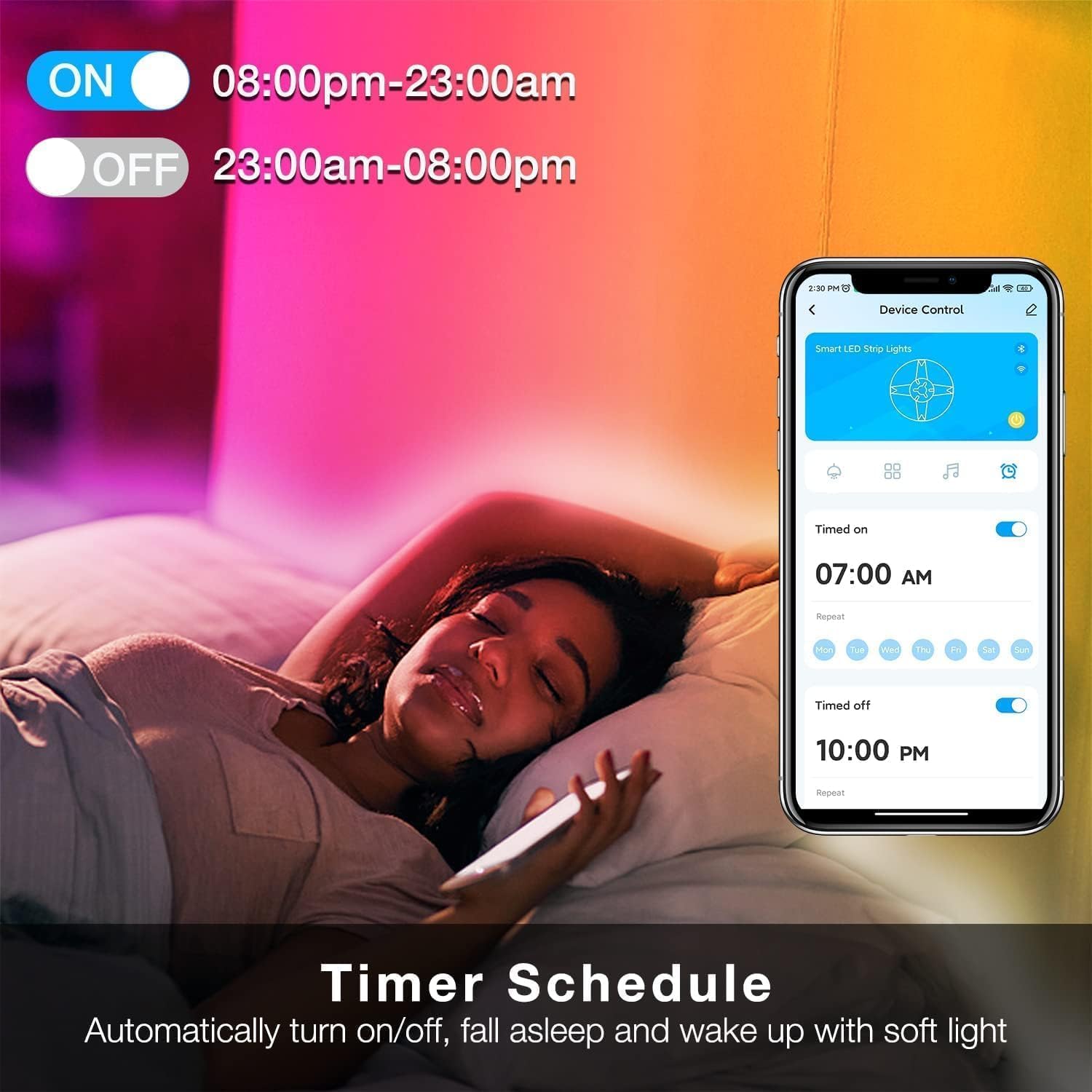
Figure 4: Image illustrating the timer schedule function, allowing users to set specific on/off times for the lights.
5.3 Control de veu
Integrate your LED strip lights with Amazon Alexa or Google Assistant for convenient voice commands:
- Ensure your LED lights are connected to your 2.4 GHz Wi-Fi network and paired with the respective smart home assistant app.
- Use commands such as: "Alexa, turn on the lights," "Hey Google, set the lights to blue," or "Alexa, dim the bedroom lights to 50%."

Figure 5: Image demonstrating hands-free voice control, showing a user interacting with Alexa to control the LED strip lights.
Vídeo 3: Una revisió detalladaview espectacleasing the unboxing, setup, and various control options including remote, app, and voice commands with Alexa, demonstrating the lights' functionality in a kitchen setting.
6. Personalització
6.1 Cutting the LED Strip
The LED strip can be cut to your desired length. Look for the gold lines marked on the strip; these are the designated cutting points. Ensure that any cut-off piece is connected to a controller to function.
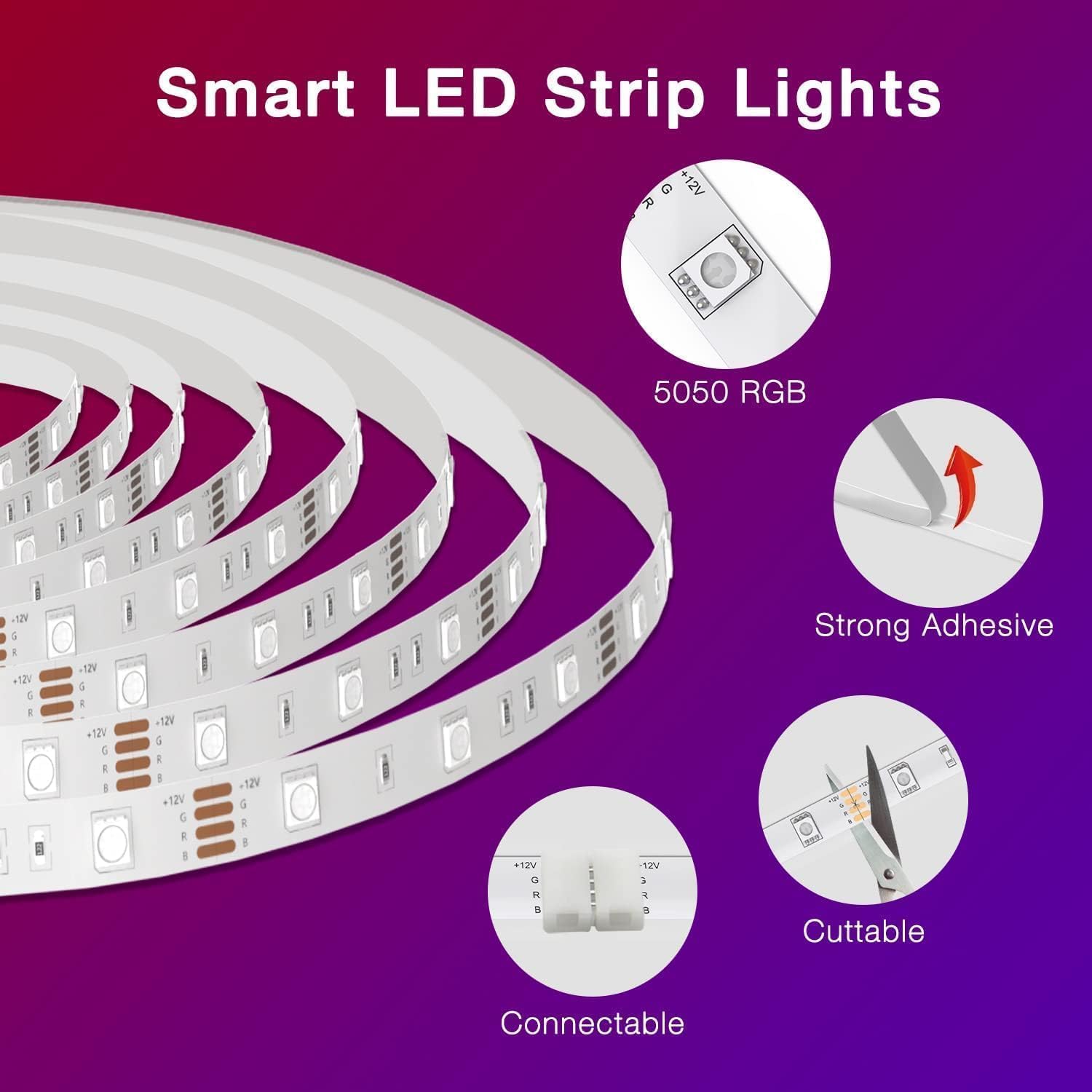
Figure 6: Image highlighting the cuttable and connectable features of the LED strip, showing the designated cutting points and connectors.
7. Manteniment
- Keep the LED strip and control components dry.
- Clean the strip gently with a dry cloth if necessary. Avoid using harsh chemicals or abrasive materials.
- Ensure the power adapter is unplugged before any cleaning or maintenance.
8. Solució De Problemes
- Els llums no s'encenen: Check all connections between the LED strip, IR receiver, and power adapter. Ensure the power adapter is securely plugged into a working outlet.
- El comandament a distància no funciona: Ensure the remote's battery is functional and the plastic tab has been removed. Point the remote directly at the IR receiver.
- Problemes de connexió de l'aplicació: Verify that your Wi-Fi network is 2.4 GHz. Ensure the lights are in pairing mode (flashing) before attempting to connect via the app.
- Partial lighting on the strip: This could indicate a faulty section or an issue with the power supply to that specific part of the strip. Ensure no cuts were made incorrectly.
9. Especificacions
| Atribut | Valor |
|---|---|
| Marca | MILLOR DIA |
| Número de model | DADWF1501-V2 |
| Color | Multicolor |
| Ús interior/exterior | Interior |
| Tipus de font de llum | LED |
| Font d'alimentació | DC |
| Tipus de controlador | Amazon Alexa, App Control, Remote Control, WiFi Control |
| Nombre de fonts de llum | 150 |
| Voltage | 24 Volts |
| Longitud de l'element | 50 peus |
| Material | Plàstic |
10. Garantia i assistència
For warranty information or technical support, please refer to the contact details provided in the original product packaging or visit the official DAYBETTER weblloc. Conserveu el rebut de compra per a reclamacions de garantia.


