Introducció
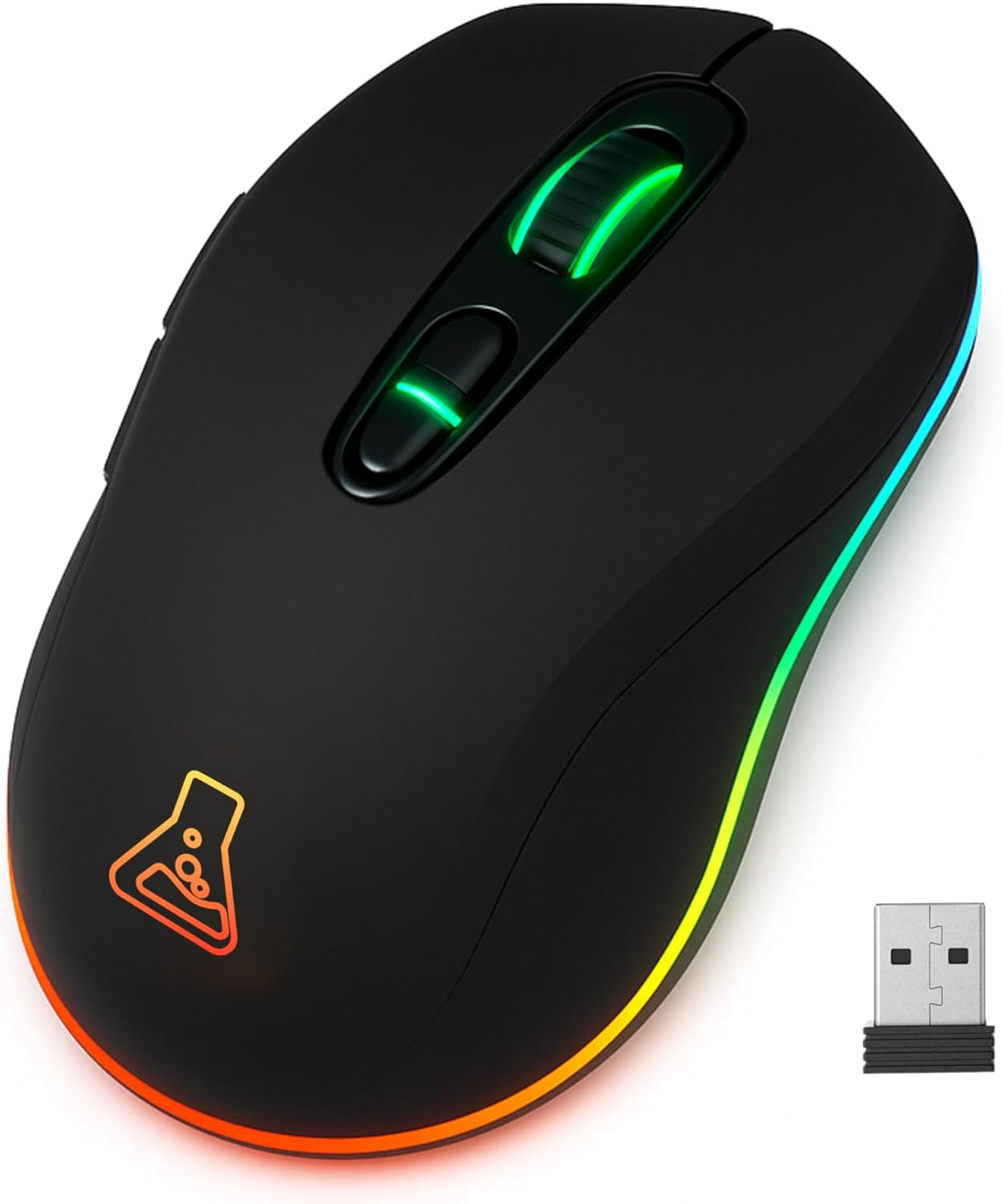
This manual provides comprehensive instructions for the setup, operation, and maintenance of your THE G-LAB Kult Krypton Wireless Gaming Mouse. Designed for versatility and precision, this mouse features dual wireless connectivity (2.4GHz and Bluetooth), an adjustable optical sensor up to 6400 DPI, customizable RGB lighting, and a long-lasting rechargeable battery. Please read this manual carefully to ensure optimal performance and longevity of your device.
Producte acabatview
- Connectivitat sense fil dual: Seamlessly switch between 2.4GHz (via USB receiver) and Bluetooth for broad compatibility.
- DPI ajustable: Optical sensor with sensitivity settings up to 6400 DPI for precise control.
- Il·luminació RGB: Integrated 7-color RGB illumination to personalize your gaming setup.
- Bateria de llarga durada: 600mA rechargeable battery offering extended usage.
- Disseny durador: Built to withstand up to 5 million clicks.
- Plug and Play: No software required for immediate use.
- Disseny ambidextre: Còmode tant per a usuaris esquerrans com dretans.
- Compatibilitat multiplataforma: Works with PC, PS4, PS5, Mac, and Linux.
Configuració
- Càrrega del ratolí:
Before first use, fully charge the mouse using the provided USB cable. Connect the micro-USB end to the mouse and the USB-A end to a powered USB port (e.g., computer, USB wall adapter). The RGB lighting may indicate charging status.
- Connexió sense fil de 2.4 GHz:
- Locate the USB 2.4GHz receiver, usually stored in a compartment on the underside of the mouse.
- Insert the USB receiver into an available USB port on your computer or console.
- Turn on the mouse using the power switch located on the underside. Ensure it is set to 2.4GHz mode (if a mode switch is present).
- The mouse should automatically connect. If not, try moving the mouse or pressing a button.
- Connexió Bluetooth:
- Turn on the mouse and set the mode switch (if present) to Bluetooth mode.
- On your device (PC, Mac, PS4/PS5), navigate to Bluetooth settings.
- The mouse should appear as "Kult Krypton" or similar in the list of discoverable devices. Select it to pair.
- Seguiu les indicacions de la pantalla per completar el procés de vinculació.

Image: The Kult Krypton mouse highlighting its dual wireless connectivity, supporting both Bluetooth and 2.4 GHz via a USB dongle.
Instruccions de funcionament
- Ajust de DPI:
The mouse features an adjustable optical sensor. Use the dedicated DPI button (usually located behind the scroll wheel) to cycle through different sensitivity levels (e.g., 800, 1600, 3200, 6400 DPI). The current DPI setting may be indicated by a change in LED color or a specific pattern.

Image: The Kult Krypton mouse illustrating its adjustable DPI settings, ranging from 800 to 6400, for precise control.
- Control d'il·luminació RGB:
The mouse features integrated RGB lighting with 7 different colors. Specific buttons or button combinations may be used to change lighting modes or turn the lighting on/off. Refer to the product's quick start guide for exact button functions if not detailed here.

Image: The Kult Krypton mouse displaying its vibrant RGB lighting and emphasizing its Plug & Play feature and multi-platform compatibility.
- Funcions del botó:
The Kult Krypton mouse is equipped with 6 buttons. These typically include:
- Clic esquerre
- Clic dret
- Roda de desplaçament (clicable)
- Botó de cicle DPI
- Botó lateral cap endavant
- Botó lateral enrere
For advanced customization or remapping of buttons, check the manufacturer's website for any available software, though the product is advertised as Plug and Play.
- Gestió d'energia:
To conserve battery, the mouse may enter an automatic sleep mode after a period of inactivity. Move the mouse or click a button to wake it up. The 600mA battery provides approximately 15 hours of use with RGB lighting active, and up to 100 hours without RGB lighting.

Image: The Kult Krypton mouse emphasizing its extended battery life (15 hours with RGB, 100 hours without RGB) and a durability rating of 5 million clicks.
Manteniment
- Neteja: Feu servir un drap suau i sec per netejar la superfície del ratolí. Per a la brutícia persistent, feu un drap lleugerament sec.amp es pot fer servir un drap, però assegureu-vos que no entri humitat als components interns. Eviteu productes químics agressius o materials abrasius.
- Cura del sensor: Mantingueu el sensor òptic de la part inferior del ratolí net i lliure de pols o restes per garantir un seguiment precís.
- Cura de la bateria: To prolong battery life, avoid fully discharging the mouse frequently. Recharge when the battery indicator suggests low power. Store the mouse in a cool, dry place when not in use for extended periods.
Resolució de problemes
- El ratolí no respon:
- Assegureu-vos que el ratolí estigui encès.
- Comproveu el nivell de la bateria i recarregueu-la si cal.
- For 2.4GHz connection: Ensure the USB receiver is securely plugged into a working USB port. Try a different USB port.
- For Bluetooth connection: Ensure Bluetooth is enabled on your device and the mouse is paired. Try re-pairing the mouse.
- Ensure the mouse is in the correct connection mode (2.4GHz or Bluetooth) via its switch.
- El moviment del cursor és erràtic o imprecís:
- Netegeu el sensor òptic de la part inferior del ratolí.
- Assegureu-vos que feu servir el ratolí sobre una superfície adequada (per exemple, una estora de ratolí). Eviteu superfícies molt reflectants o transparents.
- Adjust the DPI setting to a level that suits your preference.
- La il·luminació RGB no funciona:
- Check if the RGB lighting has been turned off via a button combination.
- Assegureu-vos que el ratolí tingui prou bateria.
Especificacions
| Marca | EL G-LAB |
| Nom del model | KULT-KRYPTON |
| Tecnologia de connectivitat | Bluetooth, 2.4 GHz Radio-frequency |
| Tecnologia de detecció de moviment | Òptic |
| Rang de DPI | Up to 6400 DPI (Adjustable) |
| Nombre de botons | 6 |
| Orientació de la mà | Ambidextre |
| Característiques especials | LED Light (RGB), Lightweight, Wireless, Silent |
| Dispositius compatibles | Personal Computer, PS4, PS5 |
| Sistema operatiu | Linux, Mac, PC |
| Tipus de bateria | Lithium-ion (600mA) |
| Durada de la bateria (aprox.) | 15 hours (with RGB), 100 hours (without RGB) |
| Durabilitat | 5 milions de clics |
| Color | Negre |
| Fabricant | AXS |
| País d'origen | Xina |
Garantia i Suport
- Garantia del fabricant: Aquest producte inclou una garantia del fabricant de 2 anys. Si us plau, conserveu el comprovant de compra per a reclamacions de garantia.
- Disponibilitat de peces de recanvi: Les peces de recanvi estan disponibles durant 2 anys a partir de la data de compra.
- Atenció al client: For technical assistance, warranty claims, or further inquiries, please visit the official THE G-LAB weblloc o poseu-vos en contacte amb el seu departament d'atenció al client.


