1. Introducció
This manual provides detailed instructions for setting up, operating, maintaining, and troubleshooting your Machenike Mini Desktop GTX Mini PC. This compact and powerful mini PC features an AMD Ryzen 9 7940HS processor with Radeon 780M graphics, 32GB DDR5 RAM, and a 2TB SSD, running on Windows 11 Pro. It supports dual 4K monitors and offers extensive connectivity options.

Figure 1: Machenike Mini Desktop GTX Mini PC - Front View
This image displays the compact design of the Machenike Mini Desktop, highlighting its sleek appearance and small footprint, ideal for various setups.
2. Què hi ha a la caixa
Upon unboxing your Machenike Mini Desktop, please ensure all the following items are present:
- Machenike GTX Mini Desktop Unit
- Adaptador d'alimentació
- Manual d'usuari (aquest document)
- (Optional: VESA mount kit, HDMI cable - check packaging for exact contents)
3. Guia de configuració
3.1 Connexió de perifèrics
Before powering on your Mini PC, connect your essential peripherals.
- Connecta la pantalla(es): Use the HDMI 2.1, DisplayPort 1.4, or Type-C ports to connect your monitor(s). This Mini PC supports up to two 4K monitors simultaneously.
- Connecteu el teclat i el ratolí: Plug your USB keyboard and mouse into any of the available USB 3.2 Gen1 or USB 3.2 Gen2 ports.
- Connecta la xarxa (opcional): For a wired internet connection, connect an Ethernet cable to one of the 2.5G RJ45 ports. For wireless, ensure your Wi-Fi network is available during initial setup.
- Connectar àudio (opcional): If using external speakers or headphones, connect them to the 3.5mm audio jack.

Figure 2: Front and Rear Port Layout
This image illustrates the various ports available on the front and rear of the Mini PC, including USB, Type-C, HDMI, DisplayPort, and RJ45 network ports, crucial for connecting peripherals.
3.2 Connexió d'alimentació i arrencada inicial
- Connectar l'alimentació: Plug the power adapter into the DC-in port on the Mini PC, then connect it to a power outlet.
- Encès: Press the power button located on the front of the device. The system will begin to boot up.
- Configuració de Windows 11 Pro: Follow the on-screen instructions to complete the initial setup of Windows 11 Pro. This includes selecting your region, connecting to a network, and creating a user account.
4. Instruccions de funcionament
4.1 Funcionament bàsic
Your Machenike Mini Desktop is ready for use once Windows 11 Pro setup is complete.
- Encès/apagat: Press the power button to turn the device on. To shut down, use the Windows Start menu. A quick press of the power button can also put the PC to sleep.
- Botó de reinici: A dedicated restart button is available for system reboots if needed.
- Connectivitat: Utilize Wi-Fi 6 for high-speed wireless internet or the 2.5G RJ45 ports for a stable wired connection. Bluetooth allows for connecting wireless peripherals.
4.2 Funcions avançades
The Mini PC includes several advanced features to enhance your experience.
- Magnetic Quick-Release Cover: The top cover is magnetic and can be easily removed. When the device is turned on, the phantom light pattern can be adjusted via software.
- Dual Type-C Ports: The device features two Type-C ports. The rear USB4 Type-C port offers 40Gbps transmission, suitable for external graphics cards or connecting to a monitor with PD power supply. The front Type-C port provides 10Gbps transmission, primarily for display output with PD power supply.

Figure 3: Magnetic Quick-Release Cover with Adjustable Lighting
This image demonstrates the magnetic quick-release cover, which allows for customization of the phantom light pattern when the device is active.

Figure 4: Dual Type-C Port Functionality
This image highlights the two distinct Type-C ports, detailing their different transmission speeds and primary uses, such as external graphics or display output.
5. Manteniment
5.1 Sistema de refrigeració
The Machenike Mini Desktop features a dual-fan cooling system with upgraded storage heat distribution to ensure optimal performance and longevity.
- Assegureu-vos un flux d'aire adequat: Do not block the ventilation openings on the device. Place the Mini PC in a well-ventilated area.
- Neteja regular: Periodically clean dust from the exterior vents using compressed air or a soft brush to maintain efficient cooling.

Figure 5: Dual Fan Cooling System Diagram
This diagram illustrates the internal dual-fan cooling system, showing how heat is efficiently dissipated from the CPU, GPU, and storage components.
5.2 Actualitzacions de programari
Keep your system updated for optimal performance and security.
- Actualitzacions de Windows: Regularly check for and install updates via Windows Update in the Settings menu.
- Actualitzacions de controladors: Ensure your graphics drivers (AMD Radeon 780M) and other system drivers are up-to-date. Visit the Machenike support weblloc web o el lloc web oficial d'AMD weblloc per als darrers controladors.
6. Solució De Problemes
Aquesta secció tracta problemes comuns que podeu trobar.
| Problema | Causa possible | Solució |
|---|---|---|
| No es mostra al monitor | Loose cable connection, incorrect input source, monitor off. |
|
| El sistema no s'encén | Power adapter not connected, faulty power outlet. |
|
| Intermittent crashes or freezes | Outdated drivers, overheating, software conflicts. |
|
| Problemes de connectivitat Wi-Fi o Bluetooth | Driver issues, interference, incorrect settings. |
|
7. Especificacions
Detailed technical specifications for your Machenike Mini Desktop GTX Mini PC.
| Característica | Detall |
|---|---|
| Model | Mini PC GTX |
| Processador | AMD Ryzen 9 7940HS (8 Cores/16 Threads, up to 5.2GHz, 16M Cache) |
| Gràfics | AMD Radeon 780M (Graphic frequency 2.8GHz), Integrated |
| RAM | 32 GB de DDR5 (4800 MHz) |
| Emmagatzematge | SSD M.2 de 2 TB (PCIE x 4) |
| Sistema operatiu | Windows 11 Pro |
| Connectivitat sense fil | Wi-Fi 6 (802.11ax), Bluetooth |
| Ports (frontals) | 1 x USB3.2 Gen1 (5Gbps), 1 x USB3.2 Gen2 (10Gbps), 1 x Type-C (10Gbps, display/PD), 1 x 3.5mm Audio, Power Button, Restart Button |
| Ports (posteriors) | 3 x USB3.2 Gen1 (5Gbps), 1 x USB4 Type-C (40Gbps, external GPU/PD), 1 x HDMI 2.1, 1 x DisplayPort 1.4, 2 x RJ45 (2.5G network) |
| Resolució de pantalla màxima | 3840 x 2160 píxels (4K) |
| Dimensions (LxWxH) | 5.05 x 1.96 x 5.05 polzades (12.83 x 4.98 x 12.83 cm) |
| Pes | 2.25 lliures (1.02 kg) |
| Color | Gris |
8. Garantia i Suport
For warranty information, technical support, and driver downloads, please visit the official Machenike support weblloc.
- Suport oficial: Refer to the Machenike official weblloc web per obtenir els recursos de suport, les preguntes freqüents i la informació de contacte més actualitzats.
- Kensington Security Keyhole: The Mini PC includes a reserved Kensington security keyhole for physical anti-theft protection.
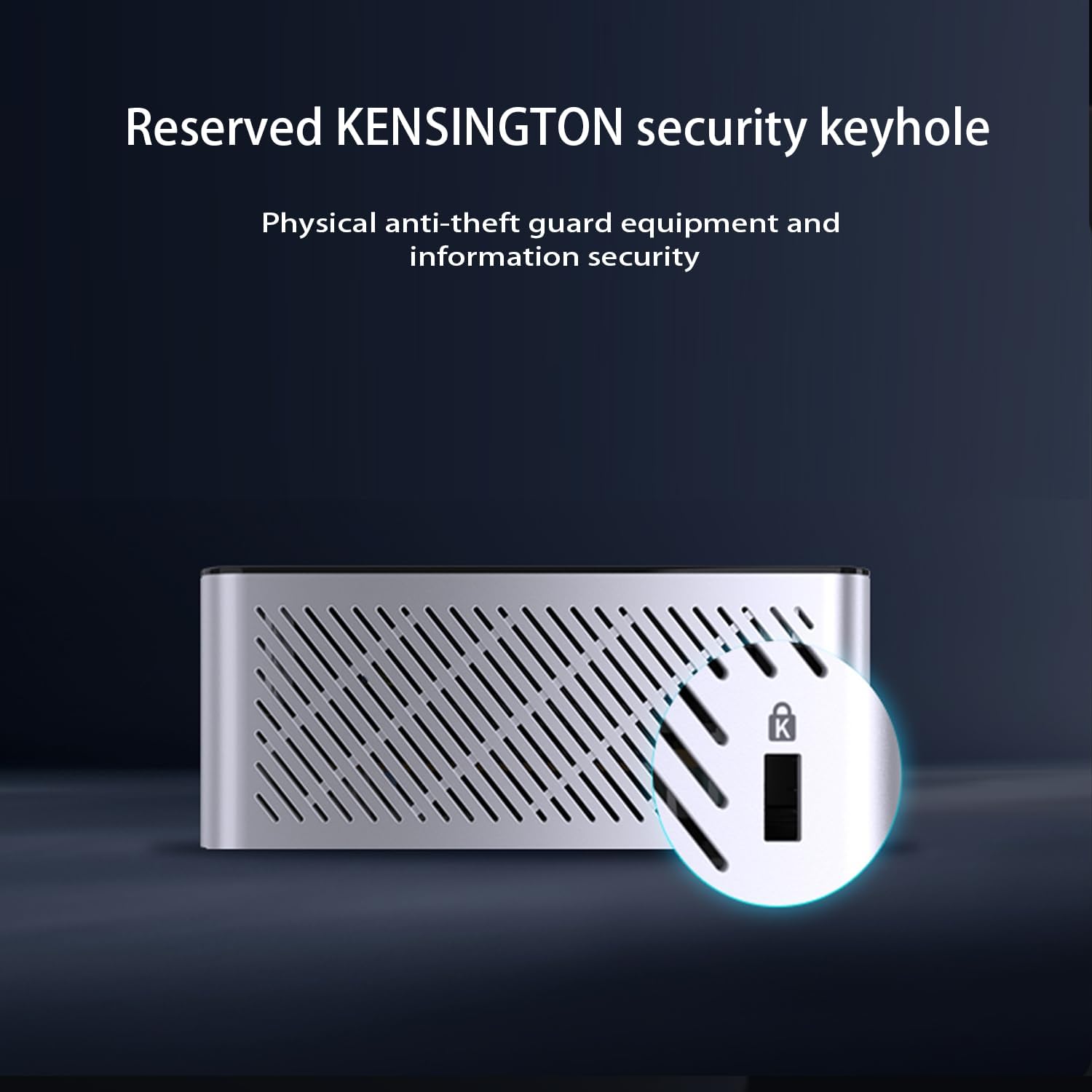
Figure 6: Kensington Security Keyhole
This image shows the dedicated Kensington security keyhole, providing a physical security option for the Mini PC.
9. Vídeos de productes
Watch these videos for additional information and visual guides on your Machenike Mini Desktop.
9.1 Producte acabatview Vídeo
Video 1: Machenike Mini Desktop Product Overview (Duration: 2:42)
Aquest vídeo ofereix una visió generalview del Machenike Mini Desktop, mostraasing les seves característiques i disseny.
9.2 Feature Highlight Video
Video 2: Machenike Mini Desktop Feature Highlight (Duration: 2:12)
This video highlights specific features and functionalities of the Machenike Mini Desktop, offering a closer look at its capabilities.


