Introducció
This user manual provides comprehensive instructions for the setup, operation, maintenance, and troubleshooting of your Machenike Mini Desktop. Designed for high performance in a compact form factor, this mini PC features an AMD Ryzen 9 7940HS processor, AMD Radeon 780M graphics, and runs on Windows 11 Pro. Please read this manual thoroughly to ensure proper use and longevity of your device.
Guia de configuració
1. Unboxing i Inspecció Inicial
Carefully remove all components from the packaging. The box should contain the Machenike GTX Mini Desktop and its power adapter. Inspect the device for any visible damage before proceeding.

Figure 1: Machenike Mini Desktop computer, front-angled view. This image displays the compact Machenike Mini Desktop from an angled perspective, showcasing its sleek design and front-facing ports.
2. Connexió de perifèrics
- Monitor: Connect your monitor to the Mini PC using an HDMI or DisplayPort cable. The device supports 4K resolution output.
- Teclat i ratolí: Connect your USB keyboard and mouse to any available USB 3.2 Gen1 ports.
- Xarxa: For wired internet access, connect an Ethernet cable to one of the RJ45 ports. For wireless connectivity, ensure Wi-Fi 6 is enabled.
- Potència: Connect the power adapter to the DC IN port on the Mini PC, then plug the adapter into a power outlet.
3. Engegada i configuració inicial
Press the power button located on the front of the device. The system will boot up. Follow the on-screen instructions to complete the Windows 11 Pro initial setup, including language selection, network configuration, and user account creation.
Instruccions de funcionament
1. Port Overview
The Machenike Mini Desktop is equipped with a variety of ports for versatile connectivity:

Figure 2: Front and rear port layout of Machenike Mini Desktop. This image provides a clear layout of all available ports on the Machenike Mini Desktop. The front includes USB3.2 Gen1 (5Gbps), USB3.2 Gen2 (10Gbps), Type-C, and a 3.5mm audio/power button. The rear features additional Type-C, USB3.2 Gen1 (5Gbps) x3, DP1.4, HDMI2.0, and 2.5G network ports.
- Ports frontals: 4 x USB3.2 Gen1 (5Gbps), 1 x USB3.2 Gen2 (10Gbps), 2 x Type-C, 1 x 3.5mm audio/power button.
- Ports posteriors: 1 x HDMI 2.1, 1 x Display Port, 2 x RJ45 (2.5G network ports), additional Type-C ports.

Figure 3: Machenike Mini Desktop with labels for dual Type-C ports. A view of the Machenike Mini Desktop highlighting its two Type-C ports, one on each side, for convenient connectivity. One is a USB4 Type-C (40Gbps) for external graphics cards and monitor PD power supply, and the other is a Type-C (10Gbps) for display PD power supply.
2. Connectivitat sense fil
The device supports Wi-Fi 6 for high-speed wireless internet and Bluetooth for connecting wireless peripherals such as headphones, speakers, or input devices.
3. Customizable Lighting
The Machenike Mini Desktop features a magnetic quick-release cover with a customizable LED light panel. The phantom light effect can be adjusted via dedicated software (not included in this manual, refer to manufacturer's website for software download).

Figura 4: Explotat view of Machenike Mini Desktop showing magnetic cover and customizable LED light panel. An exploded diagram illustrating the magnetic quick-release cover and the underlying LED light panel, which allows for customizable phantom light effects controlled by software.
Manteniment
1. Sistema de refrigeració
The Mini PC is equipped with a dual-fan cooling system, a storage vapor chamber, and an ice radiator to ensure efficient heat dissipation. To maintain optimal performance, ensure that the ventilation grilles are not obstructed and are kept clean from dust buildup.

Figura 5: Intern view of Machenike Mini Desktop highlighting dual fan cooling system. This diagram shows the internal components of the mini PC, emphasizing the dual fan cooling system, storage vapor chamber, and ice radiator designed for efficient heat dissipation.
2. Atenció general
- Keep the device in a clean, dry environment away from direct sunlight and extreme temperatures.
- Eviteu vessar líquids al dispositiu.
- Netegeu l'exterior amb un drap suau i sec. No utilitzeu productes químics agressius ni netejadors abrasius.
3. Seguretat
For physical security, the Machenike Mini Desktop includes a reserved Kensington security keyhole. This allows for the attachment of a compatible security cable (sold separately) to deter theft.
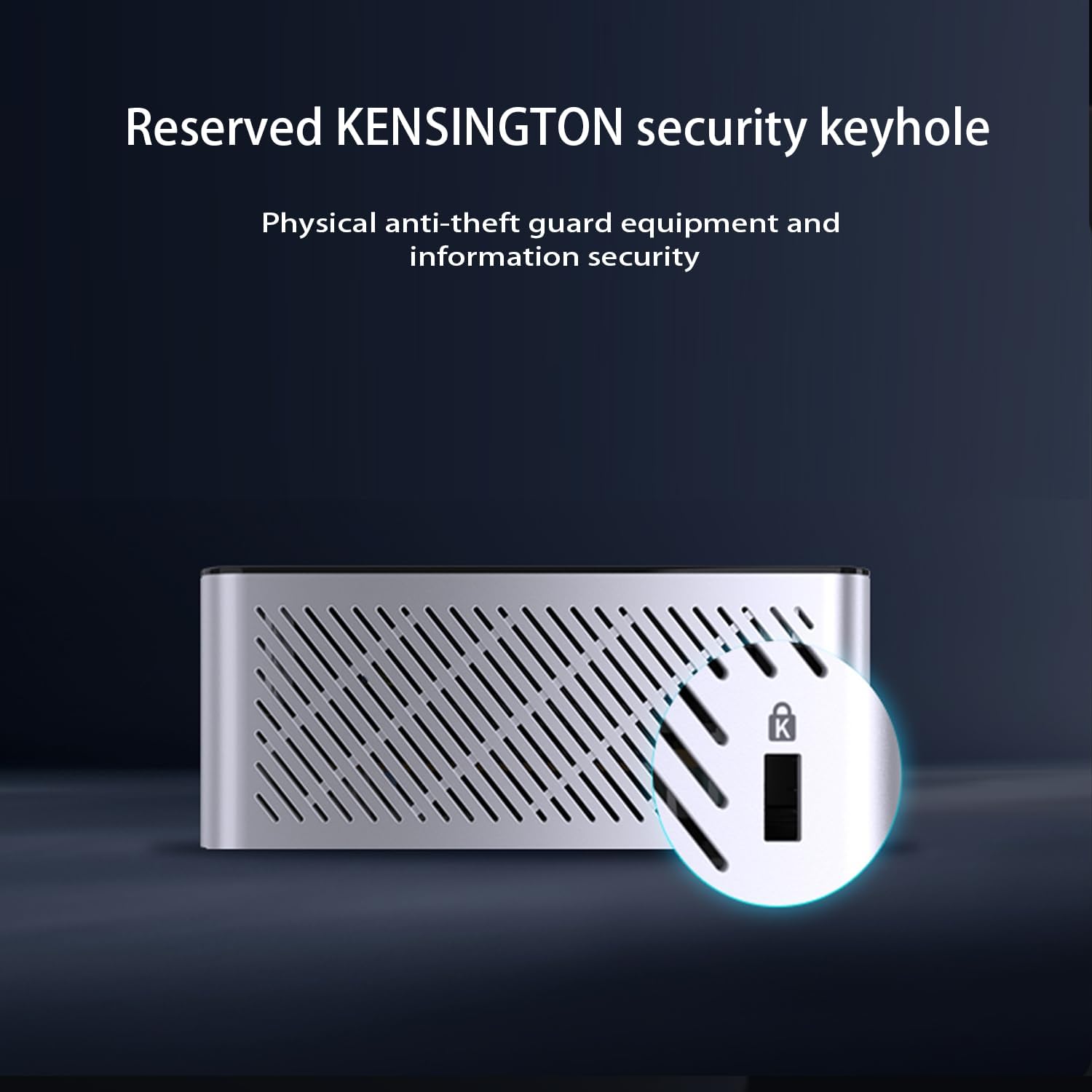
Figure 6: Close-up of Kensington security keyhole on Machenike Mini Desktop. A detailed view of the Kensington security keyhole located on the side of the Machenike Mini Desktop, providing a physical anti-theft solution for the device.
Resolució de problemes
If you encounter issues with your Machenike Mini Desktop, refer to the following common troubleshooting steps:
- Sense energia:
- Assegureu-vos que l'adaptador de corrent estigui connectat correctament tant al Mini PC com a una presa de corrent que funcioni.
- Verifiqueu que la presa de corrent funciona connectant-hi un altre dispositiu.
- Sense pantalla:
- Check that the HDMI or DisplayPort cable is firmly connected to both the Mini PC and the monitor.
- Assegureu-vos que el monitor estigui encès i configurat a la font d'entrada correcta.
- Prova un cable o monitor diferent si és possible.
- Sense connexió a Internet (Wi-Fi):
- Verifiqueu que el Wi-Fi estigui habilitat a la configuració de Windows.
- Ensure you are connected to the correct Wi-Fi network and have entered the password correctly.
- Restart your Wi-Fi router and the Mini PC.
- Rendiment lent:
- Tanca les aplicacions innecessàries que s'executen en segon pla.
- Comproveu si hi ha actualitzacions de Windows disponibles i instal·leu-les.
- Ensure the cooling vents are clear and the device is not overheating.
For more complex issues, consider performing a system restore or contacting technical support.
Especificacions
| Característica | Especificació |
|---|---|
| Processador | AMD Ryzen 9 7940HS (8 cores/16 threads, up to 5.2GHz) |
| Gràfics | AMD Radeon 780M (graphic frequency 2.8GHz) |
| RAM | 16 GB de DDR5 (4800 MHz) |
| Emmagatzematge | SSD M.1 de 2 TB (PCIE x 4) |
| Sistema operatiu | Windows 11 Pro |
| Sortida de vídeo | HDMI 2.1, Display Port, Type-C (supports 4K resolution) |
| Ports USB | 4 x USB3.2 Gen1 (5Gbps), 1 x USB3.2 Gen2 (10Gbps), 2 x Type-C (USB4 Type-C 40Gbps, Type-C 10Gbps) |
| Xarxa | 2 x RJ45 (2.5G network ports), Wi-Fi 6 |
| Connectivitat sense fil | Wi-Fi 6, Bluetooth |
| Dimensions (LxWxH) | 5.05 x 1.96 x 5.05 polzades |
| Pes | 2.25 lliures |
| Color | Gris |
Garantia i Suport
Informació de la garantia
Warranty terms and conditions are typically provided with your purchase documentation. Please refer to the warranty card or information included in your product packaging for details regarding coverage, duration, and claims procedures.
Suport tècnic
For technical assistance, driver downloads, or further inquiries, please visit the official Machenike support website. Contact information and support resources can be found there.


