1. Introducció
This manual provides essential information for the proper installation, operation, and maintenance of the Walfront HMI PLC All in One Industrial Control Board, Model WSB7020R. This device integrates a Human Machine Interface (HMI) with a Programmable Logic Controller (PLC) into a single unit, designed for industrial control applications.
The WSB7020R features a 7-inch TFT LCD display, 12 digital inputs, and 8 relay outputs, making it suitable for various automation tasks. It is compatible with FX3U series PLCs.

Figure 1: Walfront HMI PLC All in One Industrial Control Board and accessories.
This image displays the Walfront HMI PLC unit from an angled front view, espectacleasing its 7-inch display. Alongside the unit are four installation screws and four fixing brackets, which are included for mounting the device.
2. Contingut del paquet
Verifiqueu que tots els elements que s'enumeren a continuació siguin presents al paquet:
- 1 x HMI PLC Unit (Model WSB7020R)
- 4 cargols d'instal·lació
- 4 x Fixing Brackets
3. Especificacions
| Característica | Especificació |
|---|---|
| Model | WSB7020R |
| Material | ABS |
| Dimensions (Unitat) | Aprox. 202 x 148 x 51 mm / 7.95 x 5.83 x 2.01 polzades |
| Opening Size (Installation) | Approx. 190x135mm / 7.48x5.31in |
| Pantalla de visualització | LCD TFT d'7 polzades |
| Resolució | 800x480px |
| Profunditat de color | 260,000 colors |
| Brillantor | 400 cd/m² (with backlit display) |
| Tipus de pantalla tàctil | 4-wire industrial resistive |
| Touch Screen Hardness | 4H |
| Processador | 32-bit 240MHz ARM9 |
| Memòria | 128 MB NAND FLASH |
| Punts d'entrada | 12 |
| Punts de sortida | 8 |
| Tipus de sortida | Relleu |
| Corrent de sortida | 5A |
| Carrega | 24 V |
| High Speed Count | 6 / 3K |
| Sortida de pols | Cap |
| Entrada Analògica | Default 3AD 0-10V, 3AD 0-20mA (AD0, AD1) |
| Sortida analògica | 2OA 0-10V |
| Rellotge | Admet |
| Download Speed (PLC) | 38.4Kbps |
| Sistema operatiu | Linux |
| Connectivitat | USB, RS232C (for communication) |

Figure 2: Physical dimensions of the HMI PLC unit.
This image illustrates the key dimensions of the Walfront HMI PLC unit, including its length (202mm / 7.95in), width (148mm / 5.83in), and depth (51mm / 2.01in). The required opening size for installation (190mm / 7.44in by 135mm / 5.31in) is also indicated.
4. Configuració i instal·lació
4.1 Muntatge de la unitat
- Prepare an opening in the control panel with dimensions of approximately 190x135mm (7.48x5.31in). Refer to Figure 2 for precise measurements.
- Insert the HMI PLC unit into the prepared opening from the front.
- From the rear of the panel, attach the four fixing brackets to the unit's mounting slots.
- Secure the unit by tightening the four installation screws through the brackets. Ensure the unit is firmly seated and flush with the panel surface.
4.2 Connexions elèctriques
The unit requires a DC24V, 5A power supply. Connect the power supply to the designated terminals on the rear of the unit. Ensure correct polarity.
Connect input devices (sensors, switches) to the 12 input points and output devices (relays, indicators) to the 8 relay output points as per your application's wiring diagram. Refer to the electronic manual for detailed wiring schematics.

Figura 3: posterior view of the HMI PLC unit with connection terminals.
This image shows the back panel of the HMI PLC unit, highlighting various connection ports including USB, RS232C, and multiple green terminal blocks for digital inputs, relay outputs, and power supply connections.
5. Software and Programming
5.1 HMI Programming
- Ús HMI Studio 5.1 software for developing the Human Machine Interface program.
- To download the HMI program to the device, connect the unit to your computer using a USB male-to-male cable.
5.2 PLC Programming
- The PLC component is compatible with FX3U series programming.
- Programming, downloading, and debugging of the PLC program can be performed using GX Developer or GX Works 2 programari.
- The PLC download speed is 38.4Kbps.
- Note: Monitoring writing is not supported.

Figure 4: HMI PLC unit in a programming environment.
This image depicts a user interacting with a computer, presumably for programming, with the HMI PLC unit visible in the foreground. Text overlays highlight features such as the 4-wire industrial resistive touch screen, low power consumption, stable performance, and the ability to program, download, debug, and monitor using software (excluding monitoring writing).
6. Funcionament del dispositiu
Once powered on and programmed, the HMI PLC unit operates according to the loaded HMI and PLC programs. The 7-inch TFT LCD display provides a visual interface for monitoring and control.
- Visualització: The 800x480px resolution and 260,000 colors ensure clear visualization of process data and control elements. The 400 cd/m² brightness with backlight allows for easy observation of status in various lighting conditions.
- Pantalla tàctil: The 4-wire industrial resistive touch screen allows for user interaction with the HMI application. Its 4H hardness provides durability in industrial environments.
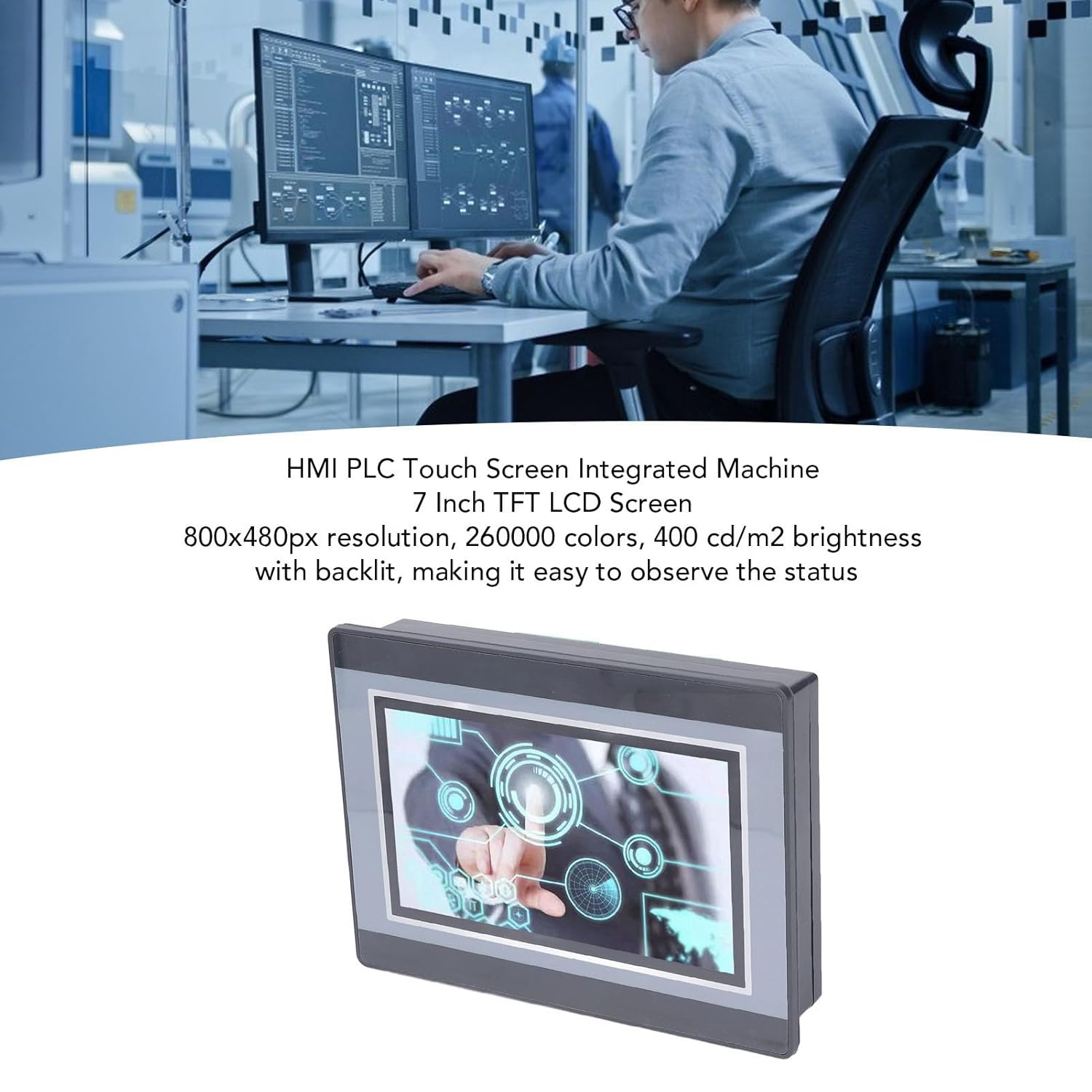
Figure 5: HMI PLC display in operation.
Aquesta imatge ofereix un primer pla view of the HMI PLC's 7-inch TFT LCD display, showing a graphical user interface with various control elements and data visualizations. The display's clarity and color depth are evident.
7. Manteniment
To ensure the longevity and reliable operation of your Walfront HMI PLC unit, follow these general maintenance guidelines:
- Neteja: Regularly clean the display surface with a soft, lint-free cloth. For stubborn dirt, use a mild, non-abrasive cleaning solution specifically designed for electronic displays. Do not spray cleaners directly onto the screen.
- Condicions ambientals: Operate the device within its specified environmental conditions (temperature, humidity) to prevent damage.
- Connexions: Comproveu periòdicament totes les connexions elèctriques per comprovar si estan ben ajustades i si hi ha signes de desgast o corrosió.
- Actualitzacions de programari: Keep HMI and PLC programming software updated to the latest versions for optimal performance and security.
8. Solució De Problemes
This section provides general guidance for common issues. For complex problems, consult the electronic manual or contact technical support.
- Sense energia:
- Verify the DC24V power supply is connected correctly and is providing the specified voltage and current (5A).
- Check power cables and connections for damage.
- La pantalla no respon:
- Assegureu-vos que la unitat estigui encès.
- If the screen is blank, check power. If the screen is on but unresponsive, try restarting the unit.
- Verify the HMI program is loaded correctly.
- Communication Issues (HMI/PLC):
- Ensure USB or RS232C cables are securely connected.
- Verify correct communication parameters (baud rate, parity, data bits, stop bits) in both the device and the programming software.
- Confirm that the correct drivers for the communication interface are installed on your computer.
- PLC Program Not Running:
- Check if the PLC program was downloaded successfully.
- Verify the PLC is in RUN mode (if applicable via software).
- Review the PLC program logic for errors.
9. Aplicacions
The Walfront HMI PLC All in One unit is designed for a wide range of industrial automation control scenarios due to its integrated functionality and robust design. Potential applications include, but are not limited to:
- Printing Industry
- Indústria Química
- Plastic Manufacturing
- Building Materials Production
- Home Furnishings Manufacturing
- Packaging Industry
- Textile Industry
- Processament d'aliments
- Metal·lúrgia

Figure 6: Wide application range of the HMI PLC unit.
This diagram visually represents the diverse industrial sectors where the HMI PLC unit can be flexibly applied, including printing, chemical, plastic, building materials, home furnishings, packing, textile, food, and metallurgy industries.
10. Assistència i garantia
For technical support, further documentation, or warranty information, please refer to the official Walfront weblloc web o poseu-vos en contacte amb el vostre distribuïdor autoritzat. Conserveu el rebut de compra per a reclamacions de garantia.
The product is designed for industrial use and should be installed and operated by qualified personnel.
