1. Introducció
The myCharge Power + Plug Max 20K is a compact portable power bank designed to provide extended battery life for your electronic devices. It features a built-in USB-C cable and a folding wall plug for convenient recharging. This device is capable of charging two devices simultaneously, offering up to 120 hours of additional battery life.
Característiques principals:
- 20,000mAh Internal Battery: Provides substantial power for multiple charges.
- Cable USB-C integrat: Integrated cable for direct device charging.
- Foldable Wall Plug: Allows for direct wall charging of the power bank without extra adapters.
- Port USB-C addicional: Enables simultaneous charging of a second device.
- Disseny compacte i lleuger: Easy to carry for travel.
- Ecològic: Built-in features reduce the need for extra adapters and cables, minimizing e-waste.
2. Producte acabatview
Familiarize yourself with the components of your myCharge Power + Plug portable charger.

Figura 2.1: Davant view of the myCharge Power + Plug portable charger, showing the sleek black design and the integrated USB-C charging cable.

Figura 2.2: The portable charger demonstrating its built-in foldable wall plug, shown both extended and plugged into a wall outlet for convenient recharging.

Figura 2.3: The power bank actively charging an iPhone via its built-in cable, illustrating its compatibility with various Apple and Android devices including smartphones, tablets, earbuds, headphones, and speakers.
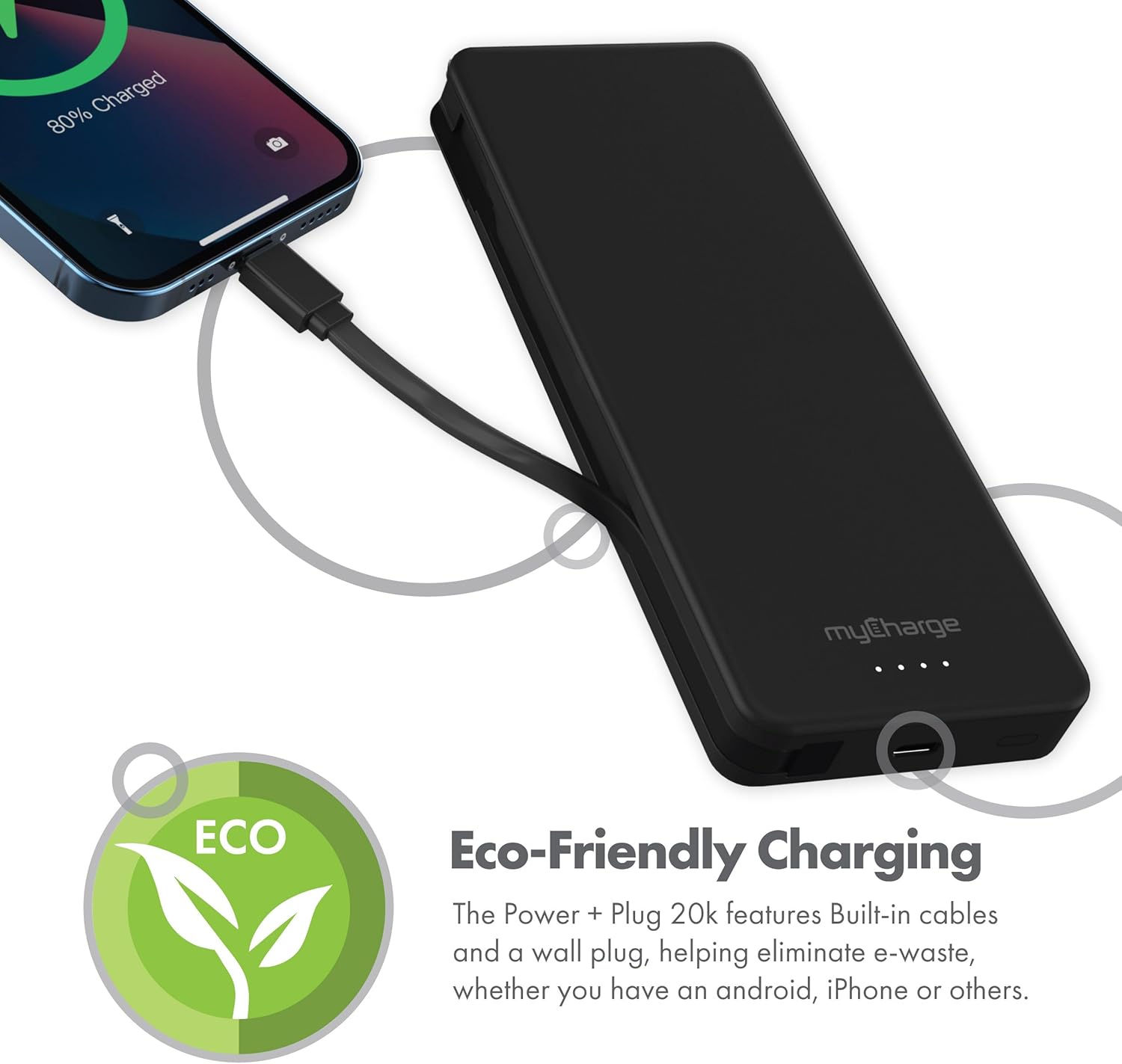
Figura 2.4: The device charging an iPhone, highlighting its eco-friendly design with built-in cables and wall plug to reduce electronic waste.
3. Configuració
3.1 Càrrega inicial del banc d'energia extern
- Locate the foldable wall plug on the back of the power bank.
- Flip down the prongs of the wall plug.
- Plug the power bank directly into a standard wall outlet.
- The LED indicator lights on the front of the power bank will illuminate to show the charging status. All four lights will be solid when fully charged.
3.2 Comprensió dels indicadors LED
The myCharge Power + Plug features four LED lights on its front surface to indicate the remaining battery life and charging status:
- Quatre llums sòlides: 75-100% charged.
- Tres llums sòlides: 50-75% charged.
- Dues llums fixes: 25-50% charged.
- Una llum sòlida: 0-25% charged.
- Llums intermitents: Indicates the power bank is actively charging.
4. Instruccions de funcionament
4.1 Charging a Single Device
- For devices with a USB-C port, extend the built-in USB-C cable from the side of the power bank.
- Connect the USB-C cable directly to your device's charging port.
- El banc d'energia començarà a carregar el dispositiu automàticament.
4.2 Charging Two Devices Simultaneously
- Connect your first device using the built-in USB-C cable as described above.
- For your second device, use your own USB-C to USB-C or USB-C to Lightning cable.
- Plug one end of your cable into the additional USB-C port on the power bank.
- Connect the other end of your cable to your second device.
- Both devices will charge simultaneously.
4.3 Vídeo oficial del producte
Watch this official video from myCharge for a visual guide on using the Power + Plug 20K:
Vídeo 4.1: An official product video from myCharge demonstrating the features and usage of the myCharge Power + Plug 20K portable charger, including its built-in cables and wall plug.
5. Manteniment
- Neteja: Feu servir un drap suau i sec per netejar l'exterior del banc d'energia. Eviteu utilitzar productes químics agressius o materials abrasius.
- Emmagatzematge: Guardeu el banc d'energia en un lloc fresc i sec, allunyat de la llum solar directa i de temperatures extremes.
- Cura de la bateria: Per allargar la durada de la bateria, carregueu completament el banc d'energia almenys un cop cada tres mesos, fins i tot si no l'utilitzeu regularment.
- Evita danys: Do not drop, puncture, or disassemble the device. Keep it away from water and high humidity.
6. Solució De Problemes
| Problema | Causa possible | Solució |
|---|---|---|
| El banc d'energia no es carrega | Wall plug not fully extended or not properly seated in outlet. Outlet is not active. | Ensure the wall plug is fully extended and securely plugged into a working wall outlet. Try a different outlet. |
| El dispositiu no es carrega des del banc d'energia | Power bank battery is depleted. Cable is not properly connected. Device is not compatible. | Recharge the power bank. Ensure cables are securely connected to both the power bank and the device. Verify device compatibility with USB-C charging. |
| Càrrega lenta | Using a non-optimal cable or adapter. Device drawing high power. | Ensure you are using the built-in USB-C cable or a high-quality USB-C cable. Close unnecessary applications on your device. |
| Els indicadors LED no funcionen | Power bank is completely discharged. | Plug the power bank into a wall outlet and allow it to charge for a few minutes. The lights should eventually illuminate. |
7. Especificacions
| Número de model | AP20K |
| Capacitat de la bateria | 20,000 mAh |
| Tipus de bateria | Polímer de liti (2 inclòs) |
| Dimensions del producte | 5.9 x 2.84 x 1 polzades |
| Pes de l'article | 1.06 lliures |
| Tipus de connector | Built-in USB-C cable & additional USB-C port |
| Color | 20000 mAh - Black |
| Fabricant | myCharge |
| País d'origen | Xina |
8. Garantia i Suport
The myCharge Power + Plug portable charger is covered by a 1 any de garantia des de la data de compra. Aquesta garantia cobreix els defectes de materials i de mà d'obra en ús normal.
For warranty claims, technical support, or any inquiries regarding your product, please visit the official myCharge weblloc web o poseu-vos en contacte amb el seu departament d'atenció al client. Conserveu el comprovant de compra per validar la garantia.
Note: Warranty terms may vary. Please refer to the official myCharge website or product packaging for the most current and detailed warranty information.


