1. Introducció
This manual provides instructions for the proper setup, operation, and maintenance of your Portronics Toad 34 Wireless Mouse. Please read this manual thoroughly before using the product to ensure optimal performance and longevity.
2. Contingut del paquet
The Portronics Toad 34 Wireless Mouse package includes the following items:
- 1N Wireless Mouse
- 1N USB Receiver (stored inside the mouse)
3. Configuració
Follow these steps to set up your Portronics Toad 34 Wireless Mouse:
- Insereix les piles:
Locate the battery compartment on the underside of the mouse. Open the cover and insert two AAA batteries (not included), ensuring correct polarity. Close the battery compartment cover.
Imatge: Part inferior view of the Portronics Toad 34 Wireless Mouse, detailing the battery compartment for two AAA batteries (not included), the power switch, and the storage slot for the USB receiver.
- Recuperar receptor USB:
The USB receiver is stored within the battery compartment for convenience. Carefully remove it from its slot.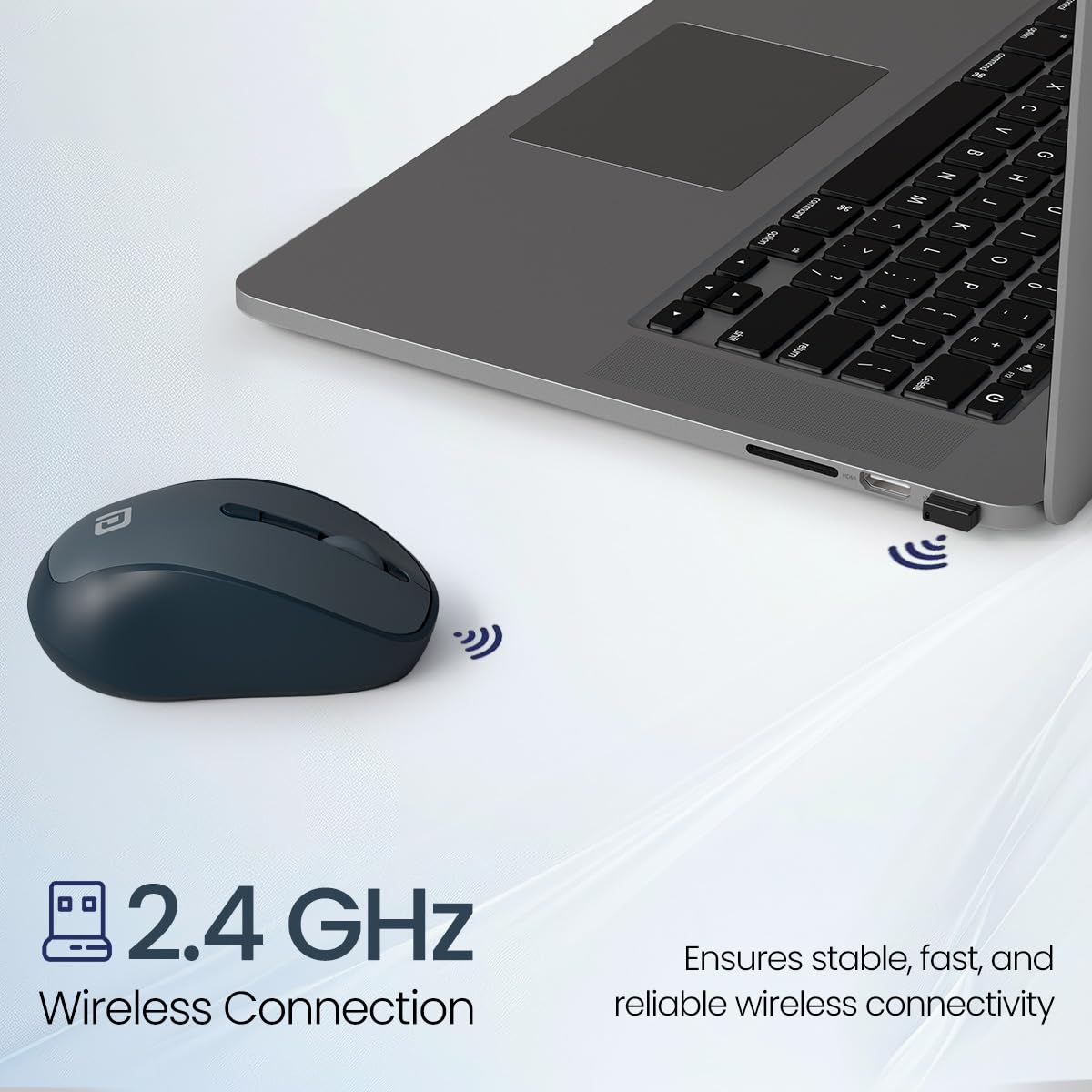
Image: The Portronics Toad 34 Wireless Mouse positioned next to a laptop, demonstrating its 2.4 GHz wireless connection. The USB receiver is shown plugged into the laptop.
- Connecteu el receptor USB:
Plug the USB receiver into an available USB port on your computer (laptop or desktop PC). The computer should automatically detect and install the necessary drivers. - Engegar el ratolí:
Slide the power switch on the underside of the mouse to the 'ON' position. The mouse is now ready for use.
4. Instruccions de funcionament
4.1. 2.4 GHz Wireless Connectivity
The Portronics Toad 34 mouse uses a 2.4 GHz wireless connection for communication with your computer. This connection provides a stable link between the mouse and the USB receiver.
4.2. Adjustable DPI Settings
The mouse features adjustable DPI (Dots Per Inch) settings, allowing you to change cursor sensitivity. You can switch between 800, 1200, and 1600 DPI to suit your task requirements, whether for precise work or faster navigation.

Image: The Portronics Toad 34 Wireless Mouse is shown with a graphic illustrating its adjustable DPI settings of 800, 1200, and 1600.
4.3. High Precision Optical Tracking
The mouse utilizes optical tracking technology for accurate cursor movement on various surfaces.

Image: The Portronics Toad 34 Wireless Mouse is displayed next to a laptop, highlighting its high precision optical tracking for accurate control.
4.4. Power Efficient Auto Sleep
To conserve battery life, the mouse enters an automatic sleep mode when not in use. To wake the mouse, simply click any button.

Image: This illustration shows the mouse in three states: working, auto sleep (indicated by 'Zzz'), and waking up with a click, demonstrating its power-saving feature.
5. Característiques clauview
- Disseny ergonòmic: Shaped to fit comfortably in the hand, reducing strain during use.

Image: A hand is shown holding the Portronics Toad 34 Wireless Mouse, highlighting its ergonomic shape for comfortable grip.
- Clics silenciosos: Designed for quiet operation, minimizing click noise.

Image: A hand is shown clicking the Portronics Toad 34 Wireless Mouse, emphasizing its silent click functionality.
- Compatibilitat universal: Compatible amb sistemes operatius Windows, macOS i Linux.
6. Manteniment
To maintain your Portronics Toad 34 Wireless Mouse:
- Netegeu el ratolí regularment amb un drap suau i sec.
- Eviteu utilitzar productes químics o materials abrasius.
- Keep the optical sensor clean for accurate tracking.
- Quan no l'utilitzeu durant períodes prolongats, apagueu el ratolí per estalviar bateria.
7. Solució De Problemes
Si teniu problemes amb el ratolí, consulteu les solucions habituals següents:
- El ratolí no respon:
Check if the mouse is powered on. Ensure the batteries are correctly inserted and have sufficient charge. Replace batteries if necessary. Verify the USB receiver is securely plugged into a working USB port. - Moviment erràtic del cursor:
Netegeu el sensor òptic de la part inferior del ratolí. Assegureu-vos que utilitzeu el ratolí sobre una superfície adequada; eviteu superfícies molt reflectants o transparents. - Problemes de connexió:
Try plugging the USB receiver into a different USB port on your computer. Ensure there are no strong wireless interference sources nearby.
8. Especificacions
| Característica | Detall |
|---|---|
| Marca | Portronics |
| Model | Toad 34 (POR-2786) |
| Tecnologia de connectivitat | Sense fil de 2.4 GHz |
| Tecnologia de detecció de moviment | Òptic |
| Adjustable Sensitivity (DPI) | Up to 1600 DPI (800, 1200, 1600) |
| Font d'alimentació | Funciona amb piles (es necessiten 2 piles AAA) |
| Compatibilitat de sistemes operatius | Linux, Windows 7, Windows XP, macOS |
| Pes de l'article | 85 g |
| Dimensions del producte (LxWxH) | 14 x 8.5 x 0.1 cm |
9. Vídeo del producte
Watch the official product video for a visual guide to the Portronics Toad 34 Wireless Mouse:
Vídeo: Un producte oficial acabatview of the Portronics Toad 34 Wireless Mouse, demonstrating its features and usage.
10. Garantia i Suport
For warranty information and customer support, please refer to the documentation included with your purchase or visit the official Portronics website. Contact details for Portronics Digital Pvt Ltd are: help@portronics.com, +91 9555-245-245.


