Introducció
This user manual provides comprehensive instructions for the operation and maintenance of your FOXWELL NT630 Plus and NT630 Pro OBD2 Scanners. These devices are designed to assist in diagnosing vehicle issues related to the Anti-lock Braking System (ABS), Supplemental Restraint System (SRS), and general On-Board Diagnostics (OBD2) systems, as well as performing battery health tests.
The NT630 Plus focuses on ABS and SRS diagnostics, while the NT630 Pro combines these with advanced battery testing capabilities. Please read this manual thoroughly before operating the device to ensure proper usage and to maximize its diagnostic potential.
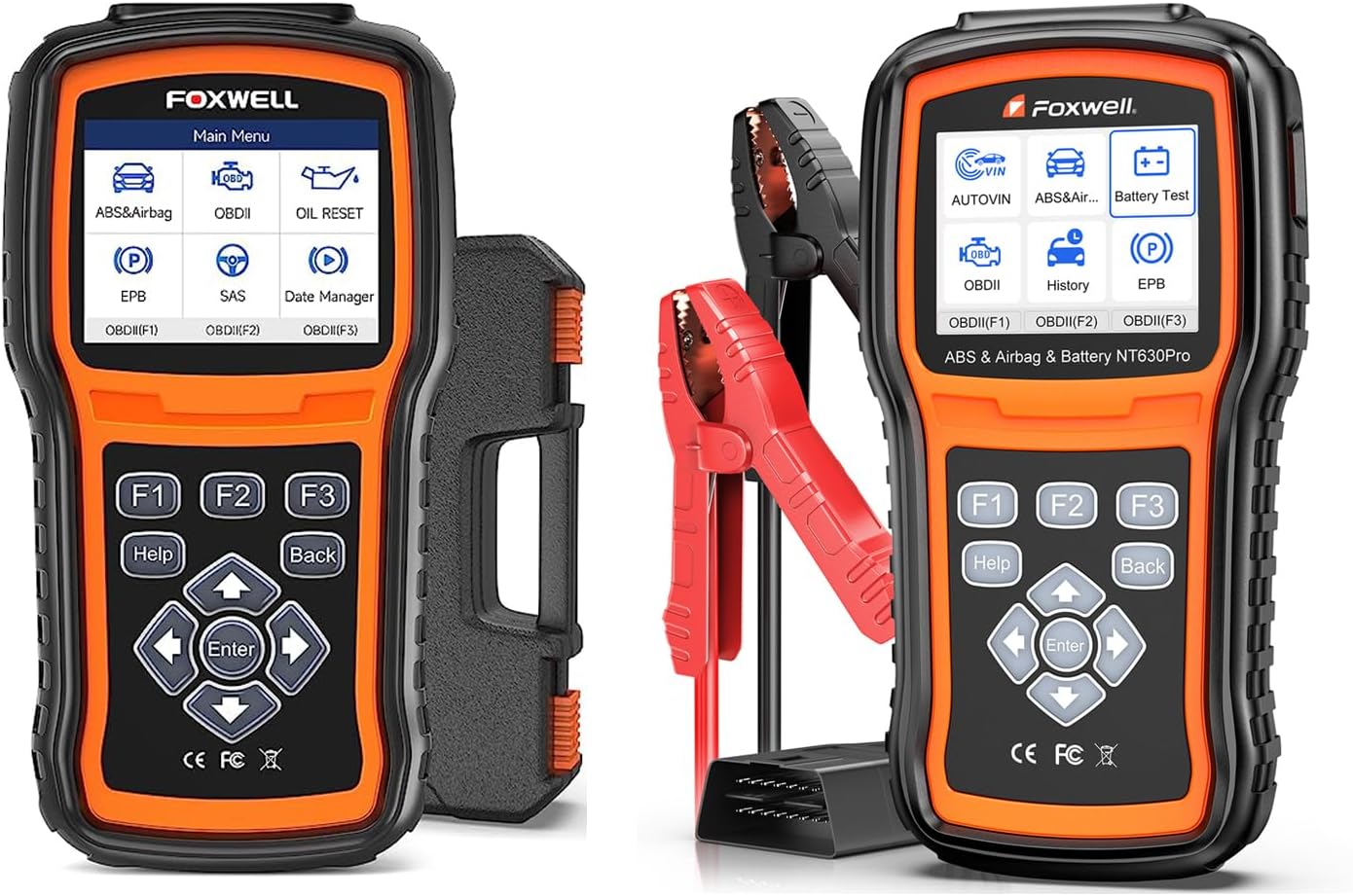
Image: The FOXWELL NT630 Plus (left) and NT630 Pro (right) diagnostic tools. The NT630 Pro includes battery clamps per provar.

Image: The FOXWELL NT630 Pro, highlighting its capability as a 2-in-1 diagnostic tool for both vehicle systems and battery health.
Configuració
Contingut del paquet
Abans de començar, assegureu-vos que hi hagi tots els components:
- FOXWELL NT630 Plus / NT630 Pro Main Unit
- Cable de diagnòstic OBD2
- Cable USB (per a actualitzacions)
- Manual d'usuari (aquest document)
- For NT630 Pro: Battery Test Clamps
Encès inicial
The device powers on automatically when connected to a vehicle's OBD2 port. Alternatively, it can be powered via the USB cable connected to a computer for software updates.
Connexió al vehicle
- Locate the vehicle's 16-pin Data Link Connector (DLC), usually under the dashboard on the driver's side.
- Gireu l'encesa del vehicle a la posició ON position (engine off).
- Connect the OBD2 diagnostic cable to the vehicle's DLC and to the scanner's port.
- The scanner will power on and display the main menu.
Instruccions de funcionament
Navegació
The scanner features a clear display and intuitive button layout:
- Fletxes amunt/avall: Navegueu per les opcions del menú.
- Fletxes esquerra/dreta: Move cursor, change values, or navigate sub-menus.
- Botó ENTER: Confirm selection or enter a function.
- Botó TORNAR: Return to the previous screen or exit a function.
- Botó AJUDA: Access context-sensitive help information.
- Botons F1, F2, F3: Function keys, their purpose changes based on the current screen, indicated on the display.
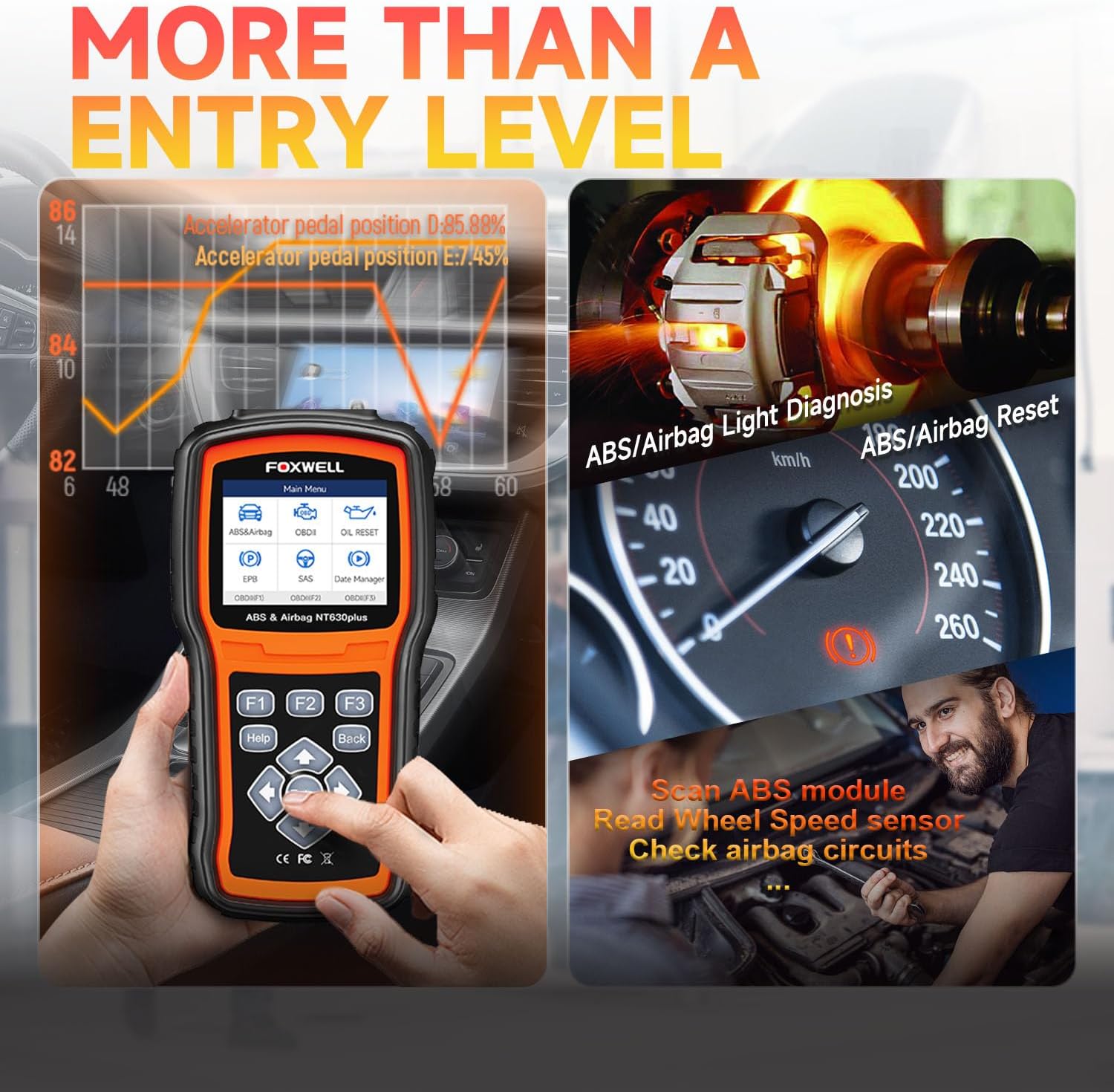
Image: Close-up of the FOXWELL NT630 Plus screen and control buttons, illustrating the user interface for navigation and function selection.
ABS and SRS Diagnostics
The NT630 Plus and NT630 Pro are capable of reading and clearing diagnostic trouble codes (DTCs) from the Anti-lock Braking System (ABS) and Supplemental Restraint System (SRS) modules. They also provide live data streams for these systems.
- Al menú principal, seleccioneu ABS & Airbag.
- Choose the vehicle make and model.
- Seleccioneu Llegir codis a view current or pending DTCs.
- Seleccioneu Esborra els codis to erase DTCs after repairs are made.
- Seleccioneu Dades en directe a view real-time sensor information.

Image: Visual representation of the scanner's capability to diagnose ABS, SRS, and OBD2 systems, highlighting its comprehensive diagnostic functions.

Image: Diagrams explaining the function of the ABS (Anti-lock Braking System) and Airbag (Supplemental Restraint System) in a vehicle, emphasizing their role in safety.
OBD2 Functions
Both models support full OBD2 diagnostic functions for engine-related issues.
- Llegir codis: Displays generic and manufacturer-specific DTCs.
- Codis clars: Erases DTCs and turns off the Check Engine Light (MIL).
- Preparació I/M: Checks the readiness of emission-related monitors.
- Dades en directe: Displays real-time data from various engine sensors.
- Congela les dades del fotograma: Shows engine conditions at the time a DTC was set.
- Prova del sensor d'O2: Recupera els resultats de la prova del monitor del sensor d'O2.
- Prova del monitor integrat: Recupera resultats per a components del sistema de propulsió relacionats amb les emissions.
- Prova de components: Allows testing of specific components.
- Informació del vehicle: Retrieves VIN, Cal ID, CVN.
Special Functions (NT630 Plus & Pro)
These scanners offer several advanced service functions:
- Sagnat de l'ABS: Performs automated bleeding procedures for the ABS module on supported vehicles to remove air from the brake lines. Note: This function is vehicle-specific and not all vehicles support auto bleed.
- Reinicialització d'oli: Resets the oil service light and calculates the optimal oil life change interval.
- Restabliment de l'EPB: Resets the Electronic Parking Brake (EPB) system after brake pad replacement.
- Calibració SAS: Calibrates the Steering Angle Sensor (SAS) after steering system repairs or alignment.
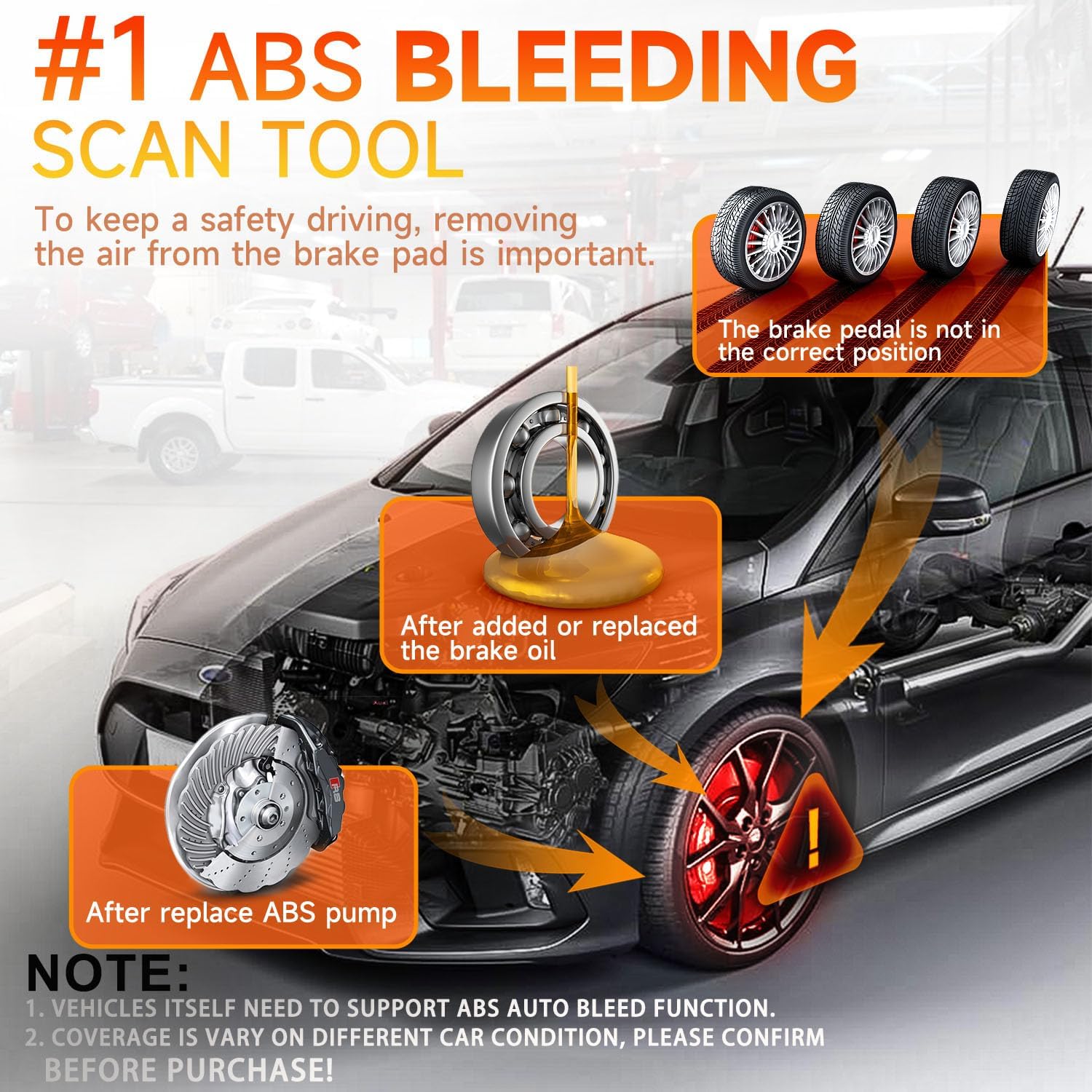
Image: An infographic detailing the ABS bleeding process, showing how air is removed from the brake system to restore proper brake pedal feel.

Image: Visuals demonstrating the SAS (Steering Angle Sensor) calibration, Oil/Service Light Reset, and EPB (Electronic Parking Brake) Reset functions available on the scanner.
Battery Test Functions (NT630 Pro Only)
The NT630 Pro includes comprehensive 12V battery testing capabilities. Connect the battery clamps to the vehicle battery terminals (red to positive, black to negative).
- Prova de la bateria: Analyzes the battery's State of Health (SOH), State of Charge (SOC), voltage, i la resistència interna.
- Prova d'arrencada: Measures the actual cranking voltage and cranking time to determine the battery's cranking ability.
- Prova de càrrega: Checks the vehicle's charging system, including generator output and rectifier diode.

Image: Screenshots of the NT630 Pro displaying results for Battery Test, Cranking Test, and Charging Test, along with icons for various battery status checks.

Image: An illustration detailing the various battery types supported (AGM, Gel, Flooded) and the wide range of vehicles (cars, trucks, boats, motorcycles) that can be tested with the NT630 Pro's battery function.
Manteniment
Actualitzacions de programari
Regular software updates are crucial for maintaining compatibility with new vehicle models and for accessing new features. Updates are performed via a computer using the provided USB cable and FOXWELL's update software.
- Visit the official FOXWELL website to download the latest update tool and firmware.
- Install the update tool on your computer.
- Connecteu l'escàner a l'ordinador mitjançant el cable USB.
- Follow the on-screen instructions in the update tool to download and install the firmware.
Neteja i emmagatzematge
- Clean the scanner's screen and casing amb un suau, damp tela. No utilitzeu netejadors abrasius ni dissolvents.
- Mantingueu el dispositiu sec i allunyat de temperatures extremes.
- Store the scanner and its accessories in the provided case to prevent damage.
Resolució de problemes
| Problema | Causa possible | Solució |
|---|---|---|
| L'escàner no s'encén. | Loose connection; Vehicle ignition off; Blown fuse in vehicle's OBD2 port. | Ensure cable is securely connected. Turn ignition to ON. Check vehicle's fuse box for a blown fuse related to the OBD2 port. |
| Missatge "Error d'enllaç" o "Error de comunicació". | Incorrect protocol; Faulty cable; Vehicle not OBD2 compliant; Damaged DLC. | Verify vehicle is OBD2 compliant (1996 and newer for US). Check cable for damage. Try on another vehicle if possible. |
| Cannot perform ABS Bleeding/Special Function. | Vehicle not supported; Incorrect procedure. | Check FOXWELL's official website for vehicle compatibility list. Ensure all steps in the procedure are followed correctly. |
| Battery test results are inconsistent (NT630 Pro). | cl. soltamps; Dirty battery terminals; Battery not fully charged. | Assegureu-vos que clamps are securely attached. Clean battery terminals. Charge battery fully before testing. |
Especificacions
| Característica | Detall |
|---|---|
| Mostra | LCD color |
| Connectivitat | OBD2 16-pin, USB |
| Vol. Operatiutage | 8-18V (Vehicle power) |
| Temperatura de funcionament | De 0 a 60 °C (de 32 a 140 °F) |
| -20 a 70 °C (-4 a 158 °F) | Temperatura d'emmagatzematge |
| Dimensions | (Approximate, specific dimensions not provided in input) Compact handheld design |
| Pes | (Approximate, specific weight not provided in input) Lightweight |
| Protocols compatibles | ISO9141-2, ISO14230-4, KWP2000, J1850 VPW, J1850 PWM, CAN, ISO15765 |
| Battery Test Range (NT630 Pro) | 12V batteries, 100-2000 CCA |


