Introducció
This manual provides detailed instructions for the safe and efficient use of your Generico C71 Pro 4G Flip Phone. Please read this manual thoroughly before operating the device and retain it for future reference.
The Generico C71 Pro is a 4G flip phone designed for ease of use, featuring a KaiOS operating system, large buttons, a 2.8-inch display, and essential functions like an SOS button and a charging dock. It supports 2G, 3G, and 4G networks.
Contingut del paquet
Verifiqueu que tots els elements que s'enumeren a continuació siguin presents al paquet del producte:
- 1 x 4G Flip KaiOS Senior Phone (Generico C71 Pro)
- 1 x Charger & Charging Cable (USB cable and power adapter)
- 1 x Battery (1400mAh Lithium-ion)
- 1 x Manual d'usuari (aquest document)
- 1 x Base de càrrega
- 1 x Auricular

Image: Contents of the Generico C71 Pro flip phone package, including the phone, charging dock, charger, cable, battery, earphones, and user manual.
Dispositiu acabatview
Familiarize yourself with the main components of your Generico C71 Pro flip phone.

Image: The Generico C71 Pro flip phone in an open position, displaying its large keypad and 2.8-inch screen with a KaiOS interface. Beside it is the charging dock.

Imatge: Lateral view of the Generico C71 Pro flip phone, highlighting the rear camera, SOS button, and volume controls. The external display shows icons for incoming call, message, alarm, and battery level alerts.
Configuració
1. Instal·lació de la targeta SIM i la bateria
- Obriu la tapa posterior del telèfon.
- Insert your 4G compatible SIM card(s) into the designated slot(s). Ensure the SIM card is correctly oriented.
- Insert the 1400mAh Lithium-ion battery into the battery compartment, aligning the contacts.
- Col·loqueu la coberta posterior de manera segura.
2. Càrrega inicial
Abans del primer ús, carregueu completament la bateria del telèfon.
- Connect the USB cable to the charger and then to the phone's Micro USB port, or place the phone in the charging cradle.
- Connecteu el carregador a una presa de corrent.
- L'indicador de càrrega mostrarà l'estat de càrrega. Una càrrega completa sol trigar aproximadament 2 hores.
Instruccions de funcionament
1. Encendre/apagar
- Per encendre: Premeu i manteniu premut el botó d'engegada/finalització de trucada fins que la pantalla s'il·lumini.
- Per apagar: Mantingueu premut el botó d'engegada/finalització de trucada i, a continuació, seleccioneu "Apagar" de les opcions.
2. Fer i rebre trucades
- Fer una trucada: Dial the number using the large keypad and press the Green Call button.
- Respondre una trucada: When the phone rings, press the Green Call button to answer.
- Finalització d'una trucada: Premeu el botó vermell de finalitzar trucada.

Image: Close-up of the Generico C71 Pro's keypad, showing individual, large, and backlit buttons for easy dialing and navigation.
3. SOS Emergency Function
The SOS button allows for quick contact with pre-set emergency numbers.
- Configuració de números SOS: Navigate to the SOS settings in the phone menu to add up to 5 emergency contacts.
- Activació de SOS: In an emergency, press and hold the SOS button on the back of the phone for 3 seconds. The phone will automatically dial the pre-set emergency numbers sequentially and send an emergency text message.
4. Speed Dial Keys
Assign frequently called numbers to speed dial keys for one-touch dialing.
- Setting Speed Dial: Access the speed dial settings in the phone menu. You can assign up to 10 numbers to the numeric keys (0-9) and M1/M2 keys.
- Using Speed Dial: Press and hold the assigned numeric key (e.g., '2' for "Best Friend") to dial the contact.

Image: The Generico C71 Pro's keypad illustrating the 10 speed dial keys, with examples like M1 for "Wife/Husband" and M2 for "Daughter", and numbers 2-9 assigned to other family members.
5. KaiOS Features and Applications
Your Generico C71 Pro runs on KaiOS, offering a range of smart features.
- Aplicacions preinstal·lades: WhatsApp, Facebook, Google Maps.
- Altres característiques: Integrated video player, Bluetooth connectivity, FM radio, calculator, alarm clock, calendar, and web navegador.
- App Store: Access the Google App Store to download and install additional applications.
- Note: Video calling functionality is not supported by the operating system.

Image: A graphic displaying icons for various features available on the Generico C71 Pro, including Bluetooth, WiFi, SOS Button, Maps, Browser, E-Mail, Camera, Music, Clock, and FM Radio.
6. Ús de la càmera
The phone features both front and rear cameras for capturing photos and videos.
- Accés a la càmera: Navegueu fins a l'aplicació Càmera des del menú principal.
- Fer fotos/vídeos: Use the on-screen controls to switch between front/rear cameras, take pictures, or record videos.
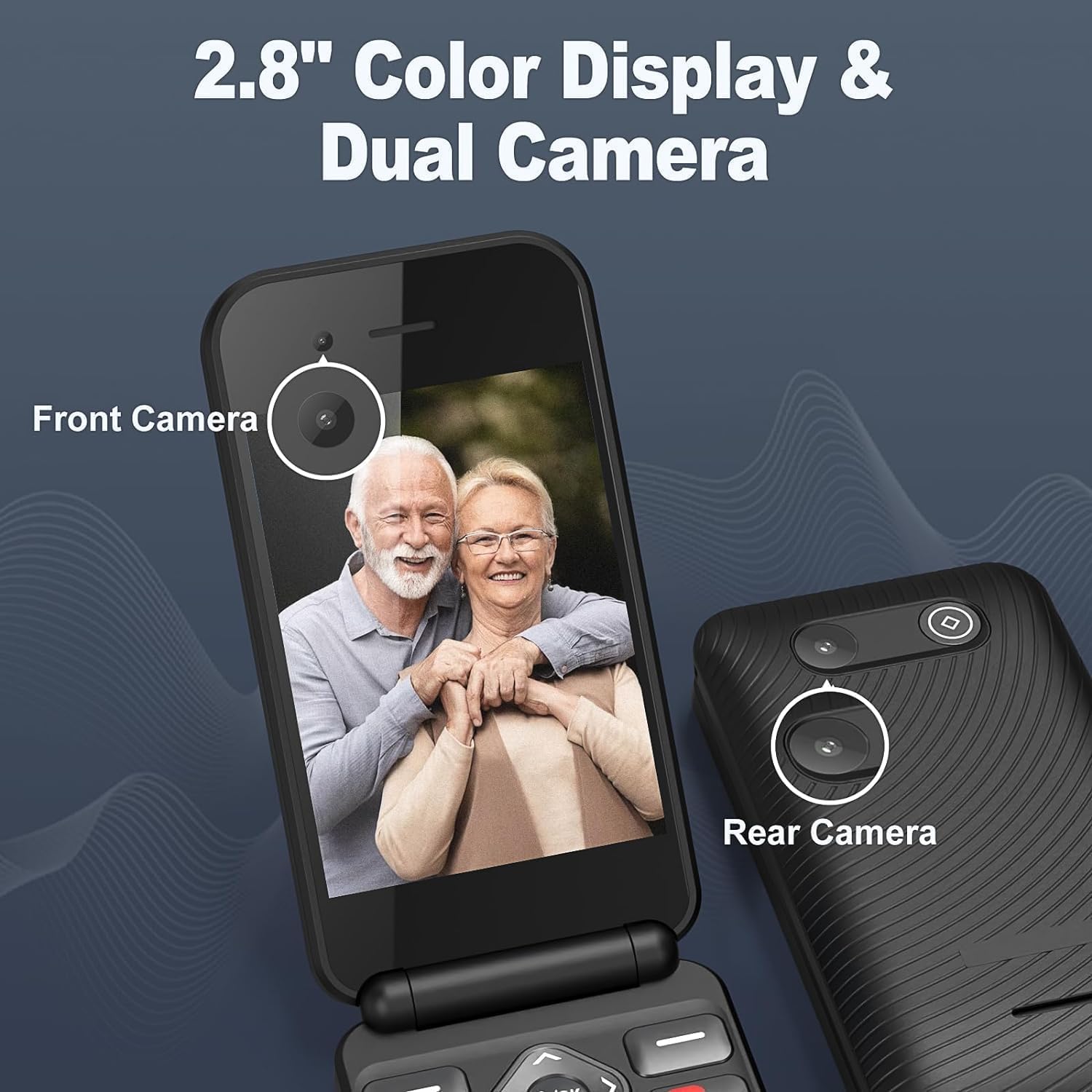
Image: The Generico C71 Pro flip phone displaying its 2.8-inch color screen with a photo of two seniors. The image also points out the front camera and the rear camera.
Manteniment
- Neteja: Feu servir un drap suau i sec per netejar la pantalla i la carcassa del telèfon. Eviteu utilitzar netejadors líquids o materials abrasius.
- Cura de la bateria: To prolong battery life, avoid exposing the phone to extreme temperatures. Charge the battery regularly, but avoid overcharging.
- Emmagatzematge: If storing the phone for an extended period, ensure it is partially charged (around 50%) and stored in a cool, dry place.
- Actualitzacions de programari: Periodically check for KaiOS software updates through the phone's settings to ensure optimal performance and security.
Resolució de problemes
| Problema | Possible solució |
|---|---|
| El telèfon no s'encén. | Assegureu-vos que la bateria estigui correctament instal·lada i carregada. Connecteu el telèfon al carregador i torneu-ho a provar. |
| No es poden fer ni rebre trucades. | Comproveu si la targeta SIM està correctament inserida i activada. Verifiqueu la intensitat del senyal de xarxa. Assegureu-vos que el mode avió estigui desactivat. |
| La bateria s'esgota ràpidament. | Redueix la brillantor de la pantalla. Tanca les aplicacions que no fas servir. Limita l'ús de dades en segon pla. Considera la possibilitat de substituir la bateria si és antiga. |
| El botó SOS no funciona. | Ensure emergency numbers are correctly set in the SOS settings. Test the function in a non-emergency situation. |
| No es pot connectar a la xarxa Wi-Fi/Bluetooth. | Ensure Wi-Fi/Bluetooth is enabled in settings. Check network availability and password. Restart the phone. |
Especificacions
| Característica | Detall |
|---|---|
| Marca | Genèric |
| Número de model | C71 Pro |
| Sistema operatiu | KaiOS |
| Tecnologia cel·lular | 4G (compatible with 2G/3G) |
| Connectivitat | Bluetooth, USB, Wi-Fi |
| Mida de la pantalla | 2.8 polzades |
| Internal Storage (RAM Size) | 32 GB (Note: This is likely internal storage, not RAM) |
| Ranures per a targetes SIM | SIM única |
| Capacitat de la bateria | 1400 mAh d'ions de liti |
| Temps de conversa | Fins a 5-6 hores |
| Temps d'espera | Fins a 200 hores (aproximadament 8 dies) |
| Port de càrrega | Micro USB |
| Característiques especials | Expandable memory, WhatsApp/Facebook support, USB OTG, Fast charging, SOS button, Large backlit buttons, Dual Camera. |
| Color | Negre |

Image: Graphic illustrating the Generico C71 Pro's 1400mAh battery, showing 2 hours for fast charging, 5 hours of continuous talk time, and 8 days of long standby time.

Image: A visual representation of the Generico C71 Pro's 4G HD Voice Calling capability, emphasizing backward compatibility with 3G/2G for stronger signal, faster speed, and clearer calls.
Garantia i Suport
Per obtenir informació sobre la garantia i assistència tècnica, consulteu la documentació que s'inclou amb la compra o poseu-vos en contacte amb el vostre distribuïdor. Conserveu el comprovant de compra per a reclamacions de garantia.
Manufacturer: Shenzhen Arington LTD


