1. Introducció
Welcome to the user manual for your UNIWA W999 Rugged Smartphone. This device is engineered for durability and high performance, featuring an IP68 certification for water and dust resistance, an Octa-Core processor, 8GB RAM, 128GB ROM, and a robust 4400mAh battery. Running on Android 13, it offers a secure and efficient mobile experience for demanding environments.

Figura 1: Davant, darrere i lateral view of the UNIWA W999 rugged smartphone, showcasing el seu disseny robust.
2. Configuració
2.1 Què hi ha a la caixa
- UNIWA W999 Rugged Smartphone
- Adaptador d'alimentació
- Cable USB
- Manual d'usuari (aquest document)
2.2 Instal·lació de la targeta SIM i la targeta SD
- Localitza la safata de la targeta SIM/SD al lateral del dispositiu.
- Feu servir l'eina d'expulsió de la SIM proporcionada per obrir la safata.
- Carefully place your Nano-SIM card(s) and/or microSD card into the designated slots. Ensure correct orientation.
- Empènyer suaument la safata cap al dispositiu fins que encaixi al seu lloc.
2.3 Càrrega inicial
Before first use, fully charge your UNIWA W999. Connect the provided USB cable to the phone's charging port and the power adapter. Plug the adapter into a wall outlet. The charging indicator will show the charging status.
2.4 Engegada i configuració inicial
Press and hold the Power button (located on the side) until the screen lights up. Follow the on-screen prompts to complete the initial setup, including language selection, Wi-Fi connection, Google account setup, and security settings.
3. Funcionament del vostre dispositiu
3.1 Operacions bàsiques
- Encès/apagat: Premeu i manteniu premut el botó d'engegada. Seleccioneu "Apagar" o "Reiniciar".
- Bloqueig/desbloqueig de pantalla: Premeu breument el botó d'engegada.
- Control de volum: Feu servir els botons de pujar el volum i baixar el volum que hi ha al lateral del dispositiu.
- Navegació: Use the on-screen navigation bar (Back, Home, Recent Apps) or gesture navigation if enabled.
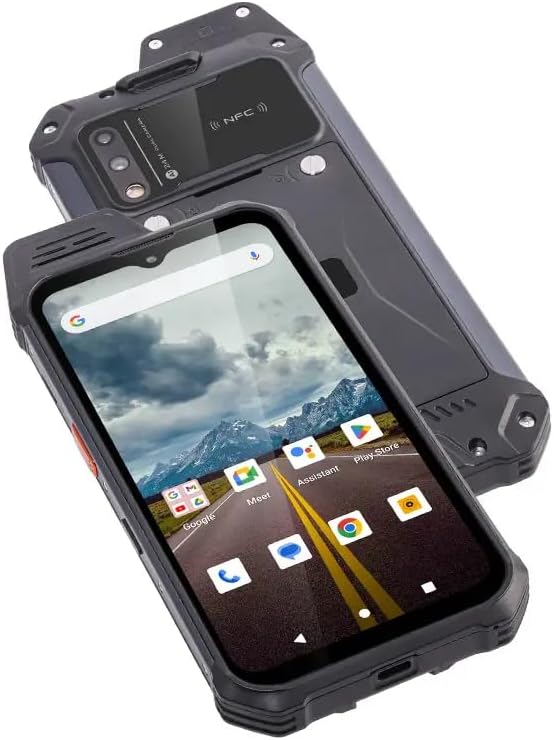
Figura 2: Angle view of the UNIWA W999, showing the display with app icons and its rugged construction.
3.2 Característiques clau
3.2.1 IP68 Water and Dust Resistance
The UNIWA W999 is IP68 certified, meaning it is protected against dust ingress and can withstand immersion in water up to 1.5 meters for 30 minutes. Ensure all port covers are securely closed before exposing the device to water or dust.

Figure 3: The UNIWA W999 demonstrating its IP68 waterproof capability.
3.2.2 NFC Support
The device supports Near Field Communication (NFC), allowing for contactless payments, quick pairing with compatible devices, and data transfer by simply tapping the phone against another NFC-enabled device or reader.
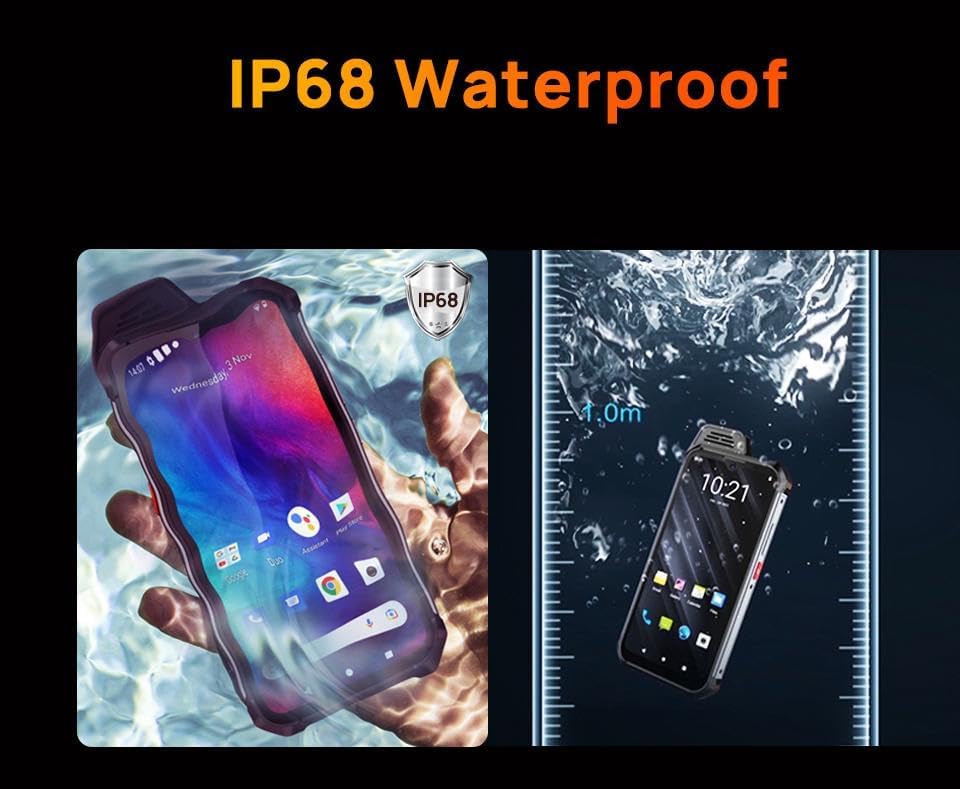
Figure 4: Using the UNIWA W999 for contactless payment via NFC.
3.2.3 Sensor d'empremta digital
For enhanced security, the UNIWA W999 features a side-mounted fingerprint sensor. To set up: Go to Configuració > Seguretat > empremta digital and follow the instructions to register your fingerprints. You can then use your fingerprint to unlock the device and authorize purchases.
3.2.4 Funcions de la càmera
The UNIWA W999 is equipped with a 24MP rear dual camera and a 5MP front camera. Open the Camera app to capture photos and videos. Explore various modes such as Portrait, Panorama, and Night mode for different shooting scenarios.

Figura 5: Primer pla view of the UNIWA W999's rear camera module and NFC area.
3.2.5 Rendiment i connectivitat
Powered by an Octa-Core MediaTek Helio G99 processor with 8GB RAM and 128GB ROM, the device ensures smooth multitasking and ample storage. It supports 2G, 3G, and 4G networks, Wi-Fi, and Bluetooth for comprehensive connectivity.

Figura 6: Mésview of UNIWA W999's core features and specifications.
4. Manteniment
4.1 Neteja del dispositiu
To clean your UNIWA W999, use a soft, lint-free cloth. For stubborn dirt, slightly dampen the cloth with water. Avoid using harsh chemicals, solvents, or abrasive materials, as these can damage the device's rugged coating and seals.
4.2 Cura de la bateria
To maximize battery life, avoid extreme temperatures. Do not fully discharge the battery frequently. For long-term storage, charge the battery to about 50% and store the device in a cool, dry place.
4.3 Actualitzacions de programari
Comproveu i instal·leu regularment si hi ha actualitzacions de programari per garantir un rendiment òptim, seguretat i accés a noves funcions. Aneu a Configuració > Sistema > Actualització del sistema per comprovar si hi ha actualitzacions disponibles.
5. Solució De Problemes
5.1 El dispositiu no s'encén
- Assegureu-vos que la bateria estigui carregada. Connecteu el carregador i espereu uns minuts abans d'intentar engegar-lo.
- Mantingueu premut el botó d'engegada durant almenys 10-15 segons per forçar un reinici.
5.2 La pantalla no respon
- Reinicieu el dispositiu mantenint premut el botó d'engegada.
- Netegeu la pantalla amb un drap suau i sec.
5.3 Problemes de connectivitat (Wi-Fi/Bluetooth/4G)
- Toggle Wi-Fi/Bluetooth/Mobile Data off and on again.
- Reinicieu el vostre encaminador per problemes de Wi-Fi.
- Assegureu-vos que la targeta SIM estigui inserida correctament i que el vostre pla de mòbil estigui actiu.
- Restableix la configuració de xarxa: Configuració > Sistema > Opcions de restabliment > Restablir Wi-Fi, mòbil i Bluetooth.
5.4 La bateria s'esgota ràpidament
- Redueix la brillantor de la pantalla.
- Tanca les aplicacions no utilitzades que s'executen en segon pla.
- Disable features like Wi-Fi, Bluetooth, GPS when not in use.
- Comprova l'ús de la bateria a Configuració > Bateria per identificar aplicacions que consumeixen molta energia.
5.5 Restabliment de fàbrica
Si els problemes persisteixen, un restabliment de fàbrica pot resoldre molts problemes relacionats amb el programari. Avís: Això esborrarà totes les dades del telèfon. Fes una còpia de seguretat de les dades importants abans de continuar. Vés a Configuració > Sistema > Opcions de restabliment > Esborra totes les dades (restabliment de fàbrica) i seguiu les indicacions.
6. Especificacions
| Característica | Especificació |
|---|---|
| Marca | OBA |
| Nom del model | ATEX W888 (W999) |
| Sistema operatiu | Android 13.0 |
| Processador | MediaTek Helio (Octa-Core, 8 GHz) |
| RAM | 8 GB (Installed Flash Memory) / 64 GB (Installed RAM Capacity) |
| Emmagatzematge intern | 128 GB |
| Mida de la pantalla | 6.4 polzades |
| Tipus de visualització | AMOLED |
| Resolució | 2220 x 1080 |
| Capacitat de la bateria | 4400 mAh |
| Connectivitat | 4G, Wi-Fi, Bluetooth |
| Dimensions | 17.5 x 8.2 x 1.6 cm |
| Pes | 560 g |
| Característiques especials | IP68 Certified, Fingerprint Sensor, NFC |
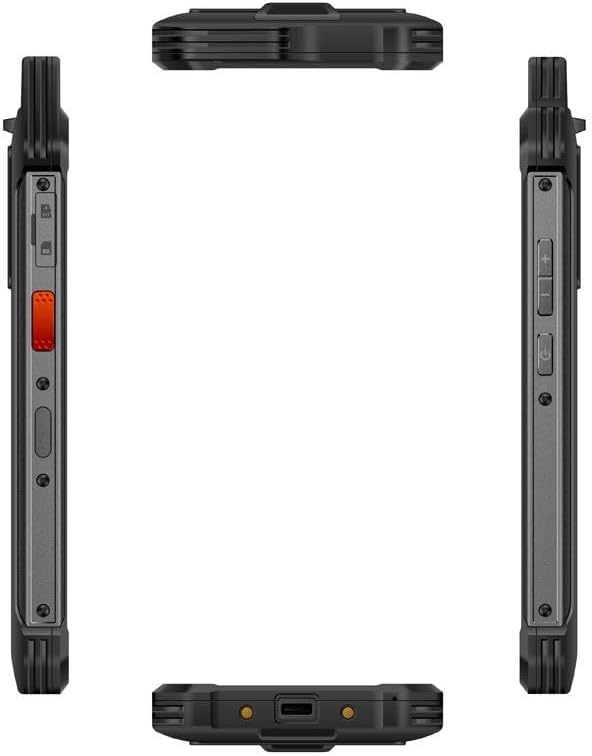
Figura 7: Diversos views of the UNIWA W999, highlighting its physical design and ports.
7. Garantia i Suport
Per obtenir informació sobre la garantia i assistència al client, consulteu la documentació proporcionada en el moment de la compra o poseu-vos en contacte directament amb el venedor. Conserveu el comprovant de compra per a qualsevol reclamació de garantia.
For further assistance or technical inquiries, please reach out to the manufacturer's or seller's customer service channels.


