1. Introducció
This manual provides detailed instructions for the installation, operation, and maintenance of your eRapta ACT1002 Magnetic Wireless Backup Camera System. Please read this manual thoroughly before using the product to ensure proper function and safety.
2. Contingut del paquet
Verifiqueu que tots els elements que s'enumeren a continuació s'inclouen al vostre paquet:
- 10.1" Monitor (x1)
- Magnetic Camera (x2)
- Antena (x5)
- Carregador de cotxe (x1)
- U-shaped Bracket (x1)
- Cable tipus C (x1)
- Cargols de càmera
- Fan-shaped Bracket (x1)

3. Configuració i instal·lació
3.1 Instal·lació de la càmera
The eRapta ACT1002 cameras feature a strong magnetic base for easy, no-wiring installation on any metal surface. Ensure the camera is fully charged before initial use.
- Càmeres de càrrega: Use the included Type-C cable to fully charge both magnetic cameras. The built-in 9600mAh battery provides extended use.
- Col·loca les antenes: Screw the antennas onto the designated ports on each camera.
- Muntar càmeres: Securely attach the cameras to any metal surface on your vehicle (RV, trailer, truck, tractor). The magnetic base ensures a firm hold. For non-magnetic surfaces, use the provided fan-shaped bracket and screws for permanent installation.


3.2 Instal·lació del monitor
- Fixeu el suport: Secure the 10.1-inch monitor to your dashboard or windshield using the U-shaped or fan-shaped bracket.
- Power Monitor: Plug the monitor's car charger into your vehicle's cigarette lighter socket. The monitor will power on automatically when the vehicle starts.

4. Instruccions de funcionament
4.1 Encès/Apagat
The monitor automatically turns on when the vehicle starts and powers off when the vehicle is turned off. Cameras enter sleep mode when the monitor is off to conserve battery.
4.2 Emparellament de la càmera
The cameras and monitor are pre-paired at the factory. If re-pairing is needed, refer to the system settings menu on the monitor.
4.3 Viewmodes
The 10.1-inch monitor supports up to four cameras and offers multiple viewopcions d'ing:
- Pantalla completa: Displays a single camera view.
- Pantalla dividida: Mostra dues càmeres views simultàniament.
- Quad View: Displays four camera views simultaneously (if four cameras are connected).
Use the 'CH' button on the monitor to cycle through available camera channels and viewmodes de funcionament.
4.4 Parking Assistance
The 10.1-inch monitor features adjustable parking lines with a 150° wide-angle view. Customize parking line settings (width, height, position) using the buttons above the screen for precise guidance.

4.5 Loop Video Recording
Insert an SD card (not included, max 128GB) into the monitor to activate loop recording. This feature continuously records footage, overwriting the oldest files when the card is full. Recorded videos can be played back directly on the monitor.
5. Característiques acabadesview
- HD1080P Resolution: Upgraded resolution for vibrant image quality day and night.
- Visió nocturna IR: Ensures clear visibility in low-light conditions.
- Bateria recarregable de 9600 mAh: Extended battery life with automatic sleep mode for power saving. Charges via Type-C.
- IP69K Waterproof: Durable construction to withstand harsh weather and temperatures from -6°F to 151°F.
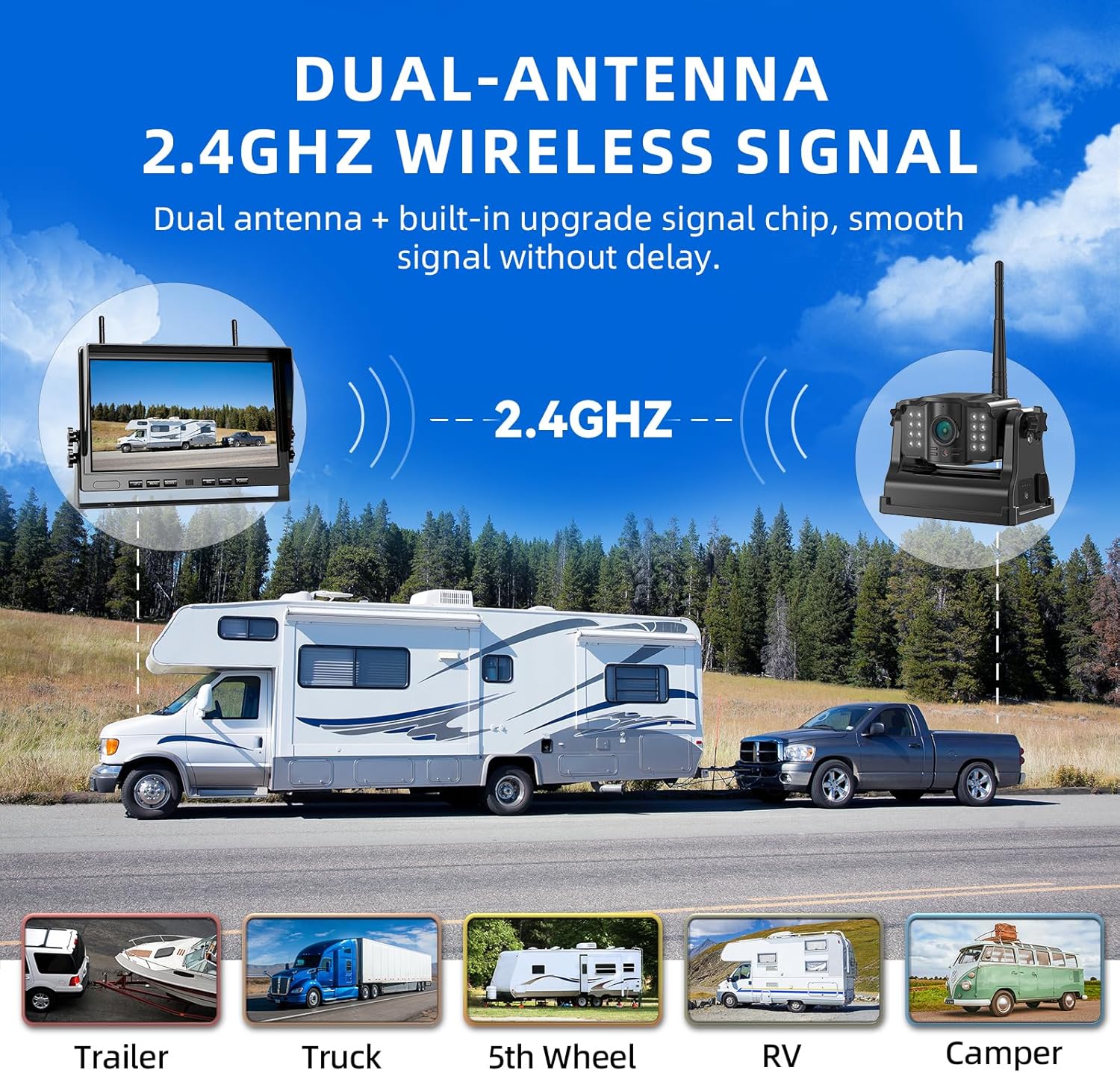
- Dual-Antenna 2.4GHz Wireless Signal: Provides strong and stable signal transmission without delay.

6. Manteniment
- Neteja: Utilitzeu un suau, damp cloth to clean the camera lenses and monitor screen. Avoid abrasive cleaners.
- Cura de la bateria: For optimal battery life, fully charge the cameras before long periods of inactivity.
- Actualitzacions de firmware: Check the eRapta official weblloc web periòdicament per a les actualitzacions de firmware disponibles per garantir un rendiment òptim.
7. Solució De Problemes
| Problema | Causa possible | Solució |
|---|---|---|
| Sense senyal al monitor | Camera not powered on or out of range; interference. | Ensure cameras are charged and powered. Move cameras closer to the monitor. Check for strong signal interference. |
| Poor Image Quality | Dirty lens; low light (without IR); signal interference. | Clean camera lens. Ensure IR night vision is active in low light. Reduce signal interference. |
| Monitor Not Powering On | Car charger not properly connected or vehicle's power outlet is off. | Check car charger connection and vehicle's power. Ensure vehicle ignition is on. |
8. Especificacions
- Número de model: ACT1002
- Mida de la pantalla: 10.1 polzades
- Tecnologia de visualització: LCD
- Tecnologia del sensor òptic: CMOS
- Angle real de View: 150 graus
- Bateria: 9600 mAh Lithium Ion (rechargeable)
- Classificació impermeable: IP69K
- Temperatura de funcionament: -6 °F a 151 °F
- Freqüència sense fil: 2.4 GHz
- Compatibilitat màxima amb targetes SD: 128GB (not included)
9. Garantia i Suport
eRapta offers a 2-year warranty for the ACT1002 Magnetic Wireless Backup Camera System. For any questions, concerns, or technical assistance, please contact our dedicated 24-hour online customer service.
Your satisfaction is our priority. Please refer to the product packaging or the official eRapta weblloc per obtenir dades de contacte.
10. Vídeos oficials de productes
10" 2 Magnetic Wireless Backup Camera Kit
This video demonstrates the features and functionality of the eRapta 10-inch magnetic wireless backup camera kit, highlighting its ease of use and clear display.


