1. Introducció
This user manual provides comprehensive instructions for the operation and maintenance of the FOXWELL NT201 OBD2 Scanner and the FOXWELL BT301 6V 12V Car Battery Tester. Please read this manual thoroughly before using the devices to ensure proper functionality and safety.
2. Producte acabatview
2.1. Components
El paquet normalment inclou:
- FOXWELL NT201 OBD2 Scanner Unit
- FOXWELL BT301 Battery Tester Unit
- OBDII Cable (integrated with NT201)
- Bateria Clamps Cable (integrated with BT301)
- Manual d'usuari (aquest document)
2.2. Característiques clau
- NT201 OBD2 Scanner: Reads and clears diagnostic trouble codes (DTCs), displays live data, performs I/M readiness tests, views freeze frame data, and retrieves vehicle information.
- BT301 Battery Tester: Conducts battery health checks, cranking tests, charging system tests, SOC (State of Charge) tests, SOH (State of Health) tests, starter tests, and alternator tests for 6V and 12V batteries.
- User-friendly interface with vibrant digital screen.
- Advanced conductivity technology for precise results.
- Suitable for various battery types including AGM flat plate, AGM spiral, GEL, EFB, and regular flooded batteries.

Figure 1: FOXWELL NT201 OBD2 Scanner (left) and BT301 Battery Tester (right).
3. Configuració
3.1. NT201 OBD2 Scanner Setup
- Localitza el connector d'enllaç de dades (DLC) de 16 pins del vehicle. Normalment es troba sota el tauler de control, al costat del conductor.
- Assegureu-vos que el contacte del vehicle estigui en la posició OFF.
- Connect the NT201's OBDII cable to the vehicle's DLC.
- Gireu el contacte del vehicle a la posició ON (motor apagat). L'escàner s'engegarà automàticament.
3.2. BT301 Battery Tester Setup
- Assegureu-vos que el contacte del vehicle estigui en posició OFF (apagat) i que tots els accessoris estiguin apagats.
- Connecteu el positiu vermell (+) clamp of the BT301 to the positive (+) terminal of the battery.
- Connecteu el negatiu negre (-) clamp of the BT301 to the negative (-) terminal of the battery.
- The BT301 will power on automatically once connected correctly.
4. Instruccions de funcionament
4.1. NT201 OBD2 Scanner Operation
The NT201 provides various diagnostic functions. Navigate through the menus using the UP/DOWN arrows and confirm selections with the ENTER button.
- Llegir codis: Displays current, pending, and historic Diagnostic Trouble Codes (DTCs).
- Esborra codis: Esborra els DTC de l'ordinador del vehicle i apaga l'indicador de fallades Lamp (MIL). Note: Ensure the underlying issue is resolved before clearing codes.
- Dades en directe: Shows real-time data stream from the vehicle's sensors.
- Preparació I/M: Comprova l'estat dels monitors relacionats amb les emissions per determinar si el vehicle està preparat per a una prova d'emissions.
- View Congelar fotograma: Mostra una instantània de les condicions de funcionament del vehicle en el moment en què es va produir una avaria relacionada amb les emissions.
- Informació del vehicle: Recupera el número d'identificació del vehicle (VIN), l'ID de calibratge (CALID) i el número de verificació de calibratge (CVN).

Figure 2: NT201 Professional Code Reader Interface.

Figure 3: Turning off the Check Engine Light using NT201.
4.2. BT301 Battery Tester Operation
The BT301 offers comprehensive battery analysis. Use the MENU, VOLT, BACK, and ENTER buttons to navigate and select tests.
- Prova de la bateria: Evaluates the overall health of the battery, including voltage, CCA (arrancada en fred Amps), and internal resistance.
- Prova d'arrencada: Measures the actual cranking voltage and cranking time to determine if the battery has sufficient power to start the engine.
- Prova de càrrega: Checks the vehicle's charging system, including the alternator and voltage regulator, to ensure proper charging voltage.
- SOC Test: Determines the State of Charge of the battery.
- SOH Test: Determines the State of Health of the battery.
- Prova d'inici: Assesses the performance of the vehicle's starter motor.
- Prova de l'alternador: Specifically tests the alternator's output.
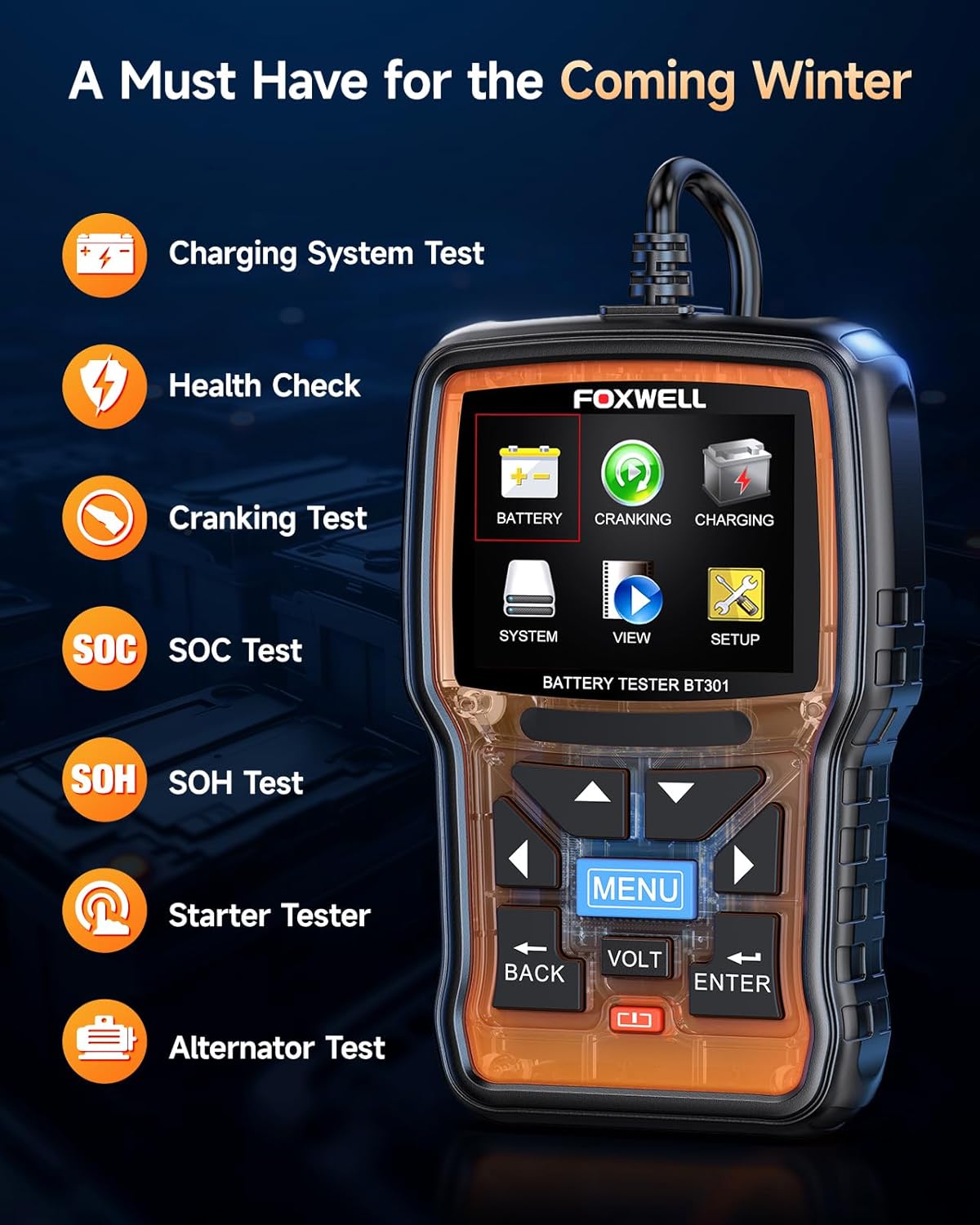
Figure 4: BT301 Battery Tester Main Menu.

Figura 5: Example BT301 Test Results.
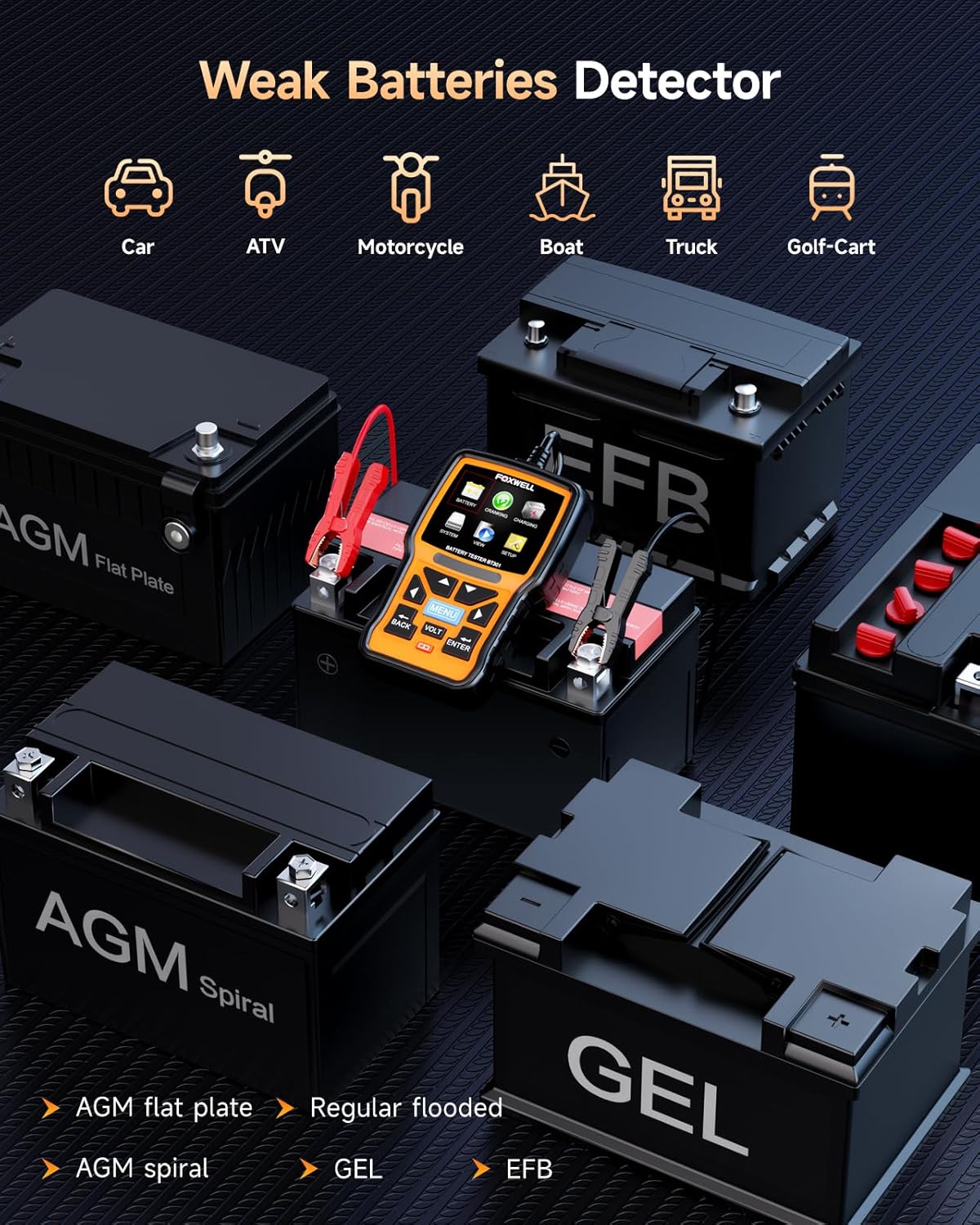
Figure 6: BT301 compatibility with various battery types.
5. Manteniment
- Neteja: Netegeu el dispositiu amb un suau, damp tela. No utilitzeu netejadors abrasius ni dissolvents.
- Emmagatzematge: Store the devices in a dry, cool place away from direct sunlight and extreme temperatures.
- Cura del cable: Avoid bending or crimping the cables excessively. Inspect cables for damage before each use.
- Actualitzacions de programari: Check the FOXWELL official website periodically for software updates for the NT201 and BT301 to ensure optimal performance and compatibility with newer vehicles.
6. Solució De Problemes
| Problema | Causa possible | Solució |
|---|---|---|
| El dispositiu no s'encén. | Incorrect connection; Vehicle ignition off (NT201); Battery completely dead (BT301). | Ensure proper connection to DLC (NT201) or battery terminals (BT301). Turn vehicle ignition to ON (NT201). Charge battery before testing (BT301). |
| NT201 displays "Link Error". | Loose connection; Vehicle not OBDII compliant; Faulty DLC. | Check cable connection. Verify vehicle is OBDII compliant (1996 or newer for US vehicles). Consult a mechanic for DLC inspection. |
| BT301 shows "Battery Low" or "Replace Battery". | Battery is discharged or at end of life. | Charge the battery and retest. If issue persists, battery replacement may be necessary. |
| Inaccurate BT301 readings. | Pobre clamp connection; Corroded battery terminals. | Assegureu-vos que clamps are securely attached. Clean battery terminals if corroded. |
7. Especificacions
7.1. FOXWELL NT201 OBD2 Scanner
- Visualització: LCD retroil·luminat
- Temperatura de funcionament: De 0 a 60 °C (de 32 a 140 °F)
- Temperatura d'emmagatzematge: -20 a 70 °C (-4 a 158 °F)
- Potència externa: 8.0 to 18.0 V power provided via vehicle battery
- Protocols: OBDII/EOBD compliant
7.2. FOXWELL BT301 Battery Tester
- Voltage Rang: 6 V - 12 V
- Interval de prova: 100-2000 CCA
- Tipus de bateries: Flooded, AGM, GEL, EFB
- Temperatura de funcionament: De 0 a 50 °C (de 32 a 122 °F)
- Temperatura d'emmagatzematge: -20 a 70 °C (-4 a 158 °F)
8. Garantia i Suport
FOXWELL products typically come with a standard manufacturer's warranty. For specific warranty details and duration, please refer to the warranty card included with your product or visit the official FOXWELL website. For technical support, product inquiries, or service, please contact FOXWELL customer service through their official channels.
Oficial Weblloc: www.foxwelltech.com


