Introducció
The GOOVIS Art XR Head Mounted Display offers a revolutionary visual experience with its 110-inch FHD Micro-OLED screen. Designed for multitasking, entertainment, and productivity, this lightweight and compact device provides stunning clarity and comfort. This manual provides detailed instructions to help you set up, operate, and maintain your GOOVIS Art for optimal performance.
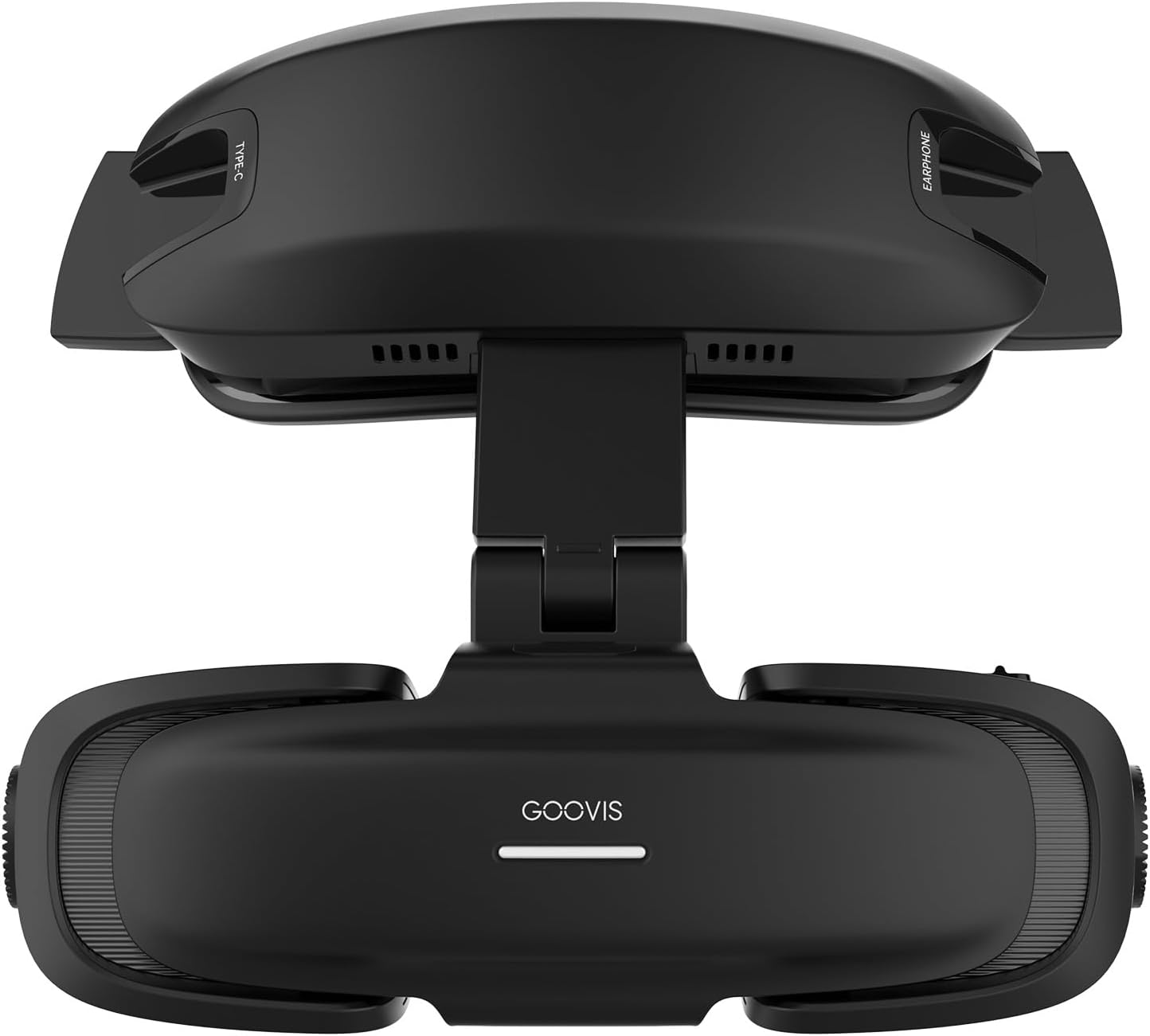
The GOOVIS Art XR Head Mounted Display, showcasing el seu disseny elegant.
Què hi ha a la caixa
Upon unboxing your GOOVIS Art, please ensure all the following components are present:
- GOOVIS Art HMD (Head Mounted Display)
- Bossa de transport
- Standard Headband
- Cable USB-C a USB-C
- Suport al front
- Lens Protection Cap
- Drap de neteja de lents
- Manual d'usuari
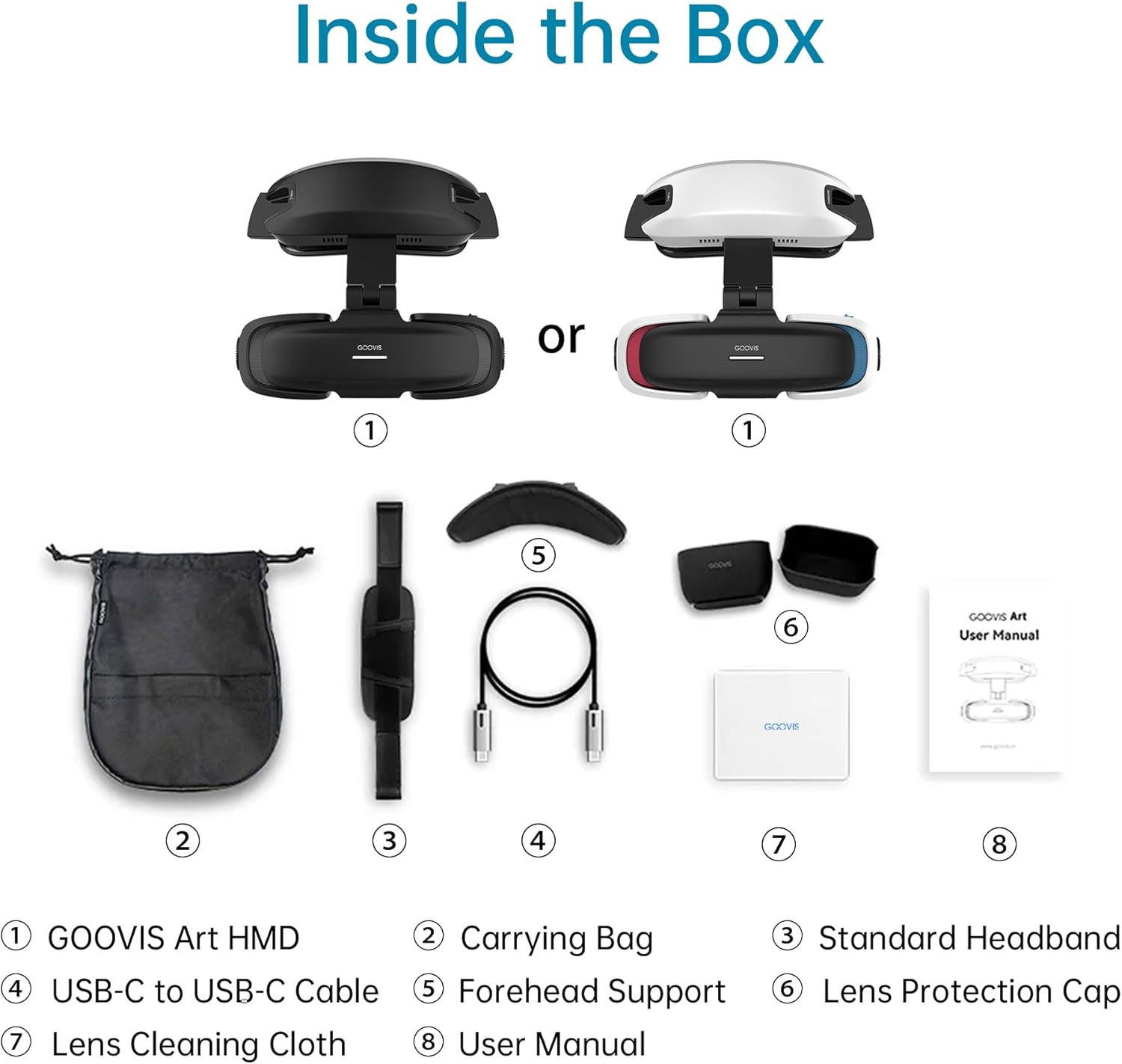
Visual representation of all items included in the GOOVIS Art packaging.
Configuració i connectivitat
The GOOVIS Art is designed for easy connection to a wide range of devices. Below are instructions for common setup scenarios.
Connecting with a Power Type-C Hub (TPS20) for Extended Use
This setup allows for more than 6 hours of continuous use by connecting your GOOVIS Art to an Android Type-C phone via the TPS20 Power Type-C Hub.
- Pas 1: Connect one end of the Type-C dedicated cable 1 to the Type-C port of your Android Type-C Phone.
- Pas 2: Connect the other end of cable 1 to the Type-C video input port of the TPS20 Power Type-C Hub.
- Pas 3: Connect one end of the Type-C dedicated cable 2 to the Type-C video output port of the TPS20.
- Pas 4: Connect the other end of cable 2 to the Type-C port of the GOOVIS Art.
Video demonstrating how to connect the GOOVIS Art with a TPS20 Power Type-C Hub and an Android phone for extended movie viewing.
Connecting with a Drone
Use your GOOVIS Art as a monitor for an immersive aerial photography experience with compatible drones (e.g., Mavic 2/Mavic 3 Screen Remote Control).
- Pas 1: Turn on both your Drone and its Screen Remote Control.
- Pas 2: Connect one end of the Type-C dedicated cable to the Type-C port of the Mavic 2/Mavic 3 Screen Remote Control.
- Pas 3: Connect the other end of the cable to the Type-C port of the GOOVIS Art.
Video tutorial on connecting the GOOVIS Art to a drone's screen remote control for FPV viewing.
Connecting with a Blu-ray Player
Enjoy your personal 3D cinema experience by connecting your GOOVIS Art to a Blu-ray player using an HC2.0 Adapter.
- Pas 1: Engegueu el reproductor de Blu-ray.
- Pas 2: Connect the HDMI Cable from the HC2.0 Adapter (HDMI to Type-C) to the Blu-ray Player.
- Pas 3: Connect one end of the Type-C dedicated cable to the Type-C port of the HC2.0 Adapter.
- Pas 4: Connect the other end of the cable to the Type-C port of the GOOVIS Art.
Video guide for connecting the GOOVIS Art to a Blu-ray player for a personal 3D cinema experience.
Compatibilitat universal de dispositius
The GOOVIS Art connects easily to a wide range of devices with USB-C video output (DisplayPort Alt Mode) or via an HDMI adapter.
- Direct USB-C Connection: iPhone 15/16, iPad, MacBook, Steam Deck, ROG Ally, Android phones, DJI drones, Windows Handhelds.
- Via GOOVIS HC2.0 Adapter: PC, PS5, cameras, Blu-ray players.
- Via GOOVIS TPS20 Power Hub: Nintendo Switch.

Diagram illustrating the various devices compatible with GOOVIS Art and their connection methods.
Instruccions de funcionament
Immersive HD Gaming Experience
Connect your GOOVIS Art to compatible gaming consoles or handhelds for a zero-lag, immersive HD gaming experience. The large virtual screen enhances gameplay without motion sickness.
Projecció de vídeoasing the GOOVIS Art providing an immersive HD gaming experience with a Steam Deck.
Obrir-View Design for Multitasking
The innovative open-view design allows you to maintain peripheral vision, enabling seamless switching between digital content and real-world interactions. This is ideal for multitasking, working in shared spaces, or staying aware of your surroundings.

Comparison image showing the open-view design of GOOVIS Art versus traditional AR glasses, highlighting improved situational awareness.
3D immersiu Viewing
Experience cinematic 3D effects by pairing your GOOVIS Art with compatible Side-by-Side (SBS) 3D format videos or games. A simple one-click switch activates the 3D mode.

Image depicting users enjoying an immersive 3D experience with the GOOVIS Art.
Diopter and IPD Adjustment
The GOOVIS Art is designed to accommodate various vision needs for a clear and comfortable viewexperiència.
- Prescription Glasses-Friendly: Wear your prescription glasses comfortably with the GOOVIS Art.
- Built-in Diopter Adjustment: For mild myopia users, adjust from 0 to -3.50D in 0.25D increments for sharp, customized clarity without additional lenses.
- Mechanical IPD Adjustment: Adjust the interpupillary distance from 58-74mm for precise alignment and optimal visual clarity, accommodating 95% of adult users.

Image illustrating the precise built-in diopter adjustment feature of the GOOVIS Art.

De dalt a baix view of the GOOVIS Art showing the mechanical interpupillary distance (IPD) adjustment range.
Característiques clau
- Ultra-Clear Cinematic Visuals: Dual 1080p Micro-OLED displays with an exclusive DSLR-grade aspherical (ASPH) optical system deliver a stunning 110'' virtual screen (4,496PPI, 55PPD) with less than 1% distortion, no edge blurring, glare, or stray light.
- Consistent Visual Performance: Optimized for edge-to-edge clarity in any environment, including bright outdoor conditions.
- Lleuger i portàtil: The main headset body weighs only 110g. Its compact, foldable design fits easily into a travel bag for on-the-go use.
- Ergonomic Wearing Design: Eliminates pressure on the nose and ears, providing a comfortable, barely noticeable experience for all-day wear.

Image highlighting the Micro-OLED displays and exclusive ASPH optical system for superior visuals.

Promotional image emphasizing the sharp visuals and high PPI/PPD of the GOOVIS Art.
Especificacions
| Característica | Detall |
|---|---|
| Dimensions del producte | 4.1 x 4.1 x 1.8 polzades |
| Pes de l'article | 1.65 lliures (0.75 quilograms) |
| Fabricant | Shenzhen NED Optics Co.,Ltd. |
| Número de model | GOOVIS-ART |
| Color | Negre |
| Característica especial | Pantalles AMOLED duals |
| Tecnologia de connectivitat | USB, HDMI |
| Components inclosos | Cable, Headstrap |
| Dispositius compatibles | Personal Computer, Media Player, Smartphone, Game Console |
| Interval d'edat (descripció) | Adult |
| Camp de View | 110 graus |
| Tipus de connector | USB-C, HDMI |
| Resolució de visualització | 1080p (Dual Micro-OLED) |
| Mida de la pantalla virtual | 110'' |
| Píxels per polzada (PPI) | 4,496 PPI |
| Pixels Per Degree (PPD) | 55 ppd |
| Distorsió | Menys del 1% |
| Ajust de diòptries | 0 to -3.50D (0.25D increments) |
| Ajust IPD | 58-74 mm |
Resolució de problemes
If you encounter issues with your GOOVIS Art, please refer to the following common troubleshooting steps:
- Sense pantalla/Pantalla negra:
- Ensure all cables are securely connected to both the GOOVIS Art and the source device.
- Verify the source device is powered on and outputting video.
- Check if the source device's display settings are configured correctly for external output.
- If using an adapter (e.g., HC2.0), ensure it is properly powered and functioning.
- Imatge borrosa:
- Adjust the diopter wheels on the GOOVIS Art until the image is clear.
- Adjust the IPD (interpupillary distance) slider to match your eye spacing for optimal clarity.
- Ensure the lenses are clean and free from smudges or dust. Use the provided lens cleaning cloth.
- Sense àudio:
- Comproveu la configuració de sortida d'àudio del dispositiu font.
- Ensure headphones are properly connected to the GOOVIS Art's earphone jack.
- Verify the volume levels on both the GOOVIS Art and the source device.
- Dispositiu no reconegut:
- Ensure your source device supports video output over USB-C (DisplayPort Alt Mode) or that your HDMI adapter is compatible.
- Try restarting both the GOOVIS Art and the source device.
- Test with a different compatible cable if available.
For persistent issues not covered here, please contact GOOVIS customer support.
Manteniment
Proper maintenance will ensure the longevity and optimal performance of your GOOVIS Art XR Head Mounted Display:
- Neteja de lents: Use only the provided lens cleaning cloth or a similar soft, lint-free microfiber cloth. Gently wipe the lenses in a circular motion. Do not use liquid cleaners, solvents, or abrasive materials, as they can damage the optical coatings.
- Neteja del cos: Wipe the exterior of the device with a soft, dry cloth. For stubborn marks, a slightly damp cloth can be used, but ensure no moisture enters any openings.
- Emmagatzematge: When not in use, store the GOOVIS Art in its carrying bag to protect it from dust, scratches, and impacts. Avoid storing in direct sunlight or extreme temperatures.
- Manipulació: Always handle the device by its main body. Avoid putting pressure on the lenses or the adjustable mechanisms.
- Cura del cable: Avoid sharp bends or kinks in the cables. Disconnect cables by pulling on the connector, not the cable itself.
Garantia i Suport
For information regarding product warranty, returns, or technical support, please refer to the warranty card included in your product packaging or visit the official Goovis website. You can also contact Goovis customer service directly for assistance with any product-related inquiries.
Goovis Store: Visit the Goovis Store on Amazon


