1. Producte acabatview
The ZTE G5B is an unlocked wireless 5G AX3000 WiFi6 Whole Home Router designed to provide high-speed internet connectivity for various environments. It features a premium design, low power consumption, and requires no complex configuration for setup.
1.1 Característiques clau
- Connectivitat 5G: Supports high-speed 5G network for fast and reliable internet speeds up to 3.4 Gbps.
- WiFi 6 (AX3000): Utilizes the latest WiFi 6 technology for efficient and fast wireless connections.
- Desbloquejat: Compatible with any nano SIM card from various mobile broadband providers.
- Alta capacitat del dispositiu: Connects up to 64 WiFi-enabled devices simultaneously.
- Antenes integrades: Equipped with 10 LTE/NR omni-antennas and 2 WiFi omni-antennas for enhanced coverage.
- VOIP & VOLTE Support: Enables advanced call features and multiple accounts.
- Seguretat: Features WPA-PSK & WPA2-PSK encryptions and parental controls.
- Plug and Play: No complex setup required.
- Ports LAN: Includes two LAN ports for wired connections.
1.2 Contingut del paquet
En obrir el paquet, assegureu-vos que hi hagi tots els elements següents:
- 1x ZTE G5B Router
- 1x cable Ethernet
- 1x Guia d’inici ràpid
- 1x UK Power Adapter
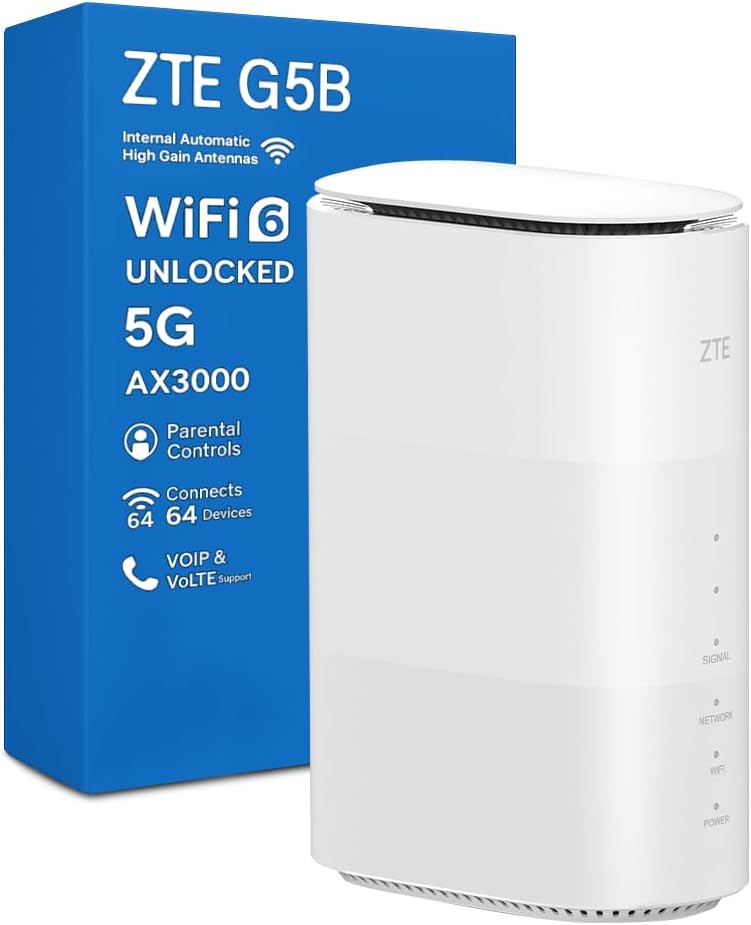
Figure 1: ZTE G5B Router and its retail packaging.
2. Guia de configuració
The ZTE G5B router is designed for easy plug-and-play setup. Follow these steps to get your router operational.
2.1 Inserting the Nano SIM Card
- Locate the SIM card slot on the bottom of the ZTE G5B router.
- Gently open the SIM card slot cover.
- Insert your nano SIM card into the slot with the gold contacts facing down and the notched corner aligned correctly.
- Tanqueu bé la tapa de la ranura de la targeta SIM.
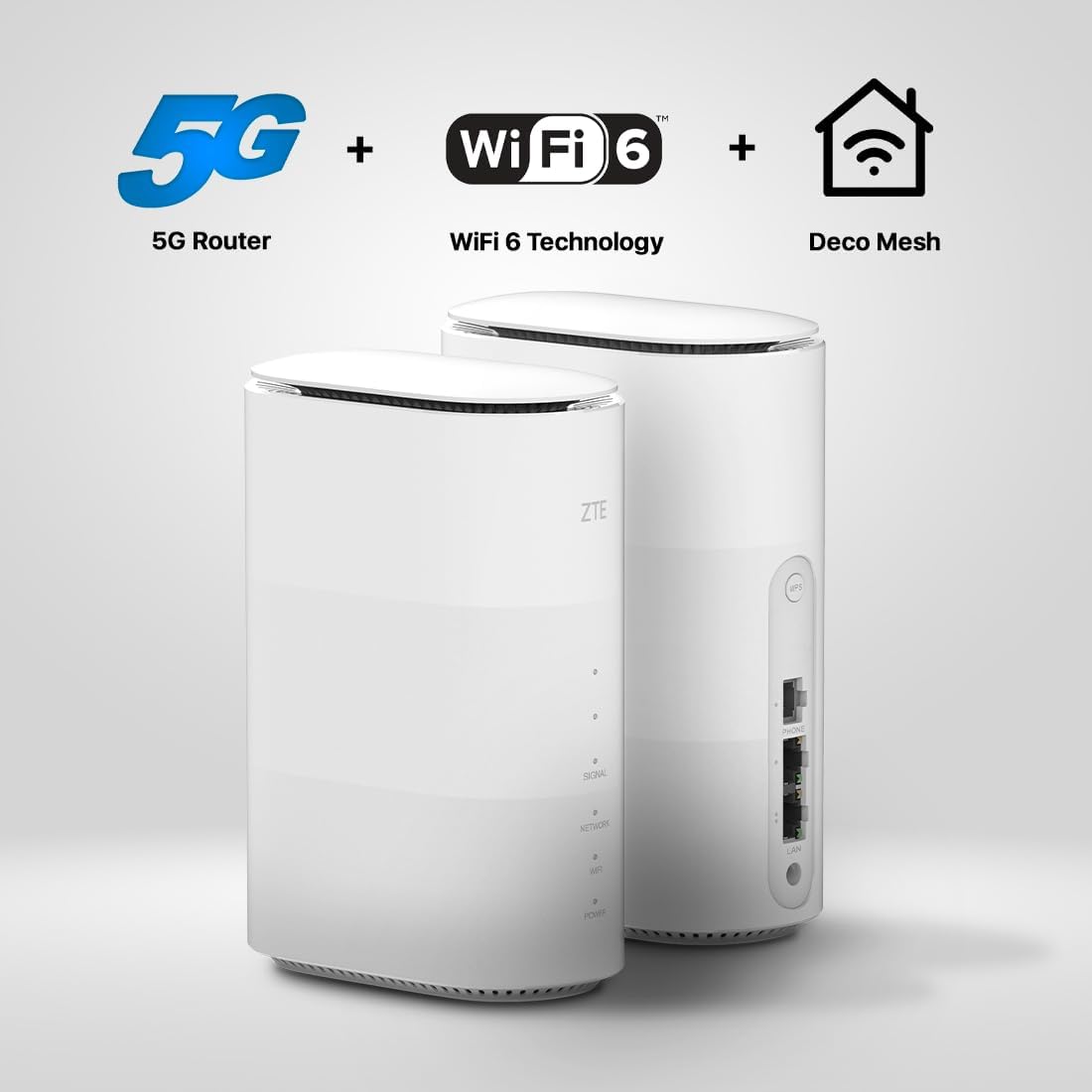
Figura 2: A baix view of the ZTE G5B router, highlighting the SIM card slot, WPS button, Phone port, LAN ports, and Power input.
2.2 Engegar el router
- Connect the provided UK power adapter to the power input port on the router.
- Connecteu l'adaptador de corrent a una presa de corrent.
- The router will automatically power on. Wait for the indicator lights to stabilize, indicating a successful connection.
2.3 Connexió de dispositius
You can connect devices to the ZTE G5B router wirelessly or via an Ethernet cable.
2.3.1 Connexió sense fil (Wi-Fi)
- On your device (laptop, tablet, smartphone), search for available Wi-Fi networks.
- Select the Wi-Fi network name (SSID) found on the label at the bottom of your ZTE G5B router.
- Introduïu la contrasenya del Wi-Fi (clau Wi-Fi) que també trobareu a l'etiqueta del router.
- El dispositiu ara hauria d'estar connectat a Internet.
2.3.2 Connexió amb cable (Ethernet)
- Connect one end of the provided Ethernet cable to one of the LAN ports on the back of the ZTE G5B router.
- Connecteu l'altre extrem del cable Ethernet al port Ethernet de l'ordinador o d'un altre dispositiu de xarxa.
- The wired connection should be established automatically.
3. Funcionament del router
3.1 Llums indicadors
The ZTE G5B features several indicator lights on its front panel to show its operational status:
- Senyal: Indicates the strength of the 5G/4G cellular signal. More lights mean stronger signal.
- Xarxa: Shows the status of the network connection (e.g., connected to 5G, 4G, or no service).
- WiFi: Indicates Wi-Fi activity. Blinking usually means data transfer.
- Potència: La llum fixa indica que el dispositiu està encès.
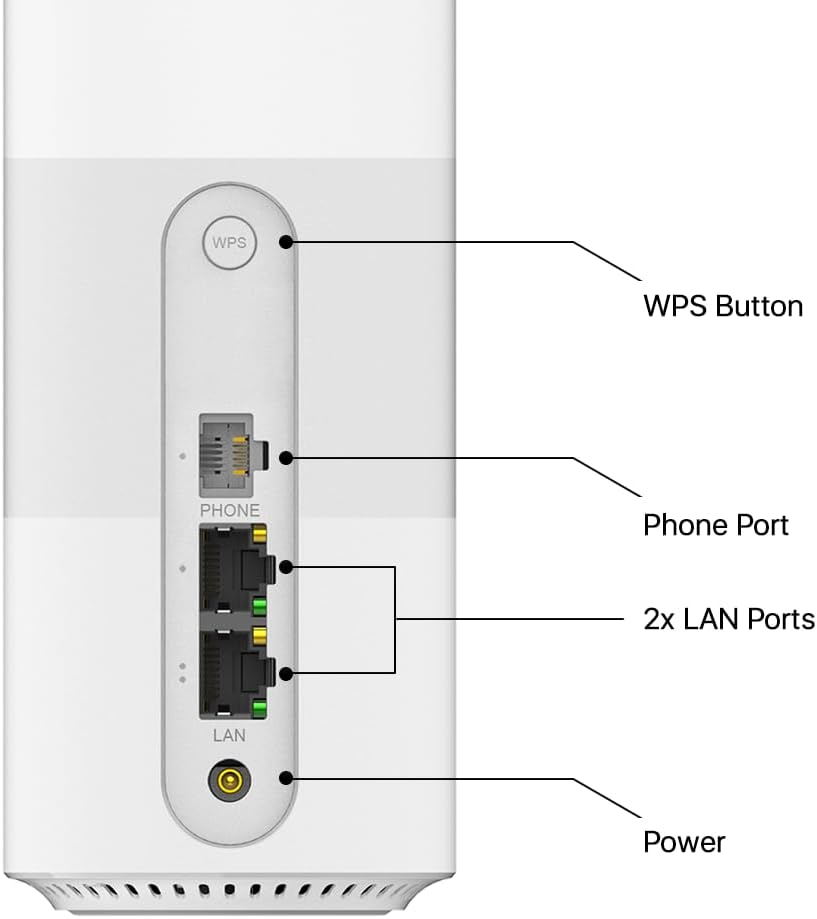
Figura 3: Frontal view of the ZTE G5B router with visible indicator lights for Signal, Network, WiFi, and Power.
3.2 Accés a Web Interfície de gestió
To manage advanced settings, parental controls, or view network status, access the router's web interfície de gestió:
- Ensure your device is connected to the ZTE G5B's Wi-Fi network or via an Ethernet cable.
- Obre a web navegador (per exemple, Chrome, Firefox, Edge).
- A la barra d'adreces, escriviu l'adreça IP predeterminada: 192.168.0.1 (or the address specified on the router's label).
- Enter the username and password. These are typically "admin" for both, or found on the router's label.
- You can now configure various settings, including Wi-Fi name, password, parental controls, and more.

Figure 4: The ZTE Link App provides a central hub for managing your network, offering real-time monitoring, password protection, and unauthorized access alerts.
3.3 Controls parentals
The ZTE G5B allows you to manage and restrict internet access for specific devices. Access these settings through the web management interface to set time limits, block websites, or filter content.
3.4 VOIP & VOLTE Functionality
The router supports Voice over IP (VOIP) and Voice over LTE (VOLTE) features. Connect a compatible phone to the "PHONE" port on the router to utilize these services, enabling multiple accounts and various call features.
4. Manteniment i resolució de problemes
4.1 Manteniment general
- Col·locació: For optimal signal strength, place the router in an open area, away from obstructions and other electronic devices that may cause interference. The "Preferred Position" feature can help identify the best location.
- Neteja: Mantingueu el router net i lliure de pols. Feu servir un drap suau i sec per netejar-lo.
- Actualitzacions de programari: Comproveu periòdicament el web interfície de gestió per a les actualitzacions de firmware disponibles per garantir un rendiment i una seguretat òptims.
4.2 Resolució de problemes comuns
| Problema | Causa possible | Solució |
|---|---|---|
| Sense connexió a Internet | SIM card not inserted correctly, no signal, or network issue. |
|
| Velocitat Wi-Fi lenta | Interference, too many connected devices, or router placement. |
|
| No es pot accedir web interfície de gestió | Incorrect IP address, wrong credentials, or network issue. |
|
5. Especificacions
| Característica | Detall |
|---|---|
| Número de model | G5B |
| Tipus sense fil | 802.11n, 802.11b, 802.11a, 802.11g, 802.11ac (WiFi 6 AX3000) |
| Tecnologia de connectivitat | 5G |
| Max Speed (5G) | Fins a 3.4 Gbps |
| Dispositius connectats | Fins a 64 |
| Ports LAN | 2 ports Ethernet |
| Tipus d'antena | Internal (10 LTE/NR omni-antennas, 2 WiFi omni-antennas) |
| Seguretat | WPA-PSK & WPA2-PSK Encryptions, Parental Controls |
| Pes de l'article | 517 grams |
| Dimensions | 21.4 x 19.9 x 9.7 cm |
6. Garantia i Suport
The ZTE G5B router comes with a 2 anys de garantia from the date of purchase. For any technical assistance or warranty claims, please refer to the contact information provided in your Quick Start Guide or visit the official ZTE support weblloc.
Suport tècnic: A dedicated technical support team is available to assist with any queries or issues you may encounter.
7. Vídeo del producteview
Vídeo 1: Un producte complet més enllàview of the ZTE G5B router, detailing its features, setup, and benefits.


