1. Introducció
Thank you for choosing the Fdit DAB/DAB+ FM Radio. This portable digital radio offers a versatile listening experience with DAB/DAB+ and FM reception, Bluetooth 5.0 connectivity, and a clear 2.4-inch LCD display. This manual provides detailed instructions to help you set up, operate, and maintain your device for optimal performance.
2. Producte acabatview
The Fdit DAB/DAB+ FM Radio is designed for portability and ease of use, featuring a robust 1200mAh rechargeable battery. Its 2.4-inch LCD screen provides clear text and image display, enhancing user interaction. With support for 9 languages, it caters to a wide range of users.
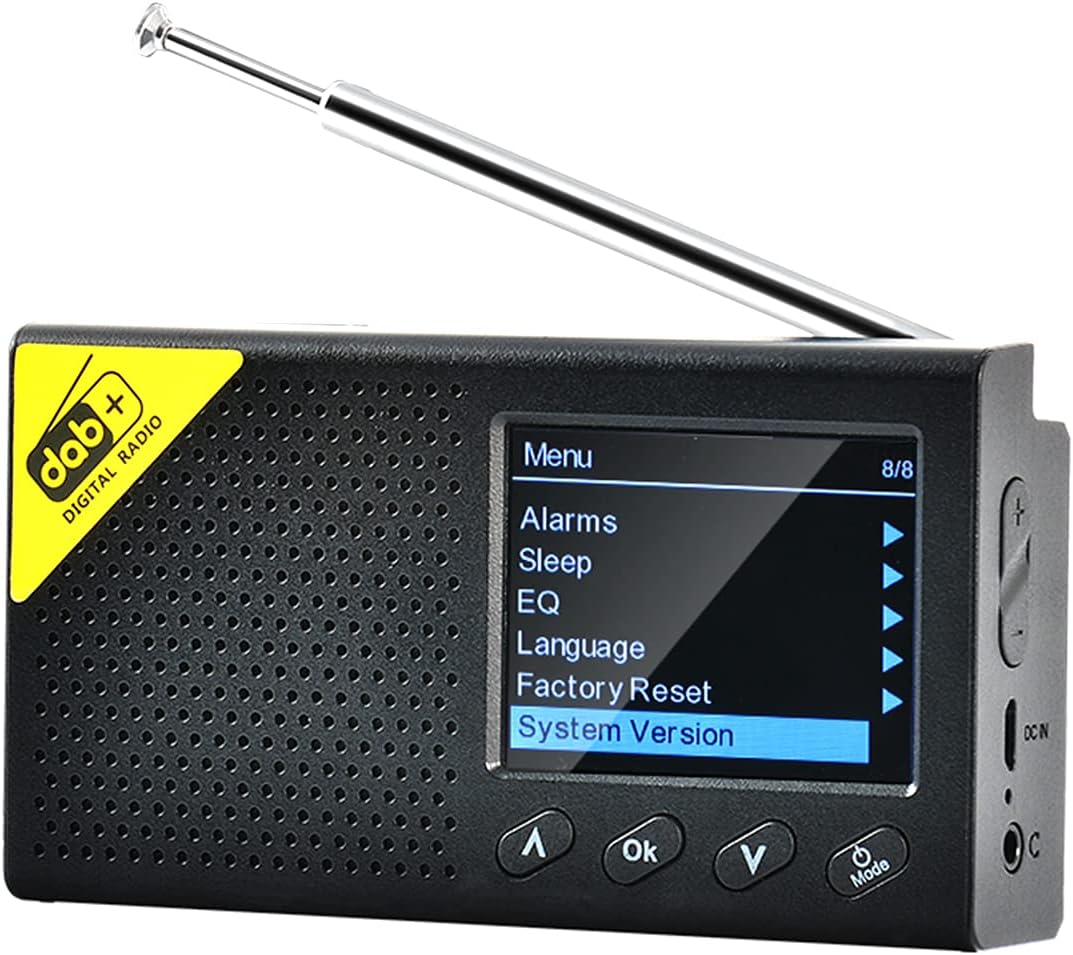
Imatge 2.1: Fdit DAB/DAB+ FM Radio, front view with screen displaying menu options. The radio features a black casing, a perforated speaker grille, and a retractable antenna. The screen shows a menu with options like 'Alarms', 'Sleep', 'EQ', 'Language', 'Factory Reset', and 'System Version'. Control buttons for navigation and 'OK' are visible below the screen.
3. Informació de seguretat
- No exposeu el dispositiu a temperatures extremes, llum solar directa ni humitat elevada.
- Eviteu deixar caure o sotmetre el dispositiu a forts impactes.
- No intenteu desmuntar ni modificar el dispositiu. Això anul·larà la garantia.
- Feu servir només el cable de càrrega i l'adaptador especificats.
- Mantenir fora de l'abast dels nens.
4. Contingut del paquet
Si us plau, comproveu el paquet per veure si hi ha els elements següents:
- Fdit DAB/DAB+ FM Radio
- Cable de càrrega USB
- Manual d'usuari
5. Configuració
5.1 Càrrega del dispositiu
Before first use, fully charge the radio. Connect the USB charging cable to the device's charging port and the other end to a compatible USB power adapter (not included) or a computer USB port. The charging indicator will show the charging status.
5.2 Ajust de l'antena
Extend the telescopic antenna fully for optimal reception of DAB/DAB+ and FM signals.
5.3 Engegada inicial i selecció d'idioma
- Manteniu premut el botó Potència/Mode botó per encendre la ràdio.
- Upon first power-on, you may be prompted to select a language. Use the Amunt/Avall botons per navegar i OK button to confirm your selection. The radio supports 9 languages including English, German, Norwegian, Italian, French, Polish, Swedish, Danish, and Finnish.

Imatge 5.1: The Fdit DAB/DAB+ FM Radio on a wooden surface, showing the 'Backlight' option selected in the menu. This image illustrates the radio's menu interface, which is navigated during initial setup for language and other settings.
6. Instruccions de funcionament
6.1 Encès/Apagat
Manteniu premut el botó Potència/Mode botó per encendre o apagar la ràdio.
6.2 Selecció del mode
Premeu breument Potència/Mode button to cycle through available modes: DAB/DAB+, FM, and Bluetooth.
6.3 Funcionament de la ràdio DAB/DAB+
- Select DAB mode using the Mode botó.
- The radio will automatically scan for available DAB/DAB+ stations upon first use in this mode. To perform a full scan manually, navigate to the 'Full Scan' option in the DAB menu and press OK.
- Utilitza el Amunt/Avall buttons to browse through the list of available stations.
- Premeu OK to select and listen to a station.

Imatge 6.1: The Fdit DAB/DAB+ FM Radio on a wooden serving board, tuned to a DAB station 'NRK KLASSISK'. The screen displays station information, signal strength, and battery level, demonstrating active DAB reception.
6.4 Funcionament de la ràdio FM
- Seleccioneu el mode FM amb el botó Mode botó.
- To auto-scan and save FM stations, navigate to the 'Auto Scan' option in the FM menu and press OK.
- Utilitza el Amunt/Avall buttons to manually tune the frequency or select a saved station.
- Premeu OK per confirmar.
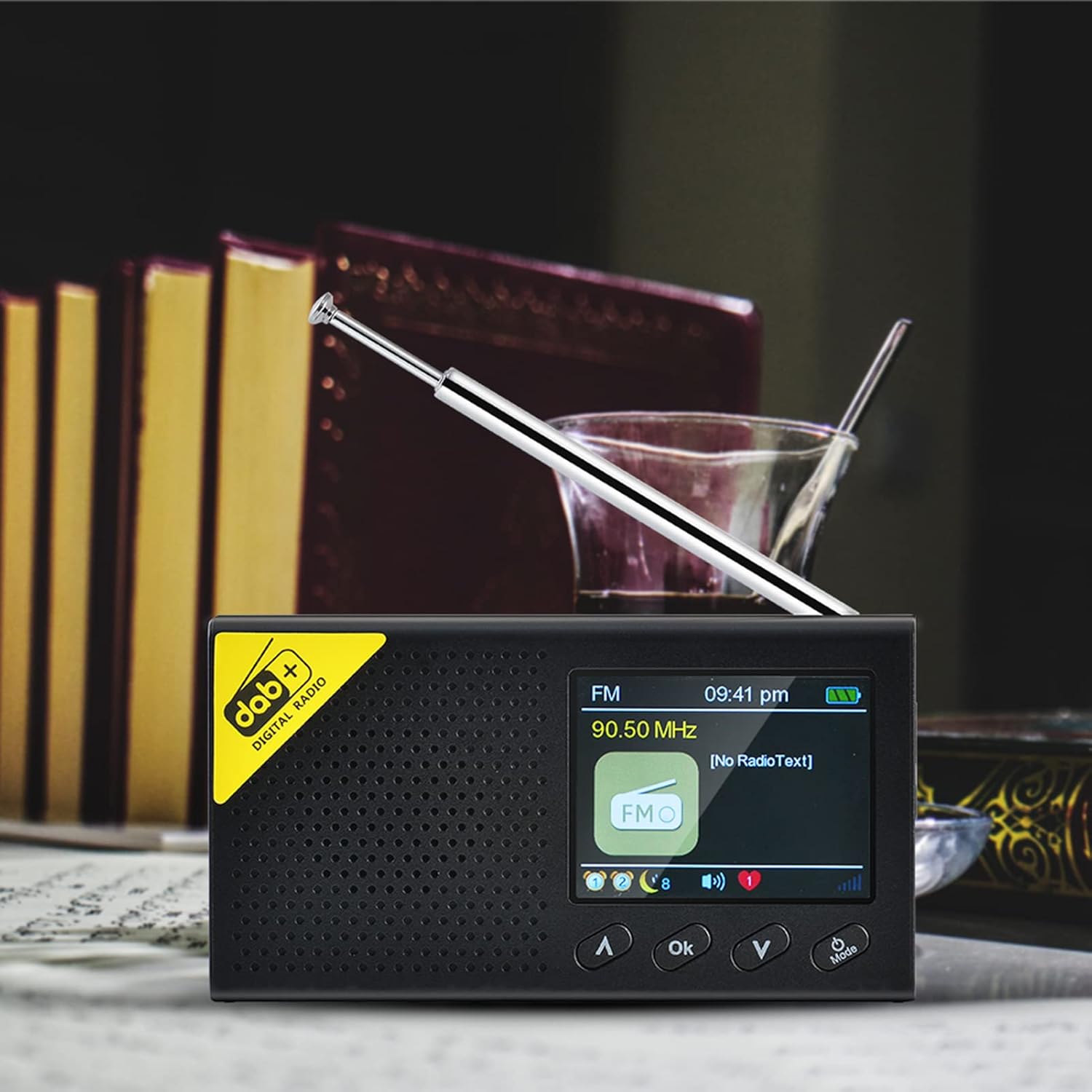
Imatge 6.2: The Fdit DAB/DAB+ FM Radio displaying an FM frequency (90.50 MHz) and 'No RadioText' on its screen. This image shows the radio operating in FM mode, indicating the current frequency and the absence of additional text information from the broadcast.
6.5 Bluetooth (BT) Mode Operation
- Select BT mode using the Mode button. The radio will enter pairing mode, indicated on the screen.
- Al telèfon intel·ligent o a un altre dispositiu Bluetooth, activeu Bluetooth i cerqueu els dispositius disponibles.
- Select 'Fdit Radio' (or similar name) from the list to pair.
- Un cop emparellat, podeu reproduir àudio des del dispositiu a la ràdio.

Imatge 6.3: The Fdit DAB/DAB+ FM Radio connected via Bluetooth to a smartphone, displaying music information on its screen. This image demonstrates the radio's Bluetooth functionality, showing a smartphone playing music and the radio's screen displaying track details.
6.6 Funció d'alarma
The radio features a dual alarm setting. To set an alarm:
- Access the 'Alarms' option from the main menu.
- Seleccioneu Alarma 1 o Alarma 2.
- Set the alarm time, source (DAB, FM, or Buzzer), and frequency (daily, once, weekends, weekdays).
- Confirmeu la configuració prement OK.

Imatge 6.4: The Fdit DAB/DAB+ FM Radio showing the current time and date on its LCD screen. This image highlights the radio's clock display, which is essential for setting and managing alarm functions.
6.7 Temporitzador de repòs
Per configurar un temporitzador de son:
- Access the 'Sleep' option from the main menu.
- Select the desired duration (e.g., 15, 30, 60 minutes). The radio will automatically turn off after the set time.
6.8 Equalitzador (EQ)
Adjust the audio output to your preference:
- Access the 'EQ' option from the main menu.
- Choose from preset equalizer settings or customize your own.
6.9 Configuració del sistema
The 'System Version' option displays the current firmware version of the device. 'Factory Reset' will restore all settings to their default values.
7. Manteniment
7.1 Neteja
Netegeu la ràdio amb un drap suau i sec. No utilitzeu productes de neteja abrasius ni dissolvents, ja que poden danyar la superfície.
7.2 Cura de la bateria
To prolong battery life, avoid fully discharging the battery frequently. If the radio will not be used for an extended period, charge it periodically.
8. Solució De Problemes
| Problema | Causa possible | Solució |
|---|---|---|
| Sense poder | La bateria s’ha esgotat | Carregueu la ràdio completament. |
| Mala recepció de ràdio | Antenna not extended, weak signal area | Extend the antenna fully. Try moving the radio to a different location. Perform a full scan for stations. |
| Bluetooth no connectat | Radio not in pairing mode, device not discoverable | Ensure the radio is in BT mode and visible. Restart both the radio and your Bluetooth device. |
| Sense so | Volume too low, muted | Augmenta el volum. Comprova si el dispositiu està silenciat. |
9. Especificacions
- Marca: Fdit
- Número de model: Fdito7z54ehbki
- Color: Negre
- Tecnologia de connectivitat: Bluetooth 5.0
- Tecnologia d'afinació: DAB+, FM
- Bandes de ràdio compatibles: DAB/DAB+/FM
- Resposta de freqüència: 20Hz-2KHz
- Potència de sortida: 4Ω 1W
- Distància Bluetooth: 8m
- Visualització: 2.4-inch LCD (320 x 240 resolution)
- Bateria: Built-in 1200mAh Polymer Rechargeable Battery
- Dispositius compatibles: Smartphone, headphones
- Opcions d'idioma: 9 (UK, Germany, Norway, Italy, France, Poland, Sweden, Denmark, Finland)
10. Garantia i Suport
10.1 Garantia del fabricant
This product comes with a 2-year manufacturer warranty. Please retain your proof of purchase for warranty claims. The warranty covers defects in materials and workmanship under normal use.
10.2 Atenció al client
For technical assistance, troubleshooting, or warranty inquiries, please contact your retailer or the manufacturer's customer support. Refer to the product packaging or the retailer's weblloc web per obtenir dades de contacte específiques.