1. Introducció
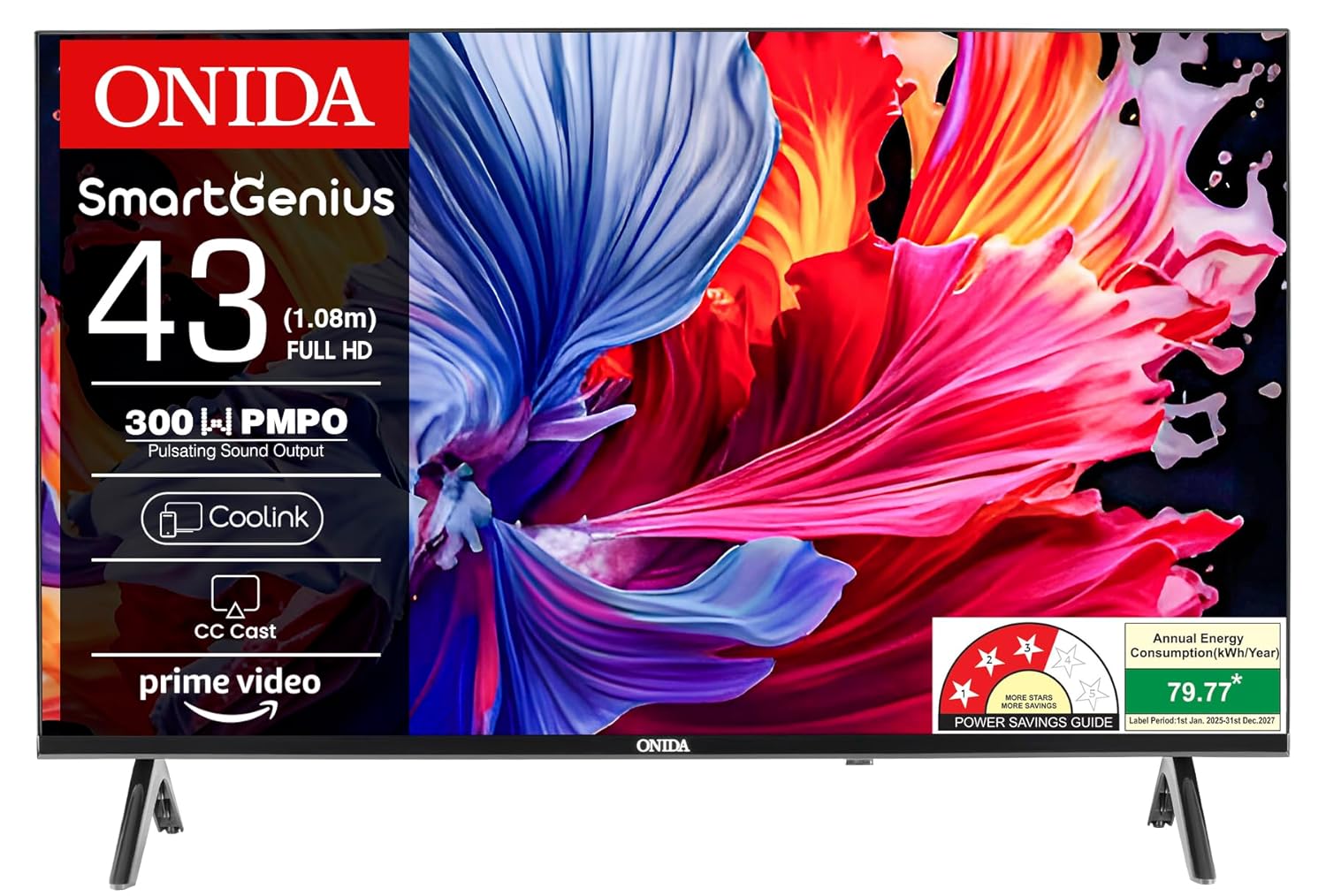
This user manual provides comprehensive instructions for the safe and efficient operation of your Onida 43ACF 43-inch Full HD Smart TV. Please read this manual thoroughly before using the television and retain it for future reference. This guide covers setup, basic operation, smart features, maintenance, and troubleshooting.
2. Informació de seguretat
Per garantir un funcionament segur i evitar danys, observeu les precaucions següents:
- No exposeu el televisor a la pluja o la humitat.
- No obriu el televisor casing; demaneu totes les tasques de manteniment a personal qualificat.
- Assegureu-vos una ventilació adequada al voltant del televisor.
- Eviteu col·locar el televisor a prop de fonts de calor o sota la llum solar directa.
- Feu servir només el cable d'alimentació que s'inclou amb el televisor.
- Desendolleu el televisor durant tempestes o quan no l'utilitzeu durant períodes prolongats.
3. Contingut del paquet
Verifiqueu que tots els elements estiguin presents a l'embalatge:
- 1 x Onida LED TV
- 1 x Manual d'usuari (aquest document)
- 1 x Targeta de garantia
- 1 x comandament a distància
4. Configuració
4.1 Desembalatge
Carefully remove the TV and all accessories from the box. It is recommended to retain the packaging for future transport or servicing needs.
4.2 Instal·lació del suport (muntatge sobre taula)
If you intend to place the TV on a table, attach the included stands:
- Col·loqueu el televisor cara avall sobre una superfície suau i plana per evitar que la pantalla es faci malbé.
- Alineeu cada suport amb els forats de cargol corresponents a la part inferior del televisor.
- Fixeu els suports amb els cargols proporcionats.
4.3 Muntatge a la paret
For wall mounting, consult a professional installer. Ensure the wall mount bracket is compatible with the TV's VESA mounting pattern and can support the TV's weight. The TV supports both wall mount and table mount configurations.
4.4 Connexió de dispositius externs
Connect your devices to the TV's ports. Refer to the rear view image for port locations.

- Ports HDMI: Connect set-top boxes, Blu-ray players, or gaming consoles. The TV has 2 HDMI ports.
- Ports USB: Connect hard drives or other USB devices. The TV has 1 USB port.
- Potència: Connecteu el cable d'alimentació al televisor i després a una presa de corrent.
4.5 Engegada inicial i configuració inicial
- Connecteu el televisor a una presa de corrent.
- Premeu el botó d'engegada del comandament a distància o del televisor.
- Follow the on-screen instructions to select language, country, and perform initial network setup.
- Connecteu-vos a la vostra xarxa Wi-Fi seleccionant-la de la llista i introduint la contrasenya.
5. Operating Your Onida Smart TV
5.1 Control remotview
The included remote control allows you to navigate the TV's features. Familiarize yourself with its buttons for power, volume, channel selection, input source, and smart TV navigation.
5.2 Funcions bàsiques
- Encès/apagat: Premeu el botó d'engegada del comandament a distància.
- Control de volum: Feu servir els botons de pujar/baixar el volum.
- Selecció de canals: Feu servir els botons de canal amunt/avall o el teclat numèric.
- Font d'entrada: Press the 'Input' or 'Source' button to switch between HDMI, USB, and other inputs.
5.3 Smart TV Features (Coolita OS)
Your Onida 43ACF TV runs on the Coolita operating system, providing access to various applications and smart functionalities.

- Navegació de l'aplicació: Use the directional buttons on your remote to navigate through the home screen and select applications.
- Aplicacions compatibles: Access popular streaming services such as Amazon Prime Video, Disney+ Hotstar, Zee5, Jio Cinema, MX Player, Coolita Channel, and YouTube.

- CC Cast: This built-in feature allows you to mirror content from your compatible mobile device to the TV screen. Ensure both devices are connected to the same Wi-Fi network.
- Coolink: Use the Coolink feature to control your TV using your smartphone. Download the Coolink app on your mobile device and connect it to the same Wi-Fi network as your TV.
6. Manteniment
6.1 Neteja del televisor
- Desendolla sempre el televisor abans de netejar-lo.
- Use a soft, dry cloth to wipe the screen and TV casing.
- Per a marques difícils, esbandiu lleugeramentampNetegeu el drap amb aigua o un netejador de pantalles suau i no abrasiu. No ruixeu el netejador directament sobre la pantalla.
- Eviteu utilitzar productes químics o materials abrasius.
6.2 Actualitzacions de programari
The TV may periodically receive software updates to improve performance and add new features. Ensure your TV is connected to the internet to receive these updates. You can usually check for updates in the TV's settings menu.
7. Solució De Problemes
Si teniu problemes amb el televisor, consulteu els problemes i solucions més comuns següents:
| Problema | Possible solució |
|---|---|
| Sense poder | Comproveu si el cable d'alimentació està ben connectat al televisor i a la presa de corrent. Proveu la presa de corrent amb un altre dispositiu. |
| No hi ha imatge, però hi ha so | Assegureu-vos que heu seleccionat la font d'entrada correcta. Comproveu les connexions dels cables als dispositius externs. |
| No hi ha so, però hi ha imatge | Comproveu el nivell de volum i la configuració de silenci. Verifiqueu les connexions del cable d'àudio. |
| El comandament a distància no funciona | Canvieu les piles. Assegureu-vos que no hi hagi cap obstacle entre el comandament a distància i el sensor d'infrarojos del televisor. |
| No es pot connectar a la Wi-Fi | Ensure the Wi-Fi router is on and within range. Re-enter the Wi-Fi password. Restart the TV and router. |
| CC Cast not working | Confirm both the TV and mobile device are connected to the same Wi-Fi network. Ensure the casting app on your device is up to date. |
If the problem persists after trying these solutions, contact Onida customer support.
8. Especificacions
Detailed technical specifications for the Onida 43ACF Smart TV:

| Característica | Detall |
|---|---|
| Marca | onida |
| Model | 43ACF |
| Mida de la pantalla | 43 polzades (108 cm) |
| Tecnologia de visualització | LED |
| Resolució | Full HD (1920 x 1080 píxels) |
| Freqüència d'actualització | 60 Hz |
| Viewangle ing | 178 graus |
| Sistema operatiu | Coolita |
| Capacitat d'emmagatzematge de memòria | 4 GB |
| Mida instal·lada de la memòria RAM | 512 MB |
| Coprocessador gràfic | Mali-G3 |
| Sortida de so | 20 watts |
| Configuració dels altaveus | Box Speaker, Surround Sound |
| Ports HDMI | 2 |
| Ports USB | 1 |
| Tecnologia de connectivitat | HDMI, USB, Wi-Fi |
| Font d'alimentació | AC |
| Consum d'energia en mode | 90 watts |
| Dimensions del producte (LxWxH) | 7.33 x 94.4 x 52.78 cm |
| Pes de l'article | 6.75 kg |
| Tipus de muntatge | Suport de paret i suport de taula |
9. Garantia i Suport
9.1 Informació de la garantia
The Onida 43ACF Smart TV comes with a Garantia integral de 1 anys on the product, provided by the brand from the date of purchase. Please refer to the included Warranty Card for detailed terms and conditions.
9.2 Atenció al client
For technical assistance, service requests, or any inquiries, please contact Onida customer support:
- Fabricant: MIRC ELECTRONICS LTD
- Adreça: Mahakali Caves Road, Andheri East, Mumbai - 400093
- Núm. d'atenció al client: 7490955555
- Correu electrònic: customer.care@onida.com
You can also visit the official Onida store on Amazon for more product information and support: Onida Store


