1. Introducció
1.1 Producte acabatview
The Dragon Touch 10.1-inch Wi-Fi Digital Picture Frame allows you to instantly share photos and videos with loved ones from anywhere in the world. Featuring a 1280x800 HD IPS touch screen, auto-rotate function, and 16GB internal storage, this frame provides a convenient way to display your cherished memories.
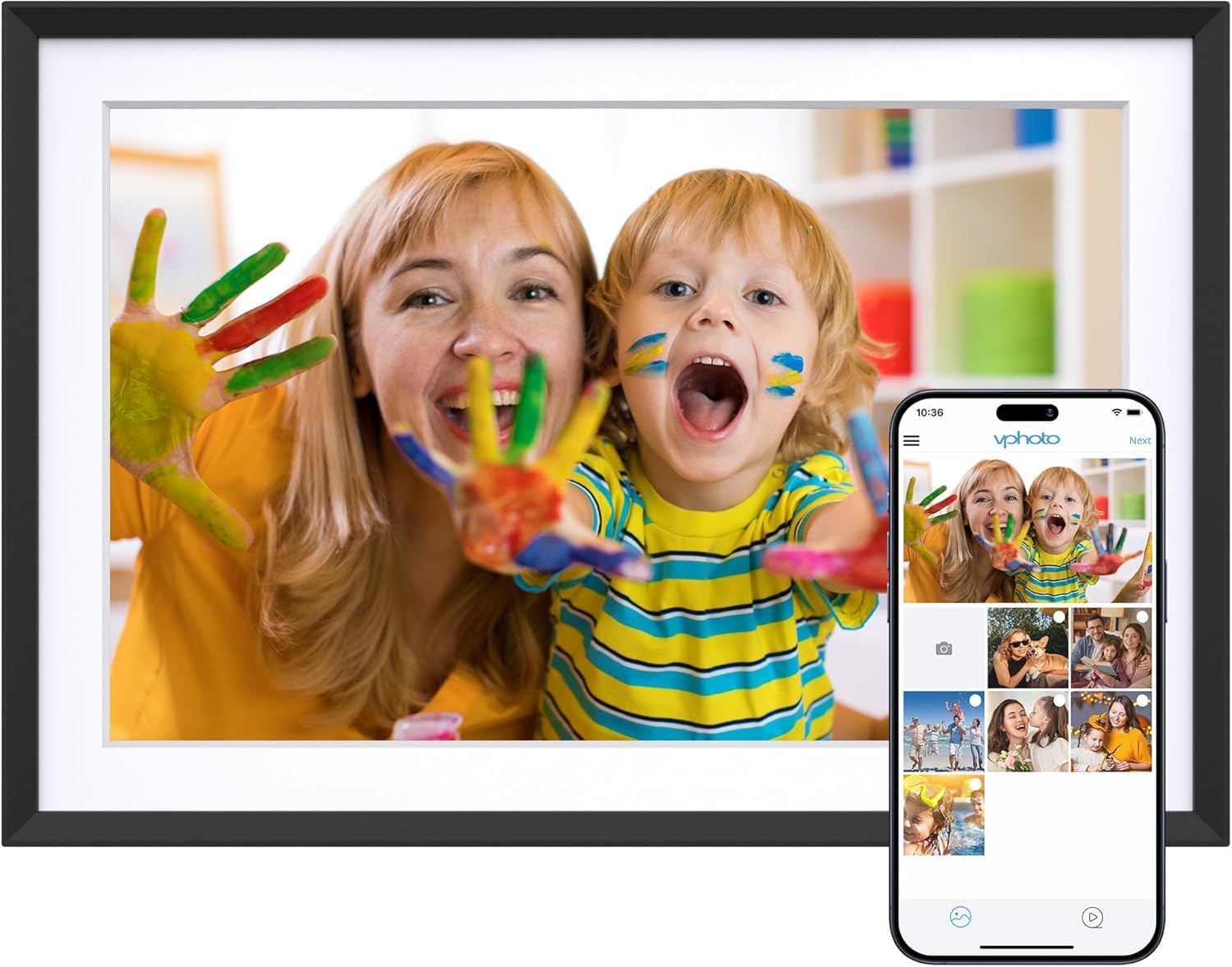
Image 1.1: The Dragon Touch 10.1-inch Wi-Fi Digital Picture Frame, showcasing its display with a vibrant image of a mother and child. A smartphone screen is overlaid, illustrating the Vphoto app interface for photo sharing.
1.2 Contingut del paquet
Verifiqueu que tots els elements siguin presents al paquet:
- 1 x Dragon Touch 10.1-inch Wi-Fi Digital Picture Frame
- 1 x adaptador de corrent
- 1 x suport
- 1 x cable USB
- 1 x Manual d'usuari (aquest document)

Image 1.2: An illustration detailing the components included in the product package, such as the frame, power adapter, stand, USB cable, and user manual.
2. Configuració
2.1 Configuració inicial
- Encès: Connect the power adapter to the frame and plug it into a power outlet. The frame will automatically power on.
- Selecció d'idioma: Segueix les instruccions que apareixen a la pantalla per seleccionar l'idioma que prefereixis.
- Connexió Wi-Fi: Connect the frame to a 2.4 GHz Wi-Fi network. Note: 5 GHz networks are not supported.
- Instal·lació de l'aplicació: Download the "Vphoto" app from your smartphone's app store (iOS or Android).
- Creació del compte: Open the Vphoto app and create an account.
- Frame Pairing: Follow the app instructions to pair your smartphone with the digital picture frame. This typically involves scanning a QR code displayed on the frame or entering a unique frame code.

Image 2.1: A visual guide illustrating the three primary steps for initial setup: connecting to power and Wi-Fi, downloading the Vphoto app, and uploading photos.
3. Instruccions de funcionament
3.1 Pujada de fotos i vídeos
The Dragon Touch digital picture frame supports multiple methods for uploading media:
- Vphoto App: Use the Vphoto app on your smartphone to instantly send photos and short videos to the frame. Multiple users can connect to the same frame to share memories.
- Correu electrònic: The frame can be configured to receive photos via email. Check the frame settings for the unique email address.
- TF Card (Micro SD Card): Insert a TF card (up to 64GB) into the designated slot to display media directly or transfer files to internal storage.
- Unitat USB: Connect a USB drive to the frame's USB port to display media directly or transfer files.

Image 3.1: Visual representation of the four supported methods for uploading media to the digital picture frame: Vphoto App, Email, TF card, and USB drive.
3.2 Configuració de la pantalla
Personalitza el teu viewing experience through the frame's touch screen settings:
- Rotació automàtica: The frame automatically adjusts photo orientation whether placed in portrait or landscape mode.
- Mode de repòs: Configure a customized sleep schedule to automatically turn the screen off and on, conserving energy.
- Interval de presentació de diapositives: Ajusta la durada que es mostra cada foto durant una presentació de diapositives.
- Efectes de transició: Select various transition styles for photos.

Image 3.2: The digital picture frame showcasing its auto-rotate feature, displaying an image in landscape orientation with an accompanying icon.
4. Gestió de l'emmagatzematge
The frame comes with 16GB of built-in memory, capable of storing approximately 80,000 photos. For additional storage or file management, external options are available.
- Emmagatzematge intern: Manage photos and videos directly on the frame.
- SD Card/USB Drive: Use these to read files or export received photos and videos for better album management. Important: Remove all external devices when resetting the photo frame.

Image 4.1: A visual representation of the frame's large internal storage capacity, depicted by numerous photos surrounding the device.
5. Manteniment
- Neteja: Use a soft, dry cloth to clean the screen and frame. Avoid liquid cleaners or abrasive materials.
- Col·locació: Col·loca el marc sobre una superfície estable o munta'l de manera segura a la paret. Evita la llum solar directa o les temperatures extremes.
- Actualitzacions de programari: Comproveu i instal·leu periòdicament si hi ha actualitzacions de programari per garantir un rendiment òptim i l'accés a les noves funcions.
6. Solució De Problemes
| Problema | Solució |
|---|---|
| El marc no s'encén. | Assegureu-vos que l'adaptador de corrent estigui connectat correctament tant al marc com a una presa de corrent que funcioni. |
| No es pot connectar a la Wi-Fi. | Verify that you are connecting to a 2.4 GHz Wi-Fi network. Check your Wi-Fi password. Restart your router and the frame. |
| No apareixen les fotos/vídeos. | Confirm the frame is connected to Wi-Fi. Ensure media was successfully uploaded via the Vphoto app, email, or external storage. Check file formats for compatibility. |
| Frame is unresponsive. | Perform a soft reset by unplugging the power adapter, waiting 10 seconds, and plugging it back in. If issues persist, a factory reset may be necessary (refer to settings). |
| Email uploads fail. | Ensure the email address used is correct and the frame's email function is enabled. Avoid special characters like "#" in filenames, as these may cause issues. |
7. Especificacions
| Característica | Detall |
|---|---|
| Número de model | 850065712093 |
| Mida de la pantalla | 10.1 polzades |
| Resolució | 1280 x 800 |
| Tipus de visualització | Pantalla tàctil IPS HD |
| Emmagatzematge intern | 16 GB (aprox. 80,000 fotos) |
| Emmagatzematge extern | Supports SD card (up to 64GB) and USB drive |
| Connectivitat | Wi-Fi (només 2.4 GHz) |
| Dispositius compatibles | Telèfon intel·ligent (mitjançant l'aplicació Vphoto) |
| Dimensions del producte | 10.3 x 7.1 x 0.99 polzades |
| Pes de l'article | 1.72 lliures |
| Fabricant | Toc de Drac |
8. Garantia i Suport
For warranty information, technical support, or customer service inquiries, please refer to the official Dragon Touch website or contact their customer support directly. Details are typically provided on the product packaging or the manufacturer's weblloc.
Online resources and FAQs may also be available to assist with common questions and issues.


