1. Introducció
Thank you for choosing the SJCODE M9 Security Camera. This manual provides detailed instructions for setting up, operating, and maintaining your camera to ensure optimal performance and security. Please read this manual thoroughly before using the product and retain it for future reference.
2. Contingut del paquet
Si us plau, verifiqueu que tots els elements que s'enumeren a continuació estiguin inclosos al vostre paquet:
- SJCODE M9 Security Camera
- Accessoris de muntatge (cargols, tacs de paret)
- 2 x Lithium Ion Batteries (pre-installed or included separately)
- Cable de càrrega USB
- Manual d'usuari (aquest document)
3. Producte acabatview
The SJCODE M9 Security Camera is a versatile and intelligent device designed for both indoor and outdoor surveillance. It features 1080p video resolution, advanced human detection, color night vision, two-way audio, and cloud storage capabilities. Its robust design ensures weather resistance for reliable operation in various conditions.
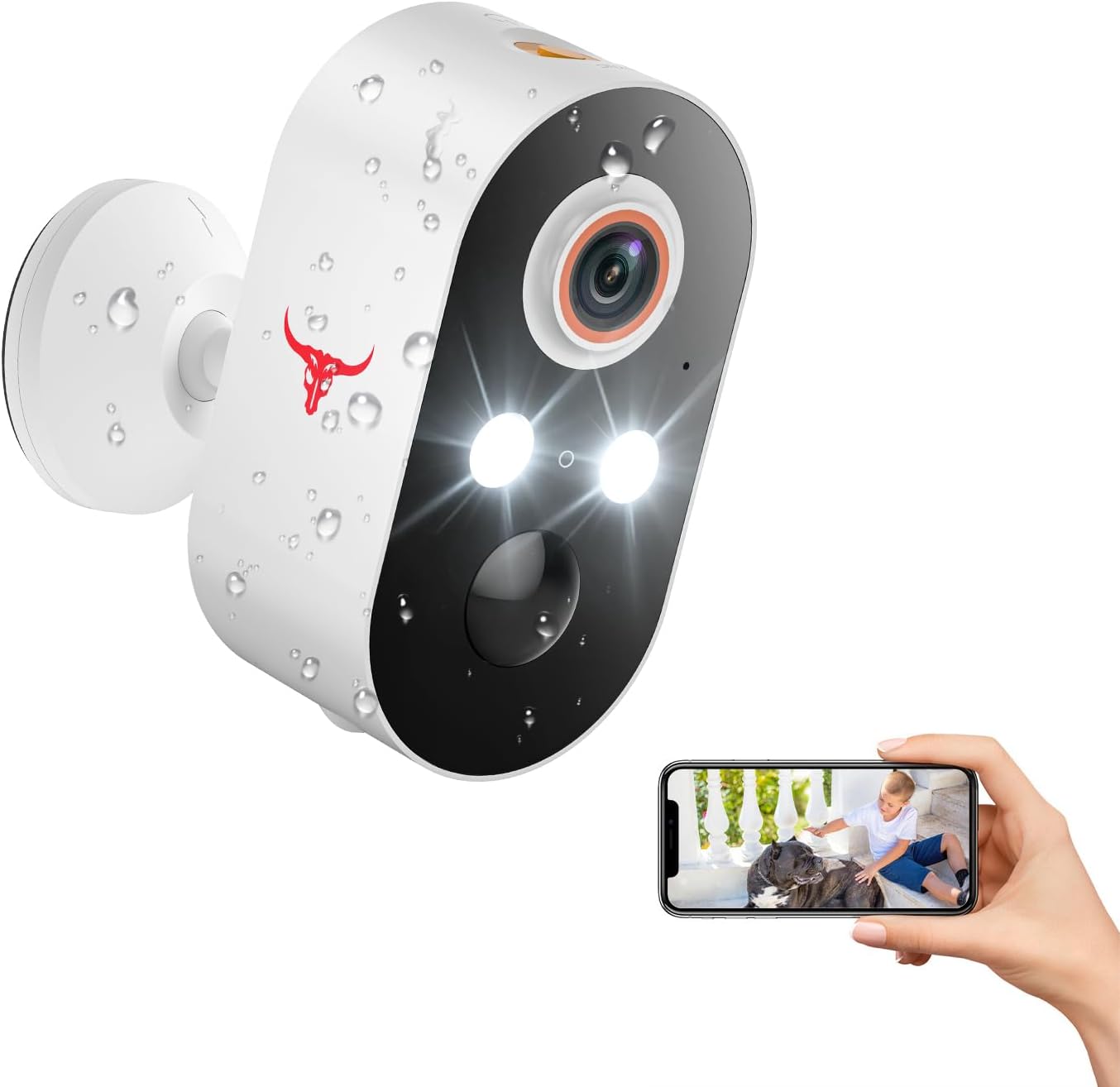
Davant view of the SJCODE M9 Security Camera, highlighting its lens, lights, and a smartphone displaying its live feed.
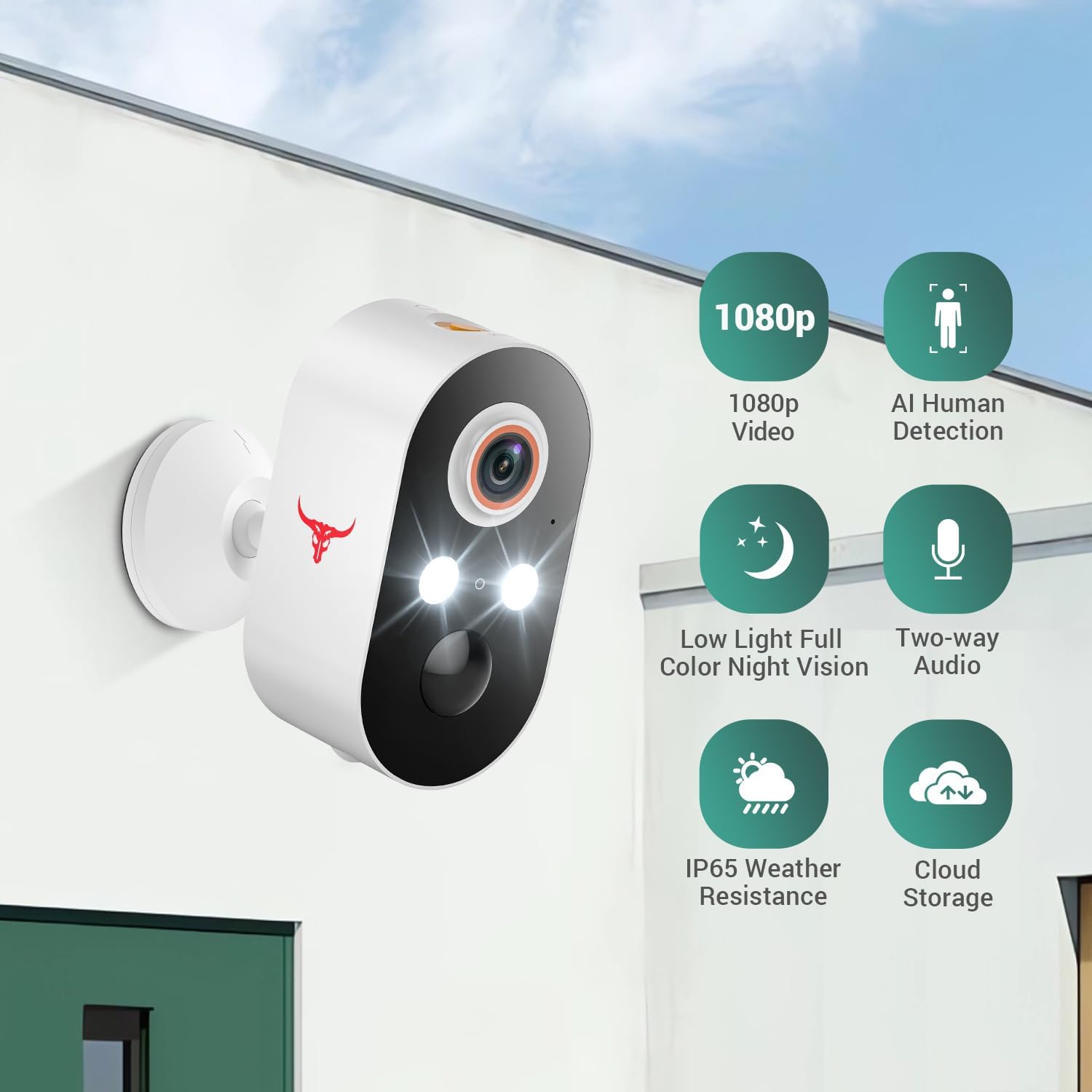
Key features of the camera, including 1080p video, AI human detection, color night vision, two-way audio, IP65 weather resistance, and cloud storage.

Detailed dimensions of the SJCODE M9 Security Camera, showing its compact size.
4. Guia de configuració
4.1 Càrrega inicial
Before first use, ensure the camera's internal Lithium Ion batteries are fully charged. Connect the camera to a standard USB power adapter (not included) using the provided USB charging cable. The charging indicator light will show the charging status.
4.2 Instal·lació de l'aplicació
Per controlar i view your camera, you need to download the dedicated mobile application. Cerca the 'SJCODE App' or 'Smart Home App' (refer to packaging for exact app name) on your smartphone's app store (App Store for iOS or Google Play Store for Android). Install the app and create an account if you are a new user.
4.3 Emparellament de dispositius
- Open the SJCODE App and log in.
- Tap the '+' icon or 'Add Device' to begin the pairing process.
- Segueix les instruccions que apareixen a la pantalla per seleccionar el model de la teva càmera.
- Assegureu-vos que el vostre telèfon intel·ligent estigui connectat a una xarxa Wi-Fi de 2.4 GHz. La càmera només admet Wi-Fi de 2.4 GHz.
- Power on the camera. The camera will enter pairing mode (indicated by a flashing light, refer to app for specific light patterns).
- Scan the QR code displayed on your phone screen with the camera lens, or follow alternative pairing methods provided by the app.
- Un cop connectada, l'indicador lluminós de la càmera canviarà i rebràs una confirmació a l'aplicació.
4.4 Muntatge de la càmera
The SJCODE M9 camera is designed for wall mounting and can be used both indoors and outdoors. Use the included mounting accessories for secure installation.
- Choose a suitable location that provides the desired viewing angle and good Wi-Fi signal strength.
- Marqueu els punts de perforació a la paret utilitzant el suport de muntatge com a plantilla.
- Drill holes and insert the wall plugs if mounting on masonry.
- Fixeu el suport de muntatge a la paret amb els cargols proporcionats.
- Attach the camera to the mounting bracket and adjust its angle as needed.
5. Funcionament de la càmera
5.1 Viu View
To access the live video feed from your camera, open the SJCODE App and select your device from the main screen. You will see real-time 1080p video of the camera's view.
5.2 Àudio bidireccional
The camera features built-in microphone and speakers, allowing for two-way communication. While in live view, tap the microphone icon in the app to speak through the camera, and listen to audio from the camera's surroundings.

Demonstration of the two-way audio feature, showing communication between a person near the camera and a user on a smartphone.
5.3 Recording and Cloud Storage
The camera automatically records events triggered by motion detection. These recordings are securely stored in the cloud, allowing you to view missed content and share videos from anywhere. Access your recorded footage through the 'Events' or 'Playback' section within the SJCODE App.

Visual representation of cloud storage, showing the camera, a cloud icon, and a smartphone displaying a timeline of recorded events.
5.4 AI Human Detection
The camera's intelligent human detection technology minimizes false alarms by accurately distinguishing human movement from other sources like pets or swaying branches. You will receive notifications only for relevant human activity.

Illustration of AI human detection, showing the camera correctly identifying a person while ignoring a pet.
5.5 Modes de visió nocturna
The SJCODE M9 offers two night vision modes: full-color night vision and infrared (IR) mode. The camera automatically switches to the appropriate mode based on ambient light conditions to provide clear surveillance around the clock.
- Visió nocturna en color: Utilizes built-in lights to capture full-color video even in low-light conditions.
- Mode infraroig: Provides clear black-and-white video in complete darkness using infrared technology.

Comparison of color night vision and infrared mode, demonstrating the visual difference in low-light conditions.
6. Manteniment
6.1 Gestió de la bateria
The camera is powered by rechargeable Lithium Ion batteries. To maximize battery life:
- Carregueu les piles completament abans del primer ús.
- Eviteu temperatures extremes, ja que poden afectar el rendiment de la bateria.
- Recharge the camera promptly when the battery level is low, as indicated in the app.
6.2 Neteja
To maintain clear image quality, periodically clean the camera lens and body. Use a soft, dry cloth. For stubborn dirt, a slightly damp cloth can be used, but ensure no moisture enters the camera's internal components. Do not use harsh chemicals or abrasive cleaners.
6.3 actualitzacions de microprogramari
Periodically check the SJCODE App for available firmware updates. Keeping your camera's firmware updated ensures you have the latest features, security enhancements, and bug fixes. Follow the in-app instructions for performing updates.
7. Solució De Problemes
If you encounter issues with your SJCODE M9 Security Camera, please refer to the following common solutions:
- La càmera no es connecta a la Wi-Fi: Assegureu-vos que la vostra xarxa Wi-Fi sigui de 2.4 GHz. Comproveu la intensitat del senyal Wi-Fi a la ubicació de la càmera. Reinicieu el router i la càmera.
- Poca qualitat de vídeo: Assegureu-vos que la lent de la càmera estigui neta. Comproveu la velocitat de la connexió a Internet.
- No motion detection: Verify that motion detection is enabled in the app settings. Adjust sensitivity settings if necessary. Ensure there are no obstructions in the camera's field of view.
- La bateria s'esgota ràpidament: Reduir la freqüència en directe view access. Adjust motion detection sensitivity to reduce recordings. Ensure the camera is not in an area with constant, unnecessary motion.
- Problemes d'àudio bidireccional: Revisa la configuració del volum al telèfon i a l'aplicació. Assegura't que no hi hagi cap obstrucció que bloquegi el micròfon o l'altaveu de la càmera.
For more complex issues, please consult the FAQ section within the SJCODE App or contact customer support.
8. Especificacions
| Característica | Especificació |
|---|---|
| Nom del model | M9 (1080p Wi-Fi Security Camera) |
| Resolució de vídeo | 1080p |
| Connectivitat | Wi-Fi de 2.4 GHz |
| Font d'alimentació | Battery Powered (2 x Lithium Ion batteries included) |
| Ús interior/exterior | Exterior, Interior |
| Tipus de muntatge | Wall Mount (Screw In installation) |
| Característiques especials | Two-way Audio, Night Vision (Color & Infrared), Built-in Light, Motion Sensor, AI Human Detection, Cloud Storage |
| Color | Blanc |
| Dimensions (L x A x A) | 4.75 x 4.8 x 8.99 cm (47 x 48 x 90 millimetres) |
| Pes de l'article | 169 g |
| Fabricant | Eken Innovation (Shenzhen) Co., Ltd |
| Ús recomanat | Seguretat exterior |
9. Informació de la garantia
Els detalls específics de la garantia normalment es proporcionen a l'embalatge del producte o a la fitxa oficial del fabricant. website. Please refer to those resources for comprehensive warranty terms and conditions.
Please note that this product is subject to a 30-day return policy from the date of purchase.
10. Atenció al client
If you require further assistance or have questions not covered in this manual, please contact SJCODE customer support. Contact information can typically be found on the product packaging, the official SJCODE website, or within the 'Help' or 'Support' section of the SJCODE App.


