1. Introducció
This user manual provides comprehensive instructions for the installation, operation, and maintenance of your HUNTVISION E3-Z Security Camera. Please read this manual thoroughly before using the product to ensure proper function and safety. Keep this manual for future reference.
2. Informació de seguretat
Seguiu sempre les següents pautes de seguretat per evitar danys al dispositiu o lesions personals:
- Ensure the power source matches the camera's requirements.
- No exposeu la càmera a temperatures extremes ni a la llum solar directa durant períodes prolongats.
- Avoid placing the camera near strong magnetic fields.
- No intenteu desmuntar ni modificar la càmera. Encarregueu tot el manteniment a personal qualificat.
- Mantingueu la càmera i els seus accessoris fora de l'abast dels nens.
- Ensure proper mounting to prevent the camera from falling.
3. Contingut del paquet
Verifiqueu que tots els elements siguin presents al paquet:
- HUNTVISION E3-Z Security Camera (1)
- Adaptador de corrent (1)
- Data Line (1)
- Auxiliary Package (1)
- User Guide (This manual)
Note: If any items are missing or damaged, please contact customer support.
4. Producte acabatview
The HUNTVISION E3-Z is a 3MP PTZ (Pan-Tilt-Zoom) outdoor security camera designed for comprehensive surveillance. It features AI motion tracking, full-color night vision, and two-way audio communication.

Figura 4.1: Davant view of the HUNTVISION E3-Z Security Camera, showing the lens, IR LEDs, and dual antennas.
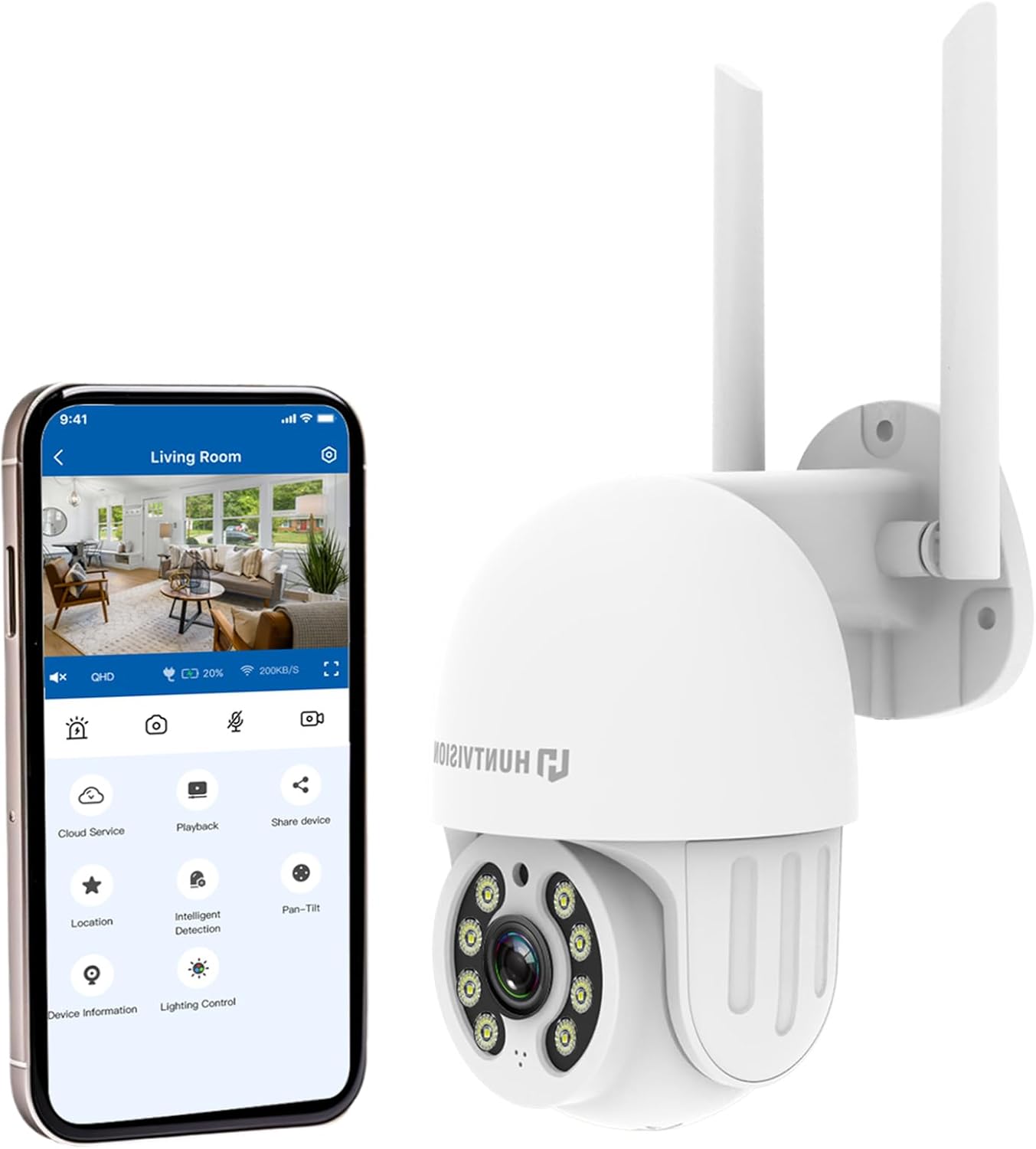
Figura 4.2: The HUNTVISION E3-Z camera alongside a smartphone displaying the companion mobile application interface, illustrating remote control capabilities.
Característiques principals:
- 3MP Full HD Resolution: Captures clear 2304×1296 footage.
- 24/7 Color Night Vision: Advanced starlight technology for full-color monitoring in low light.
- Detecció intel·ligent d'IA: Distinguishes people, vehicles, and animals with AI-powered motion tracking.
- Control PTZ de 360°: Remote pan, tilt, and zoom via the Huntvision app.
- Àudio bidireccional: Micròfon i altaveu integrats per a la comunicació.
- Resistent a la intempèrie IP65: Designed to withstand outdoor conditions (rain, snow, dust).
- Dual Storage: Supports up to 128GB TF card and cloud storage options.
- Configuració fàcil: 2.4G WiFi and Bluetooth 4.2 for quick installation.
5. Configuració i instal·lació
5.1 Selecció d'una ubicació
Seleccioneu un lloc exterior adequat que proporcioni el resultat desitjat viewing angle and is within range of your 2.4G WiFi network. The camera is IP65 weatherproof, making it suitable for various outdoor environments.

Figura 5.1: Examples of suitable installation environments, including residential homes, farms, construction sites, and commercial properties.
5.2 Muntatge de la càmera
The camera supports wall mounting. Use the provided auxiliary package for secure installation.
- Marqueu els punts de perforació a la paret utilitzant el suport de muntatge com a plantilla.
- Perforeu forats i inseriu ancoratges de paret si cal.
- Fixeu el suport de muntatge a la paret amb cargols.
- Attach the camera to the mounting bracket, ensuring it is firmly in place.
5.3 Engegada i configuració inicial
- Connecteu l'adaptador de corrent a la càmera i endolleu-lo a una presa de corrent.
- Download the "Huntvision" app from your mobile app store (available for iOS).
- Open the app and follow the on-screen instructions to add your camera. The camera uses Bluetooth 4.2 for initial configuration, simplifying the WiFi connection process.
- Ensure your mobile device is connected to a 2.4G WiFi network during setup.
6. Funcionament de la càmera
6.1 Viu View i control PTZ
Once connected, access the live view through the Huntvision app. You can remotely control the camera's pan (355°) and tilt (85°) functions to adjust the viewangle de ing.

Figura 6.1: Illustration of the camera's remote pan (355°) and tilt (85°) capabilities, controlled via the mobile application, along with 6X digital zoom.
6.2 Detecció de moviment i alertes
The camera features smart AI detection to distinguish between people, vehicles, and animals. Configure alert settings in the app to receive instant notifications on your mobile device when motion is detected.

Figura 6.2: Depiction of motion detection triggering a siren alert, spotlight alarm, and app notification push, alongside the two-way audio function.
6.3 Modes de visió nocturna
The E3-Z offers multiple night vision modes:
- Visió nocturna a tot color: Utilizes advanced starlight technology to provide color images in low-light conditions.
- Visió nocturna IR: Standard black and white infrared vision for complete darkness.
- Visió nocturna intel·ligent: Automatically switches between IR and color night vision based on detected motion or light conditions.
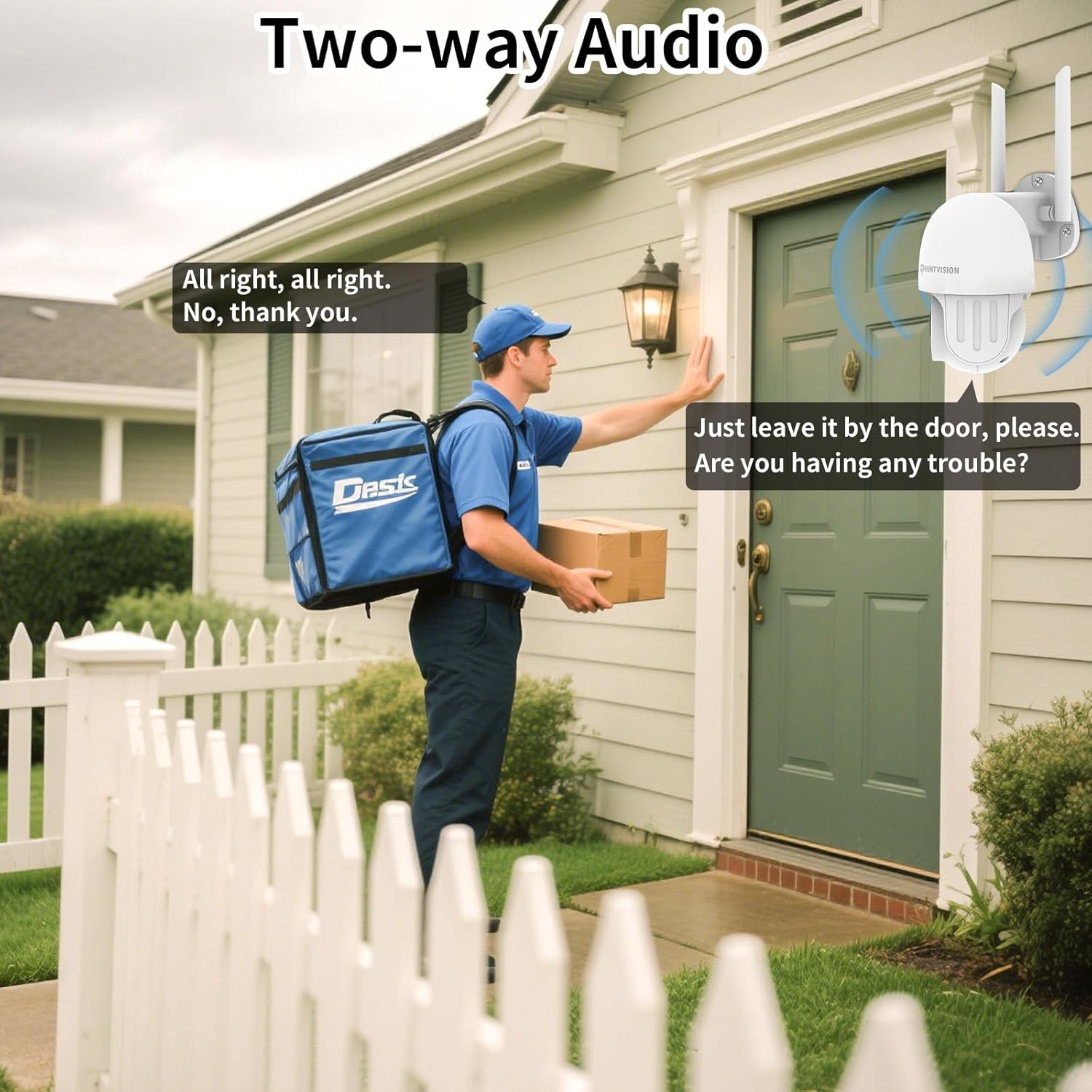
Figura 6.3: Visual comparison of Color Night Vision, IR Night Vision, and Smart Night Vision modes, demonstrating clear visibility in various nighttime scenarios.
6.4 Àudio bidireccional
Use the two-way audio feature to communicate with individuals near the camera. This is useful for deterring intruders or speaking with delivery personnel.

Figura 6.4: Un example of two-way audio in use, showing a user communicating with a delivery person through the camera.
6.5 Opcions d'emmagatzematge
The camera supports local storage via a TF (microSD) card up to 128GB and cloud storage services. Insert the TF card into the designated slot on the camera.
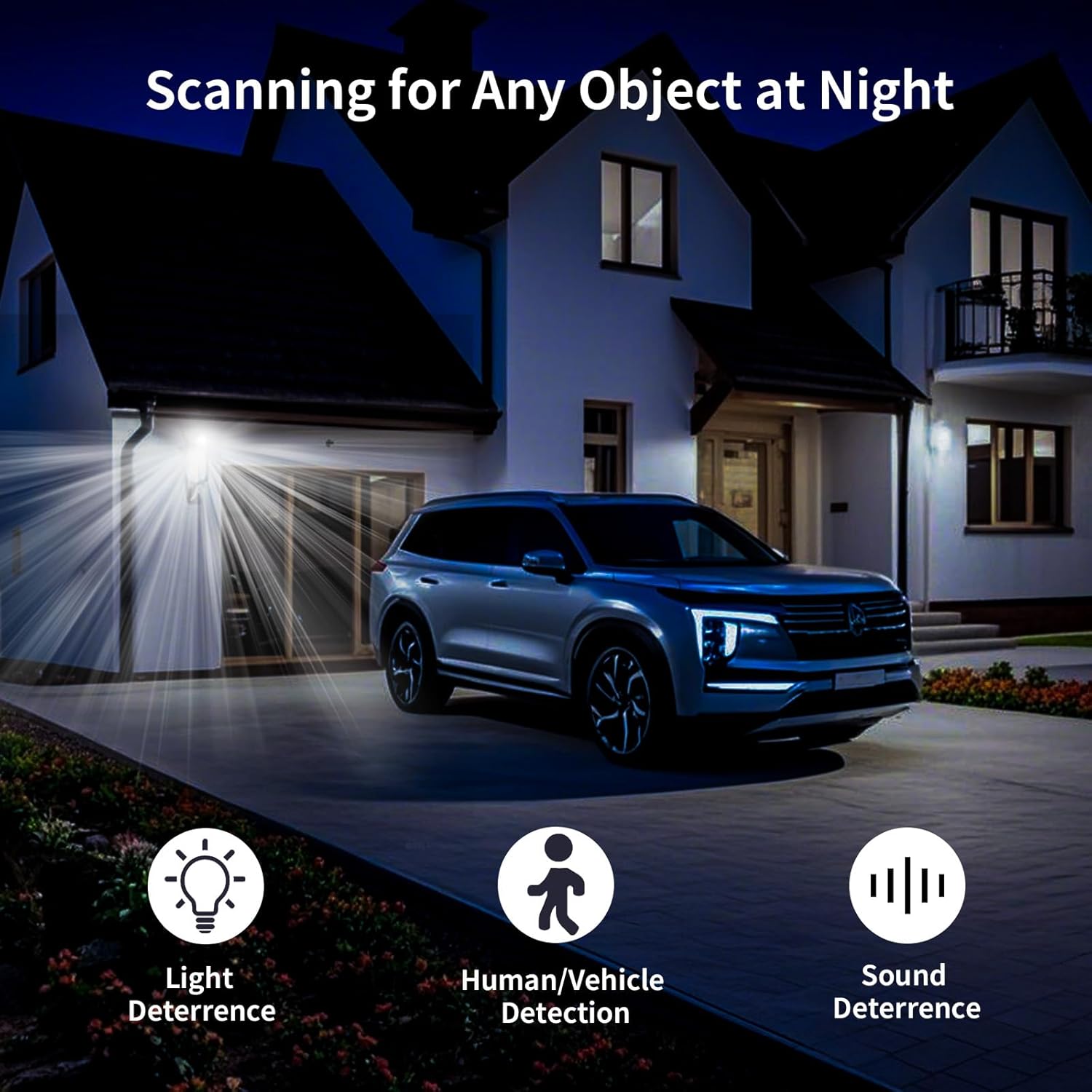
Figura 6.5: Primer pla view of the TF card slot on the camera and a list of compatible memory card brands (Kingston, SanDisk, PNY) with supported capacities.
7. Manteniment
Regular maintenance ensures optimal performance and longevity of your security camera:
- Neteja: Netegeu suaument la lent i el cos de la càmera amb un drap suau i sec. No utilitzeu productes químics agressius ni netejadors abrasius.
- Actualitzacions de firmware: Check the Huntvision app regularly for firmware updates. Keeping your camera's firmware up-to-date ensures access to the latest features and security enhancements.
- Cicle d'alimentació: If the camera becomes unresponsive, try unplugging it from the power source for a few seconds and then plugging it back in.
- Gestió d'emmagatzematge: Periòdicament review i gestiona el teu foo gravattage. If using a TF card, ensure it has sufficient space or consider setting up automatic overwriting.
8. Solució De Problemes
If you encounter issues with your HUNTVISION E3-Z camera, refer to the following common problems and solutions:
| Problema | Causa possible | Solució |
|---|---|---|
| Càmera fora de línia a l'aplicació | No power; WiFi disconnected; Router issues | Check power connection; Verify WiFi signal strength; Restart router and camera; Re-add camera to app if necessary. |
| Mala qualitat d'imatge | Lent bruta; Poca llum; Problemes d'amplada de banda de xarxa | Clean the lens; Ensure adequate lighting or proper night vision mode; Check network speed. |
| No s'han rebut alertes de moviment | App notifications disabled; Detection sensitivity too low; Incorrect detection zone settings | Enable app notifications; Adjust detection sensitivity; Configure detection zones in the app. |
| L'àudio bidireccional no funciona | Microphone/speaker muted in app; Network latency | Check audio settings in the app; Ensure stable network connection. |
| TF card not recording | Card full; Card not formatted; Incompatible card | Format the TF card via the app; Replace with a compatible card (up to 128GB); Check recording settings. |
For further assistance, please contact HUNTVISION customer support.
9. Especificacions
| Característica | Detall |
|---|---|
| Nom del model | 3MP Outdoor PTZ Camera (E3-Z) |
| Resolució | 3MP (2304 x 1296p) |
| Tecnologia de connectivitat | Wireless (2.4G WiFi, Bluetooth 4.2 for setup) |
| Interval de panoràmica/inclinació | Panorama 355°, inclinació 85° |
| Visió nocturna | Full-Color Night Vision, IR Night Vision, Smart Night Vision |
| Àudio | Àudio de 2 vies |
| Opcions d'emmagatzematge | Targeta TF (fins a 128 GB), emmagatzematge al núvol |
| Classificació resistent a la intempèrie | IP65 |
| Font d'alimentació | Elèctric amb cable |
| Tipus de muntatge | Muntatge de paret |
| Dimensions (L x A x A) | 6.36 x 5.31 x 3.62 polzades |
| Pes de l'article | 1 lliures |
| Components inclosos | Camera, Power adapter, Data line, Auxiliary package, User guide |
10. Garantia i Suport
HUNTVISION products come with a standard manufacturer's warranty. Please refer to the warranty card included in your package or visit the official HUNTVISION weblloc web per obtenir informació detallada sobre els termes i condicions de la garantia.
Atenció al client:
If you require technical assistance or have questions regarding your HUNTVISION E3-Z Security Camera, please contact our customer support team. For the most up-to-date contact information, please visit the official HUNTVISION weblloc web o consulteu les dades de contacte que figuren a l'embalatge del producte.
Please have your model number (E3-Z) and purchase information ready when contacting support.


