1. Producte acabatview
This manual provides instructions for the LAMTTO 6.86-inch Wireless CarPlay Android Auto Integrated Car Audio Navigation System, model RC09. This device offers seamless smartphone integration, navigation, media playback, and parking assistance features for an enhanced driving experience.
Característiques principals:
- Compatibilitat sense fil amb Apple CarPlay i Android Auto.
- Wireless Apple Airplay and Android Cast for screen mirroring.
- Bluetooth 5.0 for stable connections, hands-free calling, and music streaming.
- Voice control support via Google Assistant or Siri.
- Integrated 1080P parking assist rear camera with 170° wide-angle and super night vision.
- Multiple audio output options: built-in speaker, FM transmitter, AUX cable, and Bluetooth.
- Easy installation with various mounting options suitable for 90% of car models.
2. Configuració i instal·lació
2.1 Contingut del paquet
Abans de la instal·lació, assegureu-vos que hi hagi tots els components:
- LAMTTO 6.86-inch Display Audio Unit
- Parking Assist Rear Camera
- Cable AUX
- Cigarette Adapter (with built-in FM antenna)
- Dashboard Mount Bracket (3M holder)
- Suport de muntatge amb ventosa
- User Manual (Japanese version included, this is the English version)
2.2 Selecció d'una ubicació de muntatge
Select a location on your dashboard or windshield that does not obstruct your view of the road or interfere with airbags. The device operates on 12-24V power, making it compatible with most passenger vehicles, trucks, and RVs.

Figure 2.2: Available Mounting Options
2.3 Instal·lació de la unitat principal
- Clean the chosen mounting surface thoroughly to ensure proper adhesion.
- Attach the preferred mounting bracket (3M adhesive or suction cup) to the main unit.
- Secure the main unit to the dashboard or windshield. Adjust the angle for optimal viewing.
- Connect the cigarette adapter to the unit and plug it into your vehicle's cigarette lighter socket.
2.4 Instal·lació de la càmera posterior
The 1080P rear camera is IP67 waterproof and offers a 170° wide-angle view. It is intended for parking assistance only and does not support recording.
- Munteu la càmera posterior a la part posterior del vehicle, garantint una visió clara view.
- Route the camera cable to the main unit, ensuring it does not interfere with vehicle operations.
- Connect the camera cable to the designated input port on the main unit.

Figure 2.4: Rear Camera Parking Assist View
3. Guia de funcionament
3.1 Engegada/apagada
The unit powers on automatically when connected to the vehicle's power supply via the cigarette adapter. To power off, disconnect the power adapter.
3.2 Connexió a Apple CarPlay / Android Auto
This device supports wireless Apple CarPlay and Android Auto. Ensure your smartphone's Wi-Fi and Bluetooth are enabled.
- On the unit, select the CarPlay or Android Auto icon.
- On your smartphone, search for the device's Bluetooth name and pair.
- Follow the on-screen prompts on both the unit and your phone to establish the connection.
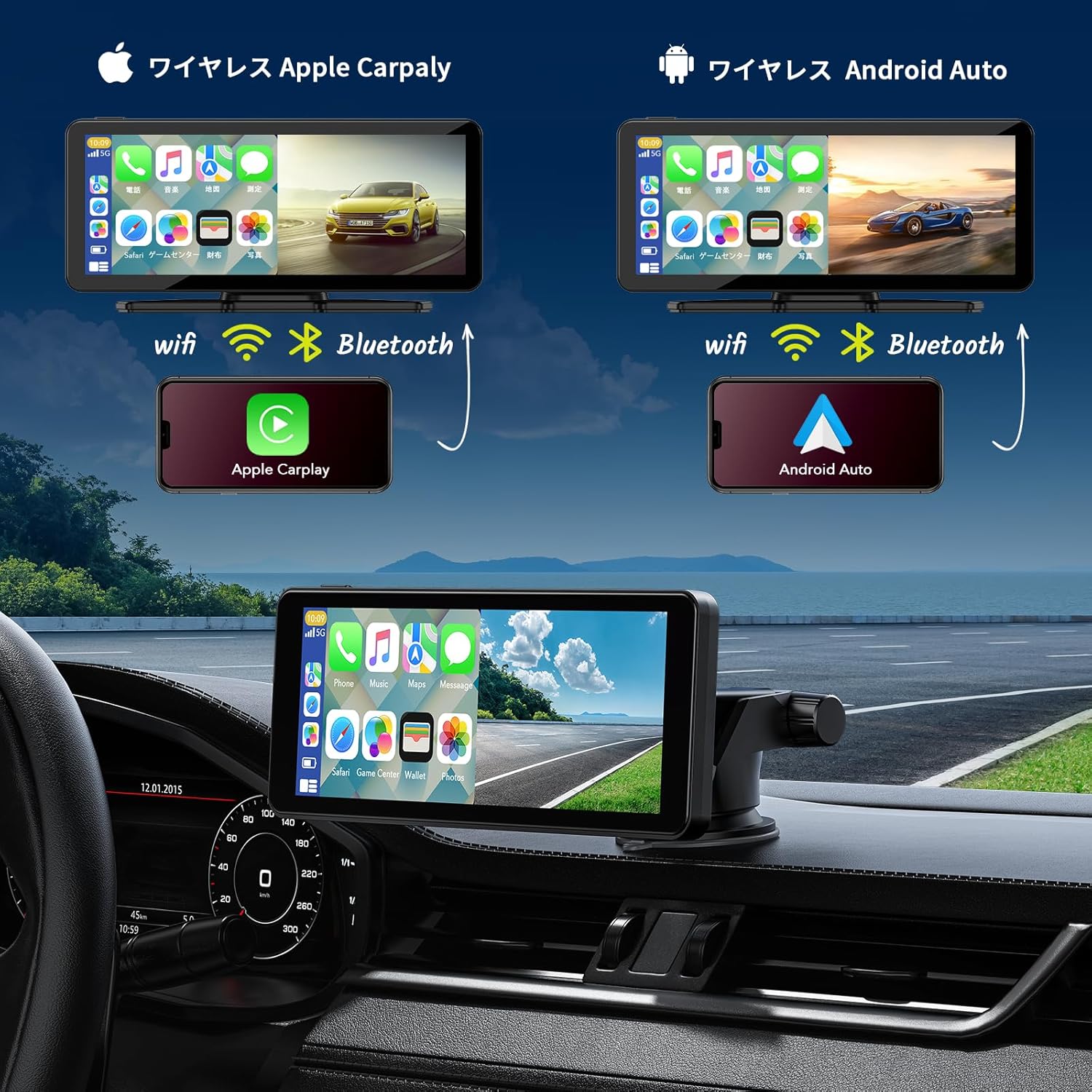
Figure 3.2: Wireless CarPlay and Android Auto Connection
3.3 Using Apple Airplay / Android Cast (Mirroring)
For iPhone users, Airplay allows screen mirroring. For Android users, Android Cast provides mirroring functionality. This feature is ideal for displaying videos or other content from your phone on the unit's screen.
- Select the Airplay or Android Cast option on the unit.
- On your smartphone, enable screen mirroring and select the device.
- Ensure both devices are connected via Wi-Fi for optimal performance.
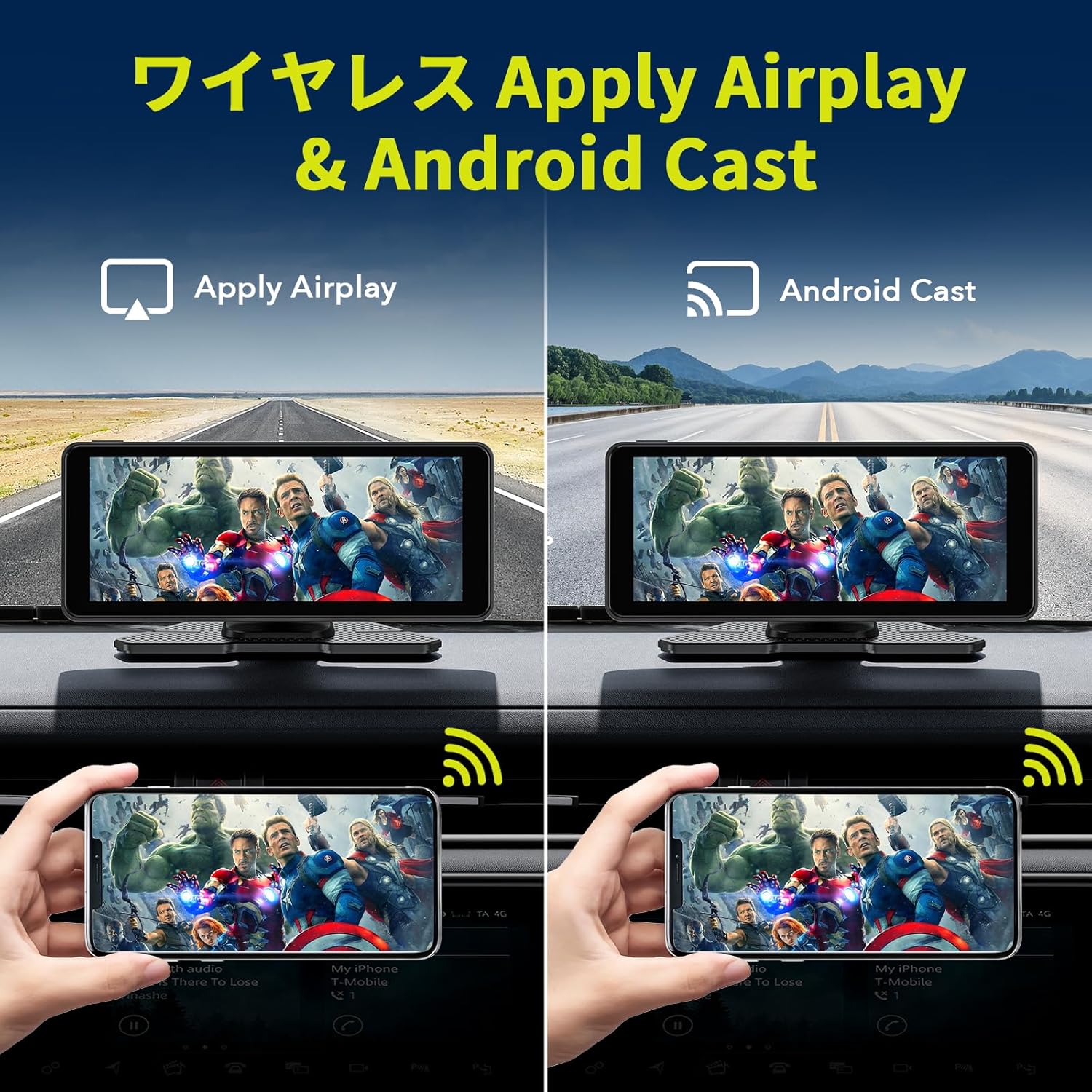
Figure 3.3: Wireless Airplay and Android Cast
3.4 Control per veu (Siri / Assistent de Google)
Utilize your smartphone's voice assistant (Siri for Apple, Google Assistant for Android) for hands-free operation. This allows you to make calls, send messages, get directions, and control music without taking your hands off the wheel.
- Ensure your phone is connected via CarPlay or Android Auto.
- Activate the voice assistant using the designated button on the unit (if available) or by saying the wake word ("Hey Siri" or "Hey Google").
- Speak your command clearly into the unit's built-in microphone.
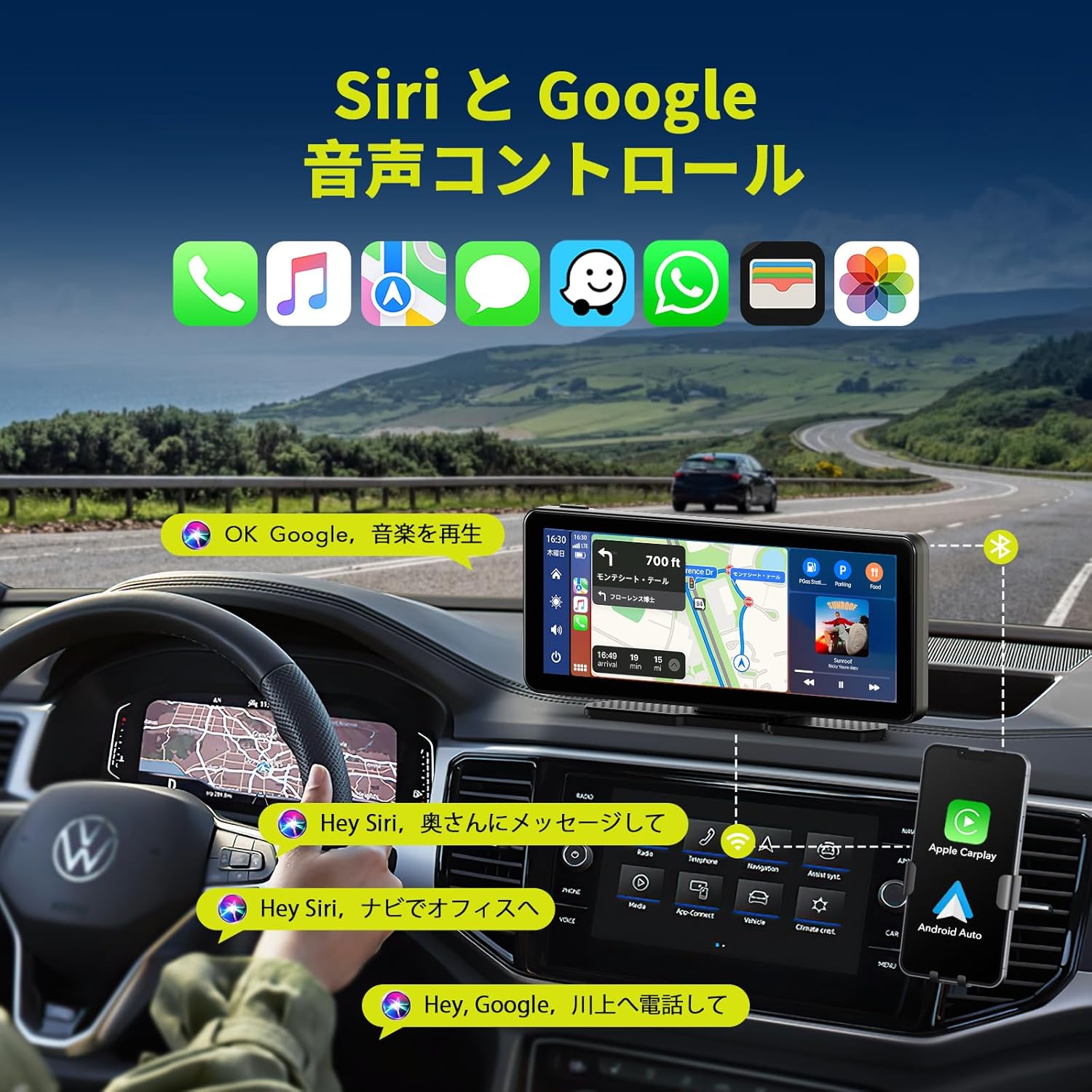
Figura 3.4: Control per veu amb Siri i Google Assistant
3.5 Opcions de sortida d'àudio
The unit offers several ways to output audio to your car's sound system:
- Altaveu integrat: The unit has its own speaker for direct audio output.
- Transmissor FM: Broadcast audio to your car's FM radio by tuning both devices to the same frequency.
- Cable AUX: Connect the provided AUX cable from the unit to your car's AUX input for a wired audio connection.
- Bluetooth: Stream audio wirelessly to your car's Bluetooth-enabled audio system (if available).

Figure 3.5: Audio Output Methods
3.6 Funcionalitat de pantalla dividida
The unit supports split-screen display, allowing you to view two applications simultaneously, such as navigation and music playback, or the desktop and the rear camera feed.

Figure 3.6: Split Screen Display Options
4. Manteniment
- Neteja: Feu servir un drap suau i sec per netejar la pantalla i l'exterior de la unitat. Eviteu productes de neteja o dissolvents abrasius.
- Temperatura: Do not expose the unit to extreme temperatures (hot or cold) for extended periods.
- Connexions de cable: Comproveu periòdicament totes les connexions dels cables per assegurar-vos que estiguin ben fixades.
- Càmera posterior: Keep the rear camera lens clean for clear visibility, especially in adverse weather conditions.
5. Solució De Problemes
| Problema | Causa possible | Solució |
|---|---|---|
| La unitat no s'encén. | No power supply; faulty cigarette adapter. | Ensure the cigarette adapter is securely plugged in and the vehicle's power outlet is functional. Check the adapter's fuse if applicable. |
| El CarPlay/Android Auto no es connecta. | Bluetooth/Wi-Fi desactivat al telèfon; emparellament incorrecte; interferències. | Ensure phone's Bluetooth and Wi-Fi are on. Re-pair the device. Move phone closer to the unit. Restart both phone and unit. |
| Sense sortida d'àudio. | Incorrect audio output setting; low volume; loose AUX cable. | Check the unit's audio output settings (FM, AUX, Bluetooth, internal speaker). Increase volume. Ensure AUX cable is fully inserted. If using FM, verify frequency match. |
| La càmera posterior no es mostra. | Loose camera connection; faulty camera. | Check the camera cable connection to the main unit. Ensure the camera is powered. |
| La pantalla tàctil no respon. | Error temporal de programari. | Restart the unit by disconnecting and reconnecting power. |
6. Especificacions del producte
| Característica | Detall |
|---|---|
| Marca | LAMTTO |
| Número de model | RC09 |
| Mida de la pantalla | 6.86 polzades |
| Tipus de visualització | LCD, Touchscreen |
| Connectivitat | Bluetooth 5.0, Wi-Fi, USB, AUX, FM Transmitter |
| Integració del telèfon intel·ligent | Wireless Apple CarPlay, Wireless Android Auto, Apple Airplay, Android Cast |
| Control de veu | Siri, Assistent de Google |
| Càmera posterior | 1080P, IP67 Waterproof, 170° Wide-angle, Super Night Vision (Parking Assist Only) |
| Vol. Operatiutage | 12-24 V |
| Tipus de muntatge | Dashboard Mount (3M adhesive, Suction Cup) |
| Dimensions (paquet) | 22.6 x 14.2 x 10.4 cm |
| Pes | 980 g |
7. Garantia i Suport
LAMTTO products are designed for reliability and performance. For warranty information, please refer to the specific warranty card included with your product or contact LAMTTO customer support.
Atenció al client:
- For technical assistance, troubleshooting, or warranty claims, please contact LAMTTO customer service through the retailer where you purchased the product or visit the official LAMTTO weblloc.
- Please have your model number (RC09) and purchase date ready when contacting support.


