1. Introducció
Thank you for choosing the iClever OWS01 Kids Bluetooth 5.4 Air Conduction Open Ear Headphones. These headphones are designed to provide a safe, comfortable, and high-quality audio experience for children, allowing them to remain aware of their surroundings while enjoying music or educational content. This manual will guide you through the setup, operation, and maintenance of your new headphones.
2. Contingut del paquet
Si us plau, verifiqueu que tots els elements siguin presents al paquet:
- iClever OWS01 Air Conduction Open Ear Headphones
- Cable de càrrega USB-C
- Manual d'usuari (aquest document)

3. Producte acabatview
The iClever OWS01 headphones feature a lightweight, flexible design with intuitive controls. The open-ear design rests comfortably outside the ear canal, ensuring hygiene and environmental awareness.


Components clau:
- Ganxos per a les orelles: Designed to sit securely over the ears without entering the ear canal.
- Tauler de control: Located on the side, featuring power, volume, and playback buttons.
- Port de càrrega USB-C: Per recarregar la bateria interna.
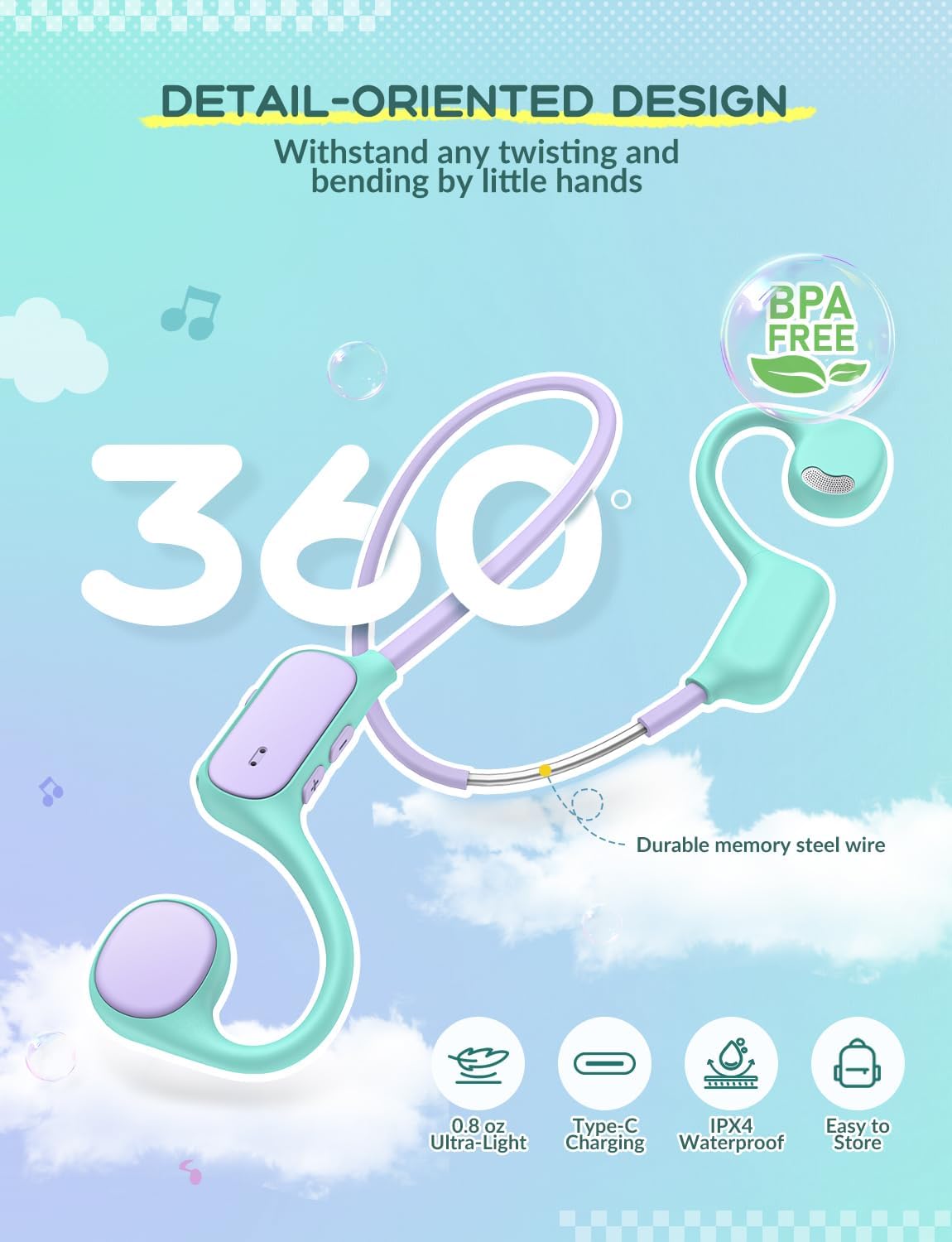
- Banda flexible per al coll: Connects the two ear units, made with memory steel wire for durability and comfort.
4. Configuració
4.1 Càrrega dels auriculars
- Locate the USB-C charging port on the control panel of the headphones.
- Connecteu el cable USB-C proporcionat al port de càrrega.
- Connecteu l'altre extrem del cable USB-C a un adaptador de corrent USB compatible (no inclòs) o al port USB d'un ordinador.
- El llum indicador LED s'il·luminarà durant la càrrega i s'apagarà quan estigui completament carregat.

4.2 Vinculació Bluetooth
- Assegureu-vos que els auriculars estiguin completament carregats.
- Press and hold the Power button on the control panel until the LED indicator flashes blue and red, indicating pairing mode.
- Al dispositiu (telèfon intel·ligent, tauleta, ordinador portàtil, etc.), activeu el Bluetooth i cerqueu els dispositius disponibles.
- Select "iClever OWS01" from the list of available devices.
- Once connected, the LED indicator will show a solid blue light or flash blue slowly.
Els auriculars intentaran tornar a connectar-se automàticament amb l'últim dispositiu emparellat quan s'engeguin.
5. Instruccions de funcionament
5.1 Encès/Apagat
- Encès: Premeu i manteniu premut el botó d'engegada durant aproximadament 3 segons fins que l'indicador LED s'encengui.
- Apagar: Premeu i manteniu premut el botó d'engegada durant aproximadament 5 segons fins que l'indicador LED s'apagui.
5.2 Control de volum
- Augmenta el volum: Premeu el botó '+'.
- Disminueix el volum: Premeu el botó '-'.
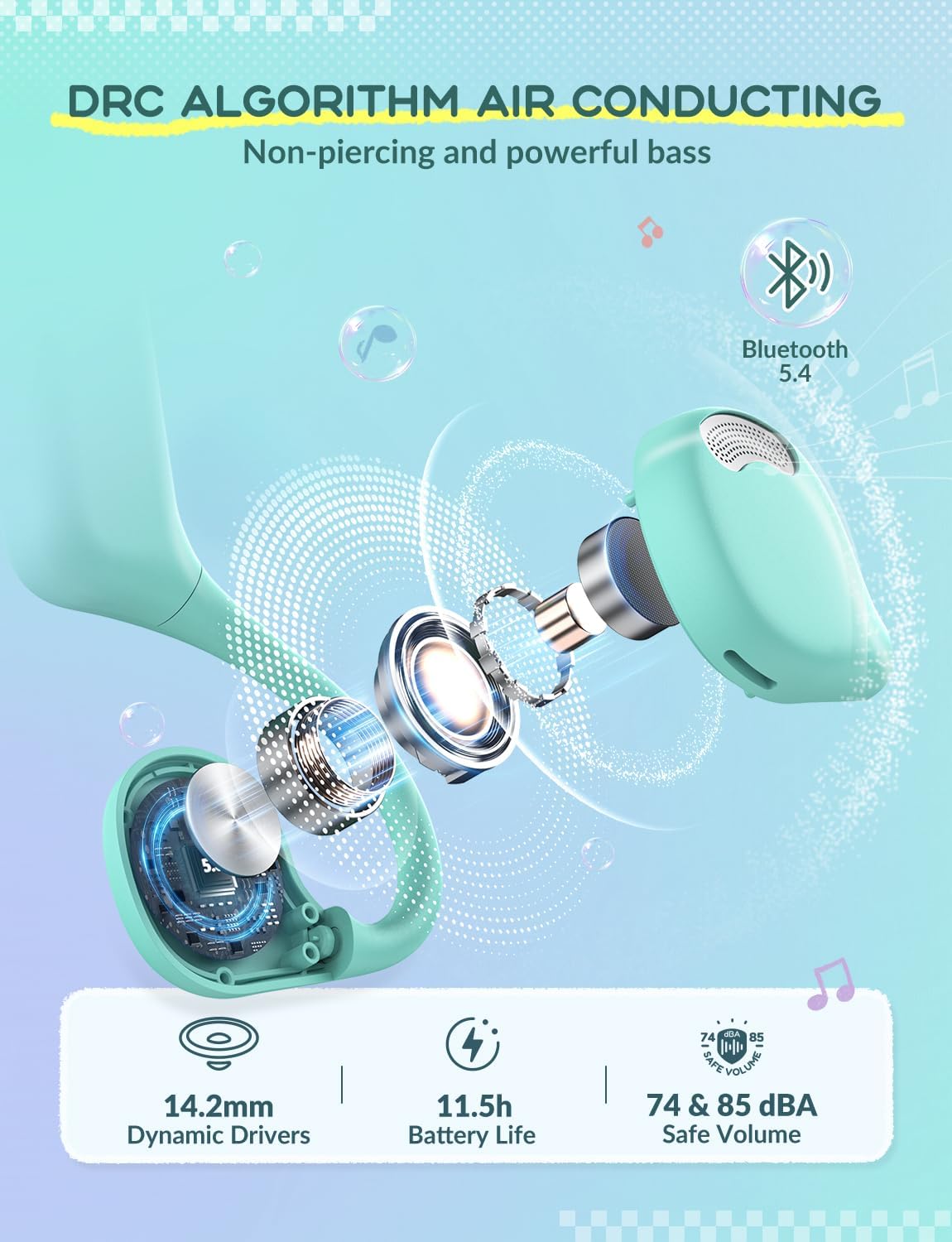
The headphones feature a safe volume limit of 74&85 dBA to protect children's hearing.
5.3 Control de reproducció
- Reproduir/pausa: Premeu breument el botó d'engegada.
- Pista següent: Premeu i manteniu premut el botó '+'.
- Pista anterior: Premeu i manteniu premut el botó '-'.
5.4 Gestió de trucades
- Respondre/Finalitzar la trucada: Premeu breument el botó d'engegada.
- Rebutja la trucada: Manteniu premut el botó d'engegada durant 2 segons.
6. Manteniment
Un manteniment adequat garanteix la longevitat i el rendiment òptim dels teus auriculars.
- Neteja: Netegeu els auriculars amb un drap suau i sec. Eviteu utilitzar productes químics agressius o materials abrasius.
- Emmagatzematge: Store the headphones in a cool, dry place away from direct sunlight and extreme temperatures. The flexible design allows for easy storage without deformation.
- Resistència a l'aigua: The headphones are IPX4 rated, meaning they are resistant to splashing water from any direction. Do not submerge them in water.
- Durabilitat: The memory steel wire in the neckband allows for 360° bending without deformation, making them resilient to typical child handling.
7. Solució De Problemes
| Problema | Causa possible | Solució |
|---|---|---|
| No es pot encendre | Bateria baixa | Carregueu els auriculars completament. |
| No es pot emparellar amb el dispositiu | Headphones not in pairing mode; Bluetooth off on device; Device too far. | Ensure headphones are in pairing mode (flashing red/blue LED). Turn on Bluetooth on your device. Move device closer to headphones. |
| Sense so | Volume too low; Device not connected; Media paused. | Increase headphone and device volume. Reconnect Bluetooth. Play media on your device. |
| Connexió intermitent | Interference; Device too far. | Move away from other wireless devices. Keep device within 10 meters of headphones. |
8. Especificacions
| Característica | Detall |
|---|---|
| Nom del model | OWS01 |
| Tecnologia de connectivitat | Sense fil (Bluetooth) |
| Versió Bluetooth | 5.4 |
| Col·locació de l'orella | Orella oberta |
| Tipus de controlador d'àudio | Controlador dinàmic (14.2 mm) |
| Safe Volume Limit | 74 & 85 dBA |
| Material | Elastòmer termoplàstic (TPE) |
| Pes de l'article | 0.08 quilograms (2.82 unces) |
| Mètode de control | Botons físics |
| Dispositius compatibles | Smartphones, Laptops, Tablets, PCs, Smartwatches |
| Característiques especials | Volume Control, 360° Bending, Ultra-Light, IPX4 Water Resistant |
9. Garantia i Suport
iClever products come with a standard manufacturer's warranty. For detailed warranty information, please refer to the warranty card included in your product packaging or visit the official iClever weblloc.
For technical support, troubleshooting assistance, or any product-related inquiries, please contact iClever customer service through their official weblloc web o la informació de contacte que es proporciona a la documentació del producte.
Assistència en línia: www.iclever.com


