1. Introducció
Thank you for choosing the Mesqool CR1025 Clock Radio. This device combines an alarm clock, Bluetooth speaker, FM radio, night light, and phone charger into one compact unit. This manual provides detailed instructions for setup, operation, and maintenance to ensure optimal performance and user experience.

Figure 1: Mesqool CR1025 Clock Radio
2. Producte acabatview
2.1 Característiques clau
- Disseny multifuncional: Alarm Clock, Bluetooth Speaker, FM Radio, Night Light, and Phone Charger.
- Bluetooth 5.0: For stable and quick wireless audio streaming.
- Ràdio FM: 87.5MHz-108.0MHz frequency range with 20 preset stations.
- Brillantor ajustable: 5 levels for the LED display.
- Volum ajustable: 16 levels (45dB to 116dB).
- Temporitzador de son: Allows automatic shutdown of audio playback.
- Funció de posposar: 9-minute delay for alarms.
- Còpia de seguretat de la bateria: Conserva la configuració de l'hora i l'alarma durant l'apagadatages.
- Ports de càrrega USB duals: Type-C and USB-A for device charging.
- Format horari: 12-hour and 24-hour display options.
- Horari d'estiu (DST): Quick adjustment feature.

Figura 2: Funcionalitat 5 en 1
2.2 Contingut del paquet
- Mesqool CR1025 Clock Radio
- Adaptador d'alimentació
- Cable USB
- CR2032 Lithium Battery (pre-installed or separate for backup)
- Manual d'usuari (aquest document)

Figura 3: Contingut del paquet
3. Controls i pantalla
Familiarize yourself with the buttons and ports on your Mesqool CR1025 Clock Radio.
3.1 Controls del panell superior
- Sleep Timer Knob: Rotate to set sleep timer duration. Press to confirm.
- Botó d'alarma: Press to set or activate/deactivate alarms.
- Time/12/24 Button: Press to set time. Hold to switch between 12/24-hour format.
- Dimmer/DST Button: Press to adjust display brightness. Hold to activate/deactivate Daylight Saving Time.
- Botó SNOOZE/LLUM: Press to snooze alarm or turn night light on/off.
- Preset/Pair Button: Press to cycle through FM presets. Hold to enter Bluetooth pairing mode.
- Play/Mode Button: Press to play/pause in Bluetooth mode. Hold to switch between FM/Bluetooth modes.
- Power/Scan Knob: Rotate to adjust volume. Press to power on/off. Hold to auto-scan FM stations.
3.2 Ports del panell posterior
- DC IN: Port d'entrada d'alimentació.
- Sortida USB-A: Per carregar dispositius externs.
- Sortida tipus C: Per carregar dispositius externs.
4. Configuració
4.1 Connexió d'alimentació
- Connect the power adapter to the DC IN port on the back of the clock radio.
- Connecteu l'adaptador de corrent a una presa de corrent estàndard. La pantalla s'il·luminarà.

Figura 4: Connexió d'alimentació
4.2 Bateria de reserva
The CR2032 battery provides backup for time and alarm settings during a power outage. The display will not show time, and alarms will not sound until power is restored.
- Ensure the battery insulator tab is removed if the battery was pre-installed.
- If replacing, open the battery compartment on the bottom and insert a new CR2032 battery with the correct polarity.
4.3 Configuració de l'hora
- Manteniu premut el botó Time/12/24 fins que els dígits de les hores parpellegin.
- Gira el Alimentació/escaneig botó per ajustar l'hora.
- Premeu el botó Time/12/24 de nou per confirmar l'hora i els dígits dels minuts parpellejaran.
- Gira el Alimentació/escaneig knob to adjust the minutes.
- Premeu el botó Time/12/24 button to save the time setting.
4.4 Format de 12/24 hores
To switch between 12-hour and 24-hour time formats, press the Time/12/24 Premeu breument el botó mentre es mostra l'hora.

Figure 5: 12H/24H and DST Display
4.5 Horari d'estiu (DST)
To activate or deactivate DST, press and hold the Dimmer/DST button. The 'DST' indicator will appear or disappear on the display.
5. Instruccions de funcionament
5.1 Configuració de l'alarma
- Manteniu premut el botó Alarma fins que els dígits de l'hora de l'alarma parpellegin.
- Gira el Alimentació/escaneig knob to adjust the alarm hour.
- Premeu el botó Alarma de nou per confirmar l'hora i els dígits dels minuts parpellejaran.
- Gira el Alimentació/escaneig knob to adjust the alarm minutes.
- Premeu el botó Alarma botó per desar l'hora de l'alarma.
- Per activar/desactivar l'alarma, premeu el botó Alarma breument el botó. Apareixerà/desapareixerà una icona d'alarma a la pantalla.
5.2 Funció de repetició
Quan soni l'alarma, premeu el botó SNOOZE / LIGHT button to activate the 9-minute snooze function. The alarm will sound again after 9 minutes. This can be repeated up to 9 times. To stop the alarm completely, press the Alarma botó.

Figura 6: Funció Snooze
5.3 Funcionament de la ràdio FM
- Premeu el botó Play/Mode botó per canviar al mode de ràdio FM.
- Escaneig automàtic: Manteniu premut el botó Alimentació/escaneig knob to automatically scan and save available FM stations (up to 20 presets).
- Sintonització manual: Briefly rotate the Alimentació/escaneig knob to fine-tune the frequency.
- Seleccioneu presets: Premeu el botó Preset/Pair botó per anar ciclant per les estacions desades.
- Ajust de volum: Gira el Alimentació/escaneig knob to adjust the volume (16 levels).

Figure 7: FM Radio Features
5.4 Funcionament de l'altaveu Bluetooth
- Premeu el botó Play/Mode button to switch to Bluetooth mode. The 'BT' icon will flash on the display.
- On your mobile device, enable Bluetooth and search for 'CR1025'.
- Select 'CR1025' to pair. Once connected, the 'BT' icon will stop flashing.
- Play audio from your device. Use the Play/Mode botó per reproduir/pausar.
- Ajust de volum: Gira el Alimentació/escaneig botó per ajustar el volum.

Figura 8: Connectivitat Bluetooth 5.0
5.5 Funcionament de la llum nocturna
Premeu el botó SNOOZE / LIGHT button to turn the night light on or off. The night light provides a soft, warm glow.

Figure 9: Warm Night Light
5.6 Ajust de la brillantor de la pantalla
Premeu el botó Dimmer/DST button repeatedly to cycle through 5 levels of display brightness, from off to brightest.
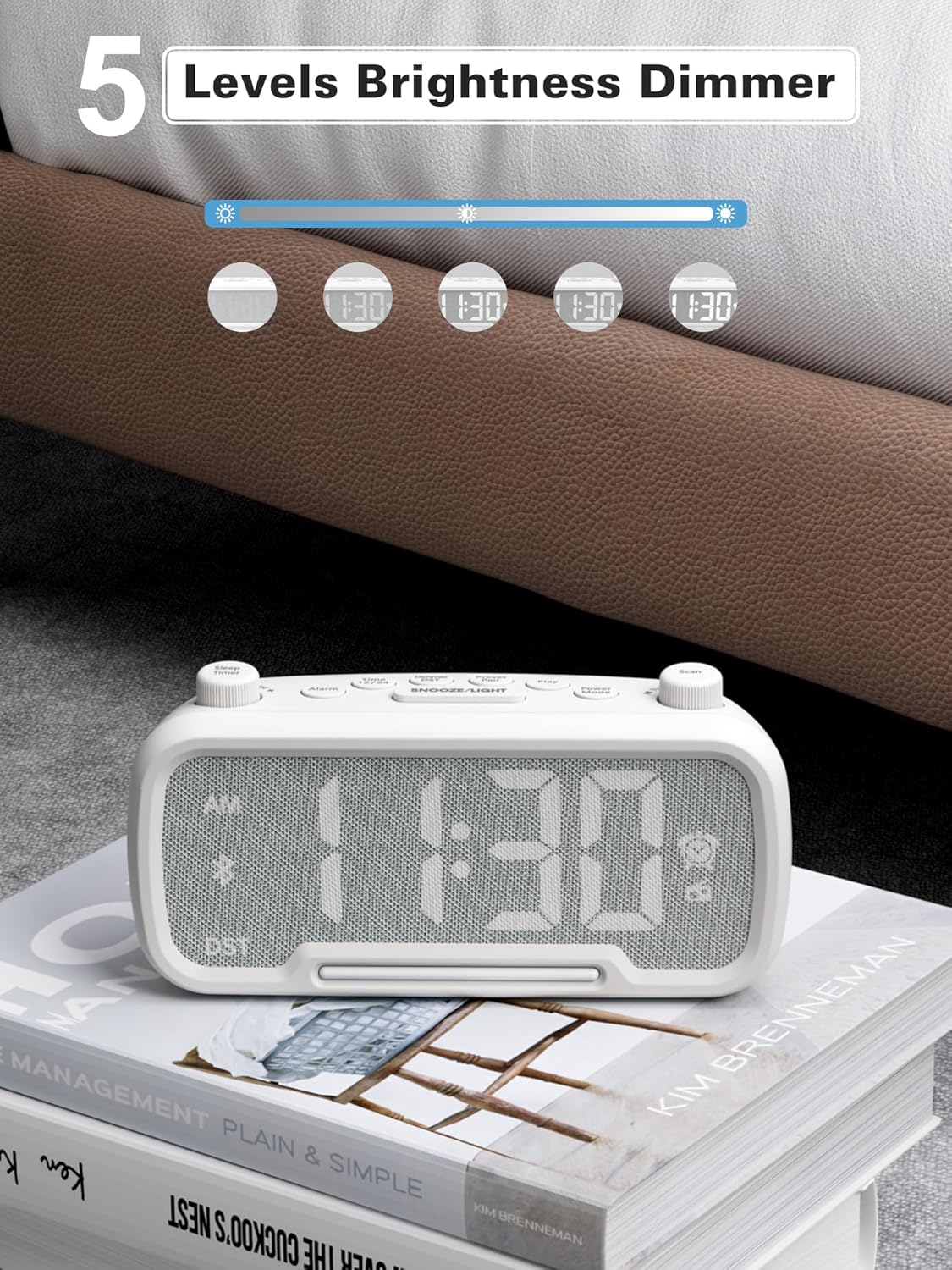
Figure 10: 5 Levels Brightness Dimmer
5.7 Temporitzador de repòs
The sleep timer allows you to set a duration after which the radio or Bluetooth audio will automatically turn off.
- While playing FM radio or Bluetooth audio, rotate the Temporitzador de dormir knob to select the desired sleep duration (e.g., 15, 30, 60, 90 minutes).
- The display will show the remaining sleep time. The audio will turn off automatically when the timer expires.
5.8 Càrrega del telèfon
The clock radio features two USB charging ports (Type-C and USB-A) for convenient charging of your mobile devices.
- Connect your device's charging cable to either the USB-A or Type-C port on the back of the clock radio.
- Connecta l'altre extrem del cable al teu dispositiu mòbil. La càrrega començarà automàticament.

Figure 11: Dual USB Charging Ports
6. Manteniment
- Netegeu la unitat amb un drap suau i sec. No utilitzeu productes de neteja abrasius ni dissolvents.
- Mantingueu la unitat allunyada de la llum solar directa, de fonts de calor i de la humitat.
- Assegureu-vos una ventilació adequada al voltant de la unitat.
- Si no heu d'utilitzar la unitat durant un període prolongat, desendolleu-la de la presa de corrent.
7. Solució De Problemes
| Problema | Causa possible | Solució |
|---|---|---|
| Sense engegada/Pantalla apagada | L'adaptador de corrent no està connectat o està defectuós. | Ensure power adapter is securely plugged into the unit and wall outlet. Check outlet functionality. |
| L'alarma no sona | L'alarma no està activada o està configurada incorrectament. | Verify alarm time is set and the alarm icon is visible on the display. Check alarm volume. |
| Mala recepció de ràdio FM | Senyal feble o interferències. | Adjust the unit's position. Try auto-scanning again. |
| Bluetooth no emparellat | Device not in pairing mode or too far. | Ensure the clock radio is in Bluetooth mode (BT icon flashing). Move device closer. Forget device on phone and re-pair. |
| La càrrega USB no funciona | Cable faulty or device incompatible. | Try a different USB cable. Ensure the clock radio is powered on. |
8. Especificacions
- Model: CR1025
- Entrada d'alimentació: CA 100-240V, 50/60Hz
- Còpia de seguretat de la bateria: 1 x CR2032 (inclòs)
- Freqüència FM: 87.5 - 108.0 MHz
- Versió Bluetooth: 5.0
- Sortida USB: USB-A, Type-C (Charging only)
- Brillantor de la pantalla: 5 nivells
- Nivells de volum: 16 levels (45dB - 116dB)
- Dimensions: 5.9 x 3.81 x 8.4 cm (2.32 x 1.5 x 3.31 polzades)
- Pes: 216 g (0.48 lliures)
Figura 12: Dimensions del producte
9. Garantia i Suport
Mesqool products are designed and manufactured to the highest quality standards. For warranty information, technical support, or customer service inquiries, please refer to the contact information provided on the product packaging or visit the official Mesqool weblloc.
Weblloc: Mesqool Official Store


