1. Informació important de seguretat
Si us plau, llegiu atentament totes les instruccions abans d'utilitzar aquest producte. Conserveu aquest manual per a futures consultes.
- No bloquegeu les obertures de ventilació. Assegureu-vos que hi hagi un flux d'aire adequat al voltant del projector.
- No exposeu el projector a la pluja o la humitat per evitar incendis o descàrregues elèctriques.
- Utilitzeu només accessoris/accessoris especificats pel fabricant.
- Desendolleu el projector durant tempestes o quan no l'utilitzeu durant períodes prolongats.
- Demaneu tot el servei a personal de servei qualificat.
2. Contingut del paquet
Verifiqueu que tots els elements siguin presents al vostre paquet:
- WEWATCH S3 4K Portable Projector
- Control remot
- Cable d'alimentació
- Cable HDMI
- Manual d'usuari
3. Producte acabatview
Familiarize yourself with the components and ports of your WEWATCH S3 projector.

Imatge: Anvers view of the WEWATCH S3 4K Portable Projector, showcasing el seu disseny elegant i la seva lent.
3.1. Ports i connexions
The projector features various ports for versatile connectivity:

Imatge: Part posterior view of the WEWATCH S3 projector, highlighting its various input and output ports including LAN, USB, HDMI, and audio jacks.
- Xarxa LAN (x1): Per a la connexió de xarxa amb cable.
- USB (x2): For connecting USB drives or other USB devices.
- HDMI (x2): For connecting external devices like laptops, gaming consoles, or streaming sticks.
- AU (Audio Out x1): Per connectar dispositius d'àudio externs.
- AX (Audio In x1): Per a entrada d'àudio.
4. Configuració
Segueix aquests passos per configurar el projector per primera vegada:
- Col·locació: Place the projector on a stable, flat surface or mount it securely. Ensure it is positioned to project onto a suitable screen or wall.
- Connexió d'alimentació: Connecteu el cable d'alimentació a l'entrada d'alimentació del projector i després a una presa de corrent.
- Encès: Premeu el botó d'encesa del projector o del comandament a distància per encendre el dispositiu.

Image: The WEWATCH S3 projector set up in a living room environment, projecting an image onto a screen, demonstrating typical home usage.
5. Instruccions de funcionament
5.1. Android TV Operating System
The WEWATCH S3 features an integrated Android TV system, providing direct access to popular streaming applications.

Image: A person using the remote control to navigate the Android TV interface projected onto a large screen, showing various streaming app icons like Prime Video, YouTube, and Netflix.
- Navegació: Use the remote control's directional buttons and OK button to navigate the Android TV interface.
- Ús de l'aplicació: For optimal experience with certain applications (e.g., Netflix, YouTube), it is recommended to switch the remote control to mouse mode. After using the application, switch back to normal mode.
6. Connectivitat
6.1. Wi-Fi Connection (2.4G + 5G)
Connecteu el projector a una xarxa sense fil per accedir a Internet i fer rèplica de pantalla.
- Navigate to the Wi-Fi settings in the Android TV menu.
- Seleccioneu la xarxa desitjada i introduïu la contrasenya.
- The projector supports both 2.4G and 5G Wi-Fi bands for fast and stable connections.
6.2. Connexió Bluetooth
Connect external Bluetooth speakers or headphones for enhanced audio, or use the projector as a Bluetooth speaker.

Image: A smartphone wirelessly connected to the WEWATCH S3 projector, demonstrating the 2.4G/5G Wi-Fi and Bluetooth dual-channel capabilities for seamless content streaming.
- Aneu a la configuració de Bluetooth.
- Vincula amb el teu dispositiu Bluetooth.
- The projector can also function as a standalone Bluetooth speaker when connected to a phone.
6.3. Connexions HDMI i USB
Connecteu dispositius externs mitjançant ports HDMI o USB.
- Insert the HDMI cable into one of the projector's HDMI ports and the other end into your device (e.g., laptop, game console).
- Insert a USB drive into a USB port to access media files.
7. Característiques clau
7.1. Electronic Focus
Adjust the image clarity easily using the remote control.

Image: A hand holding the projector's remote control, pointing to the F+/F- buttons used for electronic focus adjustment, with a clear projected image of a tiger cub.
- Utilitza el F+ i F- buttons on the remote control to fine-tune the focus until the image is sharp.
7.2. 4-Point Keystone Correction
Correct distorted images to achieve a perfectly rectangular projection, regardless of the projector's angle.
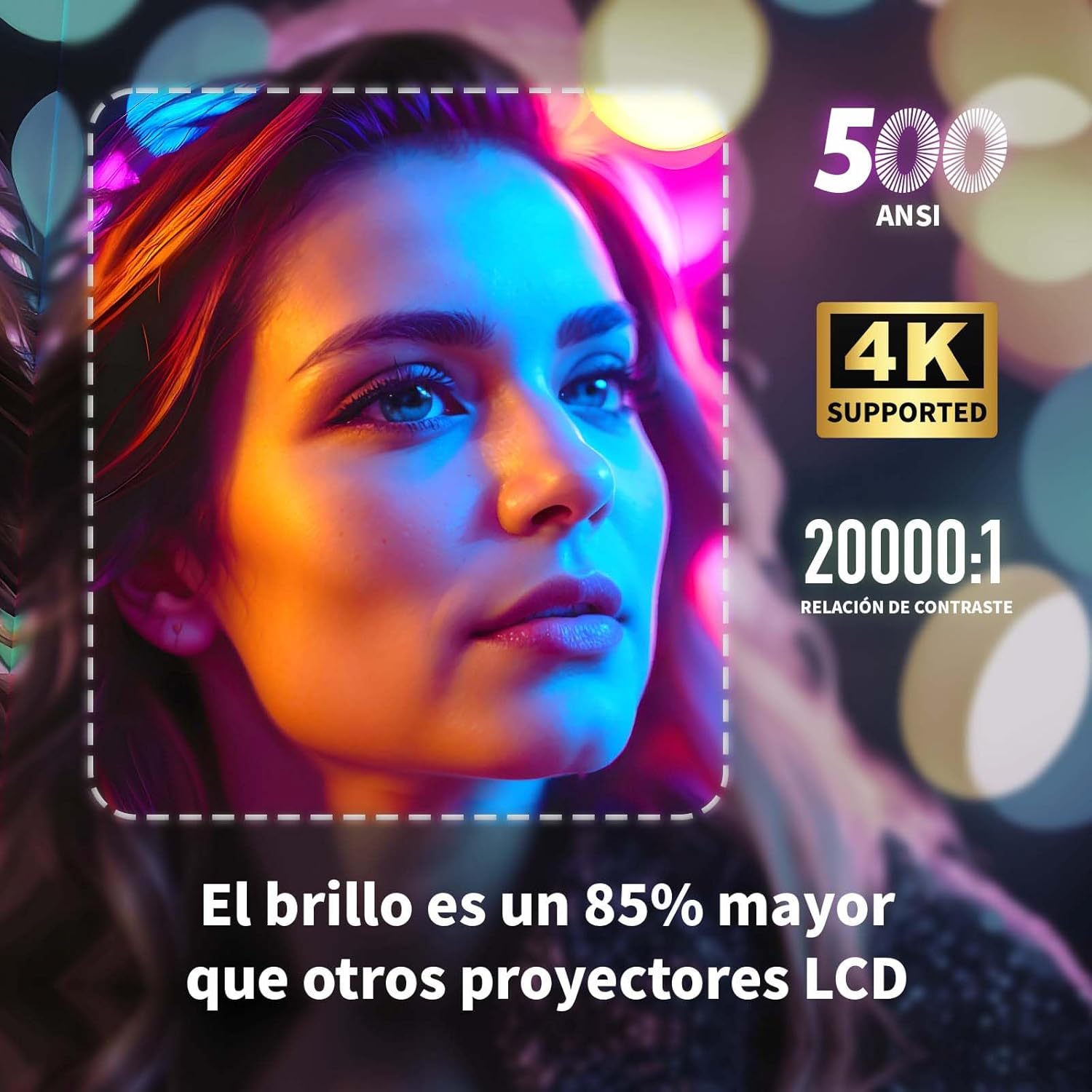
Image: A projected image of a woman's face with a dotted outline demonstrating how 4-point keystone correction adjusts the image to be perfectly rectangular, even when projected at an angle.
- Access the keystone correction settings in the menu to adjust each corner of the image independently.
- The projector also supports automatic vertical keystone correction.
7.3. Funció de zoom
Adjust the image size without moving the projector.

Image: A visual representation of the projector's zoom function, showing how the image size can be reduced from 100% to 50% without physically moving the projector.
- The zoom function allows you to reduce the image size from 100% to 80%.
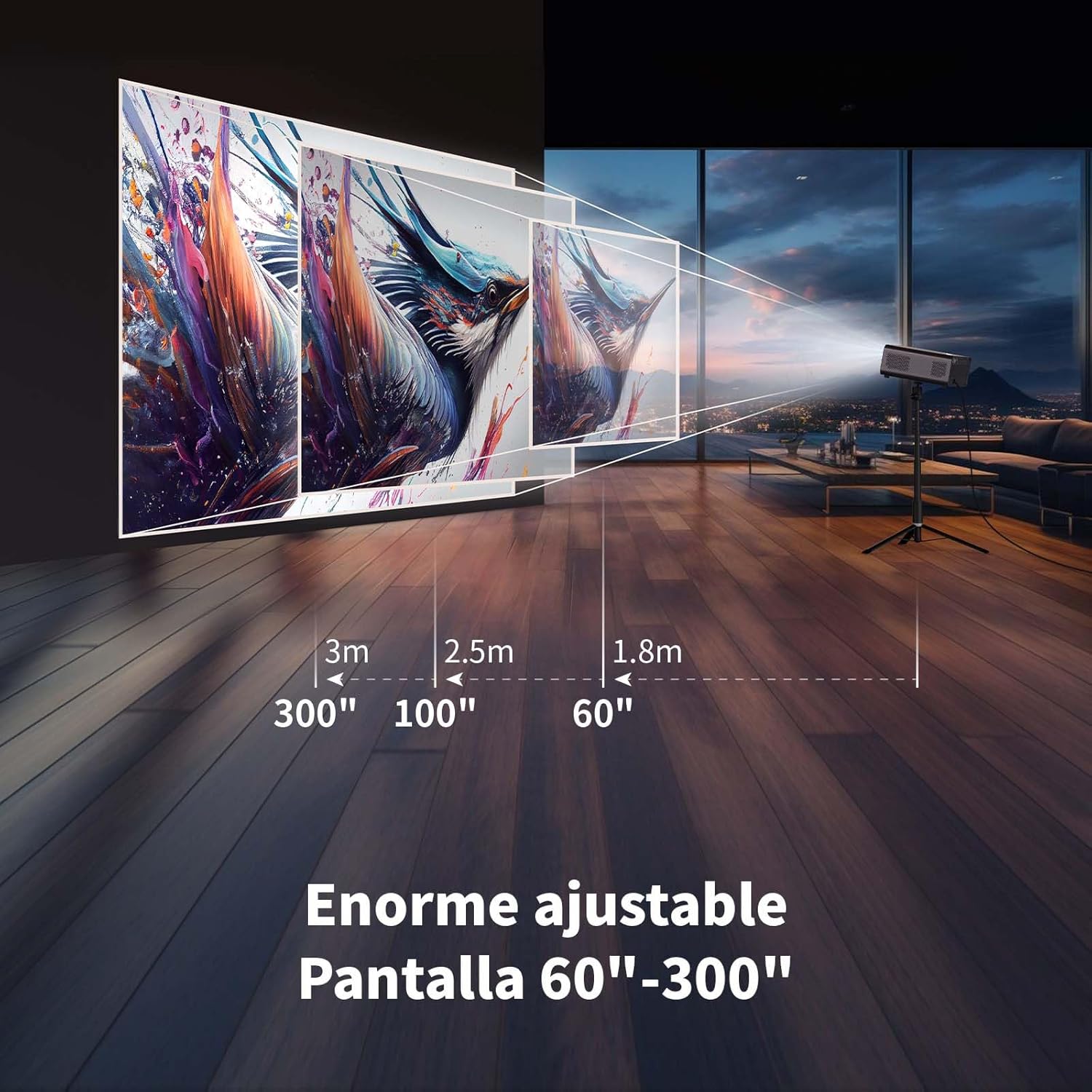
7.4. Large Screen Projection
Experiència immersiva viewing with a large adjustable screen size.

Image: A large projected image of an astronaut on a snowboard, illustrating the 300-inch screen capability of the projector in a home cinema setting.
- The projector can produce an adjustable screen size from 60 inches to 300 inches, suitable for various viewentorns.
8. Manteniment
8.1. Dust-Proof Design and Cleaning
The projector features a dust-proof design with a hidden dust box to prevent dust accumulation.
Imatge: Un primer pla view of the projector's hidden dust box, showing the filter inside, and an illustration of airflow, emphasizing the importance of regular cleaning to prevent dust from entering the device.
- Regularly clean the dust box to maintain optimal performance and prevent dust from affecting the image quality.
- Feu servir un drap suau i sec per netejar l'exterior del projector.
- No utilitzeu netejadors líquids ni aerosols.
9. Solució De Problemes
Si teniu problemes amb el projector, consulteu els problemes i solucions més comuns següents:
| Problema | Possible solució |
|---|---|
| No es projecta cap imatge | Check power connection. Ensure input source is correctly selected (HDMI, USB, etc.). Verify lens cap is removed. |
| La imatge és borrosa | Adjust electronic focus using the F+/F- buttons on the remote. Ensure the projection surface is flat. |
| La imatge està distorsionada (forma trapezoïdal) | Use 4-point keystone correction in the settings menu to adjust the image corners. Check for automatic vertical correction. |
| Sense so | Check volume settings on the projector and connected device. Ensure external speakers are properly connected or Bluetooth is paired. |
| Problemes de connexió Wi-Fi | Ensure Wi-Fi is enabled. Re-enter Wi-Fi password. Restart the projector and router. Try connecting to a different Wi-Fi band (2.4G or 5G). |
10. Especificacions
Key technical specifications for the WEWATCH S3 Projector:
- Marca: NOSALTRES MIREM
- Número de model: S3
- Color: Gris Fumat
- Tipus de producte: Projector portàtil
- Brillantor: 500 lúmens ANSI
- Resolució de pantalla nativa: 1920 x 1080 (Full HD)
- Resolució de visualització màxima: 3840 x 2160 (4K Supported)
- Relació de contrast: 20000:1
- Tipus de visualització: LED
- Tecnologia de connectivitat: Bluetooth, Ethernet, HDMI, USB, Wi-Fi (2.4G/5G)
- Característiques especials: Wi-Fi Compatible, Digital Keystone Correction, Built-in Speaker, Auto Focus, Portable
- Dispositius compatibles: Speaker, Laptop, Smartphone, Tablet
- Dimensions del producte: 24.3 L x 24.9 W x 10.5 H centímetres
- Usos recomanats: Home Cinema, Video Games, Professional, Education
11. Garantia i Suport
The WEWATCH S3 Projector comes with a manufacturer's warranty to ensure your peace of mind.
- Garantia del fabricant: 2 anys
- For technical support or warranty claims, please refer to the contact information provided with your purchase documentation or visit the official WEWATCH weblloc.


