1. Introduction to the Radtel RT-590 Plus
The Radtel RT-590 Plus is a versatile dual-band handheld radio designed for various communication needs, including amateur radio, air band reception, and NOAA weather alerts. It features a robust design, multiple charging options, and advanced functions like one-key frequency copy and VOX transmission.

Figure 1: Radtel RT-590 Plus with all included accessories, including the radio body, battery, antenna, belt clip, desktop charger, handstrap, programming cable, USB-C cable, and earpiece.
2. Configuració
2.1 Contingut del paquet
Verifiqueu que tots els elements siguin presents al vostre paquet:
- RT-590 Plus Radio Body (x1)
- Li-ion Battery Pack (x1)
- Dual Band Antenna (x1)
- Clip de cinturó (x1)
- English User Manual (x1)
- Carregador d'escriptori (x1)
- Handstrap (x1)
- Cable de programació (x1)
- Cable USB-C (x1)
- Auricular (x1)
2.2 Instal·lació i càrrega de la bateria
Insert the Li-ion battery pack into the compartment on the back of the radio until it clicks securely into place. Ensure proper alignment to avoid damage.
The RT-590 Plus supports multiple charging methods:
- Carregador d'escriptori: Place the radio with the battery installed into the desktop charging cradle. The indicator light on the charger will show charging status.
- Càrrega USB-C: For emergency charging, connect the provided USB-C cable to the Type-C port on the side of the radio and to a compatible USB power source (e.g., wall adapter, power bank, computer USB port).

Figure 2: The USB-C port on the side of the radio for direct charging.

Figure 3: The radio can be charged via its desktop cradle or directly via USB-C from various sources like a notebook, power bank, or vehicle charger.
2.3 Fixació de l'antena
Screw the dual-band antenna clockwise onto the antenna connector at the top of the radio until it is finger-tight. Do not overtighten.
2.4 Instal·lació del clip de cinturó
Fixeu el clip del cinturó a la ranura designada a la part posterior de la ràdio per a un transport còmode.
3. Instruccions de funcionament
3.1 Encès/Apagat
Per encendre la ràdio, gireu el Control de volum/alimentació clockwise until you hear a click. To power off, rotate it counter-clockwise until it clicks off.
3.2 Frequency Range and Band Selection
The RT-590 Plus operates across a wide range of frequencies:
- Transmissió/Recepció (TX/RX): 144-148 MHz (VHF) and 420-450 MHz (UHF)
- Receive Only (RX): 136-600 MHz
- Air Band Receive: 108-136 MHz (AM)
- Ràdio FM: 67-108 MHz
Utilitza el BANDA button (key 1) to switch between the available frequency bands.

Figure 4: Visual representation of the RT-590 Plus's extensive frequency coverage.

Figure 5: The radio's capability for aviation reception (AM: 108-136 MHz RX).
3.3 Channel Mode and Frequency Mode
The radio can operate in two primary modes: Channel Mode (MR) and Frequency Mode (VFO).
- Mode de canal (MR): Allows you to select pre-programmed channels.
- Mode de freqüència (VFO): Allows direct input of frequencies for manual tuning.
Premeu el botó VFO/MR button (key 3) to toggle between these modes.
Video 1: Demonstrates how to switch between channel mode and frequency mode on the Radtel RT-590 Plus.
3.4 One-Key Frequency Copy (Frequency Detective)
This feature allows the RT-590 Plus to quickly detect and copy the frequency and CTCSS/DCS tone from another radio within 1 meter, enabling immediate communication without manual programming.
To use this function, activate the "Frequency Detective" mode on your RT-590 Plus and place it near the transmitting radio. The radio will scan and display the detected frequency and tone, which can then be saved to a channel.
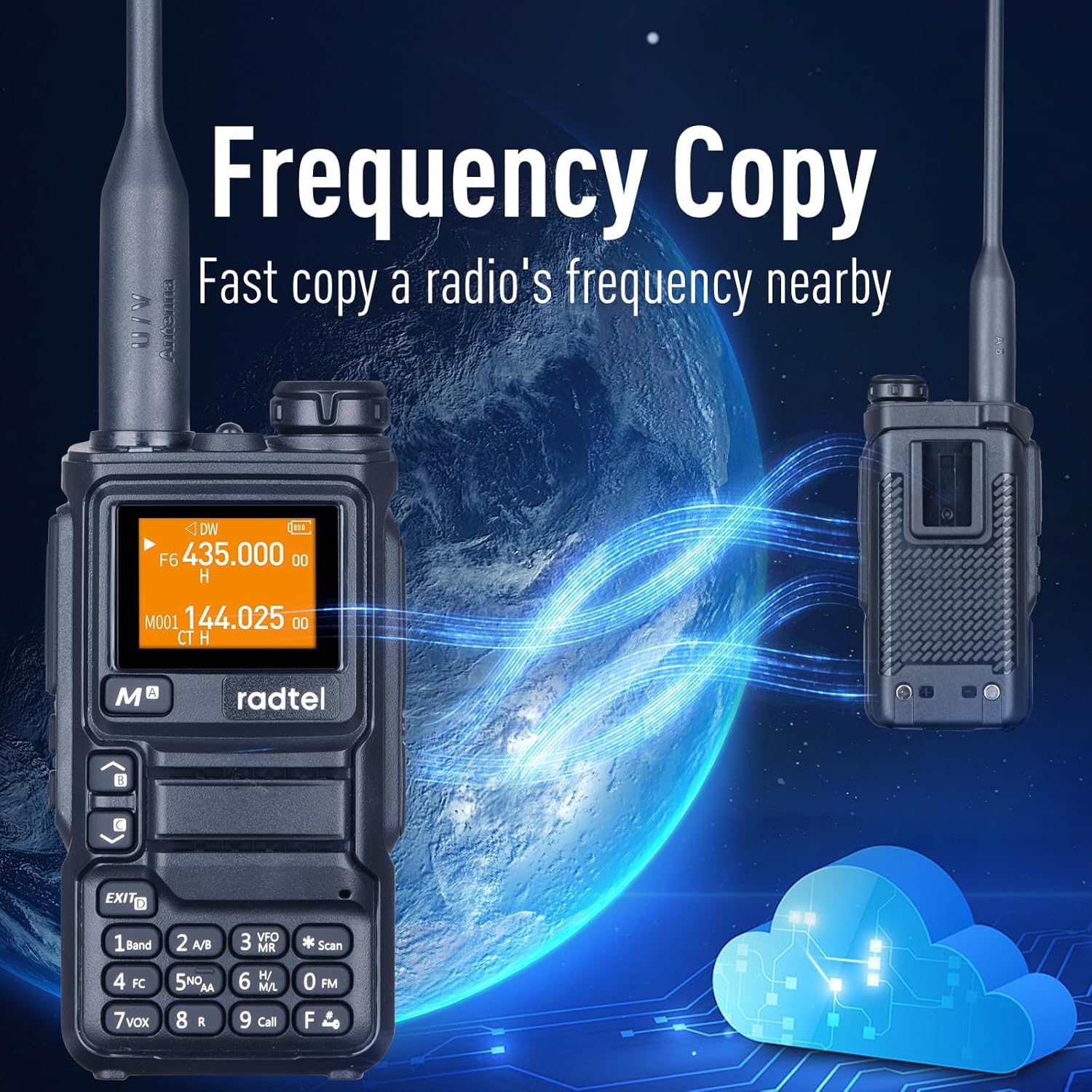
Figure 6: The radio's "Frequency Copy" feature, allowing quick replication of frequencies from nearby devices.
Video 2: Demonstrates the "fast copy a frequency from other radios" feature, showing how to quickly acquire and save frequencies.
3.5 Funció VOX (centraleta operada per veu)
The VOX function allows for hands-free transmission. When activated, the radio will automatically transmit when it detects your voice, eliminating the need to press the PTT (Push-To-Talk) button.
Refer to the detailed manual for VOX sensitivity adjustment.
Video 3: Shows how to switch between A and B main bands, which is often related to VOX or dual-watch functionality.
3.6 SCAN Function
The SCAN function allows the radio to automatically scan through frequencies or channels to detect active transmissions. Press the ESCANEAR button (key *) to initiate scanning.
3.7 NOAA Emergency Weather Receiver
The RT-590 Plus includes a built-in NOAA Weather Alert feature, providing access to National Oceanic and Atmospheric Administration weather broadcasts for critical weather information and alerts.
Premeu el botó NOAA button (key 5) to access NOAA weather channels.
3.8 Flashlight and Emergency Alert
The radio is equipped with a built-in flashlight for illumination in low-light conditions and an emergency alert function for signaling distress.

Figure 7: The integrated flashlight on the top of the radio.
Video 4: Demonstrates how to activate the flashlight and emergency alert feature.
Ràdio 3.9 AM/FM
In addition to communication bands, the RT-590 Plus can receive standard AM and FM radio broadcasts. Press the FM button (key 0) to enter FM radio mode.
3.10 Output Power Adjustment (L/M/H)
The radio supports adjustable output power levels (Low, Mid, High) to conserve battery life or extend range as needed. The maximum output power is 5 Watts.
Consult the full manual for specific steps to adjust output power.
3.11 Wireless Radio Replication
This feature allows for easy cloning of settings and channels between two compatible RT-590 Plus radios, simplifying setup for multiple units.
3.12 Frog Sound Tail Signal / Cross-band Intercom
The radio supports a "Frog Sound Tail Signal" for indicating the end of a transmission and cross-band intercom functionality for communication between different frequency bands.
3.13 Contrasenya d'encesa
For added security, a power-on password can be set to prevent unauthorized use of the radio.
3.14 Programació CHIRP
The RT-590 Plus is compatible with CHIRP software, allowing for advanced programming and customization of channels, frequencies, and settings via a computer using the included programming cable.

Figure 8: The radio can be programmed via CHIRP software using a computer and the provided cable.
4. Manteniment
4.1 Cura de la bateria
- Carregueu la bateria completament abans del primer ús.
- Eviteu sobrecarregar o esgotar completament la bateria per allargar-ne la vida útil.
- Guardeu la bateria en un lloc fresc i sec quan no la feu servir durant períodes prolongats.
4.2 Neteja
Netegeu l'exterior de la ràdio amb un drap suauamp cloth. Do not use harsh chemicals or abrasive cleaners. Ensure all ports are closed before cleaning.
4.3 Emmagatzematge
Guardeu la ràdio en un lloc sec i sense pols, allunyat de la llum solar directa i de temperatures extremes. Traieu la bateria si la guardeu durant períodes llargs.
5. Solució De Problemes
5.1 Problemes comuns i solucions
| Problema | Causa possible | Solució |
|---|---|---|
| La ràdio no s'encén. | Bateria baixa o gastada; instal·lació incorrecta de la bateria. | Charge the battery fully. Reinstall the battery correctly. |
| No es pot transmetre ni rebre. | Incorrect frequency/channel; antenna not properly attached; out of range. | Verifiqueu la configuració de freqüència/canal. Assegureu-vos que l'antena estigui ben connectada. Acosteu-vos a l'altra ràdio o repetidor. |
| Mala qualitat d'àudio. | Low battery; interference; volume too low/high. | Carregueu la bateria. Allunyeu-vos de les fonts d'interferència. Ajusteu el volum. |
| Frequency Copy not working. | Ràdios massa allunyades; ràdio transmissora no activa. | Ensure radios are within 1 meter. Confirm the other radio is transmitting. |
6. Especificacions
| Característica | Detall |
|---|---|
| Marca | radtel |
| Número de model | RT-590 PLUS |
| Pes de l'article | 1.1 lliures |
| Dimensions del paquet | 8.11 x 6.22 x 2.24 polzades |
| País d'origen | Xina |
| Bateries | Necessita 1 bateria de ions de liti (inclosa) |
| Nombre de canals | 200 |
| Rang de freqüència (TX/RX) | 144-148 MHz / 420-450 MHz |
| Frequency Range (RX Only) | 136-600MHz (including 108-136MHz Air Band) |
| Interval de conversa màxim | 5 quilòmetre |
| Tecnologia del sintonitzador | UHF, VHF |
| Voltage | 7.4 Volts |
| Nivell de resistència a l'aigua | No resistent a l'aigua |
| Característiques especials | Custom Firmware Capability, Air Band Receive, Chirp Programming, Dual Band TX/RX, Multi band RX, NOAA Weather Alert, Flashlight, SCAN, VOX, AM/FM Radio, Type-C Charger |

Figure 9: Physical dimensions of the Radtel RT-590 Plus, showing its compact size.
7. Garantia i Suport
7.1 Informació de la garantia
The Radtel RT-590 Plus comes with a 1 any de garantia des de la data de compra, que cobreix els defectes de fabricació. Conserveu el comprovant de compra per a reclamacions de garantia.
7.2 Atenció al client
For technical assistance, troubleshooting, or warranty inquiries, please contact Radtel customer support. Refer to the contact information provided in your product packaging or visit the official Radtel weblloc.
També podeu visitar el Radtel Store on Amazon per obtenir informació i recursos addicionals sobre el producte.


