Introducció
Welcome to the user manual for your EarFun Tune Pro Active Noise Canceling Headphones. This manual provides detailed instructions on how to set up, operate, maintain, and troubleshoot your headphones to ensure optimal performance and a superior audio experience. Please read this manual thoroughly before using your headphones.
Què hi ha a la caixa
Before you begin, please verify that all the following items are included in your package:
- 1 x EarFun Tune Pro Bluetooth Headphones
- 1 x Manual d'usuari
- 1 x AUX Audio Cable (3.5mm, 1.3m / 51.2inch Length)
- 1 x USB-C Fast Charging and Data Cable (1.2m / 47.2inch Length)

Image: The EarFun Tune Pro headphones, user manual, 3.5mm AUX audio cable, and USB-C charging cable, as typically found in the product packaging.
Producte acabatview
The EarFun Tune Pro headphones are designed for comfort and high-quality audio. They feature an adjustable headband, soft memory foam ear cushions, and foldable earcups for portability. Key controls are located on the earcups for easy access.

Imatge: Una imatge detallada view of the EarFun Tune Pro headphones, highlighting their sleek black design and over-ear form factor.
Característiques principals:
- Controladors duals: Equipped with 40mm + 10mm Dual Composite Dynamic Drivers for balanced audio.
- Cancel·lació activa del soroll (ANC): Up to 45dB noise reduction with EarFun QuietSmart 2.0 technology.
- 5 Mics with AI Noise Reduction: Per a trucades de mans lliures nítides.
- Temps de joc llarg: Up to 120 hours (ANC off) or 80 hours (ANC on).
- Bluetooth 5.4: Per a una connexió sense fil estable i eficient.
- Connexió multipunt: Connecteu-vos a dos dispositius simultàniament.
- Àudio d'alta resolució: Supported via USB-C wired connection.
- Disseny plegable: Per a un fàcil emmagatzematge i transport.
Configuració
1. Càrrega inicial
Before first use, fully charge your EarFun Tune Pro headphones. Connect the provided USB-C cable to the charging port on the headphones and the other end to a USB power adapter (not included) or a computer's USB port. The LED indicator will show charging status and turn off when fully charged.
- A 10-minute fast charge provides approximately 15 hours of runtime.
- Full charge provides up to 120 hours of playtime with ANC off, or 80 hours with ANC on.
Image: Visual representation of the long battery life and fast charging capabilities of the EarFun Tune Pro headphones.
2. Emparellament Bluetooth
- Assegureu-vos que els auriculars estiguin apagats.
- Premeu i manteniu premut el botó d'engegada durant aproximadament 3-5 segons fins que l'indicador LED parpellegi en blau i vermell, cosa que indica el mode d'emparellament.
- On your device (smartphone, tablet, laptop), enable Bluetooth and search for "EarFun Tune Pro" in the list of available devices.
- Select "EarFun Tune Pro" to connect. Once connected, the LED indicator will turn solid blue.
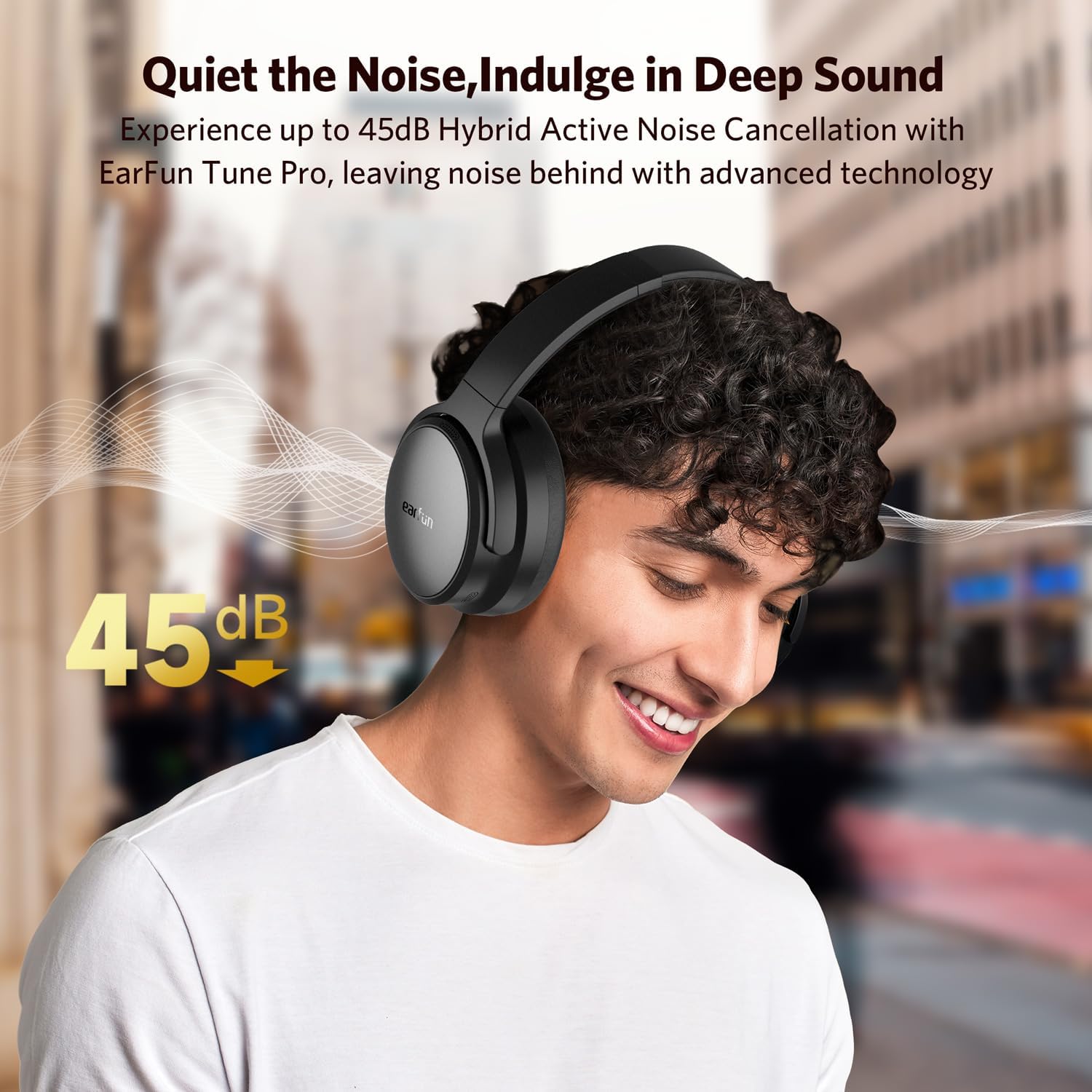
Image: The EarFun Tune Pro headphones connected simultaneously to a smartphone and a laptop, illustrating the multipoint connection feature with Bluetooth 5.4.
3. Connexió multipunt
The EarFun Tune Pro supports connecting to two devices simultaneously. After connecting to the first device, put the headphones back into pairing mode and connect to the second device. The headphones will automatically switch between the two connected devices based on audio playback.

Image: A visual representation of the advanced multipoint connection feature, allowing seamless switching between a smartphone and a laptop.
4. EarFun Audio App Installation
For enhanced control and customization, download the EarFun Audio App from your device's app store. The app allows you to:
- Select ANC modes.
- Personalitza la configuració de l'equalitzador.
- Personalitza les funcions dels botons.
- Adjust auto power-off settings.
- View indicador de bateria.
- Realitzar actualitzacions de firmware.

Image: Screenshots of the EarFun Audio app, demonstrating its features for customizing audio settings and headphone controls.

Imatge: Un cop mésview of the comprehensive features available within the EarFun Audio App, including mode switching, battery monitoring, EQ customization, and firmware updates.
Funcionament dels auriculars
Encès/Apagat
- Encès: Premeu i manteniu premut el botó d'engegada fins que l'indicador LED s'encengui.
- Apagar: Premeu i manteniu premut el botó d'engegada fins que l'indicador LED s'apagui.
Controls de reproducció de música
- Reproduir/pausa: Premeu el botó multifunció una vegada.
- Pista següent: Press the "Volume Up" button for 2 seconds.
- Pista anterior: Press the "Volume Down" button for 2 seconds.
- Pujar el volum: Premeu breument el botó "Pujar volum".
- Baixar el volum: Premeu breument el botó "Baixar volum".
Gestió de trucades
- Respondre/Finalitzar la trucada: Premeu el botó multifunció una vegada.
- Rebutja la trucada: Manteniu premut el botó multifunció durant 2 segons.
- Activa l'Assistent de veu: Premeu tres vegades el botó multifunció.
The headphones feature 5 built-in microphones with AI noise-reducing algorithms to ensure crystal-clear conversations by filtering out background noise.
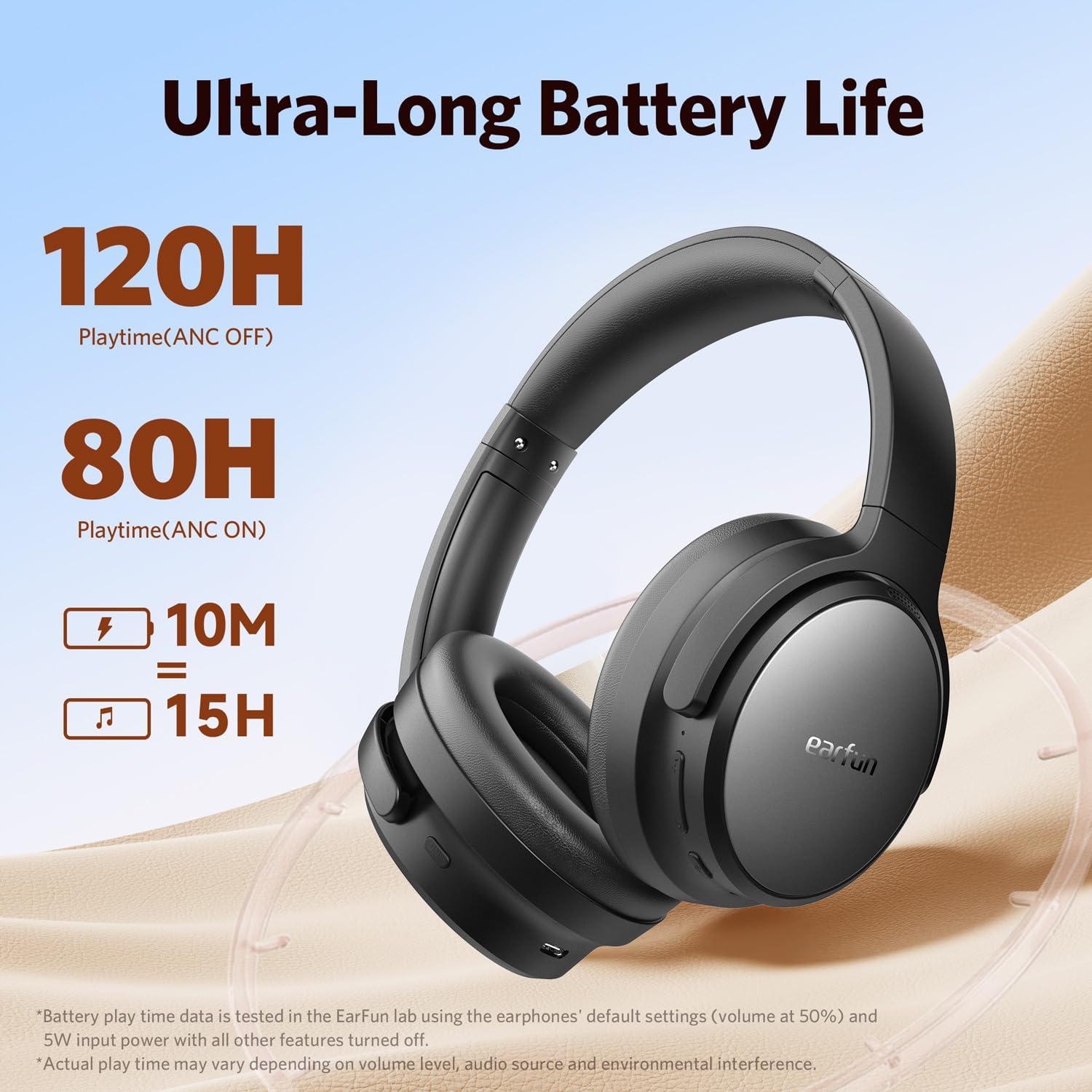
Image: The AI-Powered ENC feature for clear calls, showing how the headphones isolate the user's voice from ambient noise.
Cancel·lació activa de soroll (ANC)
The EarFun Tune Pro headphones utilize advanced hybrid active noise cancellation with EarFun QuietSmart 2.0 technology, achieving noise-canceling depths up to 45dB. This effectively blocks out a wide frequency range of noises, providing an immersive listening experience.
- Activa/desactiva els modes ANC: Press the ANC button on the left earcup to cycle through Normal, Ambient Sound, and Noise Canceling modes.
- Noise cancellation can also be enjoyed using a wired connection.

Image: The active noise canceling capability of the EarFun Tune Pro headphones, demonstrating up to 45dB noise reduction for an immersive audio experience.
Hi-Res Audio (Wired Connection)
For the highest fidelity audio, connect your EarFun Tune Pro headphones using the provided USB-C cable. This enables Hi-Res audio playback, delivering a balanced blend of rich bass and clear highs through its 40mm+10mm Dual Composite Dynamic Drivers.
- Hi-Res Audio is only available in wired mode, not wireless mode.

Image: A user enjoying the Hi-Res audio precision of the EarFun Tune Pro headphones when connected via a wired connection.
Manteniment
- Neteja: Feu servir un drap suau i sec per netejar els auriculars. No utilitzeu productes de neteja abrasius ni dissolvents.
- Emmagatzematge: Quan no els utilitzeu, guardeu els auriculars en un lloc fresc i sec, allunyats de la llum solar directa i de temperatures extremes. El disseny plegable permet un emmagatzematge compacte.
- Cura de la bateria: Per allargar la durada de la bateria, eviteu descarregar completament els auriculars amb freqüència. Carregueu-los regularment, fins i tot si no els feu servir constantment.
- Resistència a l'aigua: Aquests auriculars no són resistents a l'aigua. Eviteu l'exposició a líquids.
Resolució de problemes
Sense so / Mala qualitat de so
- Ensure the headphones are powered on and fully charged.
- Check that the headphones are properly paired with your device.
- Ajusteu el volum tant dels auriculars com del dispositiu connectat.
- If using a wired connection, ensure the AUX cable is securely plugged into both the headphones and the audio source.
- Try resetting the headphones (refer to the EarFun Audio App for reset options).
No es pot vincular amb el dispositiu
- Assegureu-vos que els auriculars estiguin en mode d'emparellament (el LED parpelleja en blau i vermell).
- Desactiva el Bluetooth en altres dispositius propers per evitar interferències.
- Esborra l'historial d'emparellament Bluetooth del dispositiu i torna a intentar l'emparellament.
- Restart both your headphones and the device you are trying to pair with.
L'ANC no funciona eficaçment
- Ensure ANC mode is activated (check the ANC button or EarFun Audio App settings).
- Make sure the earcups form a good seal around your ears. Adjust the headband for a snug fit.
- Some types of noise (e.g., human voices) are harder to cancel completely.
Problemes de qualitat de la trucada
- Ensure the headphones are connected and selected as the audio output/input device for calls.
- Check for strong Bluetooth signal. Move closer to your connected device.
- Assegureu-vos que els micròfons no estiguin obstruïts.
Especificacions
| Característica | Detall |
|---|---|
| Nom del model | EarFun Tune Pro Bluetooth Headphones |
| Número de model | HP200 |
| Tecnologia de connectivitat | Sense fil (Bluetooth 5.4) |
| Control de soroll | Cancel·lació activa de soroll (fins a 45 dB) |
| Conector d'auriculars | 3.5 mm Jack |
| Conductors | 40mm + 10mm Dual Composite Dynamic Drivers |
| Micròfons | 5 Mics with AI Noise Reduction |
| Durada de la bateria (ANC desactivat) | Fins a 120 hores |
| Durada de la bateria (ANC activat) | Fins a 80 hores |
| Càrrega ràpida | 10 mins charge = 15 hours playtime |
| Interval de freqüència | 20 Hz - 40 kHz |
| Impedància | 32 ohms |
| Pes de l'article | 285 grams |
| Material | Compost |
| Nivell de resistència a l'aigua | No resistent a l'aigua |
Garantia i Suport
Els productes EarFun solen incloure una garantia estàndard del fabricant. Consulteu la targeta de garantia inclosa a l'embalatge del producte o visiteu el lloc web oficial d'EarFun. weblloc web per obtenir informació detallada sobre els termes i condicions de garantia específics de la vostra regió.
Atenció al client:
For technical assistance, troubleshooting, or warranty claims, please contact EarFun customer support through their official website or the contact information provided in your product documentation. You may also find helpful FAQs and support resources on the EarFun brand store page on Amazon.
Nota: Conserveu el tiquet de compra com a comprovant de compra a efectes de garantia.


