Introducció
This manual provides essential information for the safe and efficient installation, operation, and maintenance of your GIGABYTE AORUS Elite P1000W Ice Power Supply. Please read this manual thoroughly before using the product and retain it for future reference.

Figura 1: Angle view of the GIGABYTE AORUS Elite P1000W Ice Power Supply, highlighting the 1000W rating.
Informació de seguretat
Observeu sempre les següents precaucions de seguretat per evitar lesions i danys al vostre equip:
- Assegureu-vos que l'alimentació estigui desconnectada de la presa de corrent altern abans de la instal·lació o la manipulació.
- No obriu la font d'alimentació. Alt voltatgetages are present inside, and there are no user-serviceable parts.
- Instal·leu la font d'alimentació en una zona ben ventilada, allunyada de fonts de calor i de la llum solar directa.
- Feu servir només els cables modulars que s'inclouen amb aquesta font d'alimentació. L'ús de cables incompatibles pot causar danys.
- Eviteu exposar la font d'alimentació a la humitat o a temperatures extremes.
Contingut del paquet
Verifiqueu que tots els elements siguin presents al paquet:
- GIGABYTE AORUS Elite P1000W Ice Power Supply Unit
- Modular Cable Set (including ATX 24-pin, EPS/CPU 8-pin, PCIe 6+2-pin, 12VHPWR, SATA, Peripheral)
- AC Power Cord (EU Plug)
- Cargols de muntatge
- Manual d'usuari (aquest document)
Característiques del producte
- ATX 3.0 and PCIe Gen 5.0 ready (ATX 3.1 compatible)
- Certified 80 PLUS Platinum efficiency
- 100% Japanese Capacitors for enhanced reliability
- 120mm Dynamic Fluid Ball Bearing (FDB) Fan for quiet and efficient cooling
- Compact design for easier installation
- Fully modular design for improved cable management
- Powerful single rail +12V output
- Comprehensive protection features: OVP (Over Voltagprotecció electrònica), OPP (protecció contra sobretensió), SCP (protecció contra curtcircuits), UVP (protecció contra baix voltatge)tage Protection), OCP (Over Current Protection), OTP (Over Temperature Protection)
Configuració i instal·lació
Segueix aquests passos per instal·lar la font d'alimentació:
- Prepareu el vostre sistema: Ensure your computer case is open and all existing power supply cables are disconnected.
- Muntar la font d'alimentació: Carefully place the GIGABYTE AORUS Elite P1000W into the power supply bay of your computer case. Secure it with the provided mounting screws.

Figura 2: global view of the GIGABYTE AORUS Elite P1000W Ice Power Supply. This image shows the main unit with its fan grill and modular cable ports.
- Connecteu els cables modulars: Identify the necessary cables for your motherboard and components (CPU, GPU, storage drives). Connect the appropriate modular cables to the power supply's output ports.

Figura 3: Detallada view of the modular cable connectors on the GIGABYTE AORUS Elite P1000W Ice Power Supply. This image illustrates the clearly labeled ports for M/B, CPU/PCI-E, Peripheral, and 12VHPWR connections.
- Cable ATX de 24 pins: Connect to the motherboard's main power connector.
- 8-pin EPS/CPU Cable: Connect to the motherboard's CPU power connector.
- PCIe 6+2-pin Cables: Connect to your graphics card(s) if they require additional power.
- 12VHPWR Cable: Connect to PCIe Gen 5.0 graphics cards that utilize this connector.
- Cables SATA: Connect to SSDs, HDDs, and optical drives.
- Cables perifèrics (Molex): Connect to other components requiring Molex power.
- Connecta't als components: Route the connected modular cables neatly to their respective components and plug them in securely.
- Connecteu l'alimentació de CA: Ensure the power supply's main switch is in the OFF (0) position. Connect the AC power cord to the power supply and then to a wall outlet.
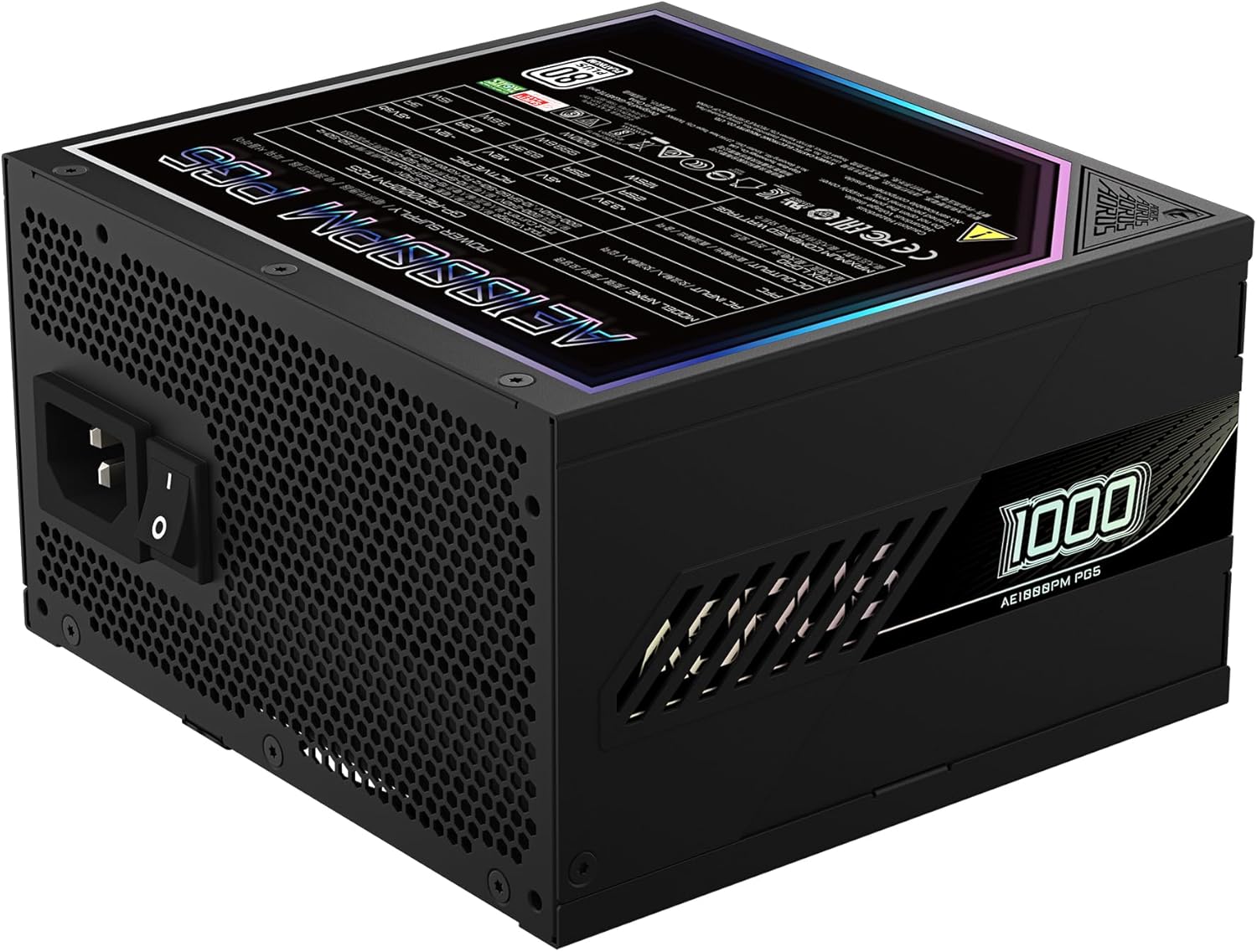
Figure 4: Rear panel of the GIGABYTE AORUS Elite P1000W Ice Power Supply, showing the AC power input and power switch. Ensure the switch is set to '0' before connecting the AC cord.
Instruccions de funcionament
After installation, follow these steps to power on your system:
- Encès: Flip the main power switch on the rear of the power supply to the ON (I) position.
- Arrencada del sistema: Premeu el botó d'engegada de la caixa de l'ordinador per iniciar el sistema.
- Apagar: To shut down your system, perform a proper shutdown through your operating system. Once the system is off, you may flip the power supply's main switch to the OFF (0) position for complete power disconnection.

Figura 5: De dalt a baix view of the 120mm fan with the AORUS logo on the GIGABYTE AORUS Elite P1000W Ice Power Supply. The fan provides active cooling during operation.
Manteniment
Un manteniment regular ajuda a garantir la longevitat i el rendiment òptim de la font d'alimentació:
- Neteja de pols: Periodically clean dust from the power supply's fan grill and vents using compressed air. Ensure the power supply is turned off and unplugged before cleaning.
- Gestió de cables: Ensure cables are neatly routed and do not obstruct airflow within the computer case.
- Condicions ambientals: Maintain a cool, dry, and well-ventilated environment for your computer system.
Resolució de problemes
Si teniu problemes, consulteu els passos habituals següents per a la resolució de problemes:
- Sense energia:
- Comproveu si el cable d'alimentació de CA està connectat correctament tant a la font d'alimentació com a la presa de corrent.
- Ensure the power supply's main switch is in the ON (I) position.
- Verify that all modular cables are correctly seated in both the power supply and the components.
- Proveu la presa de corrent amb un altre dispositiu per confirmar que tingui corrent.
- El sistema s'apaga inesperadament:
- This could indicate an overload or overheating. Ensure your system's power requirements do not exceed the PSU's 1000W capacity.
- Check for proper ventilation and clear any dust buildup.
- Verify that all power connections are secure.
- Sorolls inusuals:
- A clicking sound might indicate a protective mechanism engaging. Disconnect power and recheck all connections.
- If the fan is making excessive noise, ensure it is free from obstructions.
If issues persist after following these steps, contact GIGABYTE customer support.
Especificacions

Figure 6: Product label on the GIGABYTE AORUS Elite P1000W Ice Power Supply, displaying electrical specifications and certifications. Refer to this label for detailed electrical ratings.
| Característica | Detall |
|---|---|
| Nom del model | AORUS ELITE P1000W |
| Número de model de l'article | GP-AE1000PM PG5 EU |
| Potència de sortidatage | 1000 watts |
| Certificació 80 PLUS | Platí |
| Factor de forma | ATX |
| ATX Version Compatibility | ATX 3.0 (ATX 3.1 compatible) |
| PCIe Version Compatibility | PCIe Gen 5.0 |
| Mida del ventilador | 120 mm |
| Tipus de ventilador | Dynamic Fluid Ball Bearing (FDB) |
| Condensadors | Condensadors 100% japonesos |
| Disseny Modular | Totalment Modular |
| Proteccions | OVP, OPP, SCP, UVP, OCP, OTP |
| Dimensions del producte (L x A x A) | 5.51 x 5.91 x 3.39 polzades |
| Pes de l'article | 6.79 lliures (3080 grams) |
Informació de la garantia
The GIGABYTE AORUS Elite P1000W Ice Power Supply comes with a 10 any de garantia from the date of purchase. This warranty covers defects in materials and workmanship under normal use. Please retain your proof of purchase for warranty claims. For full warranty terms and conditions, refer to the official GIGABYTE weblloc o contacteu amb el servei d'atenció al client.
Suport
For technical assistance, troubleshooting beyond this manual, or warranty inquiries, please visit the official GIGABYTE support website or contact their customer service department. You can typically find contact information on the GIGABYTE weblloc web o a l'embalatge del producte.
Oficial de GIGABYTE Weblloc: www.gigabyte.com


