1. Introducció
This manual provides detailed instructions for the setup, operation, maintenance, and troubleshooting of your ECOWITT GW3002 7-in-1 Wireless Weather Station. This system includes the WS69 multi-sensor outdoor unit and the GW3000 WiFi/Ethernet gateway, designed to provide comprehensive weather data for your home or garden.
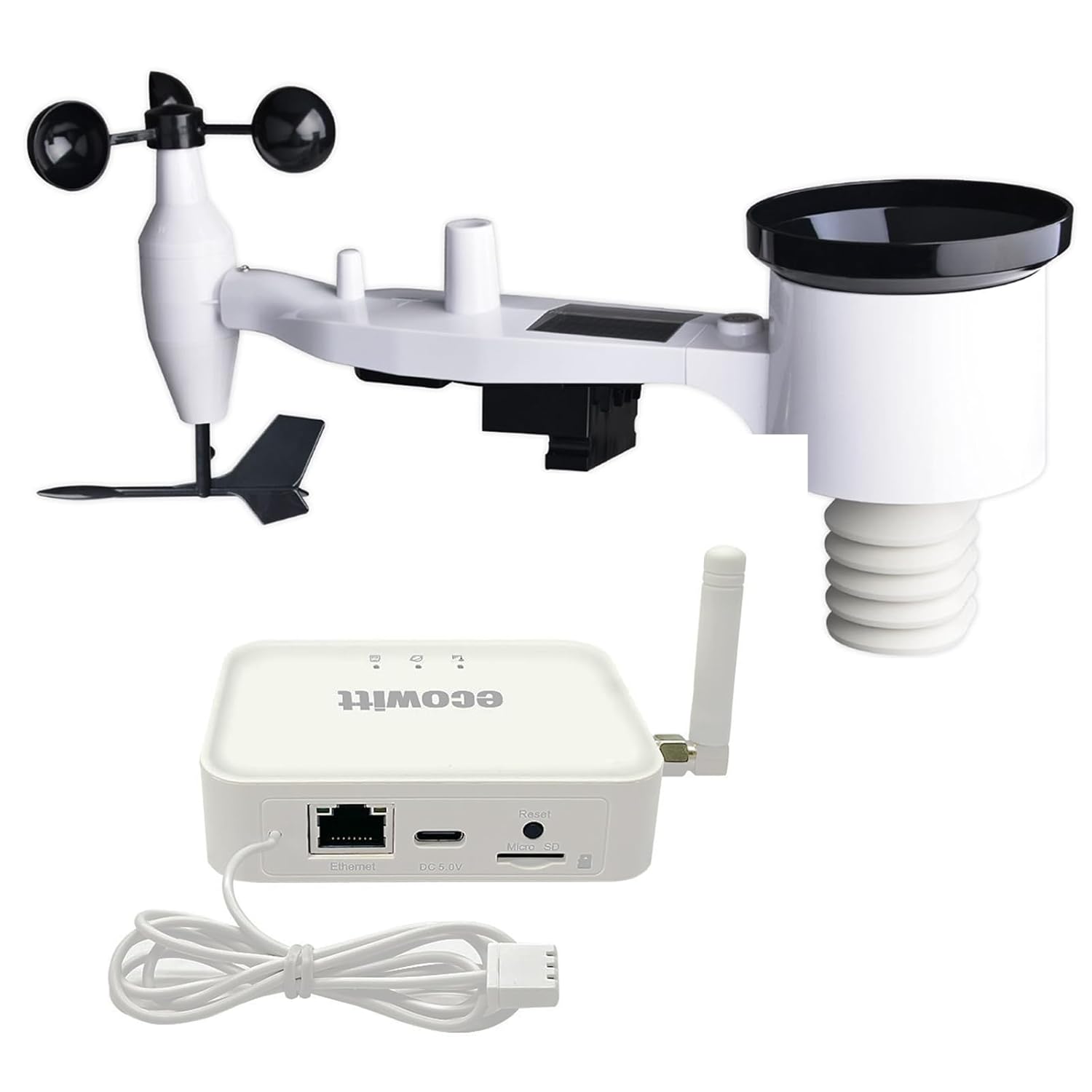
Figure 1.1: ECOWITT GW3002 Weather Station Components
This image displays the complete ECOWITT GW3002 weather station, featuring the white WS69 outdoor sensor unit with an anemometer, wind vane, rain gauge, and solar panel, alongside the compact white GW3000 WiFi/Ethernet gateway with its antenna and connecting cable.
2. Producte acabatview
2.1 Components
- WS69 Outdoor Sensor: A 7-in-1 integrated sensor measuring temperature, humidity, rainfall, wind speed, wind direction, and UV light. It includes a solar panel for power and operates on 2 AA batteries (not included) as backup.
- GW3000 WiFi/Ethernet Gateway: This gateway collects data from the WS69 sensor and other compatible Ecowitt sensors. It features built-in temperature, humidity, and atmospheric pressure sensors, a WLAN port, an SD card slot for data storage, and supports both Wi-Fi and wired Ethernet connectivity.
2.2 Característiques clau
- Sensor exterior 7 en 1: Measures temperature, humidity, rain, wind speed, wind direction, and UV light.
- Opcions d'alimentació flexibles: WS69 sensor uses solar power with 2 AA battery backup.
- Abast de RF ampliat: 100 meters (328 feet) RF transmission range between outdoor sensor and gateway.
- Advanced Gateway: GW3000 includes integrated temperature, humidity, and atmospheric pressure sensors.
- Connectivitat dual: Supports Wi-Fi and wired Ethernet for stable data upload.
- SD Card Data Storage: GW3000 features an SD card port for local data logging and transfer (supports FAT32 format).
- Easy Wi-Fi Setup: Configure Wi-Fi via web page, Ecowitt app, or direct Ethernet connection.
- Sistema ampliable: Compatible with various additional Ecowitt wireless sensors (sold separately) for comprehensive monitoring.
2.3 Sensor and Gateway Diagrams

Figure 2.1: WS69 Outdoor Sensor Components
This diagram labels the key components of the WS69 outdoor sensor, including the rain gauge, bubble level, solar panel, UV & light sensor, wind speed sensor, wind vane, thermo-hygrometer sensor, battery compartment, and reset button.

Figure 2.2: GW3000 Gateway Ports and Indicators
This image illustrates the GW3000 gateway, highlighting its WiFi status light, SD card status light, RF status light, RF antenna, Ethernet port, Type-C port, Micro SD slot, factory reset button, and the included temperature and humidity probe.
3. Configuració
3.1 Desembalatge i inspecció inicial
Carefully unpack all components and verify that all items are present and undamaged. Refer to the packing list provided with your product.
3.2 Instal·lació del sensor exterior WS69
- Instal·lació de la bateria: Open the battery compartment on the WS69 sensor. Insert 2 AA batteries (not included), ensuring correct polarity. The solar panel will provide primary power, with batteries acting as backup.
- Muntatge: Choose an open location for the WS69 sensor, free from obstructions, to ensure accurate wind and rain measurements. Use the included mounting hardware to secure the sensor to a pole or suitable surface. Ensure the sensor is level using the integrated bubble level.

Figure 3.1: WS69 Power Options
This image shows the WS69 outdoor sensor, highlighting its solar power supply and the battery compartment requiring 2 AA batteries (not included) for operation.
3.3 GW3000 Gateway Setup
- Connexió d'alimentació: Connect the GW3000 gateway to a power source using the provided USB cable and power adapter.
- Connexió de xarxa:
- Configuració Wi-Fi: The GW3000 can be configured for Wi-Fi via a web page or the Ecowitt app. Follow the detailed instructions in the GW3000 manual for Wi-Fi configuration.
- Connexió Ethernet: For a more stable connection, you can connect the GW3000 directly to your router using an Ethernet cable (sold separately). This method allows for Wi-Fi configuration without relying on wireless stability.
- Instal·lació de la targeta SD (opcional): If you wish to store data locally, insert a FAT32 formatted Micro SD card into the SD card slot. For cards larger than 32GB, you may need to use a tool like Rufus (https://rufus.ie/en/) to format it to FAT32.

Figure 3.2: GW3000 Wired Connection
This image shows the GW3000 gateway connected to a network via an Ethernet cable and powered via a USB-C cable, demonstrating its wired connectivity option.
3.4 Emparellament de sensors
The WS69 outdoor sensor and GW3000 gateway are typically pre-paired. Upon powering both devices, the GW3000 will automatically search for and connect to the WS69 sensor. The RF status light on the GW3000 will indicate successful communication.

Figure 3.3: RF Communication Range
This diagram illustrates the wireless communication between the WS69 outdoor sensor and the GW3000 gateway, indicating a maximum RF range of 100 meters (328 feet) for data transmission.
4. Instruccions de funcionament
4.1 Connecting to the Ecowitt App/Web Interfície
Once your GW3000 gateway is connected to your network (Wi-Fi or Ethernet), you can access your weather data:
- Aplicació Ecowitt: Download the Ecowitt app from your device's app store. Follow the in-app instructions to add your GW3000 gateway and view dades meteorològiques històriques i en temps real.
- Web Interfície: Access the Ecowitt web interface through a browser to monitor your weather station data.
4.2 Data Monitoring and Third-Party Services
The Ecowitt system allows you to monitor various weather parameters and integrate with popular third-party weather services:
- Dades en temps real: View current temperature, humidity, wind speed, wind direction, rainfall, UV index, and atmospheric pressure.
- Dades històriques: Access graphs and logs of past weather conditions.
- Plataformes de tercers: The GW3000 supports uploading data to platforms like Weather Underground, Ecowitt.net, and others, allowing you to share and compare your local weather data.

Figure 4.1: Data Flow and Cloud Services
This diagram illustrates how the WS69 sensor transmits data to the GW3000 gateway, which then uploads the information to the Ecowitt app, Ecowitt Cloud, Weather Underground, Met Office, and Weathercloud via WiFi connection.
4.3 SD Card Data Management
If an SD card is installed in the GW3000, you can manage your stored data:
- Monitorització en temps real: The system allows real-time monitoring of the SD card status.
- Intercanvi en calent: The SD card can be inserted or extracted without restarting the device.
- File Gestió: Individual file upload and deletion operations are supported for flexible data management.
5. Manteniment
5.1 Battery Replacement (WS69 Sensor)
The 2 AA backup batteries in the WS69 outdoor sensor should be checked periodically and replaced when low. The solar panel extends battery life significantly, but eventual replacement is necessary.
5.2 Neteja del sensor
- Pluviòmetre: Periodically check the rain gauge funnel for debris (leaves, insects) and clean as needed to ensure accurate rainfall measurements.
- Sensors de vent: Assegureu-vos que les ventoses i el penell girin lliurement. Traieu qualsevol obstrucció.
- Neteja general: Netegeu la carcassa del sensor amb anuncisamp cloth to remove dirt and grime. Avoid using abrasive cleaners.
6. Solució De Problemes
6.1 Problemes comuns i solucions
- No Data from Outdoor Sensor:
- Check WS69 batteries and ensure they are correctly installed.
- Verify the WS69 sensor is within the 100m RF range of the GW3000 gateway and there are no major obstructions.
- Perform a factory reset on the GW3000 (see 6.2).
- GW3000 Not Connecting to Wi-Fi:
- Assegureu-vos que la vostra xarxa Wi-Fi sigui de 2.4 GHz (5 GHz no és compatible).
- Double-check Wi-Fi password during setup.
- Try connecting via Ethernet cable for initial setup if Wi-Fi is unstable.
- Restart your router and the GW3000.
- Lectures incorrectes:
- Ensure the WS69 sensor is mounted correctly and level.
- Clean the rain gauge and ensure wind sensors are free to move.
- Verify the sensor is not exposed to direct heat sources or reflective surfaces that could affect temperature readings.
- SD Card Issues:
- Ensure the SD card is formatted to FAT32.
- Check if the SD card is properly inserted.
- Try a different SD card to rule out card malfunction.
6.2 Factory Reset (GW3000)
To perform a factory reset on the GW3000 gateway, locate the 'Reset' button (refer to Figure 2.2) and press and hold it for approximately 10 seconds until the status lights indicate a reset. This will clear all network settings and sensor pairings, requiring re-configuration.


