1. Introducció
El Fender ChampionII 100 Watt Combo Amplifier is designed to provide versatile and high-quality guitar tones for musicians of all levels. This amplifier offers a wide range of clean and overdriven sounds, along with a selection of built-in effects, making it suitable for various musical genres and playing environments. The ChampionII 100 Kit includes the amplifier, an instrument cable, and a polishing cloth to help you get started and maintain your equipment.

Figura 1: Frontal view of the Fender ChampionII 100 Watt Combo Ampmés viu.
2. Característiques clau
- Tons versàtils: Delivers world-renowned Fender clean and overdrive tones, plus an assortment of British and modern distortion flavors.
- Efectes integrats: Features a built-in effects selection including reverb, delay/echo, chorus, tremolo, Vibratone, and more.
- Controls intuïtius: Easy-to-use interface for dialing in desired sounds without complex menus or apps.
- Botó TAP: Allows easy setting of delay times and tremolo speeds to match song tempos, including a dotted eighth note function.
- Connectivitat: Includes auxiliary input for external devices, headphone output for private practice, and a rear-panel USB port.
- Interruptor de peu inclòs: Comes with a 2-button footswitch for convenient channel and effects control.
- Robust Power: 100 Watts of power with two 12" Fender Special Design speakers, suitable for live performances.
- Bucle d'efectes: (Preamp Fora, poder Amp In) for use with outboard effects.
2.1 Quick Overview Vídeo
Vídeo 2: Un breu resumview highlighting key features of the Fender ChampionII 100 Watt Combo Ampmés viu.
3. Guia de configuració
- Desembalatge: Traieu amb cura amplifier and included accessories (instrument cable, polishing cloth) from the packaging.
- Col·locació: Col·loca el amplifier on a stable, flat surface. Ensure adequate ventilation around the unit. Avoid placing it near heat sources or in direct sunlight.
- Connexió d'alimentació: Connecteu el cable d'alimentació a la xarxa amplifier's input power socket on the rear panel and then to a suitable electrical outlet (100-240 VAC, 50-60 Hz).
- Encès: Flip the POWER switch to the "ON" position. The power indicator light will illuminate.
- Connexió de l'instrument: Connecteu la vostra guitarra al ENTRADA jack on the front panel using the provided instrument cable.
- Footswitch Connection: If using the footswitch, connect it to the FTSW presa al panell frontal.
- Dispositius auxiliars: For connecting external audio devices (e.g., MP3 player), use the AUX entrada.
- Auriculars: Per a la pràctica privada, connecteu els auriculars al TELÈFONS sortida.
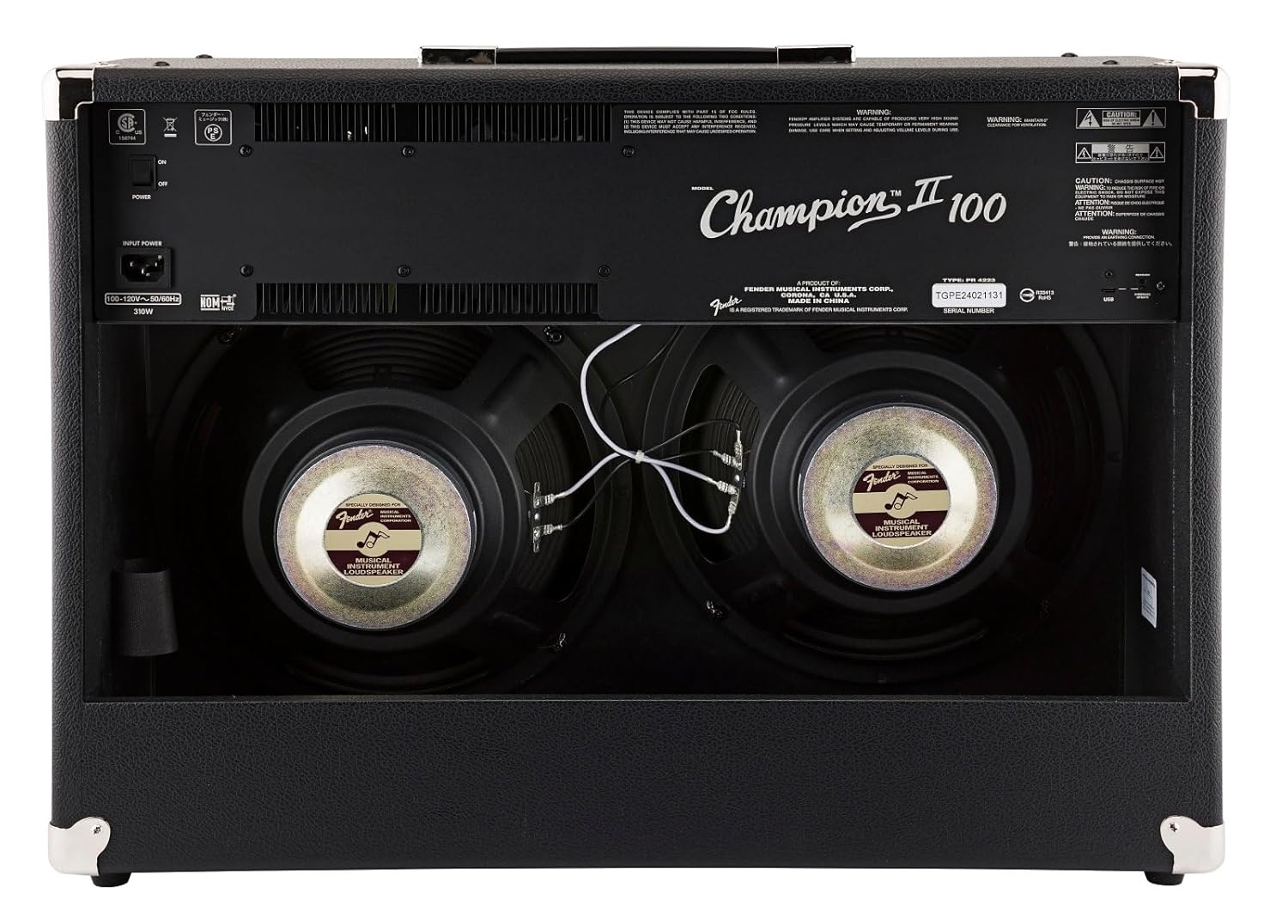
Figura 2: posterior view showing power input and speakers.
4. Instruccions de funcionament
4.1 Controls del panell frontal

Figura 3: Primer pla de la amppanell de control del lificador.
- ENTRADA: 1/4" jack for connecting your instrument.
- FTSW: 1/4" jack for connecting the optional 2-button footswitch.
- Channel 1 (Clean):
- VOLUM 1: Adjusts the overall output level of Channel 1.
- AGUTS: Controla la resposta d'alta freqüència.
- BAIX: Controla la resposta de baixa freqüència.
- NIVELL FX: Adjusts the intensity of the selected effect for Channel 1.
- SELECCIÓ D'EFECTES: Rotary switch to choose from various effects (Reverb, Delay, Chorus, Tremolo, etc.).
- AIXETA: Button to set delay times or tremolo speeds. Hold to activate dotted eighth note delay.
- Channel 2 (Voice/Gain):
- GUANY: Controls the amount of overdrive/distortion.
- VOLUM 2: Adjusts the overall output level of Channel 2.
- VEU: Rotary switch to select different amplifier voicings (e.g., Classic Fender, British, Modern High Gain).
- AGUTS: Controla la resposta d'alta freqüència.
- MITJÀ: Controls the mid-range frequency response.
- BAIX: Controla la resposta de baixa freqüència.
- MODIFICAR: Adjusts specific parameters of the selected amp veu.
- NIVELL FX: Adjusts the intensity of the selected effect for Channel 2.
- SELECCIÓ D'EFECTES: Rotary switch to choose from various effects.
- AIXETA: Button to set delay times or tremolo speeds. Hold to activate dotted eighth note delay.
- AUX: 1/8" stereo input for connecting external audio devices.
- TELÈFONS: 1/8" stereo output for headphones.
- PRE SORTIDA: Preamp output for connecting to external power ampLificadors o aparells de gravació.
- ENTRADA D'ALIMENTACIÓ: Poder amp input for connecting external preamps or effects processors directly to the power section.
- PWR: Llum indicador d'alimentació.
4.2 Using the Footswitch
The included 2-button footswitch allows for convenient switching between Channel 1 and Channel 2, and toggling effects on/off. Connect the footswitch to the FTSW presa al panell frontal.
4.3 Effects Loop
El ChampionII 100 features an effects loop (PRE OUT / PWR IN) on the rear panel. This allows you to integrate external effects pedals or processors into the amplifier's signal path between the preamp i poder amp sections, providing greater tonal flexibility.
4.4 Detailed Product Demonstration Video
Video 1: A detailed demonstration of the Fender ChampionII amplifier series, showcasing its various tones, effects, and features by a Fender product development manager.
5. Manteniment
- Neteja: Use the provided microfiber polishing cloth to gently clean the amplifier's exterior. Do not use abrasive cleaners or solvents.
- Emmagatzematge: Emmagatzemar el amplifier in a dry, temperature-controlled environment away from extreme humidity or direct heat.
- Cura del cable: Ensure the instrument cable is coiled neatly after use to prevent kinks and damage.
- Ventilació: Assegureu-vos sempre el amplifier's vents are clear and unobstructed to prevent overheating.

Figure 4: Microfiber polishing cloth for cleaning.
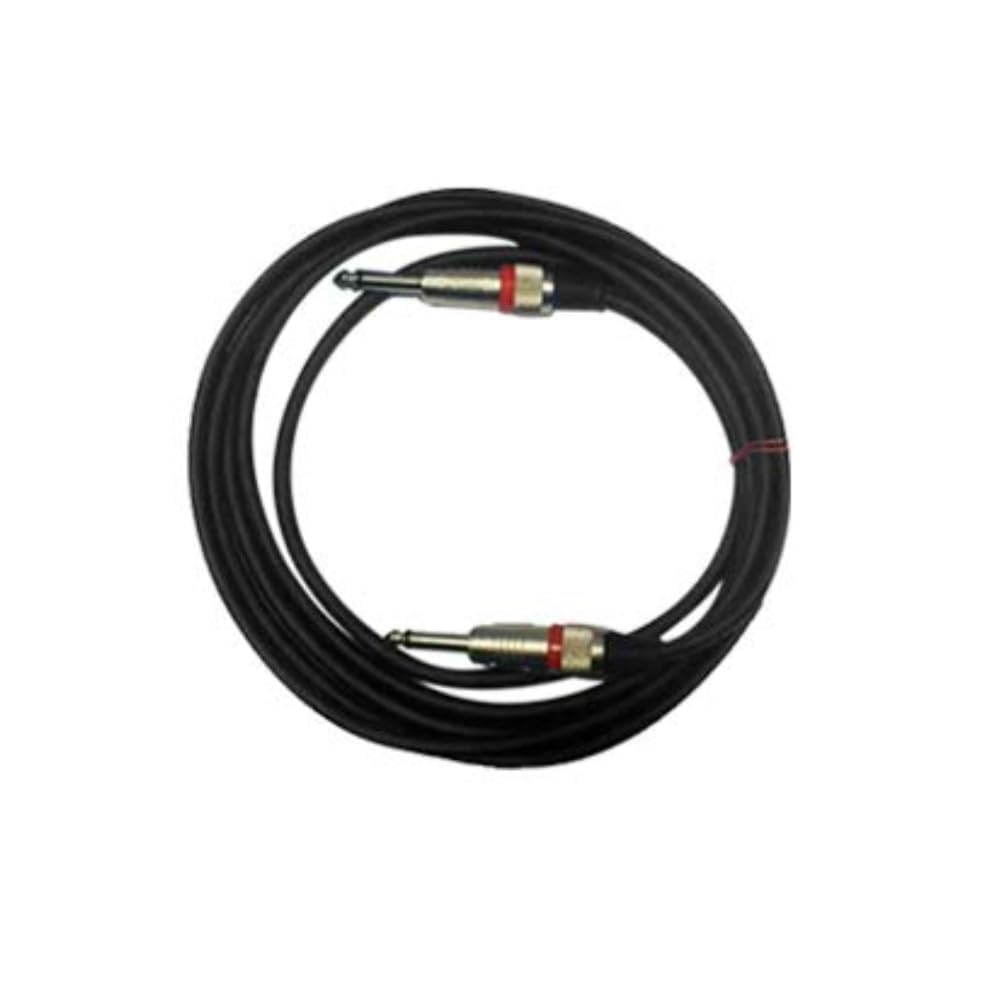
Figure 5: Included instrument cable.
6. Solució De Problemes
If you encounter issues with your Fender ChampionII 100 amplifier, consulteu els passos habituals següents per a la resolució de problemes:
- Sense energia:
- Comproveu si el cable d'alimentació està connectat correctament a tots dos amplificador i la presa de corrent.
- Assegureu-vos que l'interruptor d'alimentació estigui a la posició "ON".
- Verifiqueu que la presa de corrent funciona connectant-hi un altre dispositiu.
- Sense so:
- Ensure your instrument is properly connected to the ENTRADA jack.
- Check that the instrument cable is not faulty.
- Comproveu que el amplifier's volume controls (VOLUME 1 or VOLUME 2) are turned up.
- If using headphones, ensure they are properly connected and the main speakers are not muted (if applicable).
- If using the effects loop, ensure all connected pedals are powered on and functioning correctly.
- So distorsionat:
- Reduir el GUANYA control on Channel 2 if the distortion is unwanted.
- Check your guitar's volume and tone settings.
- Ensure no external pedals are causing unintended distortion.
- Efectes que no funcionen:
- Assegureu-vos el FX SELECT knob is set to a desired effect and NIVELL FX està alçat.
- If using the footswitch, ensure it is correctly connected and functioning.
If the issue persists after trying these steps, please contact Fender customer support.
7. Especificacions
| Marca | Fender |
| Model | ChampionII 100 |
| AmpTipus més viu | Estat sòlid |
| Wattage | 100 watts |
| Altaveus | Two - 12" Fender Special Design |
| Canals | Two - Selectable |
| Entrades | One - 1/4" Instrument Input |
| Bucle d'efectes | Preamp Fora, poder Amp In |
| Voltage | VAC 100-240, 50-60 Hz |
| Conector d'auriculars | 1/4" Stereo |
| Entrada auxiliar | 1/8" Stereo |
| Material de l'armari | 7-Ply 3/4" Medium-Density Fibreboard |
| Amplifier Covering | Black Textured Vinyl |
| Grille Cloth | Plata |
| Mànec | Molded Plastic Strap with Nickel-Plated Caps |
| Color | Negre |
| Dimensions (A x A x P) | 48.3 cm x 66 cm x 26.04 cm |
| Pes | 40 lliures. (18.2 kg) |
| Accessoris inclosos | 2-Button Footswitch, Instrument Cable, Polishing Cloth |
8. Garantia i assistència
Fender products are designed for reliability and performance. For detailed warranty information, please refer to the warranty card included with your product or visit the official Fender website. For technical support, service, or replacement parts, please contact Fender customer service through their official channels.
Podeu trobar més informació i recursos de suport a Fender official weblloc.


