1. Introducció
Thank you for choosing the Xmenha GS02 Smart Bluetooth Sunglasses. These innovative audio eyeglasses combine stylish eyewear with open-ear audio technology, allowing you to enjoy music and calls while remaining aware of your surroundings. This manual provides essential information for the proper setup, operation, and maintenance of your device.
Contingut del paquet:
- 1 Pair Xmenha GS02 Smart Bluetooth Sunglasses
- 1 x cable de càrrega USB-C
- 1 x Manual d'usuari (aquest document)
- 1 x Caixa d'embalatge exquisida
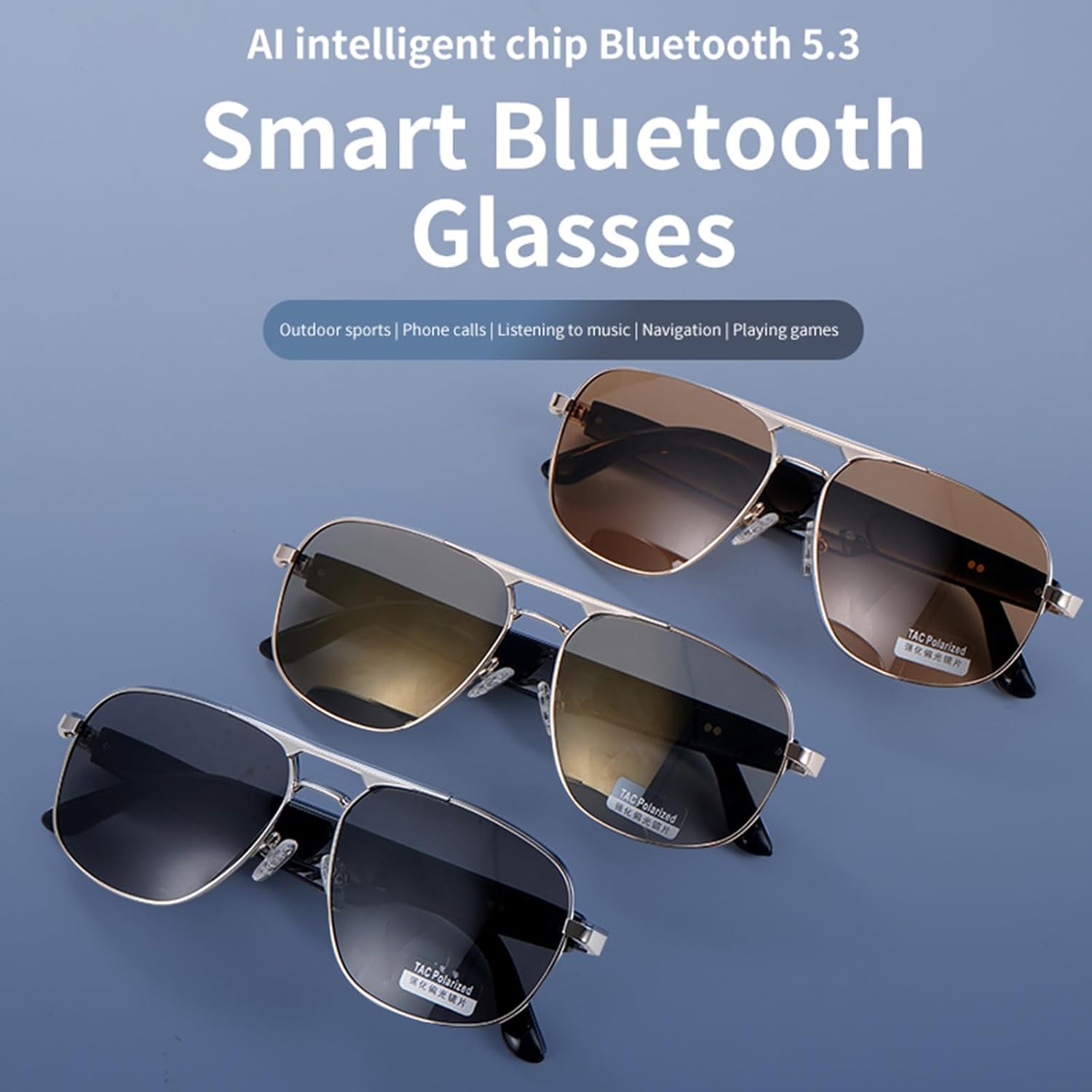
Figure 1: Xmenha GS02 Smart Bluetooth Sunglasses in various lens options.
2. Configuració
2.1 Càrrega de les ulleres de sol
Before initial use, fully charge your Xmenha GS02 Smart Bluetooth Sunglasses. Connect the provided USB-C cable to the charging port on the sunglasses and plug the other end into a compatible USB power source. The charging indicator (if present) will show the charging status.
2.2 Vinculació Bluetooth
The Xmenha GS02 sunglasses feature instant pairing. Simply open the glasses temples to power them on, and they will automatically enter pairing mode. Follow these steps to connect to your device:
- Ensure the sunglasses are charged and powered on by opening the temples.
- Al telèfon intel·ligent o al dispositiu amb Bluetooth, navegueu fins a la configuració de Bluetooth.
- Cerca available devices. The sunglasses should appear as "Xmenha GS02" or a similar name.
- Select the sunglasses to pair. Once connected, you will hear an audio confirmation.

Figure 2: Instant Pairing feature for quick connection.
3. Instruccions de funcionament
3.1 Encès/Apagat
- Encès: Open the temples of the sunglasses.
- Apagar: Close the temples of the sunglasses.
Reproducció d'àudio 3.2
Once paired, audio from your connected device will play through the open-ear speakers. The sunglasses support volume control and track navigation (forward/backward) directly from the frames.
3.3 Trucades telefòniques
The integrated HD microphone allows for clear phone calls. Use the controls on the sunglasses to answer, end, or reject calls hands-free. The smart noise suppression feature helps maintain clear voice quality even in noisy environments.
3.4 Control de veu
The sunglasses are equipped with smart assistant technology, enabling voice control for hands-free operation. This allows you to make calls, answer calls, and access music stations using voice commands.
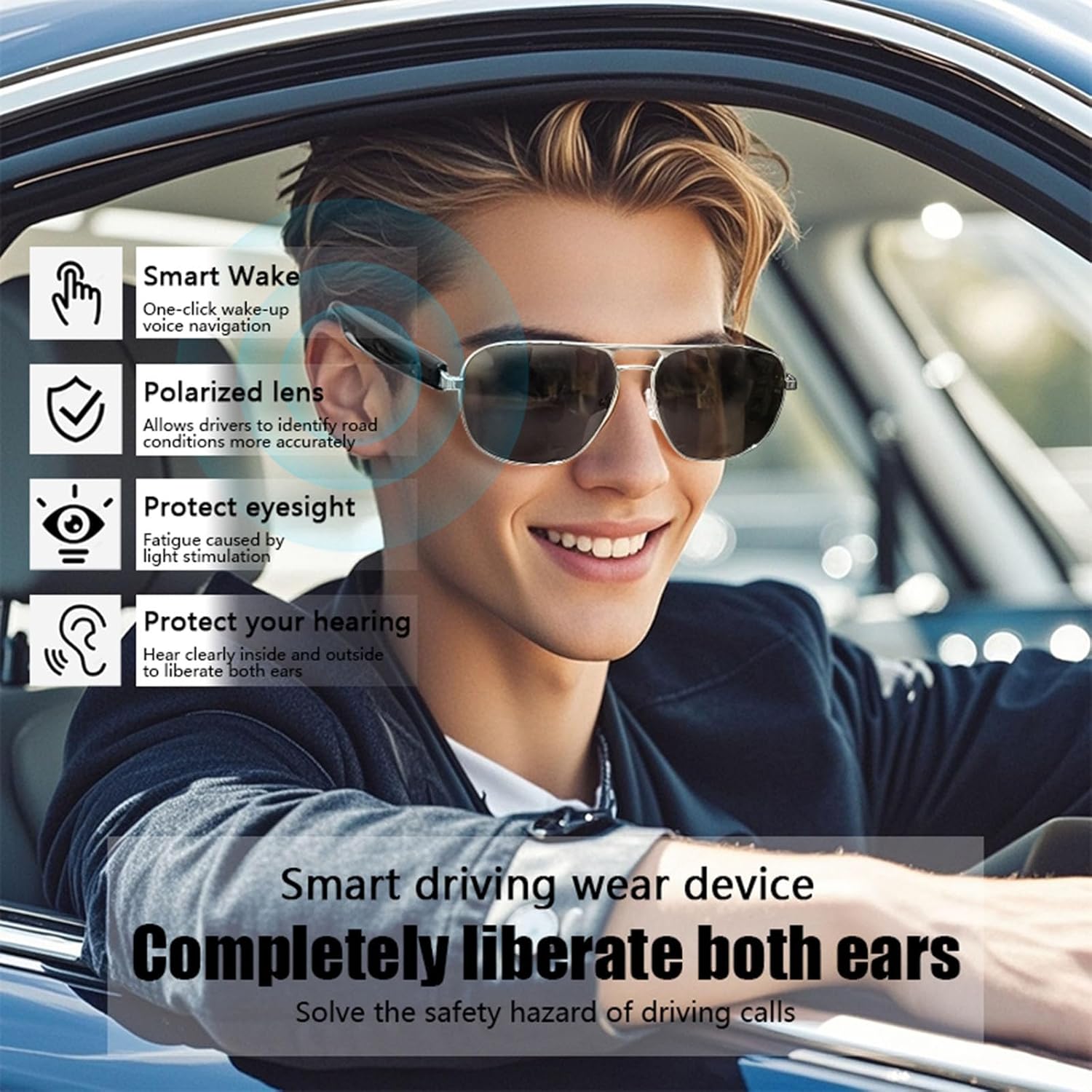
Figure 3: Key features for smart driving and awareness.

Figure 4: Open Ear Speaker design for comfort and awareness.

Figure 5: Emphasizing safety and environmental awareness during use.
3.5 Vídeo oficial del producte
Vídeo 1: Presentació oficial del producte en vídeoasing the Xmenha GS02 Bluetooth Glasses, demonstrating their design and features.
4. Manteniment
4.1 Neteja de les lents
The sunglasses feature high-performance polarized lenses. To clean, gently wipe with a soft, clean microfiber cloth. Avoid using abrasive materials or harsh chemical cleaners, which can damage the lens coating.
4.2 Atenció general
- Store the sunglasses in their protective case when not in use to prevent scratches and damage.
- Avoid exposing the sunglasses to extreme temperatures or direct sunlight for prolonged periods.
- Mantingueu el port de càrrega net i lliure de residus.
5. Solució De Problemes
If you encounter issues with your Xmenha GS02 Smart Bluetooth Sunglasses, please refer to the following common solutions:
| Problema | Causa possible | Solució |
|---|---|---|
| No es pot encendre | Low battery; Temples not fully open | Charge the sunglasses; Ensure temples are fully opened. |
| No es pot emparellar per Bluetooth | Sunglasses not in pairing mode; Device Bluetooth off; Too far from device | Ensure temples are open; Turn Bluetooth on your device; Move sunglasses closer to device (within 10m/380ft). |
| Sense àudio o mala qualitat d'àudio | Volume too low; Not properly paired; Obstruction to speakers | Increase volume on sunglasses and device; Re-pair the device; Ensure speakers are not covered. |
| Problemes de qualitat de trucada | Noisy environment; Microphone obstructed | Move to a quieter area; Ensure microphone is clear. |
6. Especificacions
| Característica | Detall |
|---|---|
| Model | GS02 |
| Marca | Xmenha |
| Versió Bluetooth | 5.3 (AI intelligent chip) |
| Distància de transmissió | Approximately 10m / 380ft (barrier-free) |
| Hora de jugar | Aproximadament 6-8 hores |
| Capacitat de la bateria | 400mAh (1 Lithium Ion battery included) |
| Port de càrrega | USB-C |
| Dimensions del producte | 0.4 x 0.2 x 0.8 polzades |
| Pes | 4.8 unces |
| Lents | Polarized, 100% UVA & UVB protection |
| Fabricant | Shenzhen Xintu Century Technology Co., Ltd. |
7. Garantia i Suport
For warranty information and customer support, please refer to the documentation provided with your purchase or contact the retailer. The manufacturer is Shenzhen Xintu Century Technology Co., Ltd.


